1. Introduction
This manual provides detailed instructions for the setup, operation, and maintenance of your nimin Smart Essential Oil Diffuser V06 Pro. Please read this manual thoroughly before using the device to ensure proper function and safety.
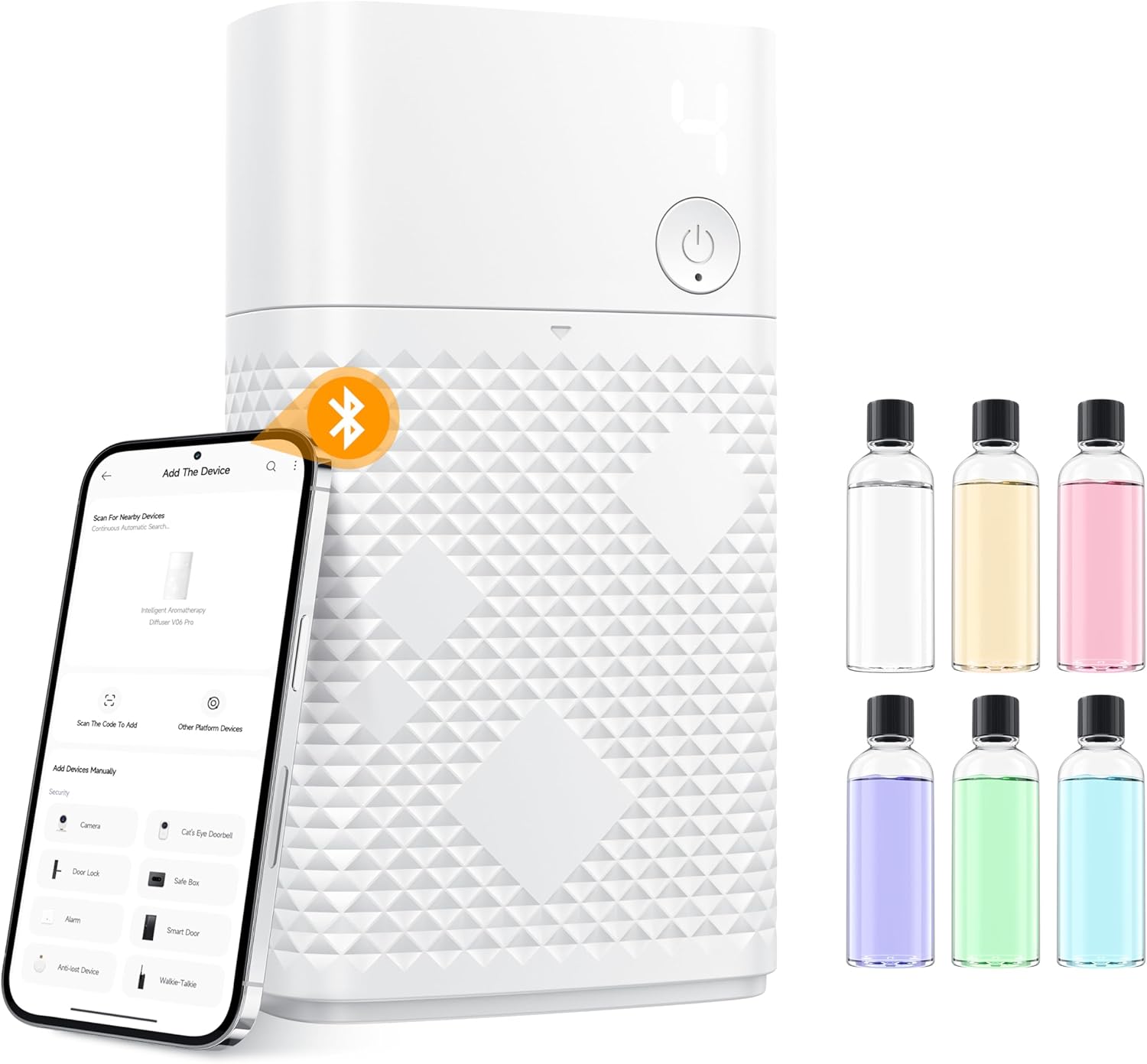
Image: nimin Smart Essential Oil Diffuser V06 Pro, shown with six bottles of essential oils and a smartphone demonstrating the app interface.
2. Important Safety Information
Warning:
- Avoid direct skin contact with undiluted essential oils.
- Keep the device and essential oils out of reach of children and pets.
- Ensure proper ventilation during use.
- Do not tilt or invert the diffuser after installing the essential oil bottle, or place it on its side. Oil leakage may cause machine damage.
3. What's in the Box
Verify that all items are present upon unpacking:
- nimin Smart Essential Oil Diffuser V06 Pro
- 6 x 50ml Essential Oil Bottles (various scents)
- USB Type-C Charging Cable
- No-trace Wall Mount Adhesive
- User Manual
- Reset Pin (or similar small tool for reset button)

Image: Unboxed contents of the nimin Smart Essential Oil Diffuser V06 Pro, showing the diffuser unit, six essential oil bottles, USB-C cable, wall mount, and documentation.
4. Product Overview
The nimin V06 Pro diffuser features a compact design with multiple functionalities for an enhanced aromatherapy experience.
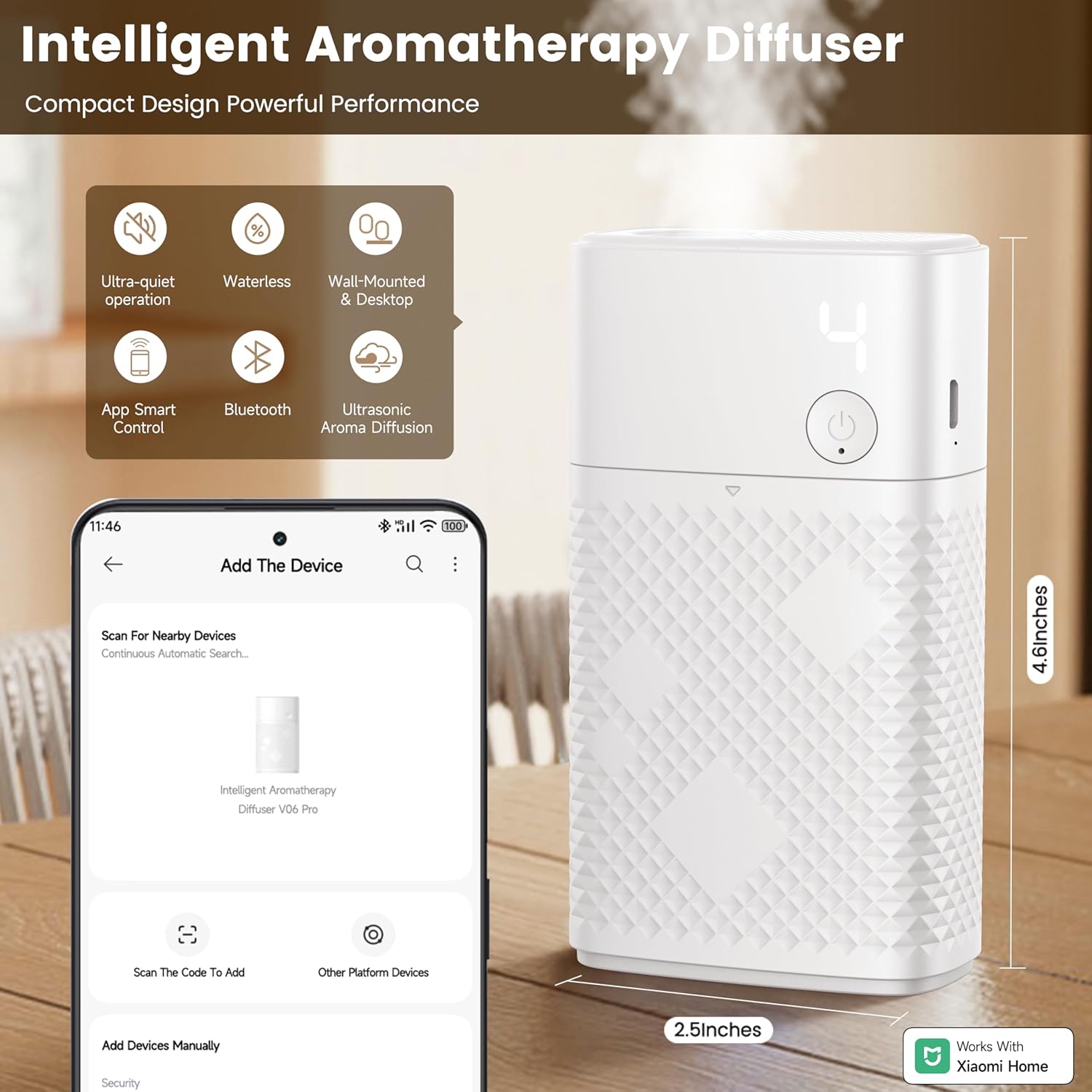
Image: Front view of the nimin Smart Essential Oil Diffuser V06 Pro, illustrating its compact size (4.6 inches tall, 2.5 inches wide) and listing key features such as ultra-quiet operation, waterless design, wall-mounted/desktop use, app control, Bluetooth connectivity, and ultrasonic aroma diffusion.
Key Features:
- Ultrasonic Atomization: Produces a fine mist for wide fragrance coverage.
- Waterless Design: Eliminates the need for water refills and frequent cleaning.
- Dual Use: Can be placed on a tabletop or mounted on a wall.
- Smart App Control: Manage settings via the Xiaomi Home App.
- Ultra-Quiet Operation: Designed for minimal noise during use.
- Type-C Interface: For convenient and efficient charging.
- Reset Port: Allows for one-click factory reset and Bluetooth reconnection.

Image: Close-up views of the diffuser highlighting its ultrasonic atomization technology, multi-mode adjustment button, reset port, damage-free wall hanging mechanism, and Type-C charging interface.
5. Setup
5.1 Installing the Essential Oil Bottle
- Insert the cotton stick into the essential oil bottle.
- Pull out the machine compartment cover.
- Place the essential oil bottle into the machine and secure it with the knob.
- Reattach the machine compartment cover.

Image: Step-by-step visual guide for installing the essential oil bottle into the diffuser unit.
5.2 Wall Mounting (Optional)
The diffuser includes a no-trace wall mount for flexible placement. Ensure the mounting surface is clean and dry before applying the adhesive mount. Once mounted, the diffuser can be easily attached or removed.
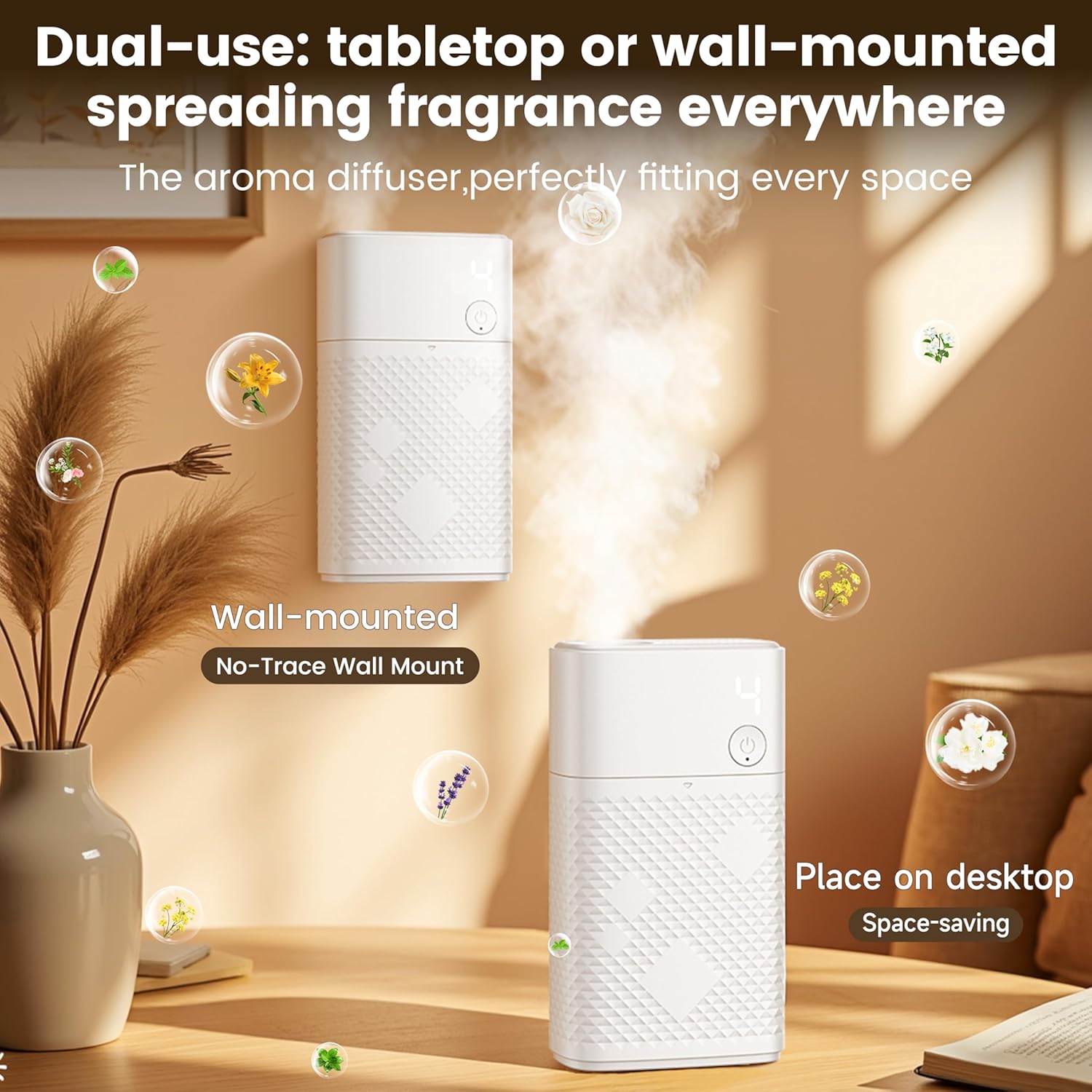
Image: The diffuser displayed in two settings: wall-mounted using its no-trace adhesive, and placed on a desktop, highlighting its versatility.
6. Operating the Diffuser
6.1 Manual Control
The diffuser can be operated directly using the physical button on the unit. Press the button to cycle through four different modes:
- Mode 1: Spray for 3 seconds, every 5 minutes.
- Mode 2: Spray for 3 seconds, every 15 minutes.
- Mode 3: Spray for 3 seconds, every 30 minutes.
- Mode 4: Continuous spray.

Image: Visual representation of the diffuser's physical button and the four distinct spray modes it controls.
Note: Physical button controls take priority over mobile app settings. Pressing a physical button will immediately trigger a response and override any current app settings.
6.2 App Control (Xiaomi Home App)
For advanced control and customization, use the Xiaomi Home App.
- Download the App: Search for "Xiaomi Home App" in the App Store (iOS) or Google Play Store (Android), download, and install it.
- Register/Log In: Open the app and log in with your Xiaomi account.
- Connect the Diffuser:
- Long press the power button on the diffuser for 2 seconds to turn it on.
- Insert a small pin (like a toothpick or the provided reset pin) into the reset hole (located near the charging port). Long press the button inside the reset hole for more than 1 second. The display will show "8" and flash, indicating a successful Bluetooth reset.
- Open the Xiaomi Home App, click the "+" icon on the homepage to select "Add Device". The app will scan for nearby devices.
- Select "Intelligent Aromatherapy Diffuser V06 Pro" from the list to connect.
- Customize Settings: Once connected, you can adjust spray intensity, set custom schedules, and create automation scenes for a personalized aromatherapy experience.

Image: Visual guide for connecting the diffuser to the Xiaomi Home App via Bluetooth, including steps for power on, reset, and device discovery.

Image: Examples of the app interface, demonstrating how to precisely control fragrance intensity, set interval durations, and schedule operation times, including custom daily cycles.
Note for International Users: This product is compatible with the Xiaomi Home app (available for both iOS and Android). While the user manual may refer to the Mijia app, "Mijia" is the name used in certain regions, while "Xiaomi Home" is the global name for the same app.
7. Maintenance
The waterless design of the nimin V06 Pro diffuser significantly reduces maintenance requirements compared to traditional diffusers.
- Exterior Cleaning: Wipe the exterior of the diffuser with a soft, dry cloth as needed to remove dust or smudges.
- Oil Bottle Replacement: When an essential oil bottle is empty, replace it by following the "Installing the Essential Oil Bottle" steps in Section 5.1.
- Avoid Water: Do not immerse the device in water or use liquid cleaners directly on the internal components.
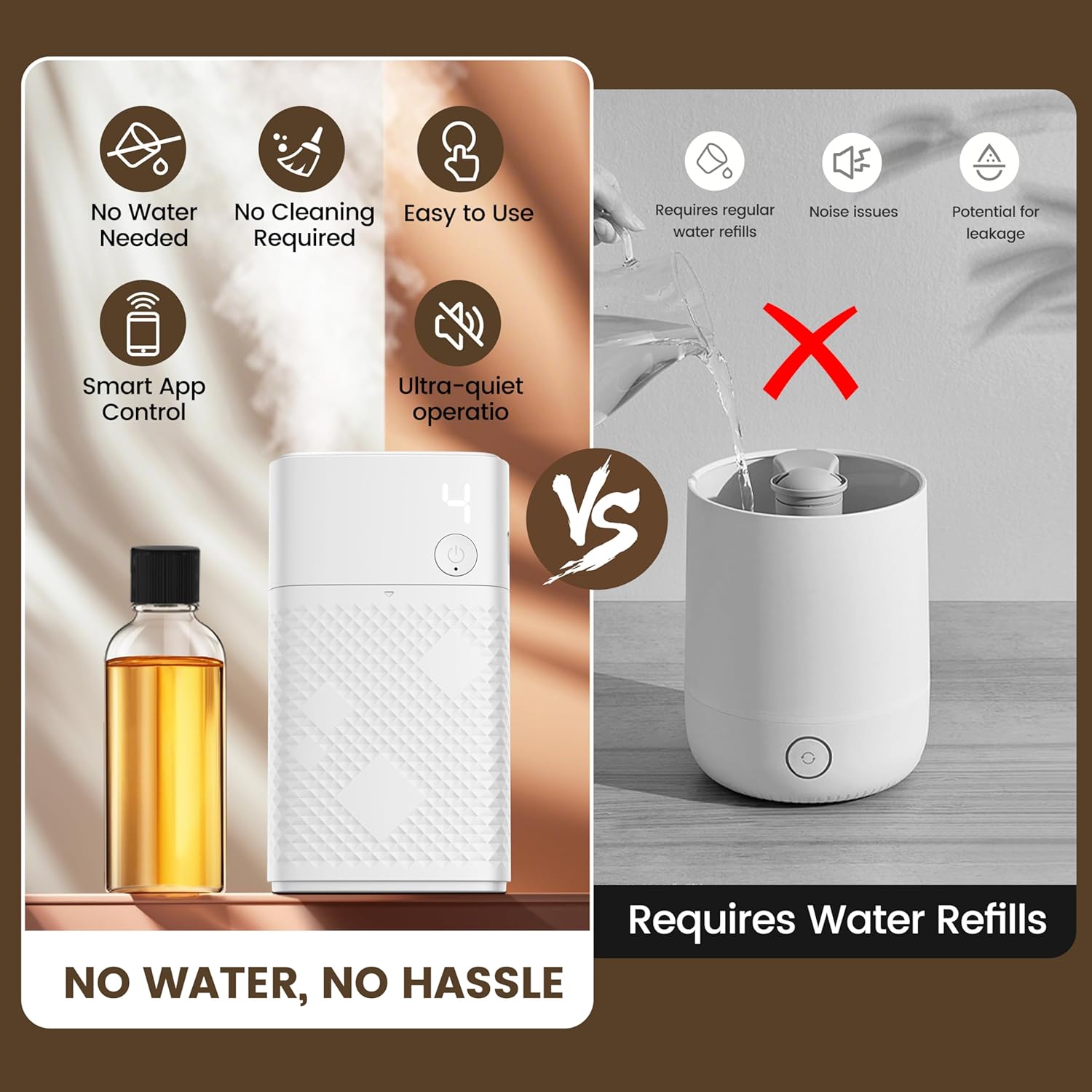
Image: A visual comparison emphasizing the advantages of the waterless diffuser, such as reduced cleaning and ease of use, compared to diffusers requiring water refills.
8. Troubleshooting
| Problem | Possible Cause | Solution |
|---|---|---|
| No mist/fragrance output. |
|
|
| Device not connecting to app. |
|
|
| Battery drains quickly. |
|
|
| Oil leakage. |
|
|
9. Specifications
| Feature | Detail |
|---|---|
| Brand | nimin |
| Model Name | V06pro (Nimin001) |
| Color | White |
| Material | Acrylonitrile Butadiene Styrene (ABS) |
| Product Dimensions | 2.59"L x 1.29"W x 4.64"H |
| Item Weight | 0.42 Kilograms (14.8 ounces) |
| Power Source | 1 Lithium Ion battery (included) |
| Special Features | Compact, Long Lasting Aroma, Multiple Mist Setting, Silent Operation, App Control, Waterless |
| Auto Shutoff | No |
| Recommended Uses | Home, Bedroom, Office, Bathroom |
10. Warranty and Support
For warranty information or technical support, please refer to the documentation included with your product or contact nimin customer service directly. Contact details can typically be found on the manufacturer's official website or on the product packaging.
Please retain your proof of purchase for any warranty claims.