Introduction
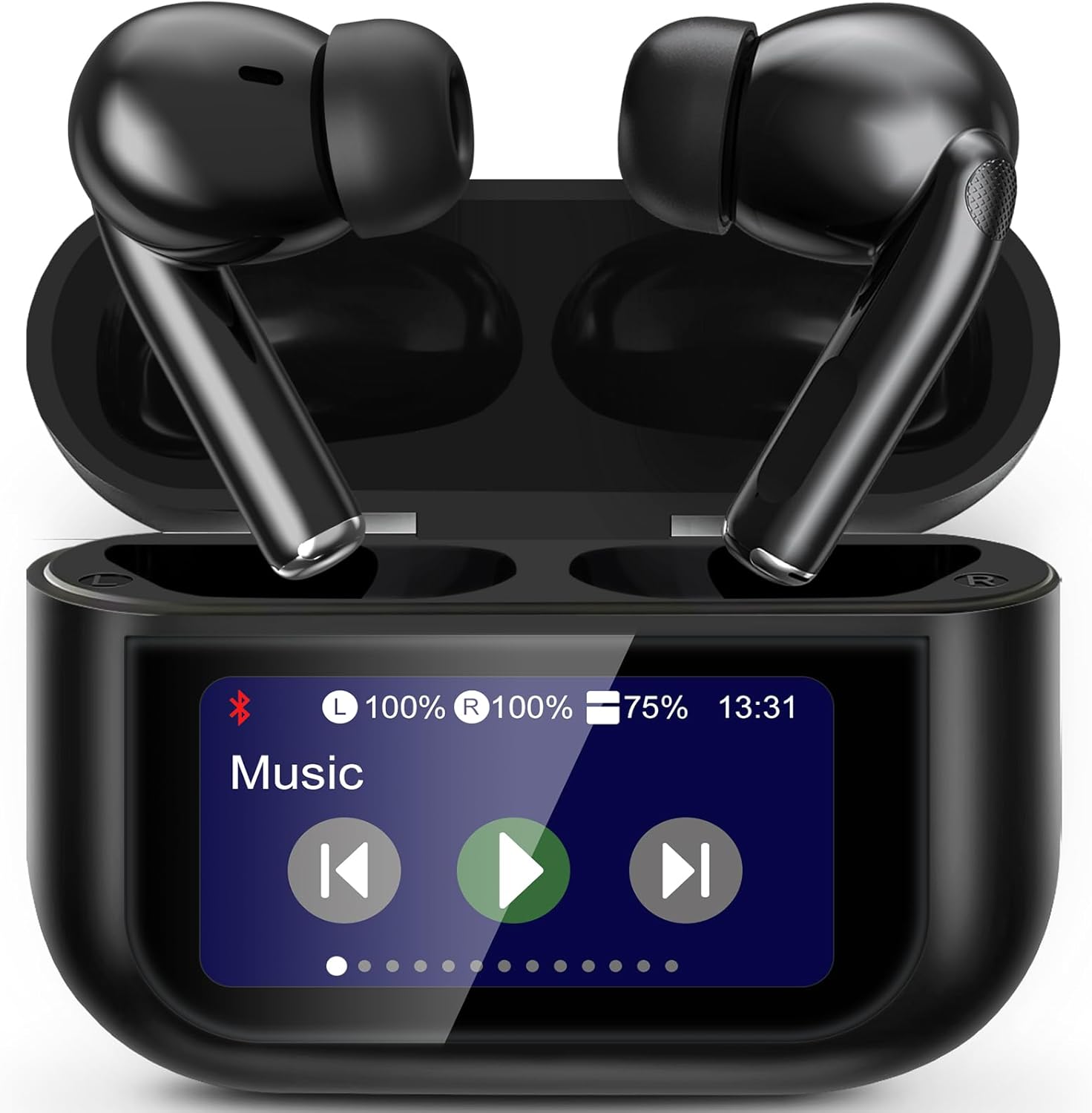
Thank you for choosing the Handzee Smart Earphones. These earphones feature a built-in touchscreen, offering 13 distinct functions for enhanced control and a seamless user experience. With advanced ANC+ENC noise reduction, Bluetooth 5.4 connectivity, and intelligent touch controls, these earphones are designed for superior audio quality and convenience. This manual provides detailed instructions for setup, operation, maintenance, and troubleshooting to ensure optimal performance.
What's in the Box
- YW07 Wireless Earbuds
- User Guide
- Charging Case with Touchscreen
- USB Type-C Charging Cable
- Eartips (S/M/L sizes)
Setup
Powering On/Off
When you first receive the earphones, the device is turned off. To power on the device, locate the small circular button at the bottom of the charging case. Press and hold this button for approximately 5 seconds until the screen displays "Hello". The screen and earphones will only be functional after booting up. To return to the home screen from any menu, press the button once.
Bluetooth Pairing
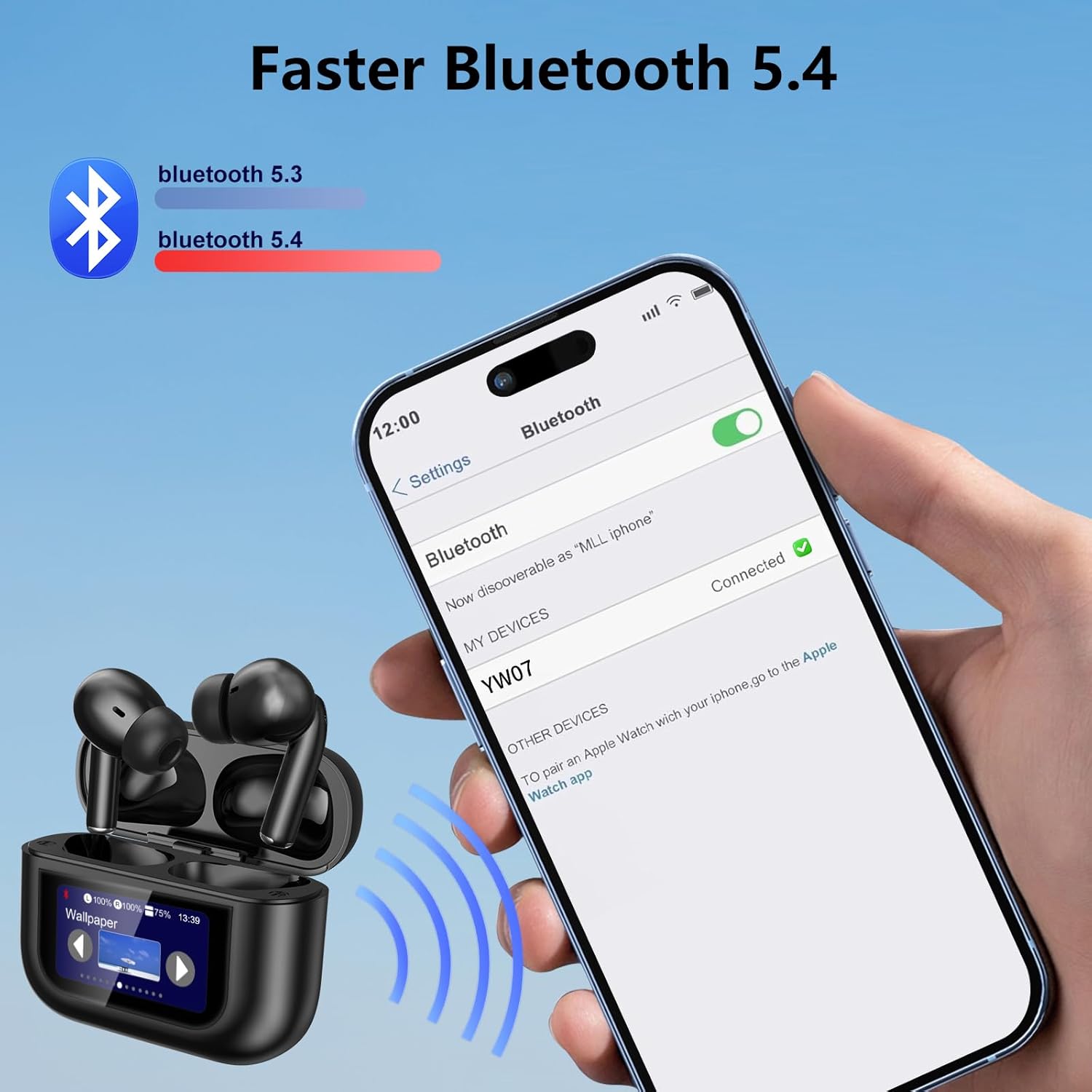
The Handzee Smart Earphones feature upgraded Bluetooth 5.4 for faster and more stable connections.
- Ensure the earphones are powered on and in their charging case.
- Open the charging case lid. The earphones will automatically enter pairing mode.
- On your device (smartphone, tablet, computer), navigate to the Bluetooth settings.
- Search for "YW07" in the list of available devices and select it to connect.
- Once connected, the screen on the charging case will indicate a successful Bluetooth connection.
Charging
The charging case provides extended battery life for your earphones.
- Connect the provided USB Type-C charging cable to the charging port on the case.
- Connect the other end of the cable to a compatible USB power source (e.g., wall adapter, computer USB port).
- The screen on the charging case will display the charging status and battery levels for both the case and individual earbuds.
- A full charge for the case takes approximately 1.5 hours.
- A 15-minute fast charge provides 1 hour of listening time.
- The total playtime with the charging case is up to 40 hours.

Operating Instructions
Touchscreen Functions (13 Interfaces)
The built-in touchscreen on the charging case provides direct control over various earphone functions. Swipe left or right on the screen to navigate through the different interfaces.
- Music: Play, pause, skip tracks.
- Equalizer: Adjust audio profiles (e.g., Jazz).
- Volume: Control playback volume.
- Language: Select interface language (e.g., English).
- Brightness: Adjust screen brightness.
- Find Earbuds: Locate misplaced earbuds (L/R indicators).
- Camera: Remote control for your phone's camera.
- Wallpaper: Customize screen background.
- Stop Time: Set a timer.
- Touch to Wake: Enable/disable screen wake-up by touch.
- Light: Control an integrated light (if applicable).
- Ambient: Manage noise control modes (ANC, Normal, Transparency).
- Spatial Audio: Select audio modes (Drama, Music, Game).

Earbud Touch Controls
The earbuds feature intelligent touch controls for convenient management of audio and calls.
- Single Tap: Play/Pause music, Answer/End call.
- Double Tap: Skip to next track.
- Triple Tap: Adjust volume (left earbud for volume down, right for volume up).
- Long Press: Activate voice assistant (Siri, Google Assistant).
- Four Taps: Switch noise reduction modes (ANC, Normal, Transparency).

Noise Cancellation (ANC+ENC)
Experience immersive audio with Active Noise Cancellation (ANC) and Environmental Noise Cancellation (ENC) features.
- ANC (Active Noise Cancellation): Reduces external ambient noise, ideal for travel or noisy environments.
- ENC (Environmental Noise Cancellation): Enhances call clarity by reducing background noise during phone conversations.
- You can control these modes via the touchscreen on the charging case under the "Ambient" interface or by using the four-tap gesture on the earbuds.

Spatial Audio
Enhance your listening experience with Spatial Audio modes, accessible via the touchscreen.
- Drama Mode: Optimized for movies and TV shows, providing a more immersive cinematic sound.
- Music Mode: Balanced audio profile for general music listening.
- Game Mode: Low-latency audio for gaming, ensuring synchronized sound effects.
Maintenance
Cleaning
Regular cleaning helps maintain the performance and longevity of your earphones.
- Use a soft, dry, lint-free cloth to wipe the earbuds and charging case.
- For stubborn dirt, slightly dampen the cloth with water or a mild, non-abrasive cleaner.
- Clean the eartips regularly with water and mild soap, then dry thoroughly before reattaching.
- Ensure charging contacts on both the earbuds and case are clean and free of debris.
Water Resistance (IPX7)
The Handzee Smart Earphones are rated IPX7 for water resistance, providing protection against sweat and splashes.
- IPX7 means the earphones can withstand immersion in water up to 1 meter for 30 minutes.
- This rating makes them suitable for workouts and outdoor activities where they might be exposed to sweat or light rain.
- Do not intentionally submerge the charging case, as it is not rated for water resistance.
- Always ensure the earbuds are dry before placing them back into the charging case.

Battery Care
To maximize battery lifespan:
- Avoid fully discharging the battery frequently.
- Store the earphones and case in a cool, dry place when not in use.
- Charge the device regularly, even if not used for extended periods, to prevent deep discharge.
Troubleshooting
| Problem | Solution |
|---|---|
| Earphones not powering on. | Ensure the charging case is charged. Press and hold the button at the bottom of the case for 5 seconds to boot up. |
| Cannot pair with device. | Ensure Bluetooth is enabled on your device. Place earbuds in case, close and reopen lid to re-enter pairing mode. Forget "YW07" from your device's Bluetooth list and try pairing again. |
| No sound from one earbud. | Check battery level of both earbuds on the charging case screen. Ensure both earbuds are properly seated in the case for charging. Try resetting the earbuds (refer to specific reset instructions if available, or place them back in the case and close the lid for a few seconds). |
| Touch controls not responding. | Ensure your fingers are clean and dry. Make sure the earbuds are properly seated in your ears. Restart the earbuds by placing them in the case and closing the lid. |
| Screen on charging case is unresponsive. | Ensure the case is charged. Press the button at the bottom of the case to wake the screen or return to the home screen. If unresponsive, try connecting the charger. |
Specifications
| Feature | Detail |
|---|---|
| Model Name | Earbuds (YW07) |
| Brand | Handzee |
| Connectivity Technology | Wireless (Bluetooth 5.4) |
| Bluetooth Range | 15 Meters |
| Noise Control | Active Noise Cancellation, Hybrid Noise Cancellation, Passive Noise Cancellation |
| Control Type | Touch Control |
| Battery Life (Earbuds) | Up to 8 hours per charge |
| Total Playtime (with Case) | Up to 40 Hours |
| Carrying Case Battery Capacity | 380 Milliamp Hours |
| Carrying Case Charging Time | 1.5 Hours |
| Water Resistance Level | IPX7 (Earbuds only) |
| Earpiece Shape | Bud (In Ear) |
| Material | Acrylonitrile Butadiene Styrene (ABS), Plastic |
| Item Weight | 2.89 ounces (total) |
| Single Earbud Weight | 0.12 ounces (approx. 3.4g) |
| Compatible Devices | Cellphones, Telephones (iOS/Android/Windows) |
| Frequency Response | 20 Hz - 20000 Hz |
| Impedance | 32 Ohm |
Warranty and Support
For warranty information and customer support, please refer to the contact details provided in the packaging or visit the official Handzee website. Keep your purchase receipt as proof of purchase for any warranty claims.

