
1. Introduction
Thank you for choosing the Muzen Button Mini Bluetooth Speaker. This compact and stylish speaker delivers high-fidelity audio in a portable design. Crafted from durable metal, it features intuitive controls and long-lasting battery life, perfect for enhancing your audio experience anywhere.
2. What's in the Box
- Muzen Button Mini Bluetooth Speaker
- Portable Lanyard
- USB Charging Cable
- User Manual

Image: The Muzen Button speaker shown alongside its dedicated leather carrying case and portable lanyard, illustrating the complete package contents.
3. Product Features
- Excellent Stereo Sound: Equipped with 70dB SNR and 3W amplifiers for crisp, distortion-free HiFi audio.
- Wireless Bluetooth Connectivity: Utilizes Bluetooth 4.2 technology for stable connections up to 33 feet, with automatic re-connection to the last paired device.
- Durable Metal Construction: Crafted from zinc-aluminum alloy with a high-tech paint finish, ensuring durability and a premium feel.
- Portable Design: Compact size (palm-sized) and lightweight (130g) with an included lanyard for easy carrying.
- Intuitive Controls: Features a large rotary knob for volume and channel adjustments, and a lever switch for power, allowing for easy one-handed operation.
- Long Battery Life: Built-in rechargeable battery provides over 7 hours of continuous playback on a single 3-hour charge.
- Retro Aesthetic: Unique retro cube shape with contrasting colors, serving as both a functional speaker and a decorative item.

Image: The Muzen Button speaker positioned among flowers, emphasizing its small, pocket-sized form factor while promising powerful audio output.

Image: A hand gently holding the Muzen Button speaker, illustrating its compact and lightweight design, making it easy to carry anywhere.
4. Setup
4.1 Charging the Speaker
- Locate the charging port on the speaker.
- Connect the provided USB charging cable to the speaker's charging port.
- Connect the other end of the USB cable to a compatible USB power adapter (not included) or a computer's USB port.
- The charging indicator light will illuminate during charging and turn off when fully charged. A full charge takes approximately 3 hours.
4.2 Powering On/Off
- To power on, push the lever switch to the 'ON' position.
- To power off, push the lever switch to the 'OFF' position.
5. Operating Instructions
5.1 Bluetooth Pairing
- Ensure the speaker is powered on. It will automatically enter Bluetooth pairing mode if not connected to a device.
- On your device (smartphone, tablet, laptop), enable Bluetooth.
- Search for available Bluetooth devices.
- Select "Muzen Button" from the list of devices.
- Once paired, the speaker will emit a confirmation sound, and the Bluetooth indicator light will remain solid.
- The speaker will automatically reconnect to the last paired device when powered on and within range.
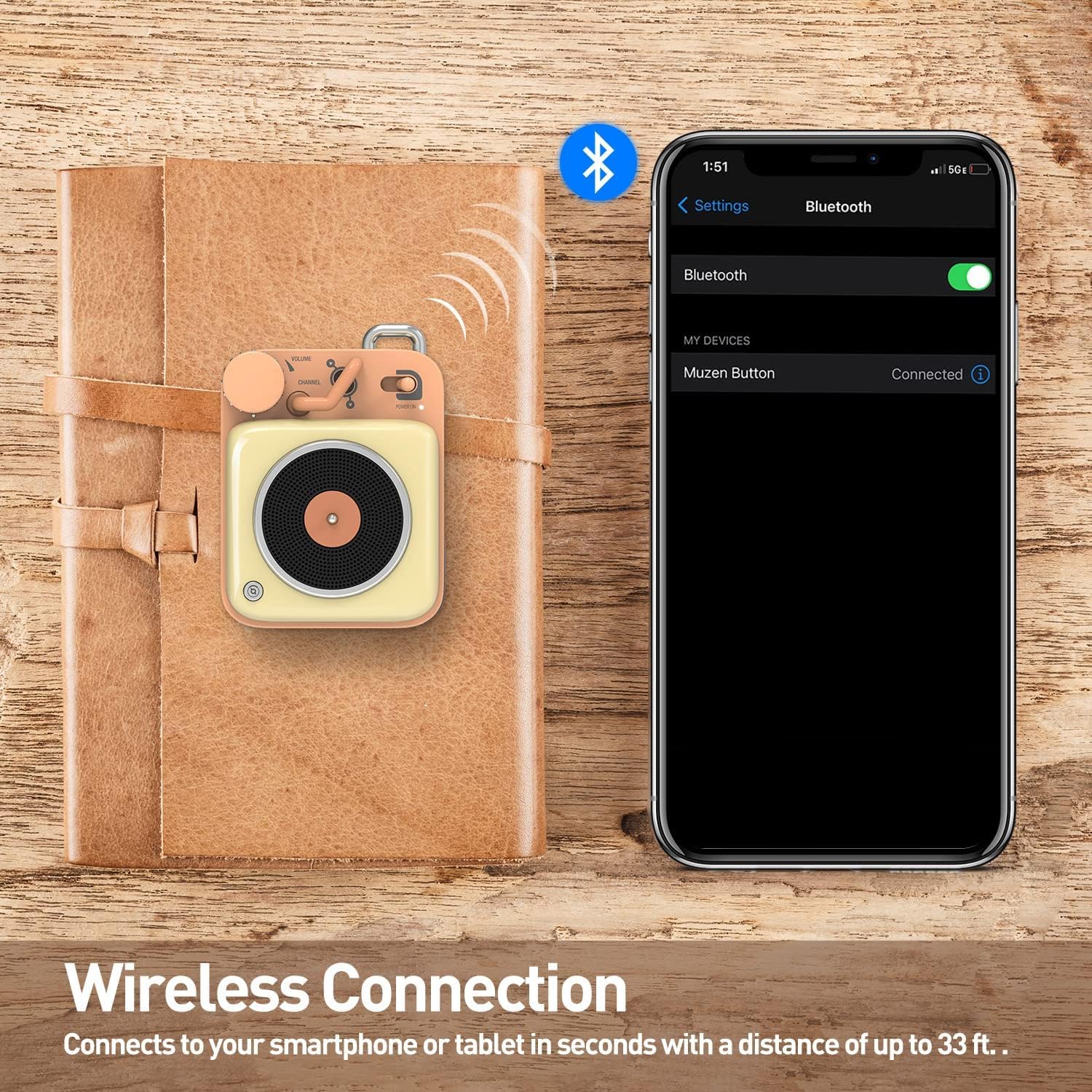
Image: The Muzen Button speaker positioned beside a smartphone screen, which shows the Bluetooth settings with "Muzen Button" listed as a connected device, demonstrating the wireless connection process.
5.2 Audio Playback
- Once connected via Bluetooth, play audio from your device.
- Volume Control: Rotate the large rotary knob clockwise to increase volume and counter-clockwise to decrease volume.
- Track Control: Use the lever switch to skip tracks. Push it up for the next track and down for the previous track. (Note: Specific functionality may vary based on device and app.)
6. Maintenance
- Clean the speaker with a soft, dry cloth. Do not use abrasive cleaners or solvents.
- Keep the speaker away from water and excessive moisture. This product is not waterproof.
- Avoid exposing the speaker to extreme temperatures (hot or cold).
- Store the speaker in a cool, dry place when not in use for extended periods.
7. Troubleshooting
| Problem | Possible Cause | Solution |
|---|---|---|
| Speaker does not power on. | Battery is depleted. | Charge the speaker fully. |
| Cannot pair with Bluetooth device. | Speaker is not in pairing mode or device Bluetooth is off. | Ensure speaker is on and in pairing mode. Turn Bluetooth off/on on your device. Move devices closer. |
| No sound or low volume. | Volume too low on speaker or device. | Increase volume on both the speaker and your connected device. |
| Sound distortion. | Volume too high or weak Bluetooth signal. | Lower the volume. Move speaker closer to the device. |
8. Specifications
- Model Name: Muzen Button
- Connectivity Technology: Bluetooth 4.2
- Wireless Range: Up to 33 feet (10 meters)
- Speaker Output Power: 3 Watts
- Audio Output Mode: Stereo
- Signal-to-Noise Ratio (SNR): 70dB
- Battery Life: Approximately 7+ hours
- Charging Time: Approximately 3 hours
- Power Source: Battery Powered
- Control Method: Rotary Knob and Lever Switch
- Material: Zinc-Aluminum Alloy
- Waterproof: No
- Mounting Type: Tabletop Mount
- Compatible Devices: Desktop, Laptop, MP3 Player, Smartphone, Tablet
9. Warranty and Support
The Muzen Button Mini Bluetooth Speaker comes with a limited warranty. Please refer to the warranty card included in your product packaging for specific terms and conditions. For technical support, troubleshooting assistance, or warranty claims, please contact Muzen customer service through the official website or your point of purchase. Keep your proof of purchase for warranty validation.
Online Support: Visit the official Muzen website for FAQs, updated manuals, and contact information.