1. Introduction and Overview
The Muzen Button Mini Bluetooth Speaker combines vintage aesthetics with modern audio technology, offering a portable and high-fidelity sound experience. Its compact design, durable metal construction, and intuitive controls make it an ideal companion for music on the go. This manual provides essential information for setting up, operating, and maintaining your speaker.
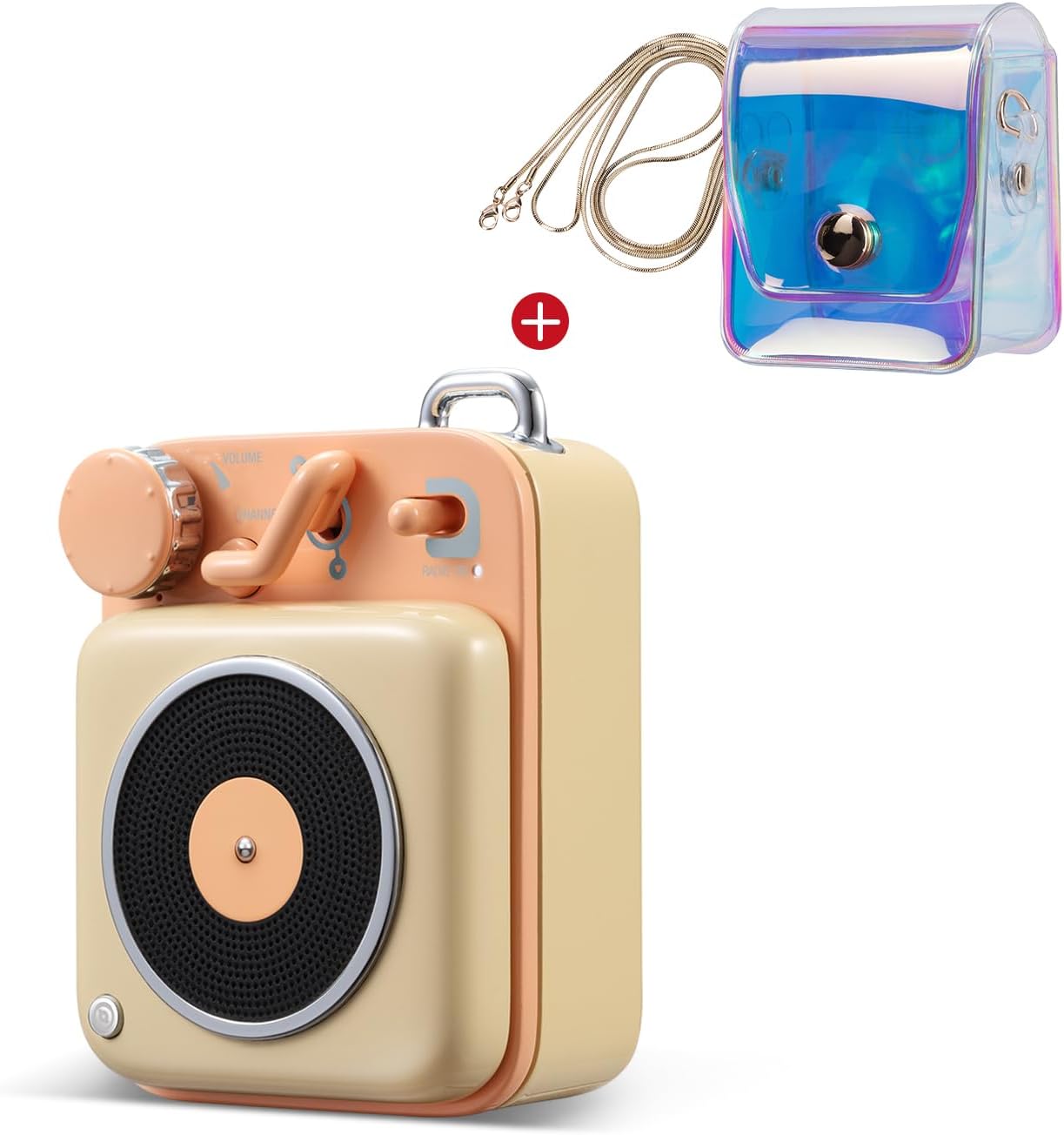
Image: The Muzen Button Mini Bluetooth Speaker, showcasing its compact size and retro design, accompanied by its clear carrying bag.
2. Product Features
- Excellent Stereo Sound: The Muzen Button delivers crisp, distortion-free HiFi sound with a 70dB SNR and 3W amplifiers, providing spacious audio from a palm-sized device.
- Wireless Bluetooth Connectivity: Equipped with Bluetooth 4.2 technology, the speaker offers a stable connection up to 33 feet (10 meters). It automatically reconnects to previously paired devices. The built-in rechargeable battery provides over 7 hours of continuous playback on a 3-hour charge.
- Superb Metal Material & Portable Lanyard: Crafted from durable zinc-aluminum alloy with a high-tech paint finish, the speaker boasts a luxurious feel despite its miniature size. A portable lanyard is included for easy attachment to backpacks, bags, or keys, enhancing its portability.
- Easy One-Palm Control: Control volume and change tracks effortlessly using the large rotary knob and lever switch. The machined metal cube shape and tactile controls offer an enjoyable physical interaction.
- Contrasting Colors & Retro Design: Featuring a retro cube shape, lustrous finish, and vibrant colors, the Muzen Button serves as both a functional speaker and a stylish decor item. It comes in beautifully designed packaging, making it a suitable gift.

Image: The Muzen Button speaker nestled within a bouquet, highlighting its pocket size and ability to deliver bold sound.

Image: A hand holding the Muzen Button speaker, demonstrating its compact and portable design, weighing only 130g.

Image: The Muzen Button speaker placed on a stack of books, illustrating its retro old-fashioned look inspired by 1950s record players.
3. Package Contents
Please check the package for the following items:
- Muzen Button Mini Bluetooth Speaker
- Portable Lanyard
- Charging Cable (USB-C or Micro-USB, depending on model)
- User Manual (this document)
- Gift Box/Packaging

Image: The complete package contents, including the speaker's gift box, clear carrying bag, and portable lanyard.
4. Setup
4.1. Charging the Speaker
Before first use, fully charge your Muzen Button speaker. Connect the provided charging cable to the speaker's charging port and the other end to a USB power source (e.g., computer USB port, wall adapter). The charging indicator light will illuminate during charging and turn off or change color when fully charged.
4.2. Powering On/Off
To power on the speaker, locate the lever switch on the top panel and move it to the 'ON' position. To power off, move the switch to the 'OFF' position.
4.3. Bluetooth Pairing
- Ensure the speaker is powered on. It will automatically enter Bluetooth pairing mode, indicated by a blinking indicator light (e.g., blue LED).
- On your smartphone, tablet, or other Bluetooth-enabled device, go to the Bluetooth settings.
- Enable Bluetooth and search for available devices.
- Select 'Muzen Button' from the list of found devices.
- Once connected, the speaker will emit a confirmation sound, and the indicator light will become solid. The speaker will automatically reconnect to the last paired device when powered on and within range.
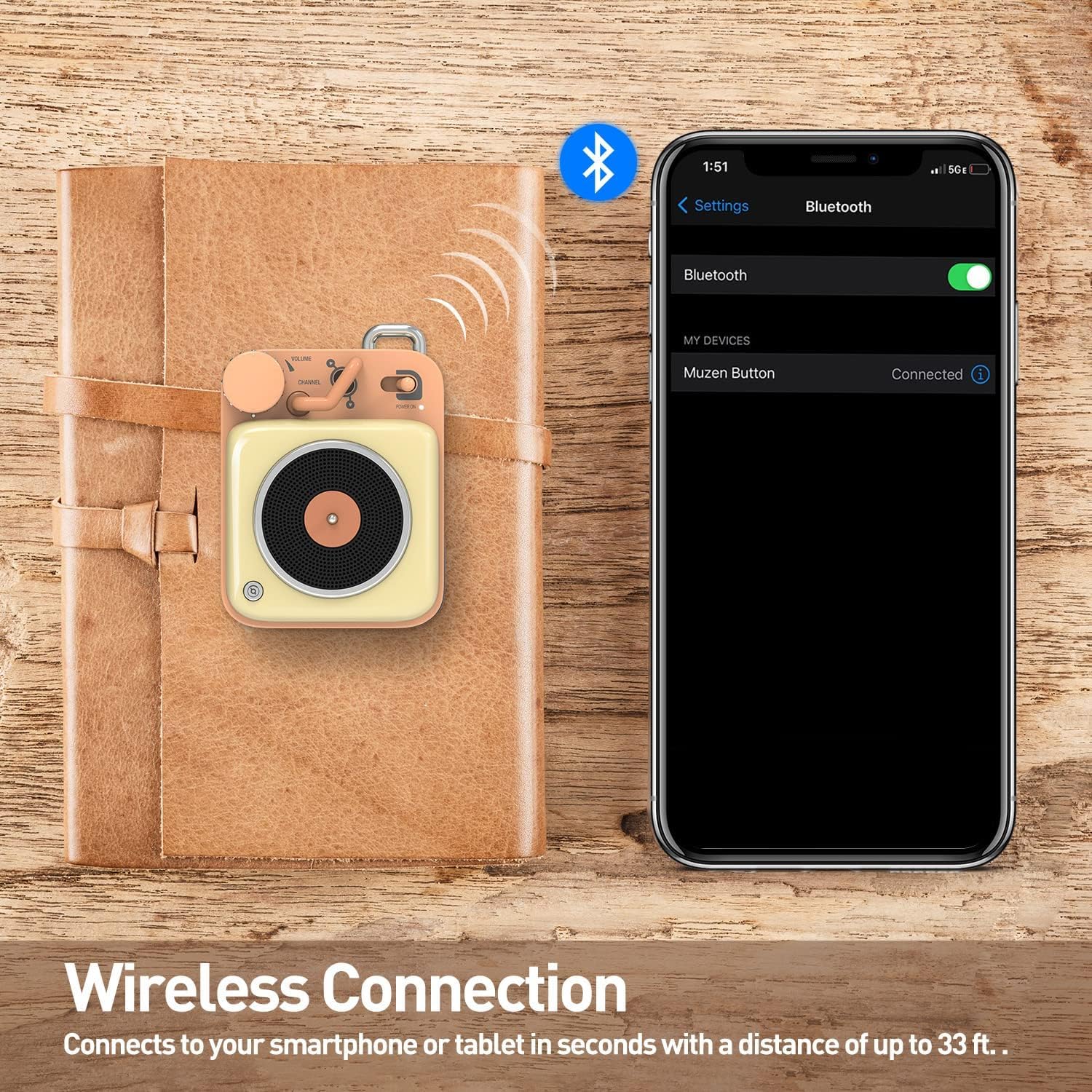
Image: The Muzen Button speaker positioned next to a smartphone displaying its successful wireless Bluetooth connection.
5. Operating Instructions
5.1. Volume Control
Rotate the large knob labeled 'VOLUME' on the top panel. Turn clockwise to increase the volume and counter-clockwise to decrease it.
5.2. Track Control
Use the lever switch, often labeled 'CHANNEL' or similar, to navigate tracks. Push the lever up to skip to the next track. Push the lever down to go back to the previous track.
5.3. Play/Pause
Press the large rotary knob once to play or pause the audio playback.
6. Maintenance
- Keep the speaker dry and away from extreme temperatures, direct sunlight, and humidity.
- Clean the speaker with a soft, dry cloth. Do not use harsh chemicals, cleaning solvents, or strong detergents.
- Avoid dropping or subjecting the speaker to strong impacts.
- Store the speaker in a cool, dry place when not in use for extended periods.
7. Troubleshooting
| Problem | Possible Cause | Solution |
|---|---|---|
| Speaker does not power on. | Low battery. | Charge the speaker fully. |
| Cannot pair with Bluetooth device. | Bluetooth is off on device; speaker not in pairing mode; too far from device. | Ensure Bluetooth is enabled on your device. Power cycle the speaker and your device. Keep devices within 33 feet (10 meters). Clear previous Bluetooth connections on your device. |
| No sound or low volume. | Volume too low on speaker or device; speaker not properly paired. | Increase volume on both the speaker and your connected device. Re-pair the speaker if necessary. |
| Sound is distorted. | Low battery; too far from device; interference. | Charge the speaker. Move the speaker closer to your device. Avoid obstacles between the speaker and device. |
8. Specifications
- Brand: Muzen
- Model: Button
- Bluetooth Version: 4.2
- Wireless Range: Up to 33 feet (10 meters)
- Playback Time: 7+ hours
- Charging Time: Approximately 3 hours
- Signal-to-Noise Ratio (SNR): 70dB
- Amplifier Output: 3W
- Material: Zinc-aluminum alloy
- Weight: Approximately 130g
- ASIN: B0DPKLVLR4
- First Available Date: December 4, 2024
9. Warranty and Support
For detailed warranty information, product registration, and technical support, please visit the official Muzen website or contact their customer service department. Keep your purchase receipt as proof of purchase for any warranty claims.
Muzen Official Website: Visit the Muzen Store on Amazon


