
Hiwill A51Pro
Hiwill HiElite A51PRO 5.1ch Dolby Atmos Surround Soundbar System User Manual
Model: A51Pro
Introduction
Thank you for choosing the Hiwill HiElite A51PRO 5.1ch Dolby Atmos Surround Soundbar System. This manual provides comprehensive instructions for setting up, operating, and maintaining your new home theater system. Designed to deliver an immersive audio experience with Dolby Atmos, extended soundstage, deep bass, and clear dialogue, the A51PRO will transform your entertainment.
Please read this manual thoroughly before use to ensure proper operation and to maximize the performance of your soundbar system.
Package Contents
Verify that all items listed below are included in your package:
- Hiwill A51PRO Soundbar
- Wireless Subwoofer (6.5'')
- 2 x Wired Rear Surround Speakers
- Remote Control
- Power Adapter for Soundbar
- Power Cable for Subwoofer
- HDMI eARC Cable
- Optical Cable
- AUX Cable
- Wall Mounting Kit (Screws, Wall Plugs, Mounting Template)
- User Manual (this document)
Product Overview
Familiarize yourself with the components of your Hiwill A51PRO system.

Figure 1: Complete Hiwill A51PRO 5.1ch Dolby Atmos Soundbar System setup.
Soundbar (Main Unit)
- Front Display: Shows current input mode, volume level, and other settings.
- Control Buttons: Power, Input, Volume Up/Down.
- Audio Drivers: Features multiple precision racetrack drivers, including side tweeters and a dedicated center tweeter for expanded soundstage and clear dialogue.
- Rear Ports: HDMI eARC/ARC, Optical, AUX, USB.
Wireless Subwoofer
- 6.5'' Driver: Delivers powerful, deep bass.
- Wireless Connectivity: Automatically pairs with the soundbar.
- Rear Speaker Outputs: Connect the wired rear speakers to these ports.
- Power Input: For connecting the subwoofer's power cable.
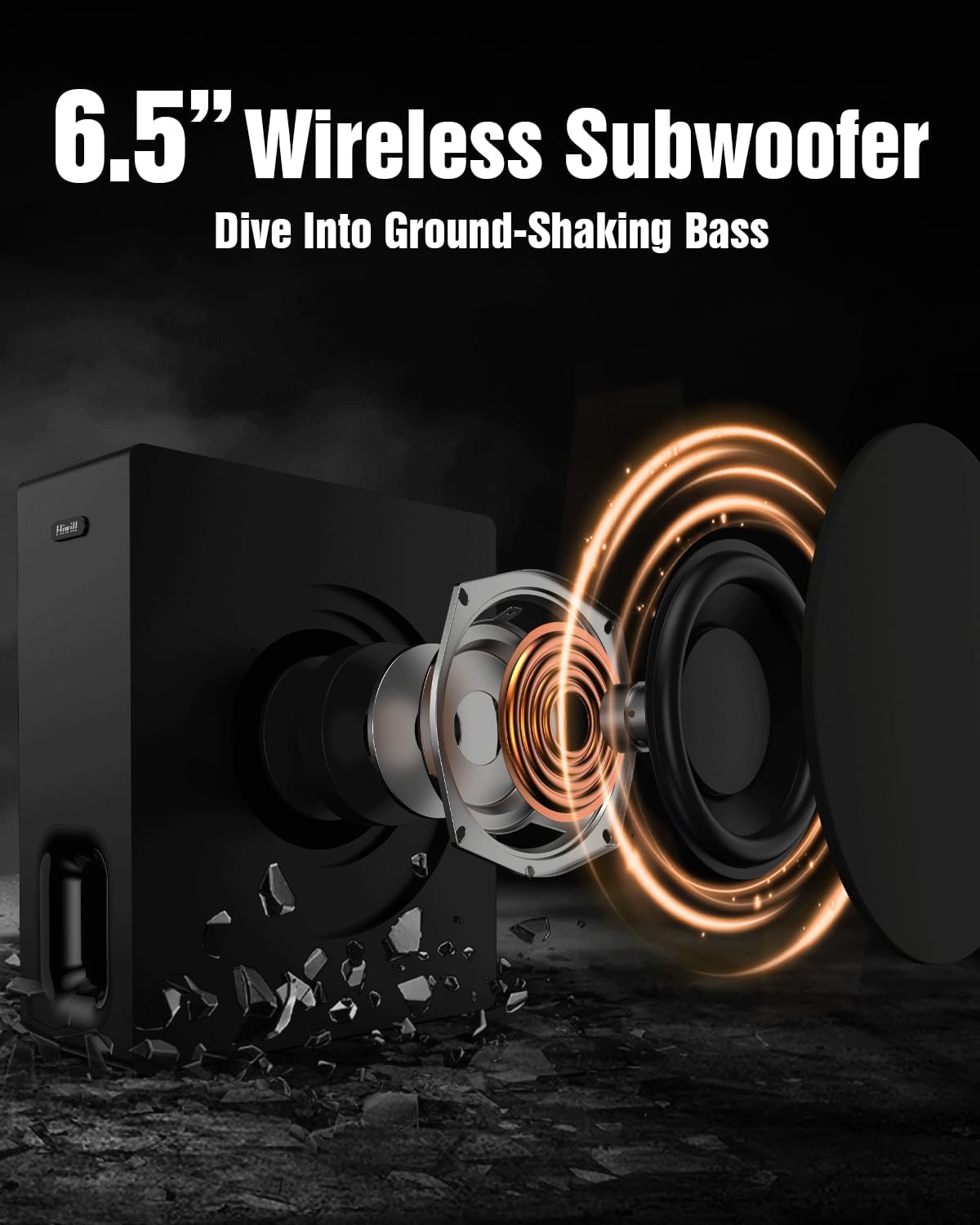
Figure 2: Internal components of the 6.5-inch wireless subwoofer, highlighting its powerful driver.
Wired Rear Surround Speakers
- Connectivity: Connect directly to the wireless subwoofer.
- Placement: Position behind the listening area for immersive surround sound.

Figure 3: Recommended placement of rear speakers for optimal surround sound experience.
Remote Control
- Provides full control over power, input selection, volume, EQ modes, bass, treble, and surround speaker levels.
Setup
Follow these steps to set up your Hiwill A51PRO soundbar system.
1. Placement
- Soundbar: Place the soundbar centrally below your TV, either on a TV stand or wall-mounted. Ensure no objects block the front or side speakers.
- Subwoofer: Position the wireless subwoofer on the floor, ideally in the front of the room near the soundbar. Experiment with placement for optimal bass response.
- Rear Speakers: Place the wired rear speakers behind your main listening position, one on each side. Connect them to the dedicated outputs on the wireless subwoofer.
2. Connections
Choose the best connection method for your TV and audio sources.

Figure 4: Comparison of soundbar connection methods and their audio quality/Dolby Atmos support.
HDMI eARC/ARC (Recommended for Dolby Atmos)
- Connect one end of the provided HDMI cable to the HDMI eARC/ARC port on the soundbar.
- Connect the other end to the HDMI eARC/ARC port on your TV. This port is usually labeled.
- Ensure your TV's audio output settings are configured for HDMI ARC/eARC and set to "Passthrough" for optimal Dolby Atmos performance.

Figure 5: Detailed comparison between HDMI eARC and HDMI ARC capabilities.
Optical Connection
- Connect one end of the optical cable to the OPTICAL port on the soundbar.
- Connect the other end to the OPTICAL OUT port on your TV.
- Select "Optical" input on the soundbar.
AUX Connection
- Connect one end of the 3.5mm AUX cable to the AUX port on the soundbar.
- Connect the other end to the AUDIO OUT (headphone jack) on your TV or audio device.
- Select "AUX" input on the soundbar.
Bluetooth Connection
- Power on the soundbar and select "Bluetooth" input. The display will show "BT".
- On your mobile device, enable Bluetooth and search for "Hiwill A51PRO".
- Select "Hiwill A51PRO" to pair. Once connected, the soundbar display will show "PAIRED".
USB Connection
- Insert a USB flash drive containing audio files into the USB port on the soundbar.
- The soundbar will automatically switch to USB mode and begin playing compatible audio files.
3. Power Connection
- Connect the power adapter to the soundbar's DC IN port, then plug it into a wall outlet.
- Connect the power cable to the wireless subwoofer, then plug it into a wall outlet.
- The subwoofer should automatically pair with the soundbar. If not, refer to the troubleshooting section.
Operating Instructions
Learn how to control your Hiwill A51PRO soundbar system.
Basic Operations
- Power On/Off: Press the Power button on the remote or soundbar.
- Input Selection: Press the Input button on the remote or soundbar to cycle through HDMI eARC/ARC, Optical, AUX, Bluetooth, and USB modes.
- Volume Control: Use VOL+ and VOL- buttons on the remote or soundbar.
- Mute/Unmute: Press the Mute button on the remote.
Sound Adjustments
Customize your audio experience with various settings.
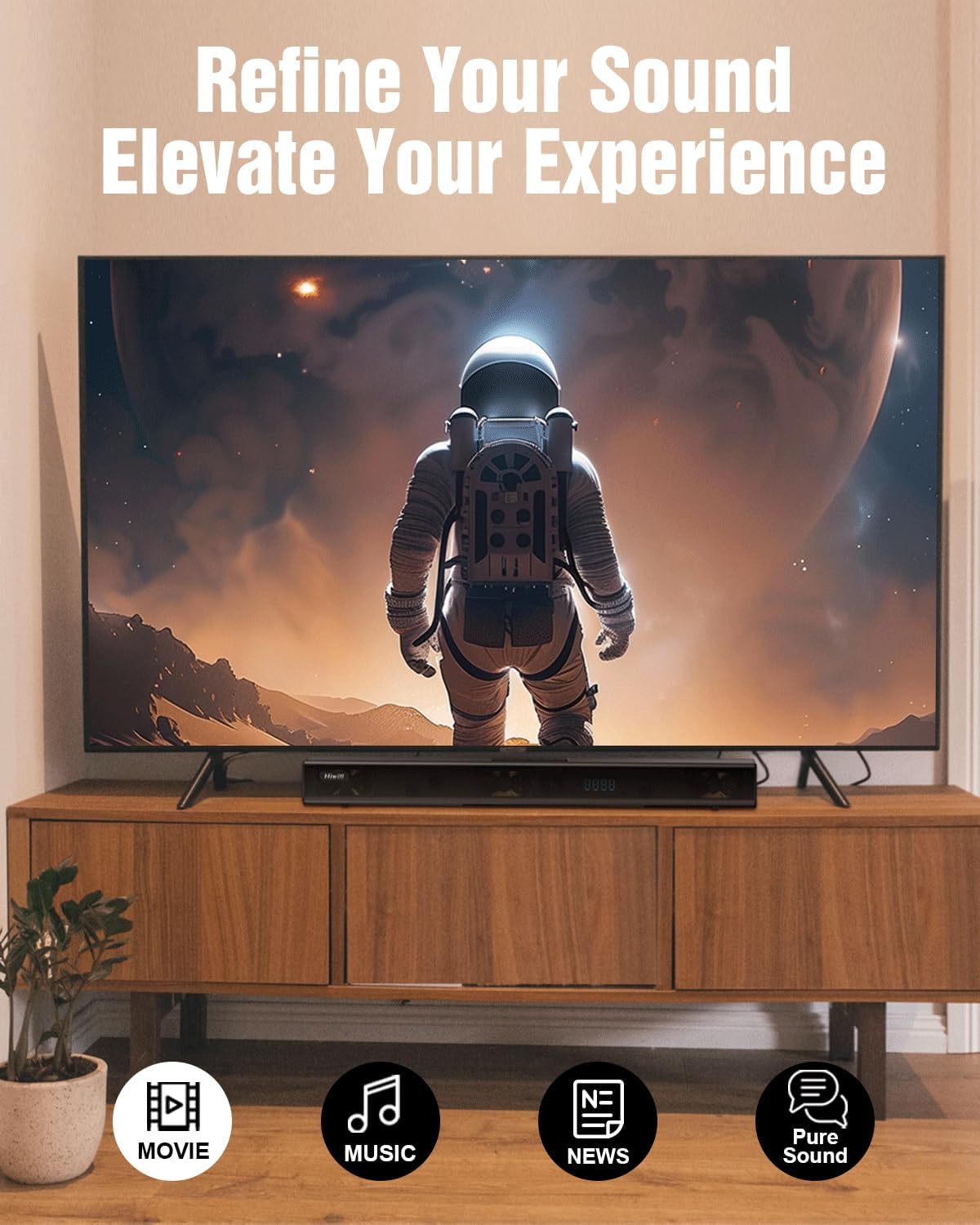
Figure 6: The soundbar offers various EQ modes to optimize audio for different content types.
- EQ Modes: Press the EQ button on the remote to switch between preset sound modes:
- Movie: Enhanced for cinematic sound, emphasizing surround effects and bass.
- Music: Optimized for music playback, providing balanced audio.
- News: Focuses on vocal clarity for news and dialogue-heavy content.
- Pure Sound: Delivers uncolored, natural audio.
- Bass Adjustment: Use BAS+ and BAS- buttons on the remote to increase or decrease subwoofer bass levels.
- Treble Adjustment: Use TRE+ and TRE- buttons on the remote to adjust treble levels.
- Rear Speaker Volume: Use R.VOL+ and R.VOL- buttons on the remote to adjust the volume of the wired rear speakers.

Figure 7: HXS Processing and triple wide-range tweeters ensure crystal-clear dialogue and enhanced sound.
Firmware Update
Periodically, firmware updates may be released to improve performance, add features, or address issues. The latest firmware can be obtained from Hiwill support.
Note: Some early batches of this soundbar may not support the memory function. A firmware update can enable this feature and other improvements like reduced default volume, auto LED off, and softer screen brightness.

Figure 8: Benefits of a firmware update, including smart memory function and improved display control.
Firmware Update Procedure:
- Download Firmware: Obtain the latest firmware file (e.g., spupdate.bin) from Hiwill's official support channels. Place this file in the root directory of a USB flash drive.
- Prepare Soundbar: Turn on the soundbar (or restart it) and switch its input mode to USB.
- Insert USB: Insert the USB flash drive containing the firmware into the soundbar's USB port.
- Initiate Update: On the remote control, press and hold the Play/Pause button until a number is displayed on the soundbar's screen. Continue holding until the display shows "HI", indicating a successful update.
- Finalize Installation: After the update, unplug the soundbar's power supply, wait a few seconds, and then plug it back in. This ensures the firmware is fully applied.
- Adjust TV Settings: After the upgrade, check your TV's audio output settings and set it to "PASSTHROUGH" for optimal performance. (Go to TV Settings > Sound > Audio Processing > Select "Off" > Digital Audio Output > Select "Passthrough").
- Restart Soundbar: Finally, restart the soundbar to enjoy the upgraded sound and features.
Video 1: Official Firmware Update Guide for Hiwill Soundbars (Applicable for A51PRO and other models).
Maintenance
Proper care will ensure the longevity of your soundbar system.
- Cleaning: Use a soft, dry cloth to clean the surfaces of the soundbar, subwoofer, and speakers. Do not use liquid cleaners or abrasive materials.
- Ventilation: Ensure adequate ventilation around all components to prevent overheating. Do not block any ventilation openings.
- Avoid Moisture: Keep the system away from water, high humidity, and direct sunlight.
- Power Off: If the system will not be used for an extended period, unplug it from the power outlet.
Troubleshooting
If you encounter issues with your Hiwill A51PRO, refer to the following common problems and solutions.
| Problem | Possible Cause | Solution |
|---|---|---|
| No power | Power cable not connected or outlet not active. | Ensure all power cables are securely connected and the power outlet is working. |
| No sound | Incorrect input selected; cables not connected properly; TV audio settings incorrect. | Select the correct input mode. Check all audio cables. Ensure TV audio output is set to external speakers or "Passthrough". |
| Subwoofer not pairing | Subwoofer not receiving power; interference. | Ensure subwoofer is powered on. Move subwoofer closer to the soundbar. Restart both units. |
| Remote control not working | Batteries low/dead; obstruction; remote too far. | Replace batteries. Remove any obstructions between remote and soundbar. Ensure you are within range. |
| Sound distortion | Volume too high; incorrect audio format; poor source quality. | Reduce volume. Check if the audio source is high quality. Ensure TV audio output is set to "Passthrough" for Dolby Atmos content. |
| Display too bright/doesn't turn off | Default setting; no auto-dimming. | Perform a firmware update (refer to Firmware Update section) to enable auto LED off and softer screen brightness features. |
| Settings not remembered after power off | Default behavior; no memory function. | Perform a firmware update (refer to Firmware Update section) to enable the smart memory function. |
If the problem persists after trying these solutions, please contact Hiwill customer support.
Specifications
| Feature | Detail |
|---|---|
| Model Name | A51Pro |
| Speaker Type | Soundbar with Wireless Subwoofer and Wired Rear Speakers |
| Audio Channels | 5.1ch (7.1ch-like immersive soundstage with Dolby Atmos) |
| Audio Output Mode | Surround, Dolby Atmos |
| Speaker Maximum Output Power | 420 Watts (Peak Power) |
| Subwoofer Diameter | 6.5 Inches |
| Subwoofer Connectivity | Wireless |
| Connectivity Technology | HDMI eARC/ARC, Optical, Bluetooth 5.3, AUX, USB |
| Special Features | 3x Premium Tweeters & Clear Voice, HXS Processing, Adjustable Bass, Treble, and Surround Levels |
| Product Dimensions (Soundbar) | 23.23"D x 4.65"W x 2.28"H |
| Item Weight | 9.9 pounds (4.5 Kilograms) |
| Mounting Type | Wall-mounted, or placed on a TV tabletop |
Warranty and Support
The Hiwill A51PRO comes with a Limited Warranty. Please refer to the warranty card included in your package for specific terms and conditions.
For technical support, troubleshooting assistance, or to obtain the latest firmware updates, please visit the official Hiwill website or contact Hiwill customer service directly. You can also visit the Hiwill Store on Amazon for more information and resources.
Ask a question about this manual
Ask about setup, troubleshooting, compatibility, parts, safety, or missing instructions. Manuals+ will review the question and use this page’s manual context to help answer it.