Introduction
This manual provides detailed instructions for the setup, operation, and maintenance of your Dayton Audio Premium Hi-Fi Floorstanding Stereo System. This system is designed to deliver high-fidelity audio performance, combining a hybrid tube amplifier, a belt-drive turntable, and floorstanding speakers.
The system includes the following main components:
- Dayton Audio HTA200 Hybrid Tube Amplifier
- Dayton Audio TT-1BTW Belt Drive Turntable
- Dayton Audio T65 Floor Standing Speakers (Pair)
- Remote Control (for HTA200 Amplifier)
Please read this manual thoroughly before operating your system to ensure proper setup and optimal performance.
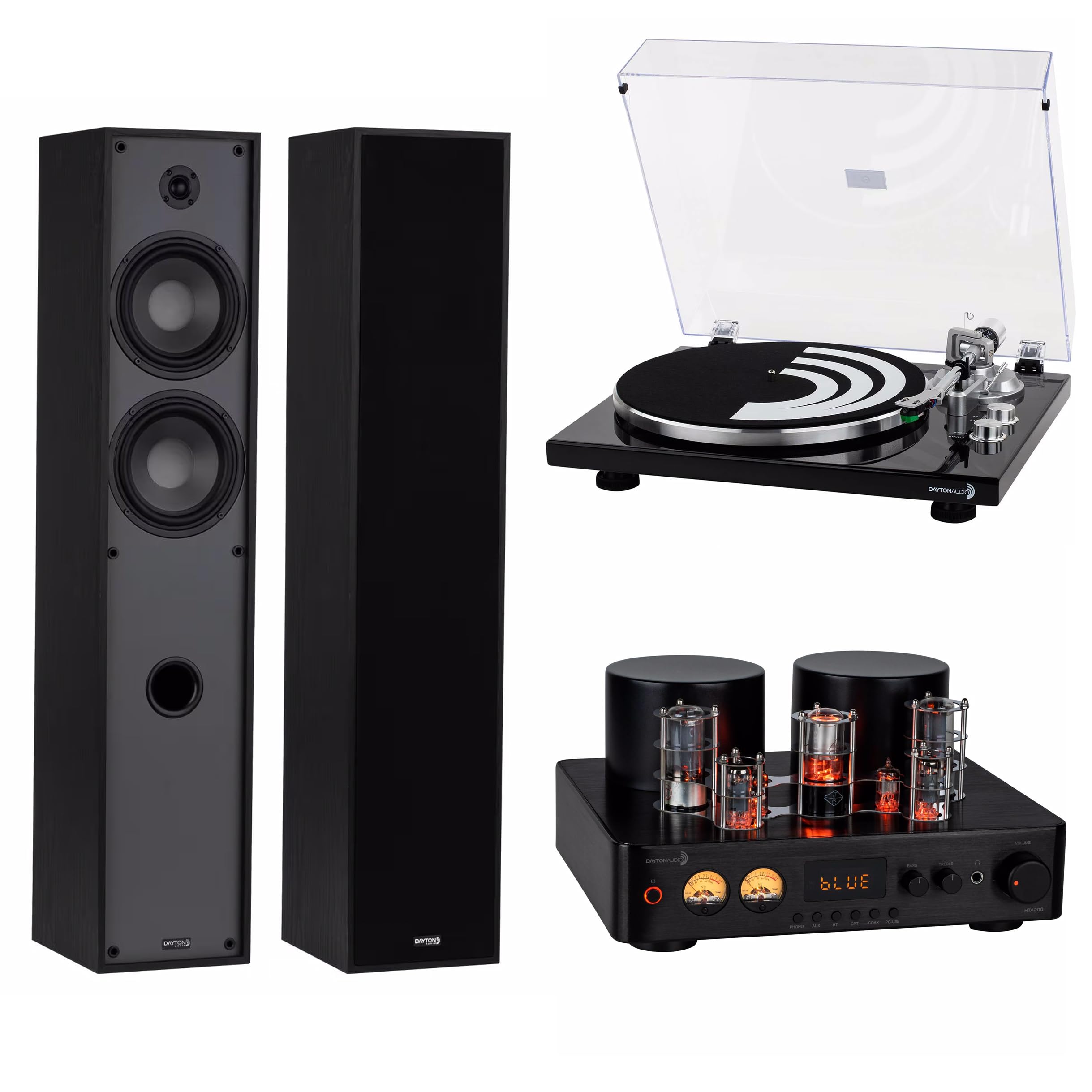
Overview of the Dayton Audio Premium Hi-Fi Floorstanding Stereo System components.
Setup
1. Unpacking and Placement
- Carefully remove all components from their packaging. Retain packaging for future transport or storage.
- Place the HTA200 amplifier on a stable, level surface with adequate ventilation.
- Position the T65 floorstanding speakers on a firm, level surface, ideally equidistant from your listening position. Ensure there is sufficient space around them for optimal sound dispersion.
- Place the TT-1BTW turntable on a stable, level surface away from direct sunlight, heat sources, and vibrations.
2. Speaker Connection (HTA200 Amplifier to T65 Speakers)
Connect the T65 speakers to the HTA200 amplifier using appropriate speaker wire (not included). Ensure correct polarity (+ to + and - to -) for each speaker.
- Locate the "SPEAKER OUTPUT" terminals on the rear of the HTA200 amplifier.
- Connect the positive (+) terminal of the left speaker to the left positive (+) terminal on the amplifier.
- Connect the negative (-) terminal of the left speaker to the left negative (-) terminal on the amplifier.
- Repeat for the right speaker.

Rear panel of the HTA200 Amplifier, illustrating speaker output terminals and various input options.

Dayton Audio T65 Floor Standing Speakers, front view.
3. Turntable Connection (TT-1BTW to HTA200 Amplifier)
Connect the TT-1BTW turntable to the HTA200 amplifier using the provided RCA cable. The HTA200 features a dedicated phono input.
- Connect the RCA cables from the TT-1BTW turntable to the "PHONO" input on the rear of the HTA200 amplifier. Ensure left (white) and right (red) channels match.
- Connect the ground wire from the turntable to the "GND" terminal on the HTA200 amplifier.

Dayton Audio TT-1BTW Belt Drive Turntable with dust cover.
4. Turntable Assembly and Adjustment (TT-1BTW)
Before first use, the turntable requires minor assembly and adjustment for optimal playback and cartridge longevity.
- Platter and Belt Installation: Place the platter onto the spindle. Carefully loop the drive belt around the motor pulley and the inner rim of the platter.
- Counterweight Adjustment: Slide the counterweight onto the rear of the tonearm. Adjust it until the tonearm floats horizontally. Then, rotate the numbered ring to set the recommended tracking force for the AT-VM95E cartridge (typically 2.0 grams).
- Anti-Skate Adjustment: Set the anti-skate dial to match the tracking force.

Close-up of the TT-1BTW turntable's tonearm and speed controls.

Detailed view of the AT-VM95E cartridge on the TT-1BTW turntable.

Counterweight and anti-skate adjustment mechanism on the TT-1BTW turntable.
5. Power Connection
Once all audio connections are made, connect the power cords for the HTA200 amplifier and TT-1BTW turntable to appropriate AC outlets.
Operating Instructions
1. HTA200 Amplifier Basic Operation

Front panel of the HTA200 Amplifier, showing controls and display.
- Power On/Off: Press the power button on the front panel or remote control. Allow a few moments for the tubes to warm up.
- Volume Control: Use the large "VOLUME" knob on the front panel or the volume buttons on the remote to adjust the output level.
- Input Selection: Press the input selector buttons (PHONO, AUX, BT, OPT, COAX, PC-USB) on the front panel or remote to choose your desired audio source.
- Tone Controls: Adjust "BASS" and "TREBLE" knobs to fine-tune the sound to your preference.
- Headphone Output: Connect headphones to the 6.35mm jack on the front panel for private listening.
2. Bluetooth Connectivity (HTA200 Amplifier)
The HTA200 amplifier supports Bluetooth 5.0 for wireless audio streaming.
- Select "BT" as the input source on the HTA200. The display will show "BLUE" or a similar indicator.
- On your Bluetooth device (smartphone, tablet, etc.), search for available devices and select "Dayton Audio HTA200".
- Once paired, audio from your device will stream through the system.
3. TT-1BTW Turntable Operation
- Playing a Record:
- Place a record on the platter.
- Select the appropriate speed (33 or 45 RPM) using the buttons on the turntable.
- Lift the tonearm using the cueing lever.
- Position the stylus over the desired track.
- Lower the cueing lever to gently drop the stylus onto the record.
- Stopping Playback:
- Lift the tonearm using the cueing lever.
- Return the tonearm to its rest.
- Press the "STOP" button on the turntable.
- USB Connectivity: The TT-1BTW can connect to a computer via USB for digitizing vinyl records. Refer to specific software instructions for recording.
Maintenance
- Cleaning: Use a soft, dry cloth to clean the surfaces of the amplifier, turntable, and speakers. Avoid abrasive cleaners or solvents.
- Turntable Stylus Care: Regularly clean the stylus with a soft brush designed for stylus cleaning, brushing from back to front. Replace the stylus when worn (typically after 500-1000 hours of play).
- Record Care: Keep records clean and free of dust to prevent damage to both the records and the stylus. Store records vertically in their sleeves.
- Tube Replacement (HTA200): The vacuum tubes in the HTA200 amplifier have a finite lifespan. If sound quality degrades or tubes fail, consult a qualified technician for replacement.
Troubleshooting
| Problem | Possible Cause | Solution |
|---|---|---|
| No power to amplifier/turntable | Power cord disconnected; outlet not active | Check power cord connections; test outlet with another device. |
| No sound from speakers | Incorrect input selected; speaker wires loose; volume too low; mute engaged | Select correct input; check speaker wire connections and polarity; increase volume; check if mute is active. |
| Humming sound from speakers (turntable) | Ground wire not connected; interference | Ensure turntable ground wire is securely connected to the amplifier's GND terminal. Move components away from other electronics. |
| Turntable speed incorrect | Wrong speed selected; belt slipped or worn | Verify 33/45 RPM selection. Check if the drive belt is properly seated or needs replacement. |
| Bluetooth pairing issues | HTA200 not in pairing mode; device too far; interference | Ensure "BT" input is selected. Move device closer. Try re-pairing. |
Specifications
Dayton Audio HTA200 Hybrid Tube Amplifier
- Power Output: 100 watts per channel (RMS)
- Connectivity: Bluetooth 5.0, Phono input, AUX input, Optical input, Coaxial input, PC-USB input, Subwoofer output
- Tone Controls: Bass, Treble
- Features: Hybrid tube design, Remote control included
Dayton Audio TT-1BTW Belt Drive Turntable
- Drive Type: Belt Drive
- Cartridge: Audio Technica AT-VM95E (upgraded)
- Speeds: 33-1/3, 45 RPM
- Connectivity: USB output, Bluetooth output, RCA output
- Features: Aircraft-grade aluminum tonearm, Anti-skate, Anti-tracking, Weight adjustments, Removable headshell
Dayton Audio T65 Floor Standing Speakers
- Woofer: (2) 6-1/2 inch drivers
- Tweeter: 1 inch silk dome
- Design: Floorstanding, Bass-reflex (port)
- Crossover: Integrated crossover network
Warranty and Support
Dayton Audio products are designed for reliability and performance. For specific warranty information, please refer to the documentation included with your purchase or visit the official Dayton Audio website. In case of technical issues or questions, please contact Dayton Audio customer support.
For returns, please adhere to the retailer's return policy, which typically allows for returns within 30 days of purchase for refund or replacement.
Online Resources: www.daytonaudio.com


