
COCOCAM ZY-Q1
COCOCAM 4K 8MP Solar Security Camera User Manual
Model: ZY-Q1
1. Introduction
The COCOCAM 4K 8MP Solar Security Camera is an advanced outdoor wireless surveillance solution designed for comprehensive home and commercial security. Featuring 4K Ultra HD resolution, a 6W solar panel for continuous power, and WiFi 6 connectivity, it offers crystal-clear imaging and stable performance. Equipped with AI recognition for distinguishing people, vehicles, and pets, PIR human detection, 355° pan and 90° tilt capabilities, two-way audio, and color night vision, this camera provides robust monitoring and interactive features. Its IP66 waterproof rating ensures reliable operation in various weather conditions.

Image: The COCOCAM 4K 8MP Solar Security Camera, showcasing its main unit and accompanying solar panel.
2. Setup Guide
2.1 Package Contents
- Camera × 1
- Solar panel × 1
- Solar panel bracket × 1
- Camera bracket × 1
- Screw bag × 1
- Charging cable × 1
- Instruction manual × 1
2.2 Initial Charging
Before first use, fully charge the camera using the provided USB-C charging cable. This ensures the internal battery is ready for operation and optimal performance.
2.3 Micro SD Card Installation
Locate the Micro SD card slot (supports up to 128GB, not included) near the power button. Insert the card firmly until it clicks into place. Ensure the rubber flap is securely closed to maintain the camera's IP66 waterproof rating.
2.4 Mounting the Camera and Solar Panel
The camera and solar panel can be mounted on a wall or ceiling. Choose a location that provides optimal sunlight exposure for the solar panel and a clear view for the camera. Ensure the Wi-Fi signal is strong at the chosen installation site.
Video: A step-by-step guide on how to install the COCOCAM 4K Solar Security Camera, demonstrating the mounting process for both the camera and the solar panel.

Image: Visual instructions demonstrating the simple twist-and-lock mechanism for easy camera installation onto its bracket.

Image: Depicts various installation scenarios for the camera, including wall and ceiling mounts, to achieve optimal viewing angles.
2.5 App Installation and Connection
Download the COCOCAM or Cloudedge app from your smartphone's app store. Follow the in-app instructions to register an account and add your camera. The camera supports 2.4GHz WiFi and WiFi 6 for stable connectivity.
3. Operating Instructions
3.1 4K Ultra HD Resolution
To view live feed or recordings in 4K (3840*2144) resolution, you must manually select the 4K option within the COCOCAM/Cloudedge app. The default setting upon opening the app is standard definition.
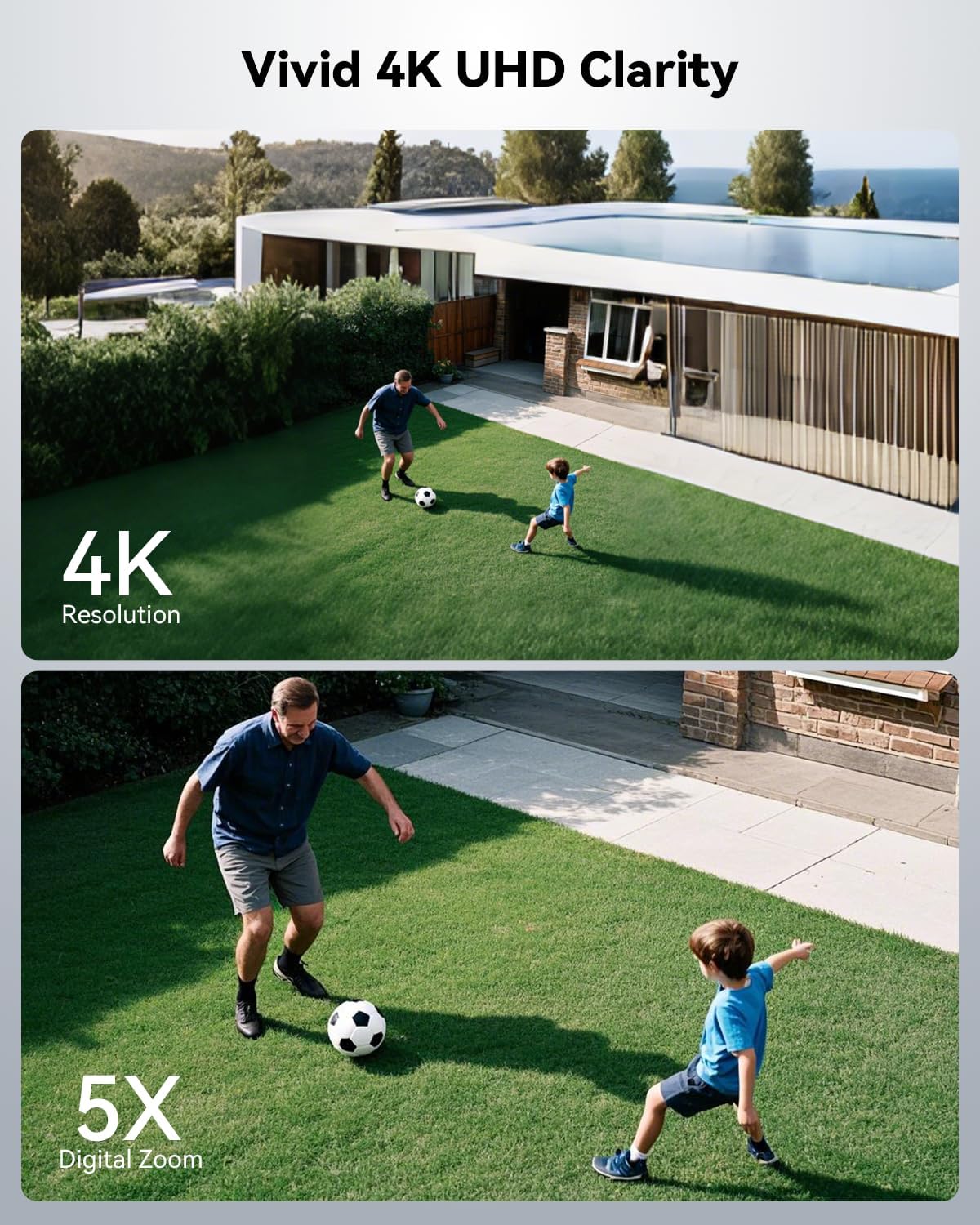
Image: Illustrates the clarity of 4K resolution and the capability of 5X digital zoom for detailed viewing.
3.2 Pan, Tilt, and Digital Zoom
Control the camera's viewing angle remotely via the app. It offers 355° horizontal pan and 90° vertical tilt for comprehensive coverage. Utilize the 5X digital zoom feature to magnify specific areas of interest.

Image: Shows the camera's wide viewing capabilities with 355-degree pan and 90-degree tilt, ensuring no blind spots.

Image: Demonstrates the 5X digital zoom feature, allowing users to see fine details within the camera's view.
3.3 AI Recognition & Smart Alerts
The camera's advanced AI can differentiate between people, vehicles, and pets, reducing false alarms. PIR human detection triggers alerts up to 13 meters. Customizable alert zones can be set within the app. Smart light and sound alarms (default off) can be activated upon motion detection.

Image: Illustrates the camera's smart AI detection capabilities, identifying persons, vehicles, animals, and parcels to minimize false alerts.

Image: Shows the effective range of PIR human detection, indicating how far the camera can accurately detect human movement.

Image: Demonstrates the ability to customize motion detection zones, allowing users to define specific areas for alerts and reduce unnecessary notifications.
3.4 Color Night Vision
Experience full-color night vision up to 25 meters, providing clear and detailed images even in low-light conditions. The camera can be set to automatically switch to night vision or be manually controlled.

Image: Highlights the camera's 4K color night vision capability, showing a clear, illuminated scene at night.

Image: Shows a visual representation of the night vision feature being toggled on or off, illustrating its effect on the camera's view in darkness.
3.5 Two-Way Audio
Utilize the built-in microphone and speaker for real-time two-way communication through the camera. This allows you to speak to visitors or deter intruders directly from your smartphone.
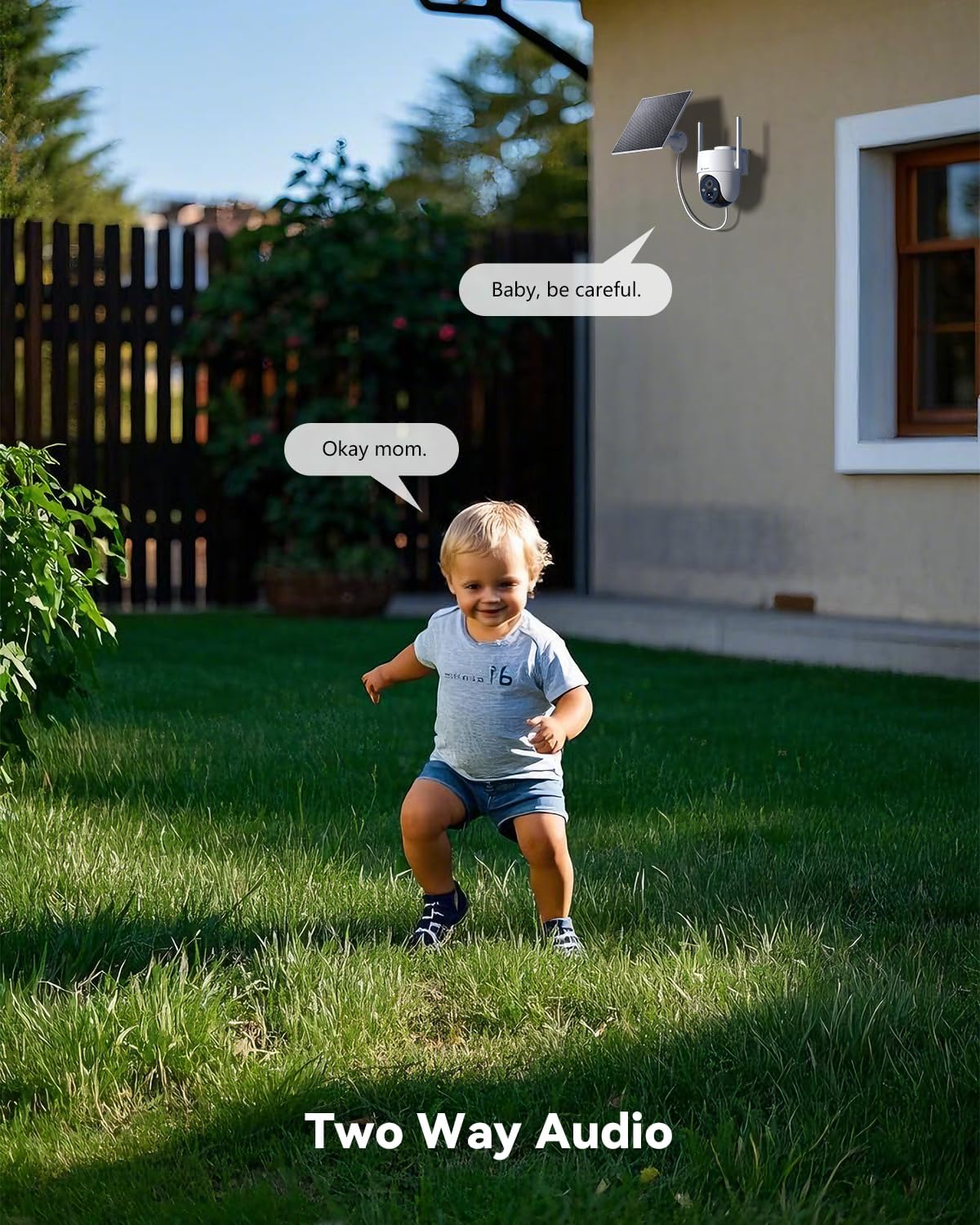
Image: Depicts the two-way audio functionality, showing a child and a parent communicating through the camera.
3.6 Storage Options
The camera supports local storage via a TF card (up to 128GB, not included) and offers cloud storage options (records 6s and 7 days loop coverage). Video encryption ensures data security and privacy.

Image: Illustrates the dual storage options: cloud storage for remote access and TF card storage for local recording.

Image: Shows the video encryption feature within the app, emphasizing data security and privacy for recorded footage.
3.7 WiFi Connectivity
The camera operates on 2.4GHz WiFi and supports WiFi 6 technology, ensuring low latency, high stability, and fast streaming for seamless monitoring.

Image: Highlights the camera's compatibility with 2.4GHz WiFi and the benefits of WiFi 6 for improved connectivity.

Image: Visual representation of the WiFi 6 chip, emphasizing superfast streaming, low latency, and high stability.
4. Maintenance
To ensure optimal performance and longevity of your COCOCAM solar security camera, regular maintenance is recommended.
- Cleaning: Periodically wipe the camera lens and solar panel with a soft, damp cloth to remove dust, dirt, or debris that may obstruct the view or reduce charging efficiency. Avoid abrasive cleaners.
- Weather Resistance: The camera has an IP66 waterproof rating, making it resistant to dust and strong jets of water. While designed for outdoor use, avoid submerging the camera in water.
- Solar Panel Placement: Ensure the solar panel remains free from obstructions (e.g., leaves, snow) that could block sunlight and affect charging. Adjust its angle seasonally for maximum sun exposure.
- Firmware Updates: Check the COCOCAM/Cloudedge app regularly for firmware updates. Keeping the firmware updated ensures the camera has the latest features and security enhancements.

Image: Highlights the camera's IP66 waterproof rating, demonstrating its ability to withstand rain and harsh weather conditions.
5. Troubleshooting
If you encounter issues with your COCOCAM solar security camera, refer to the following common solutions:
- Camera Not Connecting to Wi-Fi:
- Ensure your Wi-Fi network is 2.4GHz. The camera does not support 5GHz Wi-Fi.
- Check that the camera is within range of your Wi-Fi router.
- Verify the Wi-Fi password entered in the app is correct.
- Restart your router and the camera.
- Poor Image Quality:
- Ensure the camera lens is clean and free from smudges or dirt.
- Check your internet connection speed. A slow connection can affect streaming quality.
- In the app, manually select the 4K resolution option for the highest quality.
- Battery Not Charging/Low Battery:
- Ensure the solar panel is receiving direct sunlight for several hours daily.
- Check the connection between the solar panel and the camera.
- Clean the solar panel surface to remove any obstructions.
- In prolonged cloudy weather, you may need to manually charge the camera using the USB-C cable.
- False Alarms:
- Adjust the motion detection sensitivity in the app.
- Set up customized detection zones to exclude areas with frequent non-human movement (e.g., trees swaying).
- Ensure AI recognition for people, vehicles, and pets is enabled.
- Two-Way Audio Issues:
- Check the volume settings on your smartphone and in the app.
- Ensure there are no obstructions blocking the camera's microphone or speaker.
- Verify your network connection is stable.
For further assistance, please contact COCOCAM customer support.
6. Specifications
| Feature | Detail |
|---|---|
| Model Number | ZY-Q1 |
| Resolution | 4K 8MP (3840*2144) |
| Power Source | Solar Powered, Battery Powered (5200mAh) |
| Solar Panel Power | 6W |
| Connectivity | 2.4GHz WiFi, WiFi 6 |
| Pan/Tilt Angle | 355° Pan, 90° Tilt |
| Digital Zoom | 5X |
| Night Vision | 4K Color Night Vision (up to 25 meters) |
| Detection | AI Recognition (People, Vehicles, Pets), PIR Human Detection (up to 13 meters) |
| Audio | Two-Way Audio |
| Storage | TF Card (up to 128GB, not included), Cloud Storage |
| Waterproof Rating | IP66 |
| Dimensions | 5.51 x 4.72 x 4.33 inches |
| Weight | 2.24 pounds |
| Compatible Devices | Tablet, Smartphone (iPhone, Android) |
| Controller Type | CloudEdge, Google Assistant, Amazon Alexa |
7. Warranty and Support
COCOCAM is committed to providing high-quality products and excellent customer service. For specific warranty details, please refer to the warranty card included with your product packaging or visit the official COCOCAM website.
If you require technical support, have questions about product features, or need assistance with troubleshooting, please contact COCOCAM customer support through the contact information provided in your product documentation or on the official COCOCAM website. Please have your model number (ZY-Q1) and purchase details ready when contacting support.
Related documentsZY-Q1


Ask a question about this manual
Ask about setup, troubleshooting, compatibility, parts, safety, or missing instructions. Manuals+ will review the question and use this page’s manual context to help answer it.