
Product Overview
The JOYROOM Open Ear Headphones (Model: OE4) are designed for ultimate comfort and situational awareness, allowing you to enjoy high-quality audio while remaining connected to your surroundings. Featuring advanced Bluetooth 5.4 technology, powerful 16mm drivers, and an IPX4 waterproof rating, these earbuds are perfect for active lifestyles and extended use.

Image: JOYROOM Open Ear Headphones in their charging case, showcasing the sleek design and digital battery display.
What's in the Box
- JOYROOM Open Ear Headphones (Left & Right Earbuds)
- Wireless Charging Case
- USB-C Charging Cable
- User Manual
Image: The complete package of JOYROOM Open Ear Headphones, including the earbuds and charging case.
Setup
Wearing Instructions
For optimal comfort and sound, follow these steps to properly wear your JOYROOM Open Ear Headphones:
- Gently hook the earbuds over your ear.
- Rotate and secure them behind your ear.
- Adjust the ear hook for all-day comfort and a stable fit.

Image: Step-by-step guide on how to correctly position the open-ear headphones for a secure and comfortable fit.
Bluetooth Pairing
To connect your headphones to a device:
- Take the earphones out of the charging case. They will automatically enter pairing mode.
- Turn on the Bluetooth function on your device (e.g., smartphone, tablet).
- Search for "JOYROOM Openfree OE4" in the available devices list and select it to connect.

Image: Visual representation of the Bluetooth pairing process, showing the device searching and connecting to the headphones.
Operating the Headphones
Touch Controls
The JOYROOM Open Ear Headphones feature intuitive touch controls for easy management of your audio and calls:
- Play/Pause: Double-click the multifunctional touch area of either earbud.
- Answer/End Call: Double-click the multifunctional touch area of either earbud.
- Volume Up: Click the multifunctional touch area of the right earbud.
- Volume Down: Click the multifunctional touch area of the left earbud.
- Previous Track: Press and hold the multifunctional touch area of the left earbud for 2 seconds.
- Next Track: Press and hold the multifunctional touch area of the right earbud for 2 seconds.
- Activate/Turn off Voice Assistant: Triple-click the multifunctional touch area of either earbud.
- Restore Factory Settings: If turned on, 5-click the multifunctional touch area of both earbuds simultaneously.

Image: Detailed diagram illustrating the touch control functions on both earbuds.
Battery Life & Charging
Enjoy extended listening with up to 12.5 hours of playback on a single charge. The charging case provides an additional 50 hours of battery life, ensuring your headphones are ready whenever you are. The LED display on the case clearly indicates the battery percentage of both the earbuds and the case.

Image: The charging case with its digital LED display showing the battery levels of the earbuds and the case itself.
Sound Quality & Technology
Equipped with 16mm customized dynamic drivers, these headphones deliver powerful sound with vibrant bass. The directional sound transmission technology minimizes leakage, keeping your audio private, while the advanced Bluetooth 5.4 ensures faster and more stable connections for quality audio streaming.

Image: Exploded view diagram highlighting the 16mm dynamic driver and internal components responsible for sound production.
Situational Awareness
The open-ear design allows you to stay aware of your surroundings, making them ideal for outdoor activities like running or cycling, or for use in office environments where you need to hear colleagues or announcements. (Note: These earbuds do not feature active noise cancelling.)

Image: A person wearing the open-ear headphones during an outdoor activity, demonstrating the benefit of situational awareness.
Official Product Video
Video: Official product video from JOYROOM Direct showcasing the features and benefits of the Open Ear Headphones.
Maintenance
To ensure the longevity and optimal performance of your JOYROOM Open Ear Headphones, follow these maintenance tips:
- Cleaning: Wipe the earbuds and charging case with a soft, dry cloth after each use. For sweat or dirt, use a slightly damp cloth and dry thoroughly.
- Storage: Store the headphones in their charging case when not in use to protect them from dust and damage.
- Avoid Extremes: Do not expose the headphones to extreme temperatures (hot or cold), high humidity, or direct sunlight for prolonged periods.
- Water Resistance: While IPX4 waterproof, avoid submerging the headphones in water or exposing them to strong jets of water. Dry them completely if they get wet.
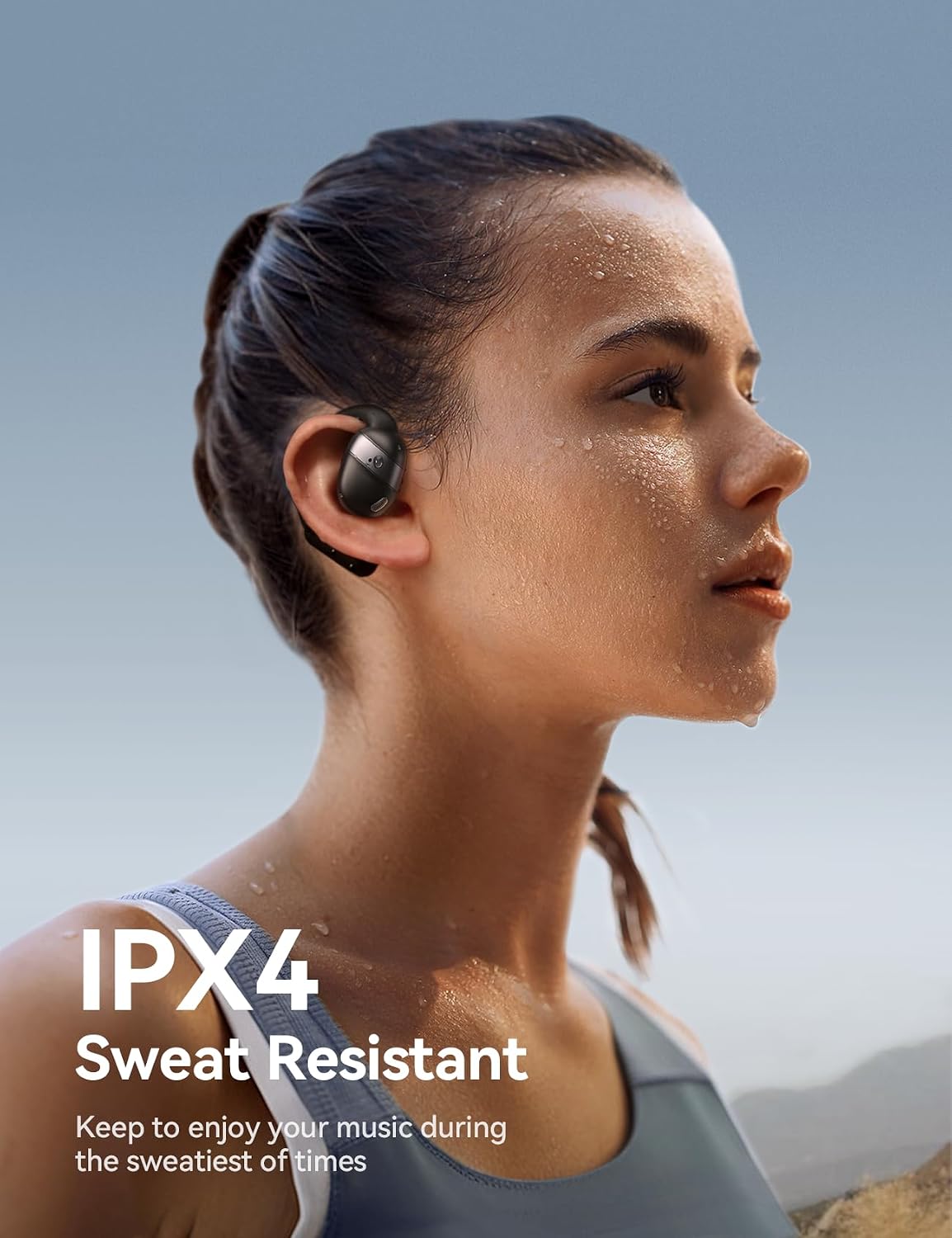
Image: Close-up view of the earbud showing its IPX4 sweat-resistant design, suitable for workouts.
Troubleshooting
If you encounter any issues with your headphones, try the following solutions:
- Headphones not pairing:
- Ensure Bluetooth is enabled on your device.
- Make sure the earbuds are fully charged.
- Place the earbuds back in the case, close the lid, wait a few seconds, and then open it again to re-enter pairing mode.
- Try resetting the headphones to factory settings (refer to 'Touch Controls' section).
- No sound or low volume:
- Check the volume levels on both your device and the headphones.
- Ensure the headphones are properly connected to your device.
- Try playing different audio sources to rule out a problem with the media file.
- Charging issues:
- Verify that the charging cable is securely connected to both the case and a power source.
- Ensure the charging contacts on the earbuds and inside the case are clean and free of debris.
- Try using a different charging cable or power adapter.
Specifications
| Feature | Detail |
|---|---|
| Model Name | JR-OE4 |
| Connectivity Technology | Wireless (Bluetooth 5.4) |
| Audio Driver Size | 16 Millimeters |
| Single Charge Playtime | 12.5 Hours |
| Total Playtime (with case) | 50 Hours |
| Water Resistance Level | IPX4 (Waterproof) |
| Control Type | Touch Control |
| Material | Silicone |
| Item Weight | 5 ounces |
Warranty & Support
Warranty information for this product was not provided in the source data. For any support inquiries, warranty claims, or technical assistance, please contact JOYROOM customer service directly through their official website or the retailer where the product was purchased.


