
Hiwill HiElite A41
Hiwill HiElite A41 4.1 Dolby Atmos Soundbar System
User Instruction Manual
1. Introduction
Thank you for choosing the Hiwill HiElite A41 4.1 Dolby Atmos Soundbar System. This manual provides essential information for setting up, operating, and maintaining your new sound system. Please read it thoroughly before use to ensure proper functionality and to maximize your audio experience.
The HiElite A41 is designed to deliver a vast and immersive soundstage, featuring 4.1 channel audio with Dolby Atmos for a truly three-dimensional spatial sound experience. With 300W peak power, a dedicated 5.25-inch wired subwoofer, and two wired front surround speakers, it transforms your living space into a home cinema. Advanced features like HXS-Processing ClearVoice and adjustable bass/treble controls ensure crystal-clear dialogues and rich, powerful sound.

Image 1.1: Hiwill HiElite A41 Soundbar System components including the soundbar, subwoofer, and two surround speakers, positioned in front of a television.
2. Package Contents
Please check the package for the following items:
- Soundbar
- Wired Subwoofer
- 2 x Wired Front Surround Speakers
- Power Adapter
- 3.5mm Stereo Cable
- HDMI ARC Cable
- Optical Cable
- Remote Control
- 2 x AAA Batteries (for remote control)
- Wall Mounting Kit
- User Manual
3. Setup Guide
3.1 Placement
For optimal sound performance, place the soundbar centrally below your TV. Position the wired front surround speakers to the left and right of your viewing area, ideally at ear level. The subwoofer can be placed on the floor near the soundbar, ensuring it has enough space for proper bass dispersion.

Image 3.1: Diagram illustrating the recommended placement of the soundbar, subwoofer, and two front surround speakers for an optimal 4.1 channel Dolby Atmos experience.
3.2 Connecting the Components
- Connect Surround Speakers: Connect the two wired front surround speakers to the corresponding ports on the soundbar.
- Connect Subwoofer: Connect the wired subwoofer to the dedicated subwoofer output port on the soundbar.
- Power Connection: Connect the power adapter to the soundbar's DC input and then plug it into a wall outlet.
3.3 Connecting to Your TV/Device
The HiElite A41 offers multiple connectivity options:
- HDMI eARC (Recommended): For the best audio quality, especially with Dolby Atmos content, connect the soundbar to your TV's HDMI eARC/ARC port using the provided HDMI cable. Ensure your TV's audio output is set to HDMI ARC/eARC.
- Optical: Connect the soundbar to your TV's optical output using the optical cable. Select 'Optical' input on the soundbar.
- AUX: Use the 3.5mm stereo cable to connect the soundbar to your device's audio output. Select 'AUX' input on the soundbar.
- Bluetooth 5.3: For wireless connection, select 'Bluetooth' input on the soundbar. Pair with your smartphone, tablet, or other Bluetooth-enabled device.

Image 3.2: Illustration of the two wired front speakers mounted on a wall, enhancing the sound experience.
4. Operating Instructions
4.1 Controls
The soundbar can be controlled using the buttons on the unit or the included remote control.
Soundbar Buttons:
- Power: Turn the soundbar On/Off.
- Input: Cycle through input modes (eARC, Optical, Bluetooth, AUX, USB).
- Volume +/-: Adjust the master volume.
- Play/Pause: Control media playback (Bluetooth/USB mode).
Remote Control:
The remote control provides full functionality, including power, input selection, volume, mute, sound modes, and bass/treble adjustments.

Image 4.1: Remote control for the HiElite A41, showing options for adjusting sound profiles and bass/treble levels.
4.2 Sound Modes
Optimize your listening experience with three preset equalizer modes:
- News Mode: Enhances vocal clarity for dialogues and news broadcasts.
- Movie Mode: Provides a dynamic and immersive soundstage, ideal for films and gaming.
- Music Mode: Delivers balanced and rich audio reproduction for music.
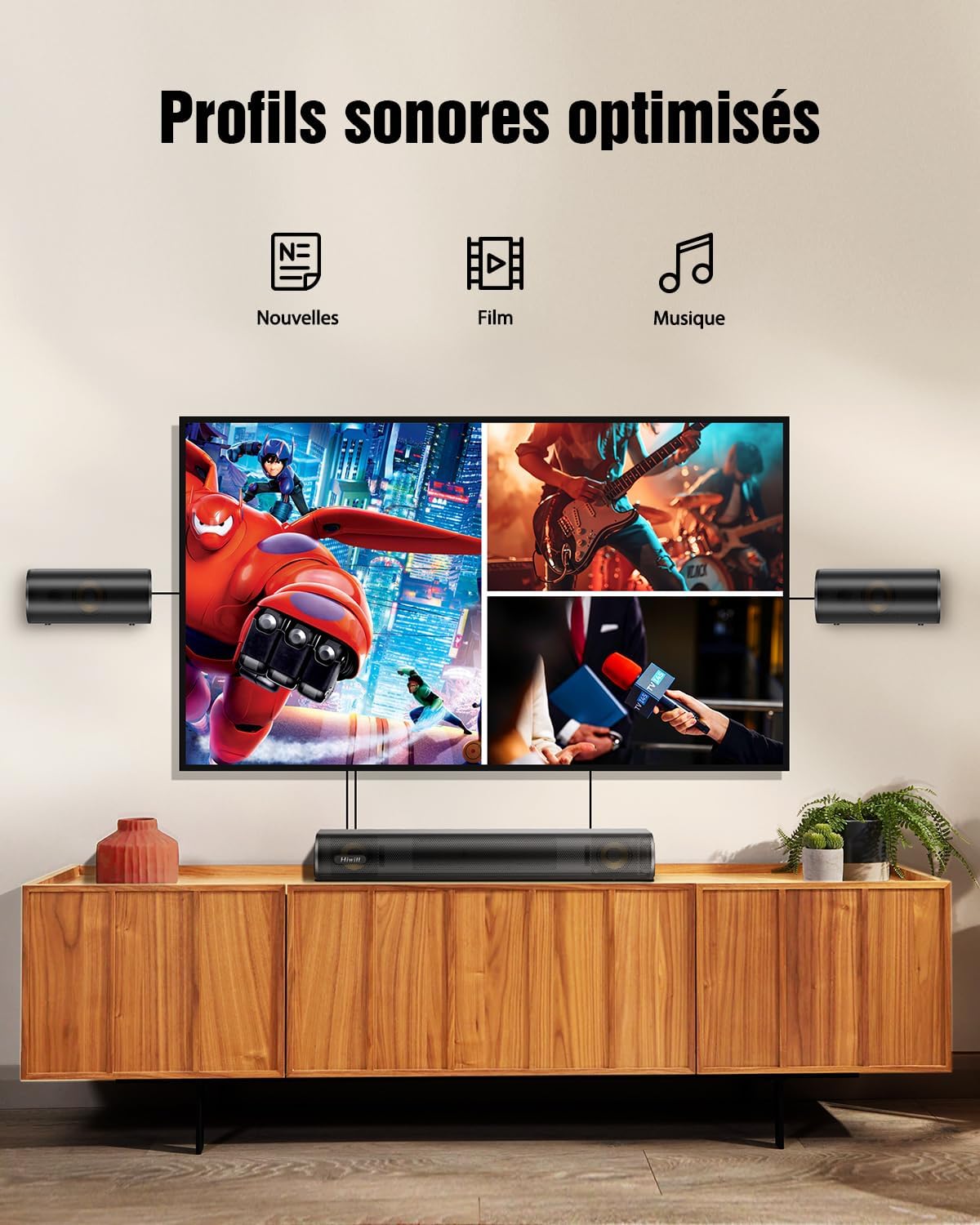
Image 4.2: Visual representation of optimized sound profiles for News, Movie, and Music content.
4.3 Bass and Treble Adjustment
Customize your audio further by adjusting the bass and treble levels using the remote control. This allows you to tailor the sound to your personal preference and room acoustics.

Image 4.3: Adjustable bass feature, allowing users to customize low-frequency output.

Image 4.4: Adjustable treble feature, enhancing clarity and detail in high frequencies.
4.4 Dolby Atmos
The HiElite A41 supports Dolby Atmos, providing a multi-dimensional sound experience where sound moves around you in three-dimensional space. For Dolby Atmos content, ensure your source device (TV, Blu-ray player, streaming box) is also configured to output Dolby Atmos via HDMI eARC.

Image 4.5: Illustration of superior precision in creating three-dimensional soundscapes with Dolby Atmos.

Image 4.6: Dolby Atmos certification, signifying high-quality immersive audio.
5. Maintenance
5.1 Cleaning
To clean the soundbar and speakers, use a soft, dry cloth. Do not use liquid cleaners or aerosol sprays, as they may damage the finish or internal components. Ensure the unit is unplugged before cleaning.
5.2 Storage
If storing the soundbar for an extended period, unplug it from the power outlet and store it in a cool, dry place, away from direct sunlight and extreme temperatures.
6. Troubleshooting
| Problem | Possible Cause | Solution |
|---|---|---|
| No power | Power cable not connected; power outlet not working. | Ensure power cable is securely connected. Try a different power outlet. |
| No sound | Incorrect input selected; volume too low; cables not connected properly. | Select the correct input mode. Increase volume. Check all audio cables. Ensure TV audio output is correctly configured (e.g., HDMI ARC/eARC enabled). |
| Remote control not working | Batteries depleted; obstruction between remote and soundbar. | Replace batteries. Remove any obstructions. Ensure remote is pointed at the soundbar's sensor. |
| Bluetooth pairing issues | Soundbar not in pairing mode; device too far. | Ensure soundbar is in Bluetooth mode and ready for pairing. Move device closer to the soundbar. Forget the device on your Bluetooth list and try pairing again. |
| Distorted sound | Volume too high; poor audio source quality. | Reduce volume. Try a different audio source. Check cable connections for damage. |
7. Specifications
- Model Name: HiElite A41
- Brand: Hiwill
- Speaker Type: Soundbar with Wired Subwoofer and 2 Wired Front Surround Speakers
- Surround Sound Channel Configuration: 4.1
- Maximum Speaker Output Power: 300 Watts
- Frequency Response: 45Hz - 20kHz
- Connectivity Technology: HDMI eARC, Bluetooth 5.3, Optical, AUX
- Audio Output Mode: Dolby Atmos
- Special Features: Dolby Atmos enabled, Aluminum-Magnesium alloy diaphragms, HarmonicX Sound (HXS-Processing), Adjustable Bass and Treble
- Compatible Devices: Smartphone, Tablet, Television
- Product Dimensions (L x W x H): Soundbar: 41.6 x 11.3 x 6 cm; Surround Speakers: 16 x 11.3 x 6 cm; Subwoofer: 13.5 x 30 x 43.8 cm
- Item Weight: 5 Kilograms
- Controller Type: Button, Remote Control
- Manufacturer: Hiwill
- Country of Origin: China
7.1 Speaker Technology
The HiElite A41 features high-quality speaker components designed for superior audio performance:
- Aluminum-Magnesium Alloy Diaphragms: These advanced diaphragms offer exceptional sensitivity, delivering richer bass and purer treble compared to traditional paper cones.
- High-Quality Copper Rings: Each driver includes a high-quality copper ring to improve audio clarity, reduce distortion, and stabilize the magnetic field for deeper bass and crisper highs.
- HXS-Processing ClearVoice: Hiwill's exclusive HarmonicX Sound processing enhances voices and refines sound details for clear dialogues and immersive surround sound.

Image 7.1: Detailed view of the speaker components, highlighting the aluminum-magnesium alloy diaphragm and high-quality copper ring.

Image 7.2: Internal view of the 5.25-inch wired subwoofer, designed for powerful and deep bass.
8. Warranty and Support
8.1 Manufacturer's Warranty
The Hiwill HiElite A41 Soundbar System comes with a 2-year manufacturer's warranty from the date of purchase. This warranty covers defects in materials and workmanship under normal use. Please retain your proof of purchase for warranty claims.
8.2 Customer Support
For technical assistance, warranty claims, or any questions regarding your Hiwill product, please contact Hiwill Technologies Inc. customer support. Refer to the contact information provided on the product packaging or the official Hiwill website.
Note: Firmware updates may be available upon request to enhance performance and features. Please contact customer support for details.

Image 8.1: Information regarding potential firmware upgrades for enhanced features and performance.
Related documentsHiElite A41


Ask a question about this manual
Ask about setup, troubleshooting, compatibility, parts, safety, or missing instructions. Manuals+ will review the question and use this page’s manual context to help answer it.