Introduction
Thank you for choosing BrizLabs Smart Fairy Lights. This manual provides essential information for the safe and efficient use of your 33ft 100 LED color-changing lights. Please read these instructions thoroughly before installation and operation, and retain them for future reference.
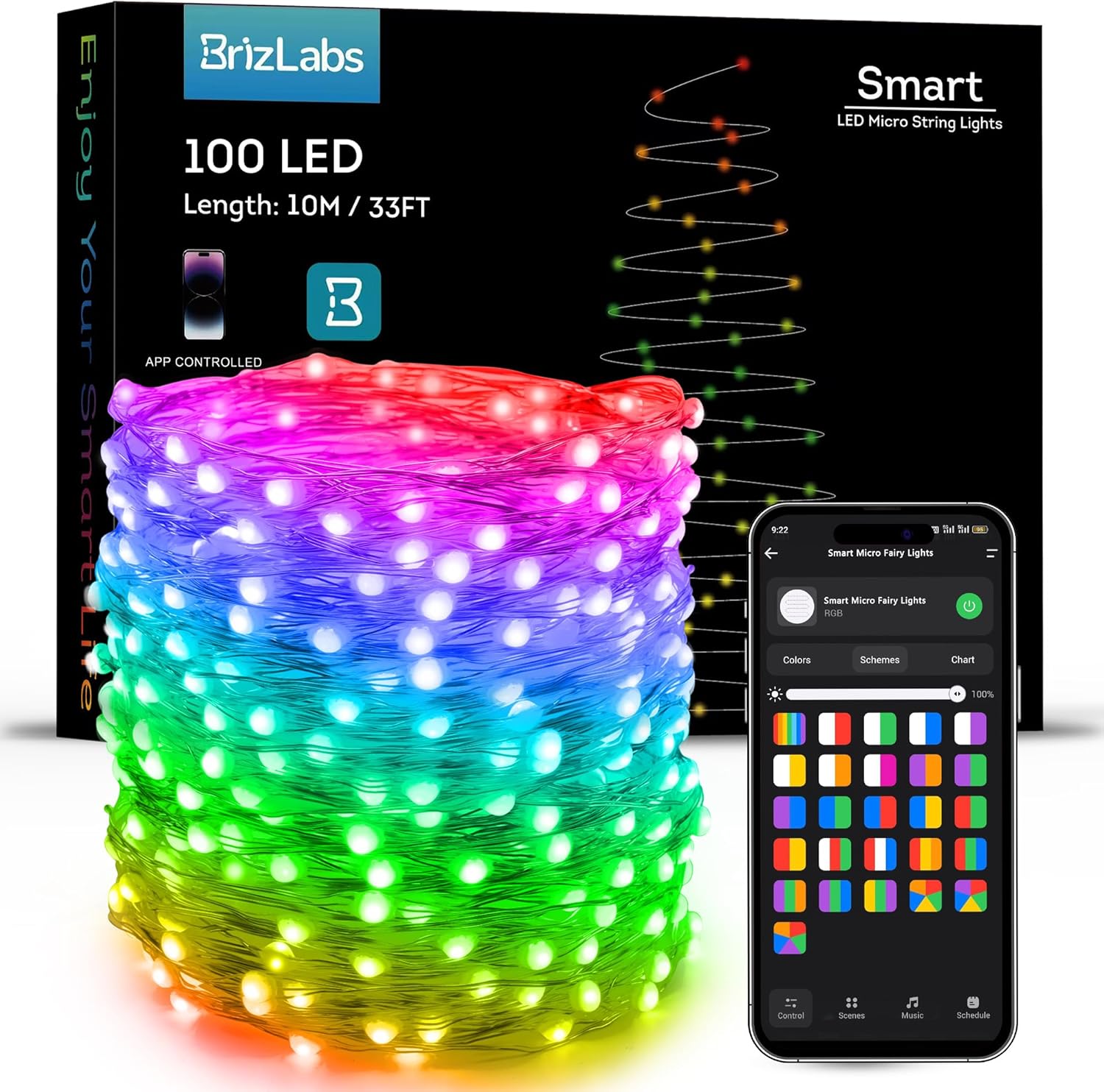
Figure 1: BrizLabs Smart Fairy Lights product packaging and mobile app interface.
Package Contents
Ensure all items are present upon unboxing:
- 1 x 100 LED Smart Fairy Lights (33ft, Silver Wire)
- 1 x User Manual
Setup
1. Installation and Placement
Carefully uncoil the fairy lights. The flexible silver wire allows for easy shaping and placement around various objects or surfaces. These lights are suitable for both indoor and outdoor use. When used outdoors, ensure the power adapter is protected from direct exposure to water.

Figure 2: Example installation of BrizLabs Smart Fairy Lights on a Christmas tree and along walls.
2. Power Connection
Connect the fairy lights to the provided UL-certified low-voltage power adapter. Plug the adapter into a standard electrical outlet. The lights will illuminate in their last-used setting due to the memory function.
Operating Instructions
1. Smart App Control
The BrizLabs Smart Fairy Lights offer extensive customization through a dedicated mobile application. Features include:
- 16 Million Colors & Multi-Scene Modes: Choose from a vast spectrum of colors and various pre-set lighting modes for different occasions.
- Music Sync Feature: Lights can synchronize with music via the built-in high-sensitivity microphone.
- Personalized Scheduling & Countdown Timer: Set timers and schedules for automatic on/off functions and customized lighting modes.
- Dimmable & Memory Function: Adjust brightness from 1% to 100%. The lights retain the last setting when powered off.
- Group Control: Create smart groups to manage multiple BrizLabs smart lights simultaneously.
Connecting to the App:
- Download the BrizLabs app from the App Store (iOS) or Google Play Store (Android).
- Register or log in to your account.
- Ensure your mobile device is connected to a 2.4G Wi-Fi network.
- Follow the in-app instructions to add your Smart Fairy Lights.

Figure 3: Mobile app interface for customizing light colors and modes.
2. Voice Control (Alexa/Google Home)
Control your lights hands-free using Amazon Alexa or Google Assistant. Link your BrizLabs account with your smart home assistant app.
Voice Commands:
- "Alexa/Hey Google, turn on/off [Light Name]."
- "Alexa/Hey Google, set [Light Name] to red."
- "Alexa/Hey Google, dim [Light Name] to 50%."

Figure 4: Voice control integration with Amazon Alexa and Google Assistant.
3. Music Sync Feature
Activate the music sync feature via the app. The lights will dynamically change colors and patterns in response to ambient sounds or music, creating an immersive atmosphere.

Figure 5: Lights reacting to music, controlled via the app.
4. Personalized Scheduling and Timer
Use the app to set custom schedules for your lights to turn on or off at specific times. The countdown timer feature allows for temporary operation, conserving energy.

Figure 6: App interface for setting schedules and timers.
5. Dimmable and Memory Function
Adjust the brightness of the lights to suit your preference using the app. The built-in memory function ensures that your last chosen settings (color, mode, brightness) are restored when the lights are turned back on.

Figure 7: Visual representation of 16 million colors and brightness adjustment.
6. Group Control
Manage multiple sets of BrizLabs Smart Fairy Lights simultaneously by creating groups within the app. This allows for synchronized lighting effects across different areas.

Figure 8: App interface demonstrating group control for various light installations.
Video 1: Demonstration of BrizLabs Smart Fairy Lights working with Alexa and Google Home, showcasing various color changes and voice commands.
Maintenance
1. Care and Storage
To ensure the longevity of your fairy lights, handle them with care. Avoid excessive pulling or bending of the wire. When not in use, store the lights in a cool, dry place, preferably in their original packaging, to prevent tangling and damage.
2. Waterproof Rating
The fairy lights are IP44 water-resistant, making them suitable for outdoor use. However, the power adapter is not waterproof and must be protected from direct exposure to water or harsh weather conditions.
Troubleshooting
If you encounter any issues, please refer to the table below for common problems and their solutions:
| Problem | Possible Cause | Solution |
|---|---|---|
| Lights not turning on. | No power supply or loose connection. | Check if the power adapter is securely plugged into the outlet and the lights. Ensure the outlet is functional. |
| App connectivity issues. | Incorrect Wi-Fi network (not 2.4G) or poor signal. | Ensure your phone and lights are connected to a 2.4G Wi-Fi network. Move closer to the router for better signal. Restart the app and lights. |
| Voice control not responding. | Incorrect device name or unlinked account. | Verify the device name in your Alexa/Google Home app. Re-link your BrizLabs account with your smart assistant. Check internet connection. |
| Lights not syncing with music. | Microphone obstruction or low volume. | Ensure the light controller's microphone is not obstructed and the music volume is sufficient. |
Specifications
| Feature | Detail |
|---|---|
| Brand | BrizLabs |
| Model Number | SLRGB016 |
| Color | Multicolor (16 Million Colors) |
| Light Source Type | LED |
| Number of Light Sources | 100 |
| Item Length | 33ft (39.56 Feet) |
| Power Source | Corded Electric |
| Wattage | 2 watts |
| Indoor/Outdoor Usage | Indoor, Outdoor (IP44 Water-resistant) |
| Special Features | 16 Million Colors, APP & Voice Control, Dimmable, Music Sync, Timer |
| Controller Type | App Control, Voice Control |
| Material | Plastic |
| Item Weight | 6.7 ounces |
Warranty and Support
Warranty Information
BrizLabs products are manufactured to high-quality standards. For specific warranty details, please refer to the product packaging or contact customer support. This warranty typically covers defects in materials and workmanship under normal use.
Customer Support
If you require further assistance or have questions not covered in this manual, please contact BrizLabs customer support. Contact information can usually be found on the product packaging or the official BrizLabs website.