
1. Introduction
Thank you for choosing the HOMCOM 71" Large Computer Desk. This manual provides essential information for the safe assembly, operation, and maintenance of your new desk. Please read these instructions thoroughly before beginning assembly and retain them for future reference.

Image 1.1: The HOMCOM 71" Large Computer Desk, showcasing its spacious design suitable for multiple monitors and office equipment.
2. Safety Information
WARNING: Failure to follow these safety instructions may result in injury or damage to the product.
- Always assemble this desk with the recommended tools and follow the provided instructions carefully to ensure stability and prevent injury.
- Keep the work area clear of obstructions during assembly.
- A second person is recommended to assist with assembly for safety and ease.
- Do not overload the desk. The maximum weight capacity is 132 lbs (60 kg).
- Ensure all screws and fasteners are securely tightened before use. Periodically check and re-tighten as necessary.
- Avoid placing hot items directly on the desk surface without protection.
3. Package Contents
Before assembly, verify that all parts listed below are present and undamaged. If any parts are missing or damaged, please contact customer support.
- Desktop Panels (2 halves)
- Leg Frames (4 pieces)
- Support Beams/Brackets
- Adjustable Foot Pads
- Assembly Hardware (screws, bolts, washers, Allen wrenches)
- Instruction Manual

Image 3.1: The product is delivered in a single package.
4. Setup and Assembly
Assembly is required for this desk. It is recommended that two people assemble the desk to ensure stability and prevent injury. All necessary tools are included.
4.1 Tools Required
- Included Allen Wrenches (two sizes)
- Screwdriver (optional, for faster assembly)
4.2 Assembly Steps
- Unpack and Identify Parts: Carefully remove all components from the packaging. Lay them out on a clean, soft surface to prevent scratches. Refer to the parts list to ensure all pieces are present.
- Attach Leg Frames to Desktop Halves: Begin by attaching the leg frames to each of the two desktop halves. Ensure the triangular connection design is correctly oriented for maximum stability. Hint: Insert all screws loosely before fully tightening any to allow for minor adjustments and proper alignment.
- Connect Desktop Halves: Once the leg frames are secured to each half, carefully align and connect the two desktop halves using the provided hardware. Ensure the seam is as flush as possible.
- Secure Support Beams: Attach any additional support beams or brackets as indicated in the diagram to enhance the desk's structural integrity.
- Install Adjustable Foot Pads: Screw the adjustable foot pads into the bottom of each leg. These can be adjusted to level the desk on uneven surfaces.
- Final Tightening: Once all parts are assembled and aligned, systematically tighten all screws and bolts. Do not overtighten.

Image 4.1: Detail of the adjustable foot pads and triangular connection design, contributing to the desk's stability.
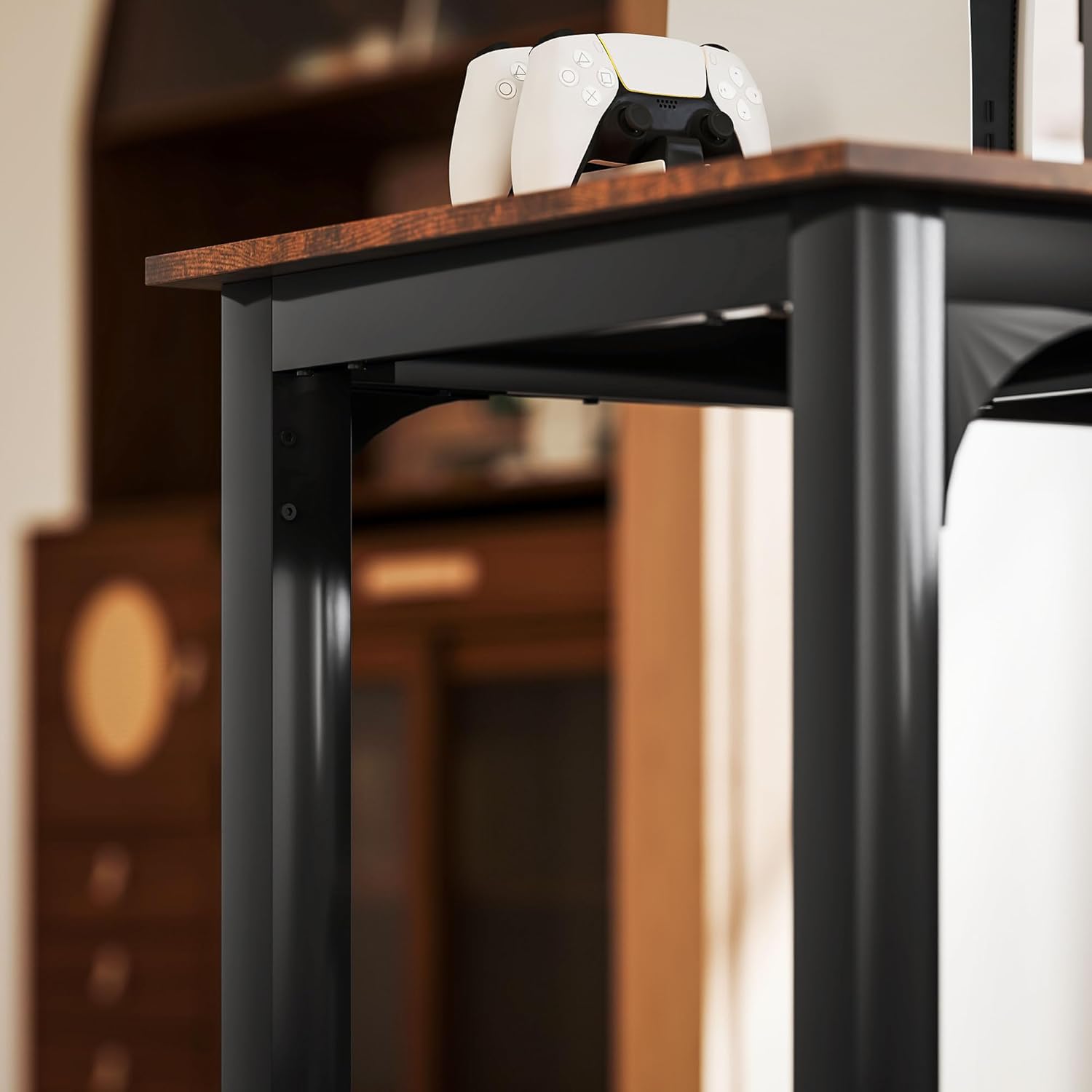
Image 4.2: A detailed view of the leg and frame joint, highlighting the secure assembly points.
5. Operating Instructions
The HOMCOM 71" Large Computer Desk is designed for versatile use in home offices, studies, or as a multi-purpose table.
5.1 General Use
- Place the desk on a flat, stable surface. Use the adjustable foot pads to compensate for any unevenness in the floor.
- Utilize the spacious desktop for multiple monitors, laptops, keyboards, and other office essentials.
- The desk can accommodate two users comfortably, making it suitable for collaborative work or shared spaces.

Image 5.1: The large, spacious desktop provides ample room for various setups.

Image 5.2: Detail of the rustic brown desktop finish and ample space for accessories.
6. Maintenance
Proper care will extend the life and appearance of your HOMCOM desk.
- Cleaning: Wipe the desk surface with a damp cloth. Avoid harsh chemicals or abrasive cleaners that could damage the laminated finish.
- Inspection: Periodically check all screws and connections to ensure they remain tight. Re-tighten if necessary.
- Protection: Use coasters for drinks and protective pads under hot items to prevent damage to the desktop.
7. Troubleshooting
This section addresses common issues you might encounter during or after assembly.
| Problem | Possible Cause | Solution |
|---|---|---|
| Desk is wobbly or unstable. | Uneven floor; loose connections. | Adjust the foot pads on each leg until the desk is level. Ensure all assembly screws are fully tightened. |
| Desktop halves do not align perfectly. | Screws tightened prematurely; slight manufacturing tolerance. | Loosen all screws connecting the desktop halves and leg frames. Re-align the halves carefully, then gradually tighten all screws. Minor gaps may be unavoidable due to material properties. |
| Missing parts or damaged components. | Packaging error or shipping damage. | Do not proceed with assembly. Contact HOMCOM customer support immediately for replacement parts. |
8. Specifications
Key technical details for the HOMCOM 71" Large Computer Desk.

Image 8.1: Dimensional overview and weight capacity of the desk.
| Feature | Detail |
|---|---|
| Brand | HOMCOM |
| Model Number | 920-096V80RB |
| Product Dimensions (D x W x H) | 23.6" x 70.9" x 29.5" (60cm x 180cm x 75cm) |
| Weight Capacity | 132 lbs (60 kg) |
| Item Weight | 52 lbs |
| Color | Rustic Brown (Top), Black (Base) |
| Material | Engineered Wood (Top), Metal (Base) |
| Finish Type | Laminated, Powder Coated (Frame) |
| Special Feature | Scratch Resistant, Adjustable Foot Pads |
| Assembly Required | Yes |
| Recommended Number of People for Assembly | 2 |
9. Warranty and Support
9.1 Warranty Information
This HOMCOM desk comes with a Limited Warranty. Please refer to your purchase documentation or contact customer support for specific warranty terms and conditions.
9.2 Customer Support
For assistance with assembly, missing parts, or any other inquiries, please contact HOMCOM customer support. You can typically find contact information on the HOMCOM website or through your retailer.
Online Resources: Visit the official HOMCOM store on Amazon for FAQs and additional product information: HOMCOM Store