
Vekkia Professional 88 LED Rechargeable Music Stand Light User Manual
Model: MST
Introduction
This manual provides detailed instructions for the Vekkia Professional 88 LED Rechargeable Music Stand Light (Model MST). Please read this manual thoroughly before using the product to ensure proper operation and to maximize its lifespan. This light is designed for illuminating music sheets, books, and workspaces with adjustable brightness and color temperature settings.

Image: The Vekkia Professional 88 LED Rechargeable Music Stand Light in use, illuminating sheet music.
Package Contents
Verify that all items are present in the package:
- Vekkia Professional 88 LED Music Stand Light
- USB Type-C Charging Cable
- Carry Bag

Image: The Vekkia music stand light alongside its included portable carry bag.
Product Features
- Advanced LED Technology: Equipped with 88 SMD LEDs, offering adjustable Color Rendering Index (Ra) for enhanced eye comfort, especially during prolonged use.
- Customizable Illumination: Features 5 brightness levels and 3 color temperatures (Warm 3000K, Daylight 4000K, White 6000K), providing a total of 15 lighting modes. Brightness ranges from 25 to 300 Lumens.
- Professional Broadbeam with Anti-Glare Shield: Delivers wide, uniform illumination across your workspace. A discrete back fin directs light onto the music sheet and away from observers, preventing distraction.
- Versatile & Stable Design: Lightweight at 8.5 oz (241g), it features a flexible gooseneck and a clip that opens up to 2.36 inches (6 cm). Patented anti-slip rubber strips and soft felt pads ensure a firm grip and protect surfaces from scratches. The light can also stand independently on a flat surface.
- Long-Lasting Rechargeable Battery: Integrated 4000mAh Lithium Polymer battery provides up to 100 hours of continuous use at the lowest brightness setting.
- Independent Button Controls: Separate buttons for power, color temperature, and brightness allow for intuitive and precise adjustments.
- Memory Function: The light automatically recalls your last used color temperature and brightness settings upon reactivation.
- Portability: Includes a free carry bag for convenient transport.

Image: Overview of the Vekkia 88 LED Music Stand Light highlighting its 3 color temperatures and 5 brightness levels.

Image: Diagram illustrating the high Color Rendering Index (Ra) of the light, indicating its eye-protective qualities.

Image: Diagram showing how the anti-glare shield directs light onto the music stand, preventing glare for the audience.
Setup Instructions
- Unpacking: Carefully remove the light and all accessories from the packaging.
- Initial Charge: Before first use, fully charge the device. Connect the provided USB Type-C cable to the light's charging port and a compatible USB power adapter (not included). The power indicators will show the charging status.
- Mounting:
- Clip-on: Open the clamp and securely attach it to a music stand, piano, desk, or other suitable surface. Ensure the anti-slip rubber strips provide a firm grip without scratching the surface. The clamp opens up to approximately 2.36 inches (6 cm).
- Freestanding: Place the light on a flat, stable surface. The base is designed to allow it to stand independently.
- Positioning: Adjust the flexible gooseneck to direct the light as needed. The 360° flexible arm allows for precise positioning.

Image: The Vekkia music stand light clamped onto a music stand, demonstrating its firm clamping and flexible gooseneck.

Image: Illustration of the Vekkia music stand light's flexible arm, showing its ability to hold various positions stably.
Operating Instructions
- Power On/Off: Press the Power Button (center button) to turn the light on or off.
- Adjusting Color Temperature: Short press the Color Temperature Button (left button) to cycle through the 3 available color modes: Warm (3000K), Daylight (4000K), and White (6000K).
- Adjusting Brightness:
- Short press the Brightness Level Button (right button) to cycle through the 5 preset brightness levels.
- Long press the Brightness Level Button for stepless dimming adjustment, allowing fine-tuning of brightness from 25 to 300 lumens.
- Memory Function: The light will automatically recall your last used color temperature and brightness settings when turned on again.

Image: Close-up of the control panel showing independent buttons for color temperature, power, and brightness.

Image: Visual representation of the three color temperature options (Warm, White, Nature) and the stepless dimming range from 25lm to 300lm.
Charging Instructions
- Connect: Use the included USB Type-C cable. Insert the Type-C end into the light's charging port and the USB-A end into a standard USB power adapter (e.g., phone charger, computer USB port, power bank).
- Charging Indicator: Four power indicators on the base will illuminate to show the charging progress. All four lights indicate a full charge.
- Charging Time: A full charge typically takes approximately 4 hours.
- Battery Life: The 4000mAh battery provides 5 hours of use at the brightest setting and up to 100 hours at the dimmest setting.
- Note: An AC charger is not included.
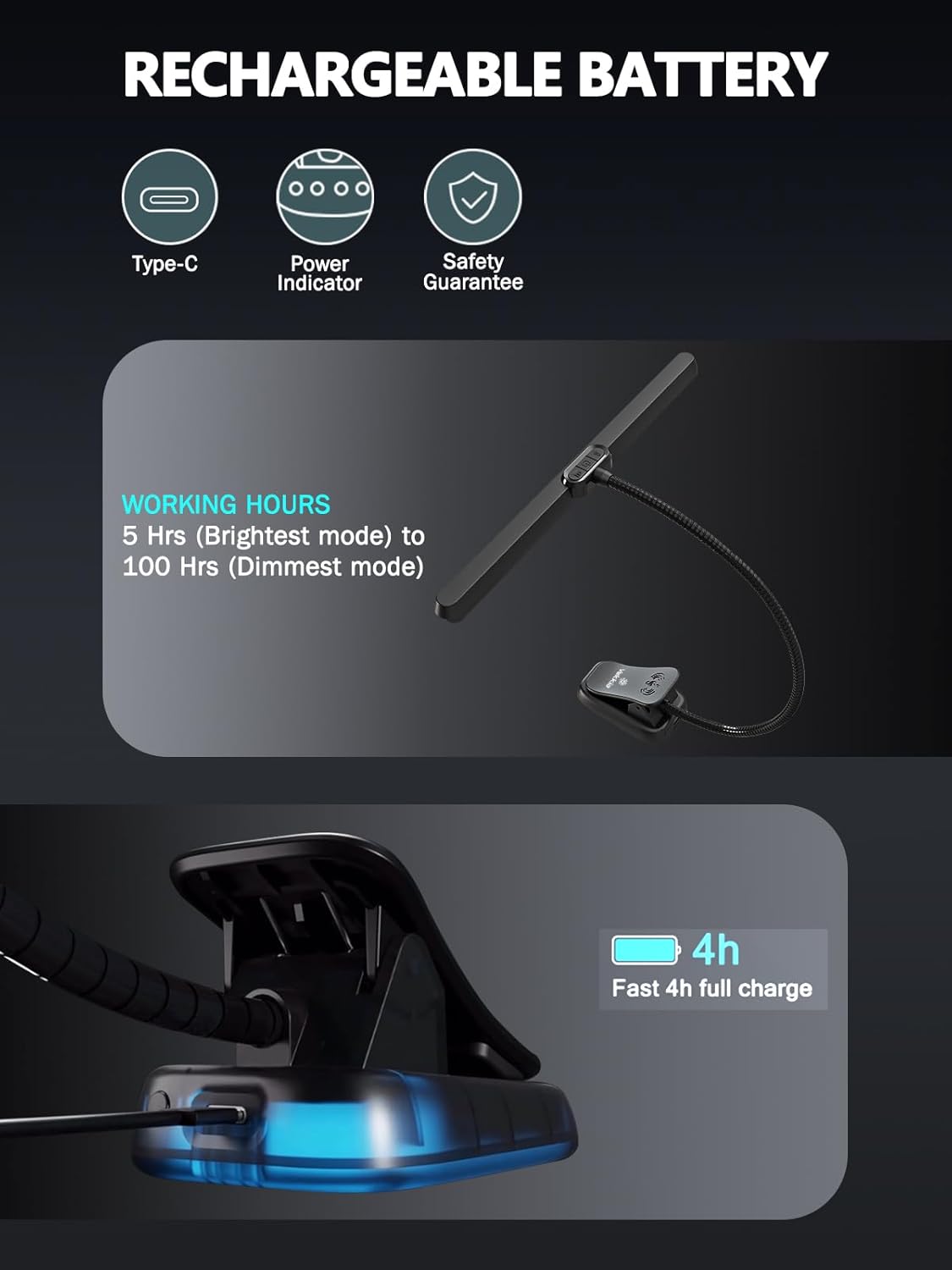
Image: Diagram showing the Type-C charging port, power indicators, and battery working hours.

Image: Close-up of the base showing the four power indicator lights, reminding users to charge before use.
Maintenance
- Cleaning: Wipe the light with a soft, dry cloth. Do not use abrasive cleaners or solvents.
- Storage: When not in use, store the light in the provided carry bag to protect it from dust and damage. Store in a cool, dry place.
- Battery Care: To prolong battery life, avoid completely draining the battery frequently. Recharge when the power indicators show low battery. If storing for an extended period, charge the battery to about 50% every 3-6 months.

Image: Step-by-step illustration of folding the music stand light to fit into its carry bag for storage and transport.
Troubleshooting
- Light does not turn on:
- Check if the battery is charged. Connect to a power source and charge for at least 30 minutes.
- Ensure the power button is pressed firmly.
- Light is dim or flickers:
- The battery may be low. Recharge the light.
- Ensure the brightness setting is not at its lowest level.
- Light does not hold a charge:
- Ensure the charging cable is securely connected to both the light and the power source.
- Try a different USB power adapter or cable.
- If the issue persists, contact customer support.
- Clamp is not secure:
- Ensure the clamping surface is within the 2.36-inch (6 cm) maximum opening.
- Verify that the anti-slip rubber strips are clean and intact.
Specifications
| Feature | Detail |
|---|---|
| Brand | Vekkia |
| Model Name | YPDPro (Model Number: MST) |
| Light Source | 88 LED (SMD LED Technology) |
| Wattage | 5 Watts |
| Brightness | 25 to 300 Lumens |
| Color Temperatures | 3 (Warm 3000K, Daylight 4000K, White 6000K) |
| Brightness Levels | 5 (with stepless dimming) |
| Battery | 4000mAh Lithium Polymer (included) |
| Charging Port | USB Type-C |
| Working Hours | 5 hours (brightest mode) to 100 hours (dimmest mode) |
| Charging Time | Approx. 4 hours |
| Material | Plastic |
| Finish Type | Matte |
| Item Weight | 8.5 ounces (241g) |
| Product Dimensions | 3.15"D x 11.82"W x 10.23"H (8 x 30 x 26 cm) |
| Max Clamp Opening | 2.36 inches (6 cm) |
| Special Features | Adjustable Arm, Adjustable Color Temperature, Flexible, Memory Function, Rechargeable, Anti-Glare Shield, Eye-Protective (High Ra>95) |
| Included Components | Light, USB Type-C Cable, Carry Bag |
| Indoor/Outdoor Usage | Indoor |
Safety Information
- Do not disassemble or modify the product.
- Keep away from water and high humidity.
- Avoid exposing the battery to extreme temperatures or direct sunlight.
- Do not look directly into the LED light for extended periods, as it may cause eye strain.
- Keep out of reach of children.
- Use only the provided charging cable or a certified equivalent.
Warranty and Support
- Warranty: The product is covered by a 12-month warranty.
- Returns: A 30-day refund policy is available.
- Customer Support: For any questions, issues, or warranty claims, please contact Vekkia customer support. Responses are typically provided within 24 hours.
- Seller: VEKKIA (fulfilled by Amazon).