
1. Introduction
This manual provides detailed instructions for the installation, operation, and maintenance of your LEDIARY 20-inch Low Profile Ceiling Fan with Light. Please read this manual thoroughly before installation and use to ensure proper function and safety. Keep this manual for future reference.
Safety Information
- Always disconnect power at the circuit breaker before installation or servicing.
- Ensure all electrical connections comply with local codes and ordinances.
- This product is designed for indoor use only.
- Do not operate the fan with damaged wiring or if the fan is visibly damaged.
- Keep hands and objects clear of the fan blades during operation.
2. Package Contents
Verify that all components are present and undamaged before beginning installation. If any parts are missing or damaged, contact LEDIARY customer support.
- Ceiling Fan Unit (with integrated LED light)
- Remote Control
- Mounting Hardware Kit
- User Manual
- 2 x AAA Batteries (for remote control)
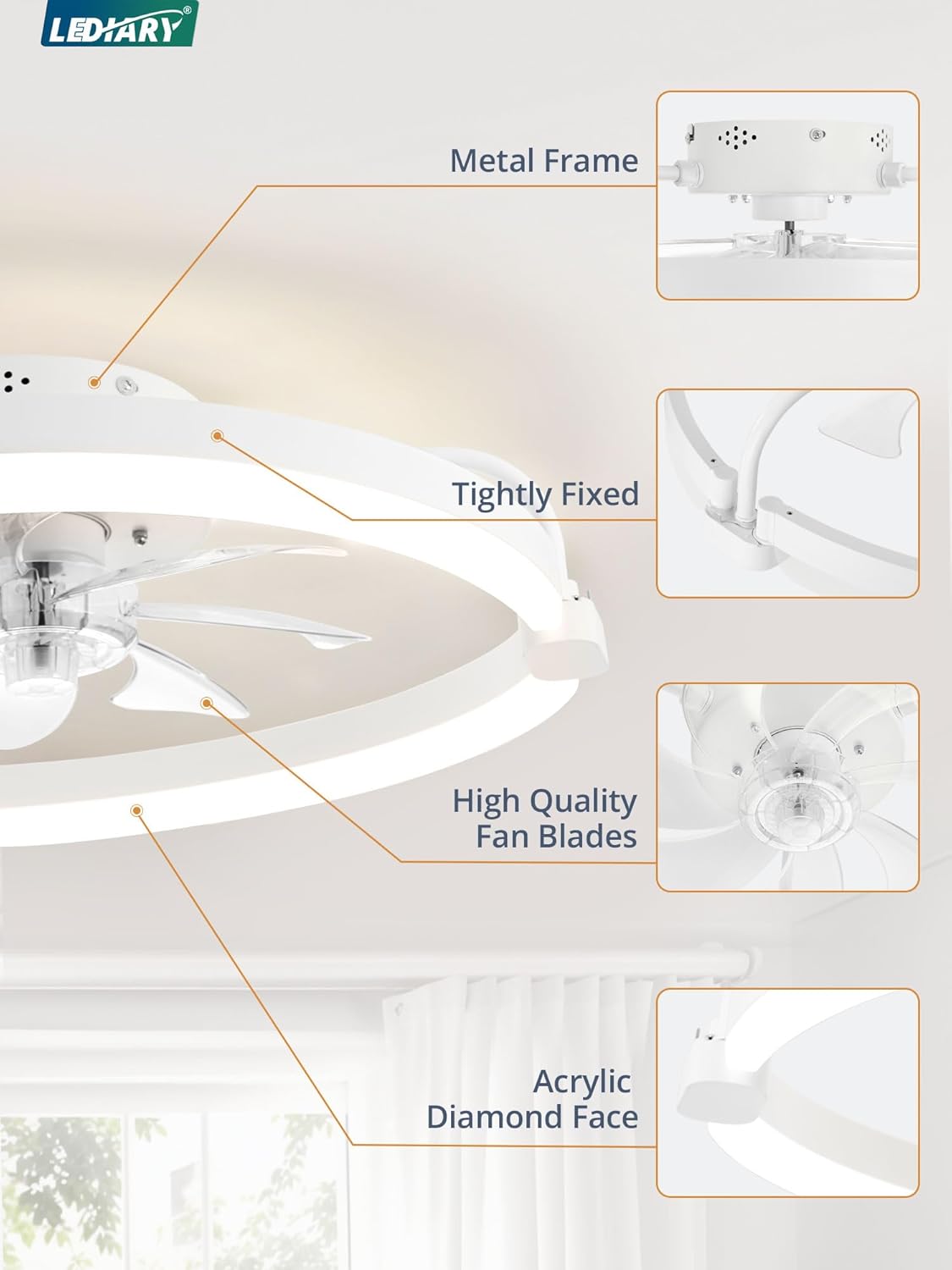
Figure 2.1: Key components of the LEDIARY Ceiling Fan. This includes the robust metal frame, high-quality fan blades designed for efficient airflow, the securely fixed structure ensuring stability, and the decorative acrylic diamond face.
3. Specifications
| Attribute | Detail |
|---|---|
| Brand | LEDIARY |
| Model Name | Y24FSD0031-1801 |
| Color | White |
| Product Dimensions | 20"D x 20"W x 5.7"H |
| Item Weight | 6.6 pounds |
| Power Source | AC |
| Voltage | 120 Volts (AC) |
| Number of Speeds | 6 |
| Control Method | App, Remote |
| Light Color Temperature | 3000K-6000K (Stepless Dimming) |
| Light Brightness | 10%-100% (2800LM) |
| Special Features | 6 Wind Speeds, App Operable, Color Temperature Adjustable, Remote Controlled, Reversible DC Motor, Timer, Light Memory Function |
| Recommended Room Size | Height: 7FT-10FT, Length & Width: Up to 8.5FT x 8.5FT |

Figure 3.1: Product dimensions and recommended room specifications for optimal performance.
4. Installation Guide
The installation process is designed to be straightforward. For a visual guide, please refer to the detailed installation video provided by LEDIARY. Ensure power is disconnected before starting.
Installation Steps:
- Prepare the Mounting Location: Ensure the electrical box is securely mounted and capable of supporting the fan's weight. Turn off power at the circuit breaker.
- Install the Mounting Bracket: Attach the mounting bracket to the electrical box using the provided screws. Ensure it is firmly secured.
- Wire the Fan: Connect the fan's electrical wires (black, white, green/ground) to the corresponding house wires. Use wire nuts to secure connections.
- Attach the Fan Unit: Carefully lift the fan unit and secure it to the mounting bracket. The design allows for easy attachment without excessive tools.
- Install the Light Panel: Connect the light panel using the quick-connect system. Secure the light cover.
- Restore Power: Once installation is complete and all connections are secure, restore power at the circuit breaker.


Figure 4.1: Visual aids for the installation process, demonstrating electrical connections and fan unit attachment.
Note: No relevant installation videos were found in the provided product data. Please refer to the manufacturer's official website or support channels for video guides if available.
5. Operating Instructions
Your LEDIARY ceiling fan offers versatile control options via both a remote control and a dedicated mobile application.
5.1 Remote Control Operation
Insert the included AAA batteries into the remote control. The remote allows for comprehensive control of both fan and light functions.

Figure 5.1: Remote control layout and button functions. This remote allows control over light on/off, fan on/off, color temperature change, brightness adjustment, night light mode, forward/reverse fan direction, 6-speed fan control, and timer settings (1H/2H).
- Light ON/OFF: Toggles the light on or off.
- Fan ON/OFF: Toggles the fan on or off.
- CCT Change: Adjusts the color temperature between 3000K (warm), 4000K (neutral), and 6000K (cool white).
- Brightness Change: Dims or brightens the light from 10% to 100%.
- Night Light: Activates a low-brightness night light mode.
- Forward/Reverse (F/R): Changes the fan's rotation direction for summer (downdraft) or winter (updraft) modes.
- Speed 1-6: Selects one of six fan speeds.
- Timer (1H/2H): Sets the fan to turn off automatically after 1 or 2 hours.
- ALL OFF: Turns off both the fan and the light.
- Pairing: Used for initial pairing of the remote with the fan.
5.2 APP Control Operation
The fan can also be controlled via a mobile application. Download the LEDIARY app from your device's app store. Pairing with the app requires Bluetooth connectivity.

Figure 5.2: LEDIARY mobile application interface. The app provides comprehensive control over fan speeds, light brightness, color temperature, and timer settings.
- Pairing: Follow the in-app instructions to pair your fan. This typically involves ensuring Bluetooth is enabled on your device and the fan is powered on.
- Fan Control: Adjust fan speeds (1-6) and activate the reversible DC motor function.
- Light Control: Adjust light brightness (10%-100%) and color temperature (3000K-6000K). The light features a memory function, retaining the last setting.
- Timer Setting: Set automatic shut-off times for the fan.
5.3 Key Features Overview
- Stepless Dimming: Adjust light color temperature from 3000K (warm) to 6000K (white) and brightness from 10% to 100%.
- 6 Wind Speeds: Choose from six fan speeds for optimal comfort.

Figure 5.3: Fan speed recommendations for various activities (1-2 for comfortable wind, 3-4 for natural wind, 5-6 for cool wind).
- Reversible DC Motor: Provides downdraft airflow for cooling in summer and updraft airflow to circulate warm air in winter.
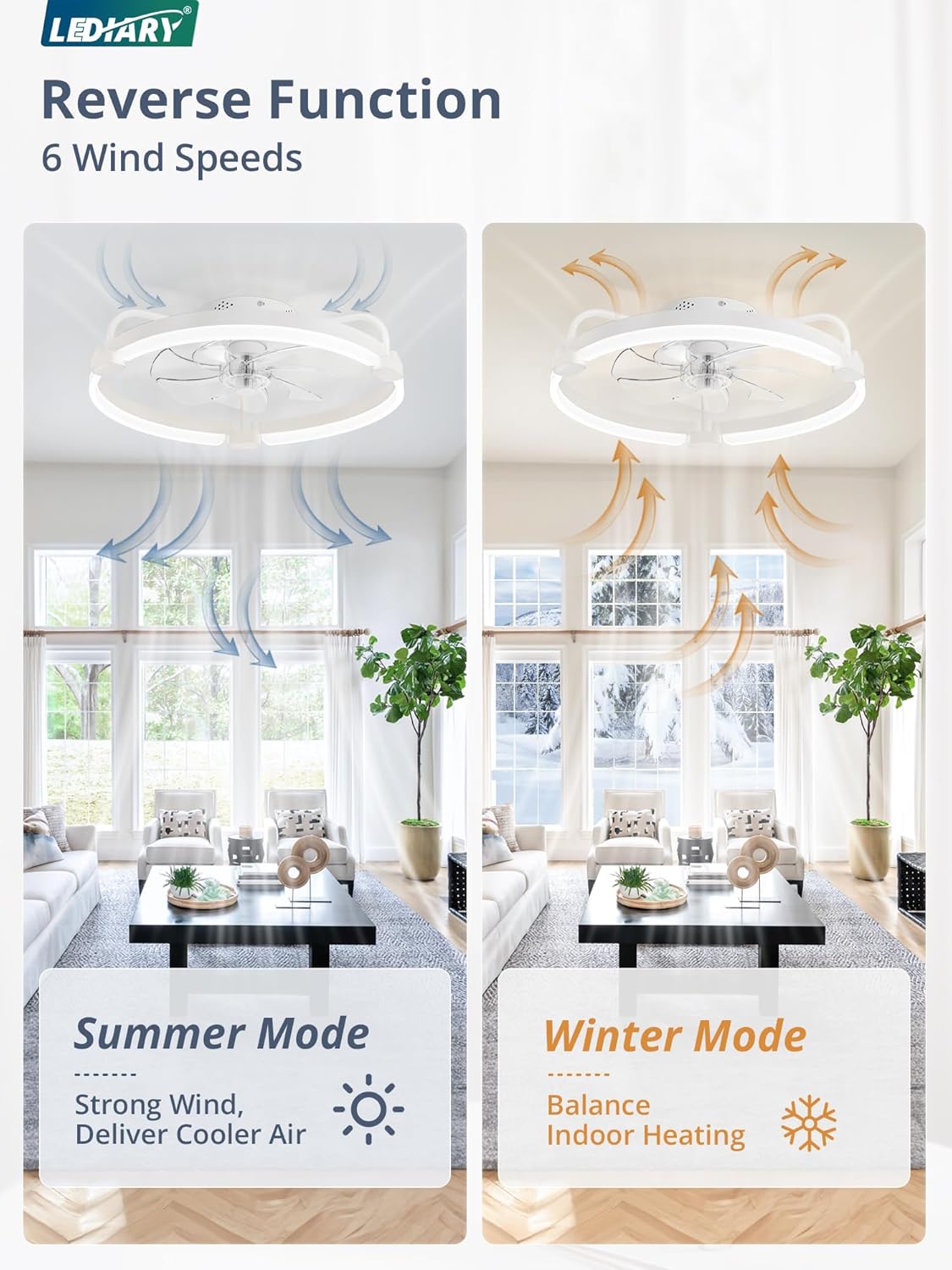
Figure 5.4: Reversible DC motor function for year-round comfort.
- Low Noise Operation: The pure copper motor ensures smooth operation with minimal noise, ideal for bedrooms.
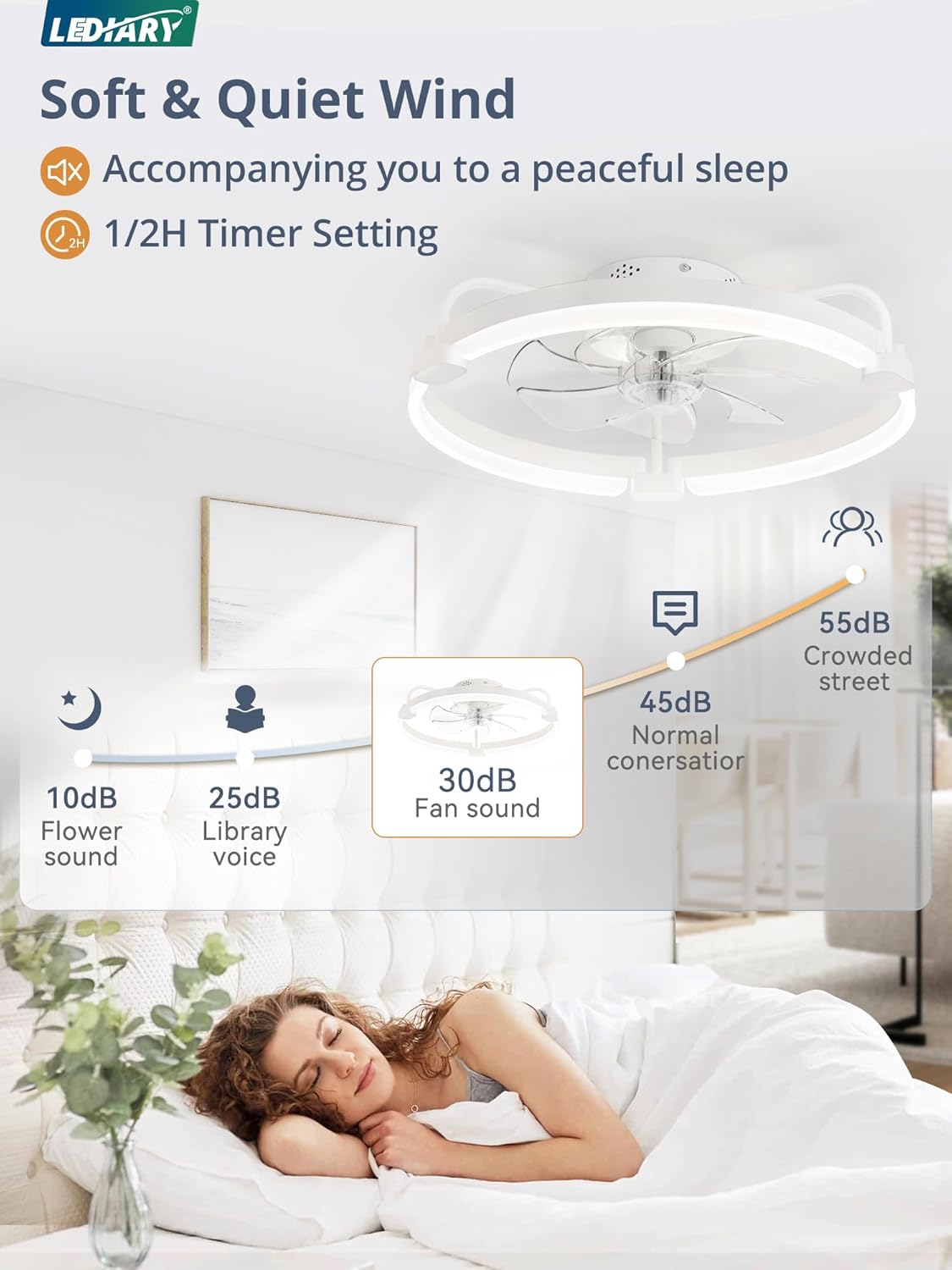
Figure 5.5: Fan noise level comparison, highlighting its quiet operation.
- Timer Setting: Conveniently set the fan to turn off after a specified duration (1 or 2 hours).

Figure 5.6: Intelligent timing feature for convenience.
6. Maintenance
Regular maintenance ensures the longevity and optimal performance of your ceiling fan. Always disconnect power before cleaning or performing any maintenance.
- Cleaning: Use a soft, damp cloth to wipe down the fan blades and light fixture. Do not use abrasive cleaners or solvents, as they may damage the finish.
- Dust Removal: Periodically dust the fan and light to prevent accumulation, which can affect performance and light output.
- Blade Inspection: Check fan blades for any cracks or damage. Damaged blades should be replaced by a qualified technician.
- Tightness Check: Annually check all screws and connections to ensure they are tight and secure.
7. Troubleshooting
If you encounter issues with your LEDIARY ceiling fan, refer to the following common troubleshooting steps. If the problem persists, contact customer support.
| Problem | Possible Cause / Solution |
|---|---|
| Fan does not turn on. |
|
| Light does not turn on. |
|
| Fan makes excessive noise. |
|
| Remote control not responding. |
|
| App control not working. |
|
8. Warranty and Support
LEDIARY provides a 2-year after-sales service for this product. If you encounter any problems or have questions regarding your ceiling fan, please do not hesitate to contact our customer support team. We aim to reply within 24 hours.
For support, please visit the official LEDIARY store or contact us through the platform where you purchased the product.


