
BAOFENG SQ27K
BAOFENG SQ27K Dual PTT Shoulder Microphone Instruction Manual
Model: SQ27K
Introduction
This manual provides detailed instructions for the operation and maintenance of your BAOFENG SQ27K Dual PTT Shoulder Microphone. Please read this manual thoroughly before using the product to ensure proper function and longevity.
The BAOFENG SQ27K is a waterproof PTT microphone speaker designed for use with compatible BAOFENG two-way radios. It features clear sound transmission, water and dust resistance, a durable design, and a 360-degree rotatable belt clip for convenient use.
Package Contents
- 2x BAOFENG SQ27K Dual PTT Shoulder Speaker Microphone

Image: Two BAOFENG SQ27K Dual PTT Shoulder Microphones, as included in the package.
Key Features
- Clear Sound: Equipped with a sensitive microphone and 45mm loudspeaker for clear and loud audio, even in noisy environments.
- Water & Dust Resistant: Upgraded design provides IP57 water and dust resistance, suitable for various outdoor conditions.
- Dual PTT Buttons: Features two Push-To-Talk (PTT) buttons for flexible communication. Note: These buttons are for PTT function only and do not change channels.
- 360° Rotatable Belt Clip: Allows for convenient attachment to clothing or gear, ensuring secure placement.
- Durable TPU Cable: The 1.8m (5.9inch) coiled cable is made of flexible TPU material, designed to resist fracture and bending.
- Wide Compatibility: Compatible with BAOFENG waterproof type radios including UV-9R Plus, UV-9R PRO, UV-9G, UV-XR, GT-3WP, UV-82WP, R760 Plus, BF-A58, BF-9700, R760, UV-S22 Pro, UV-98 Pro, and GMRS-9R Series.
Setup
- Unpack: Carefully remove the shoulder microphone from its packaging.
- Inspect: Check the microphone and cable for any visible damage.
- Connect to Radio: Locate the waterproof plug on your compatible BAOFENG radio. Align the microphone's connector with the radio's port and firmly insert it until it clicks into place. Ensure a secure connection to maintain water resistance.
- Positioning: Use the 360° rotatable belt clip to attach the microphone to your shoulder, lapel, belt, or other convenient location. Adjust the clip to ensure the microphone is stable and the cable is not strained.

Image: The 360-degree rotatable belt clip allows for flexible attachment to clothing or gear.
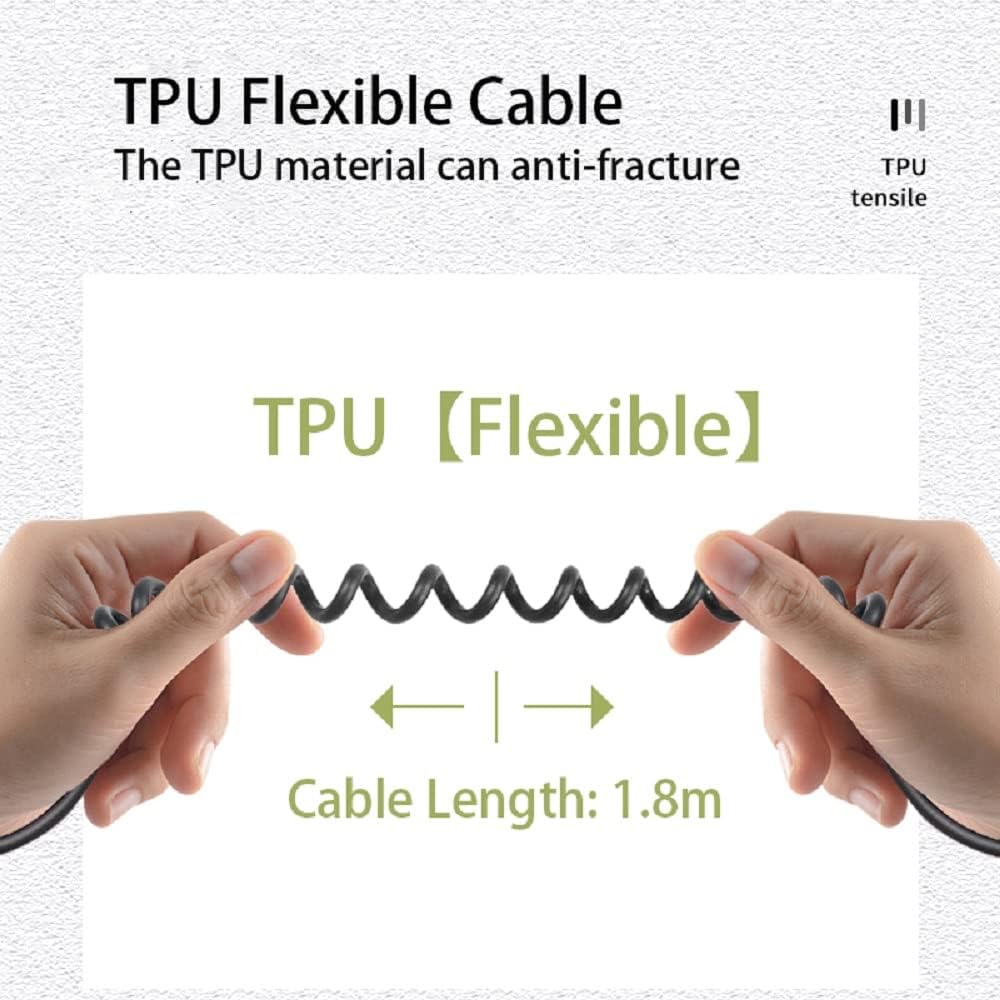
Image: The durable TPU flexible cable, designed for anti-fracture and extended reach.
Operating Instructions
- Power On Radio: Ensure your BAOFENG two-way radio is powered on and set to the desired channel.
- Adjust Volume: The microphone's loudspeaker volume is adjustable via your connected radio's volume control. Adjust to a comfortable listening level.
- Transmit (PTT): To transmit, press and hold either of the two PTT buttons located on the side of the microphone. Speak clearly into the microphone, which is located on the front grille. Release the PTT button to stop transmitting and return to receive mode.
- Receive: When not transmitting, the microphone will act as a speaker, allowing you to hear incoming transmissions.

Image: The dual PTT buttons (PTT A and PTT B) on the side of the microphone for transmitting.

Image: The 45mm loudspeaker provides clear and loud audio output.
Maintenance
- Cleaning: Wipe the microphone surface with a soft, damp cloth. Do not use harsh chemicals or abrasive cleaners.
- Drying: If the microphone gets wet, ensure it is thoroughly dried before storage, especially around the connector.
- Storage: Store the microphone in a cool, dry place away from direct sunlight and extreme temperatures. Avoid tightly coiling the cable to prevent damage.
- Connector Care: Keep the waterproof connector clean and free of debris. Avoid forcing the connector into the radio port.
Troubleshooting
| Problem | Possible Cause | Solution |
|---|---|---|
| No sound from microphone speaker. |
|
|
| Cannot transmit (PTT not working). |
|
|
| Sound is distorted or unclear. |
|
|
Specifications
| Feature | Detail |
|---|---|
| Model Name | SQ27K |
| Brand | BAOFENG |
| Type | PTT Microphone Speaker |
| Connectivity Technology | BAOFENG Waterproof Plug |
| Special Features | Clear Sound, Waterproof (IP57) |
| Cable Length | 1.8m / 5.9inch |
| Material | Plastic (TPU cable) |
| Color | Black |
| Net Weight | 0.1kg / 4.23 ounces (per mic) |
| Compatible Devices | BAOFENG waterproof type radios (UV-9R Plus, UV-9R PRO, UV-9G, UV-XR, GT-3WP, UV-82WP, R760 Plus, BF-A58, BF-9700, R760, UV-S22 Pro, UV-98 Pro, GMRS-9R Series) |
Warranty and Support
For warranty information or technical support, please refer to the documentation provided with your original purchase or contact BAOFENG customer service directly. Contact details can typically be found on the manufacturer's official website or through your retailer.
If you have questions regarding compatible models, please feel free to contact BAOFENG customer support.
Manufacturer: ShiQun Electronics Co., Ltd
Ask a question about this manual
Ask about setup, troubleshooting, compatibility, parts, safety, or missing instructions. Manuals+ will review the question and use this page’s manual context to help answer it.