
1. Introduction
Thank you for choosing the Srliya 7 Inch Video Intercom System. This system provides enhanced security and convenience for your home or office with its advanced features, including a 7-inch color display, two-way audio, night vision, and remote unlock capabilities. This manual will guide you through the installation, operation, and maintenance of your new intercom system.
1.1 What's in the Box
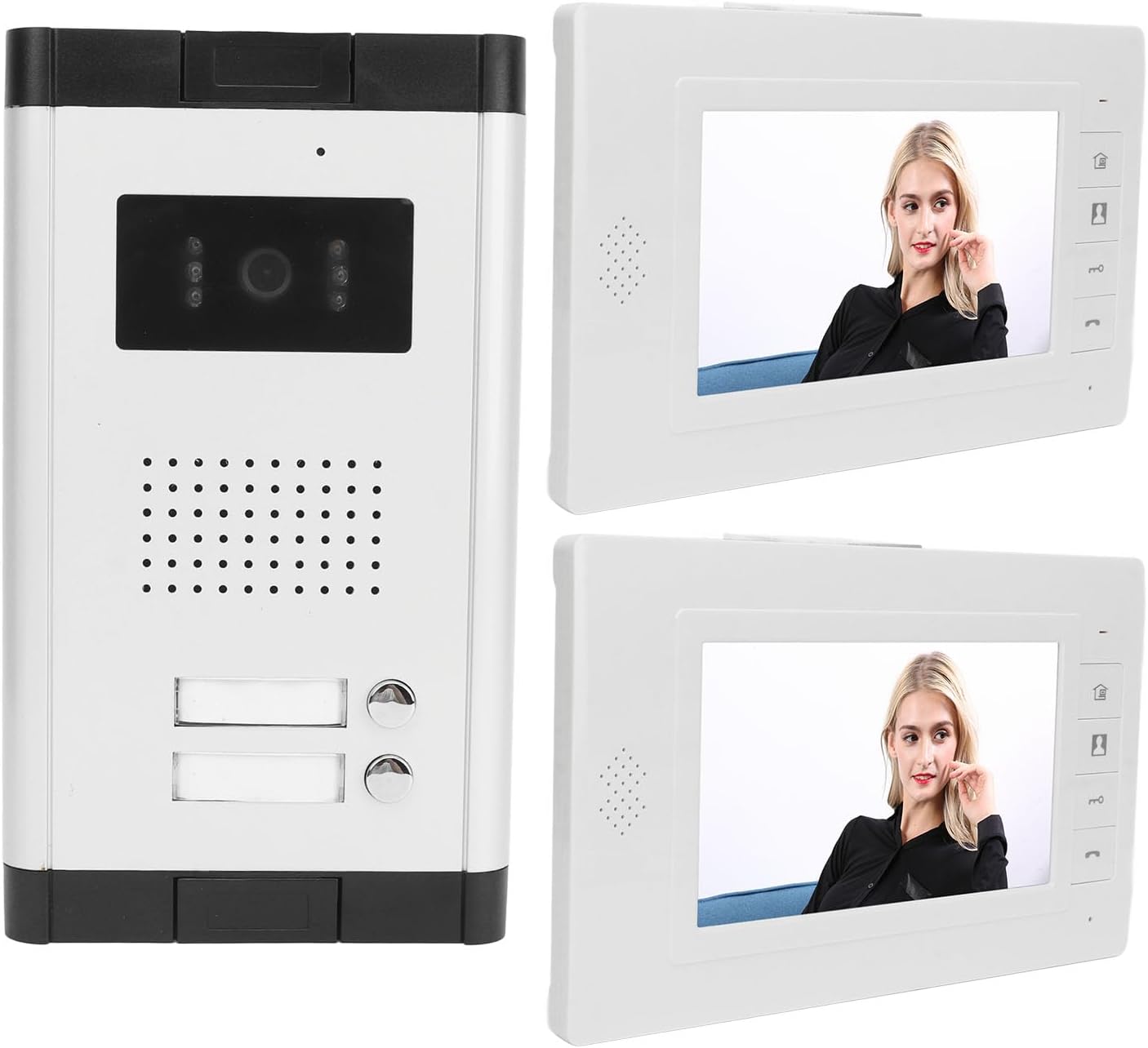
- 2 x Indoor Monitors (7-inch TFT)
- 1 x Outdoor Unit (Doorbell Camera)
- 5 x Terminal Wires
- 12 x Screws
- 12 x Anchors
- 4 x Mounting Brackets
- 2 x Power Adapters
- 1 x User Manual (this document)
2. Safety Information
Please read all safety instructions carefully before installation and operation. Keep this manual for future reference.
- Power Supply: Use only the provided power adapters. Ensure the power source matches the specified voltage (100-240V).
- Installation: Installation should be performed by qualified personnel if you are unsure about electrical wiring. Ensure all connections are secure and insulated.
- Water Exposure: While the outdoor unit is designed to be weather-resistant, avoid direct high-pressure water spray. Do not immerse any part of the system in water.
- Temperature: Operate the system within the recommended temperature range. Avoid extreme heat or cold.
- Cleaning: Disconnect power before cleaning. Use a soft, dry cloth. Do not use liquid or aerosol cleaners.
- Modifications: Do not attempt to modify or repair the system yourself. Contact customer support for assistance.
3. Product Overview
The Srliya Video Intercom System consists of an outdoor doorbell camera unit and two indoor monitors, designed for seamless communication and access control.
3.1 Key Features
- Video Intercom System: 4-wire system with 1 outdoor camera and 2 indoor 7-inch monitors.
- Two-Way Communication: Enables clear audio interaction between indoor monitors and the outdoor unit.
- Remote Unlock: Conveniently unlock your door from the indoor monitor.
- Clear Display: 7-inch TFT color screen (800 x 480 resolution) for clear viewing.
- Night Vision: Built-in LED night vision camera for visibility in low-light conditions.
- Adjustable Settings: Brightness, contrast, volume, and multiple ringtone options.
- Wide Application: Suitable for homes, villas, apartments, offices, and commercial buildings.
3.2 Components and Dimensions

The outdoor unit is designed to withstand various weather conditions, ensuring reliable performance year-round.

4. Setup and Installation
This section provides general guidelines for installing your video intercom system. For detailed wiring diagrams and specific mounting instructions, please refer to the included installation guide or consult a professional installer.
4.1 Outdoor Unit Installation
- Choose Location: Select a suitable location near your entrance, typically at eye level, where the camera has a clear view of visitors.
- Mounting: Use the provided mounting bracket, screws, and anchors to securely attach the outdoor unit to a wall or surface. Ensure it is protected from direct heavy rain if possible.
- Wiring: Connect the 4-wire cable from the outdoor unit to the designated terminals. Ensure correct polarity for power, video, and audio signals. Connect the electric lock wires if using the remote unlock feature.
4.2 Indoor Monitor Installation
- Choose Location: Select a convenient indoor location for each monitor, such as a living room or kitchen, where you can easily view and respond to visitors.
- Mounting: Attach the indoor monitor mounting bracket to the wall using screws and anchors.
- Wiring: Connect the 4-wire cable from the outdoor unit to the primary indoor monitor. If using multiple monitors, connect them in series or parallel as per the wiring diagram. Connect the power adapter to the monitor and a power outlet.
- Secure Monitor: Carefully attach the indoor monitor to its mounting bracket.

5. Operating Instructions
This section details the basic functions and adjustable settings of your Srliya Video Intercom System.
5.1 Answering a Call
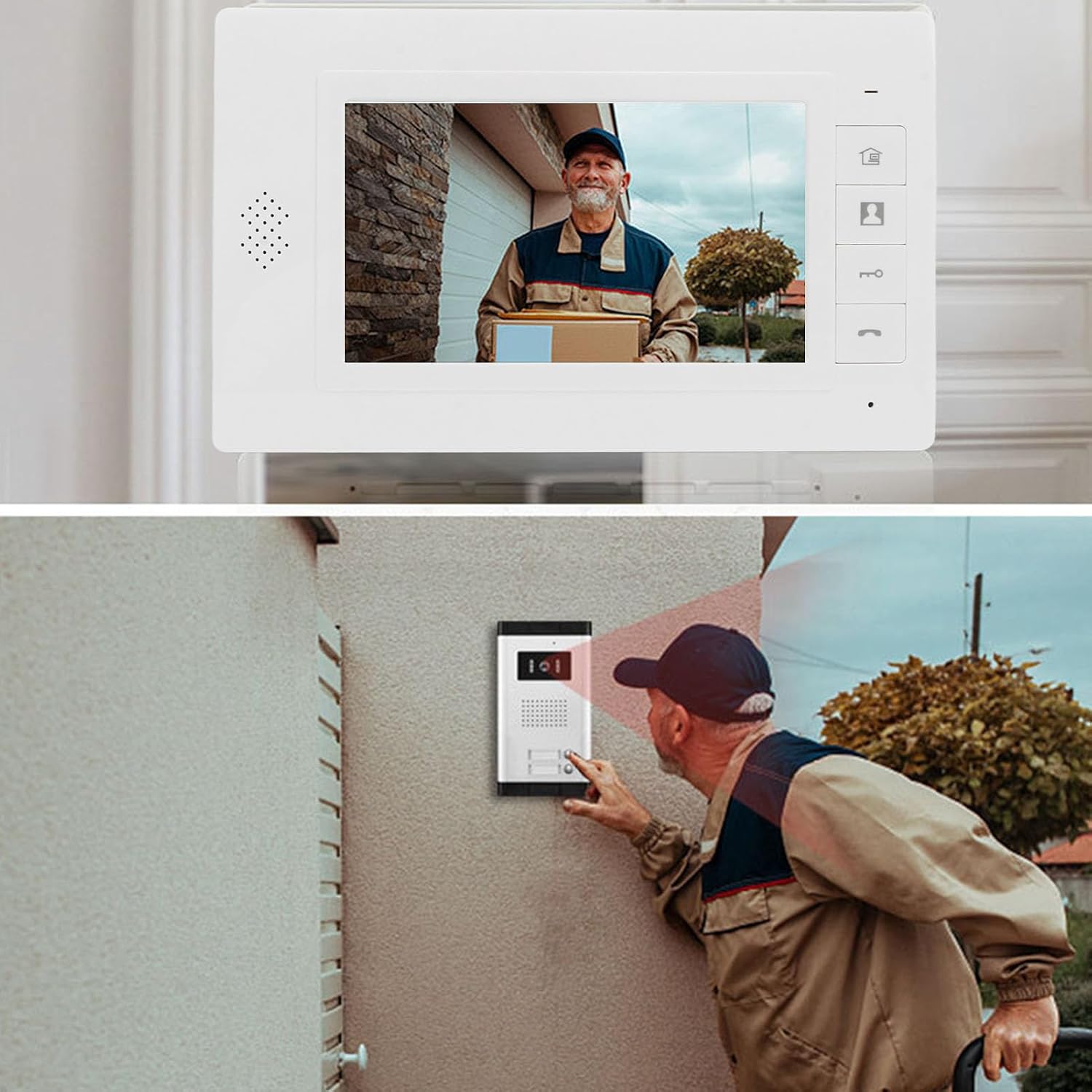
- When a visitor presses the doorbell button on the outdoor unit, the indoor monitor(s) will ring and display the visitor's image.
- Press the Answer button (typically a phone icon) on the indoor monitor to establish two-way audio communication.
- To end the call, press the Hang Up button (typically a phone icon with a slash).
5.2 Monitoring the Outdoor Area
You can view the outdoor area at any time without a visitor pressing the doorbell.
- Press the Monitor button (often an eye icon) on the indoor monitor. The screen will display the live feed from the outdoor camera.
- Press the Monitor button again to turn off the display.
5.3 Remote Door Unlock
If an electric lock is connected to the system, you can unlock the door remotely.
- During a call or while monitoring, press the Unlock button (often a key icon) on the indoor monitor. The door will unlock for a brief period.
5.4 Night Vision Function
The outdoor unit is equipped with built-in LEDs to provide clear visibility in low-light or nighttime conditions. The system automatically switches to night vision mode when ambient light is insufficient.

5.5 Adjustable Settings
You can customize various settings on the indoor monitor:
- Brightness: Adjust the screen brightness for optimal viewing.
- Contrast: Modify the contrast level of the display.
- Volume: Control the call volume and ringtone volume.
- Ringtone: Select from multiple available ringtone melodies.
Refer to the monitor's on-screen menu or physical buttons for specific adjustment procedures.
6. Maintenance
Proper maintenance ensures the longevity and optimal performance of your intercom system.
- Cleaning: Regularly wipe the indoor monitors and outdoor unit with a soft, dry, lint-free cloth. Do not use abrasive cleaners, solvents, or chemical sprays.
- Outdoor Unit: Periodically check the outdoor unit's camera lens for dirt, dust, or spiderwebs that might obstruct the view. Clean gently if necessary.
- Connections: Ensure all wiring connections remain secure. Avoid pulling on cables.
- Environmental Protection: While the outdoor unit is weather-resistant, extreme conditions (e.g., heavy snowfall, prolonged direct sunlight) can affect performance. Consider additional protective measures if necessary.
7. Troubleshooting
If you encounter issues with your intercom system, refer to the following common problems and solutions:
| Problem | Possible Cause | Solution |
|---|---|---|
| No image on indoor monitor | Loose wiring connection; Power issue; Camera malfunction. | Check all 4-wire connections between outdoor unit and monitor. Ensure power adapter is plugged in. Restart the system by unplugging and re-plugging the power. |
| No audio during call | Volume too low; Loose audio wiring; Microphone/speaker issue. | Adjust the volume settings on the indoor monitor. Check audio wire connections. |
| Door unlock not working | Incorrect wiring to electric lock; Lock power issue; Lock mechanism fault. | Verify electric lock wiring and power supply. Ensure the lock itself is functional. |
| Monitor not turning on | No power; Faulty power adapter. | Check if the power adapter is securely connected to both the monitor and a working power outlet. Try a different outlet. |
| Poor image quality (blurry/dark) | Dirty camera lens; Insufficient lighting (night vision not active); Monitor settings. | Clean the outdoor camera lens. Check if night vision LEDs are working. Adjust brightness/contrast settings on the monitor. |
If the problem persists after trying these solutions, please contact customer support.
8. Specifications
8.1 Indoor Monitor Parameters
- Screen: 7-inch TFT
- Resolution: 800 x 480
- Ringing Tone: 16 x 4 melody options
- Display Time: Call: 60 seconds; Monitoring: 30 seconds
- Number of Connecting Wires: 4
8.2 Outdoor Camera Parameters
- Lens: 1/4HD CMOS
- Resolution: 800 lines
- Minimum Illumination: 0.02 LX
- Light Source: 6 LEDs (for night vision)
8.3 General Specifications
- Brand: Srliya
- Model Name: Srliya7ox68g2bti-11
- Connectivity Technology: Wired (4-wire Ethernet protocol)
- Power Source: AC/DC (US Plug 100-240V)
- Recommended Use: Indoor/Outdoor
- Country of Origin: China
9. Warranty and Support
9.1 Manufacturer's Warranty
This Srliya Video Intercom System is covered by a 90-day manufacturer's warranty from the date of purchase. This warranty covers defects in materials and workmanship under normal use. It does not cover damage caused by misuse, accidents, unauthorized modifications, or improper installation.
9.2 Customer Support
For technical assistance, troubleshooting, or warranty claims, please contact your retailer or the manufacturer's customer service. Please have your model number (Srliya7ox68g2bti-11) and proof of purchase ready when contacting support.