
MCHOSE G98 PRO
MCHOSE G98 PRO Wireless Gaming Keyboard User Manual
Model: G98 PRO
1. Introduction
The MCHOSE G98 PRO is a versatile mechanical gaming keyboard designed for optimal performance and customization. It features tri-mode connectivity, hot-swappable switches, a 5-layer gasket structure for enhanced typing feel, and vibrant RGB backlighting. This manual provides essential information for setting up, operating, and maintaining your keyboard.
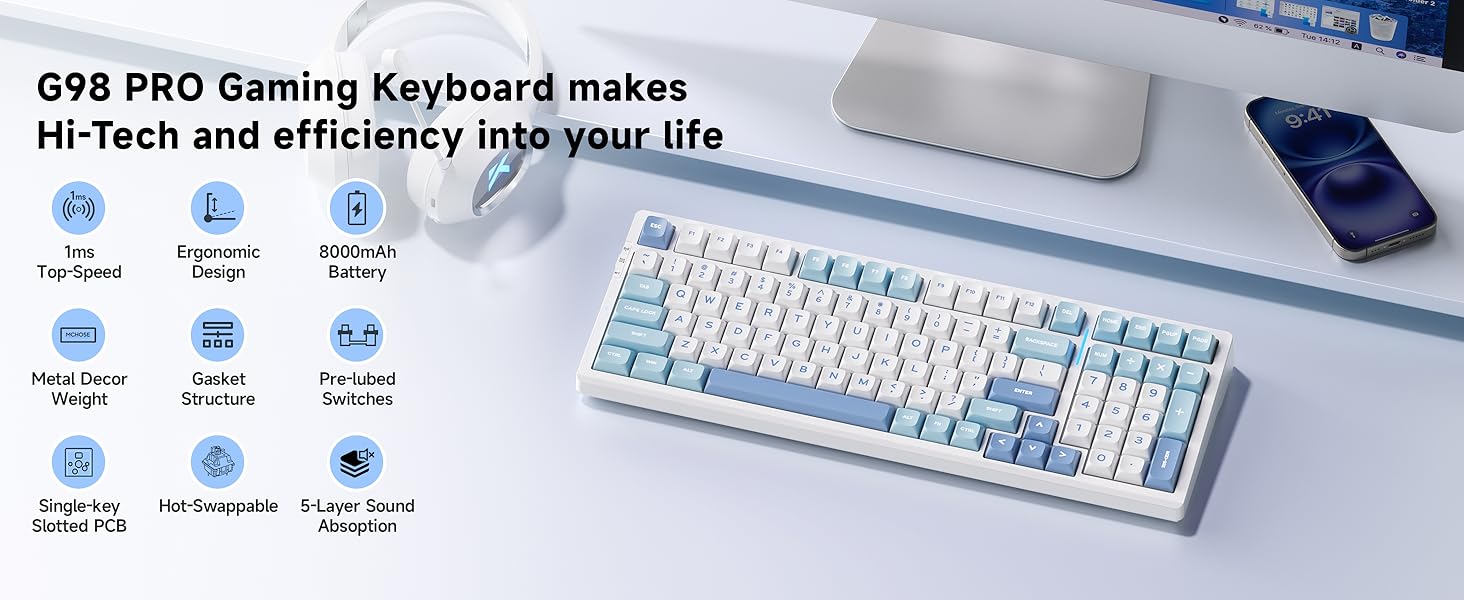
Image: MCHOSE G98 PRO Gaming Keyboard highlighting its advanced features.
2. What's in the Box
Ensure all the following items are present in your package:
- MCHOSE G98 PRO Keyboard
- Dust Cover
- USB-C Cable
- 2.4GHz Receiver
- Keycap & Switch Puller
- 2 x Replace Switches
- User Manual (this document)
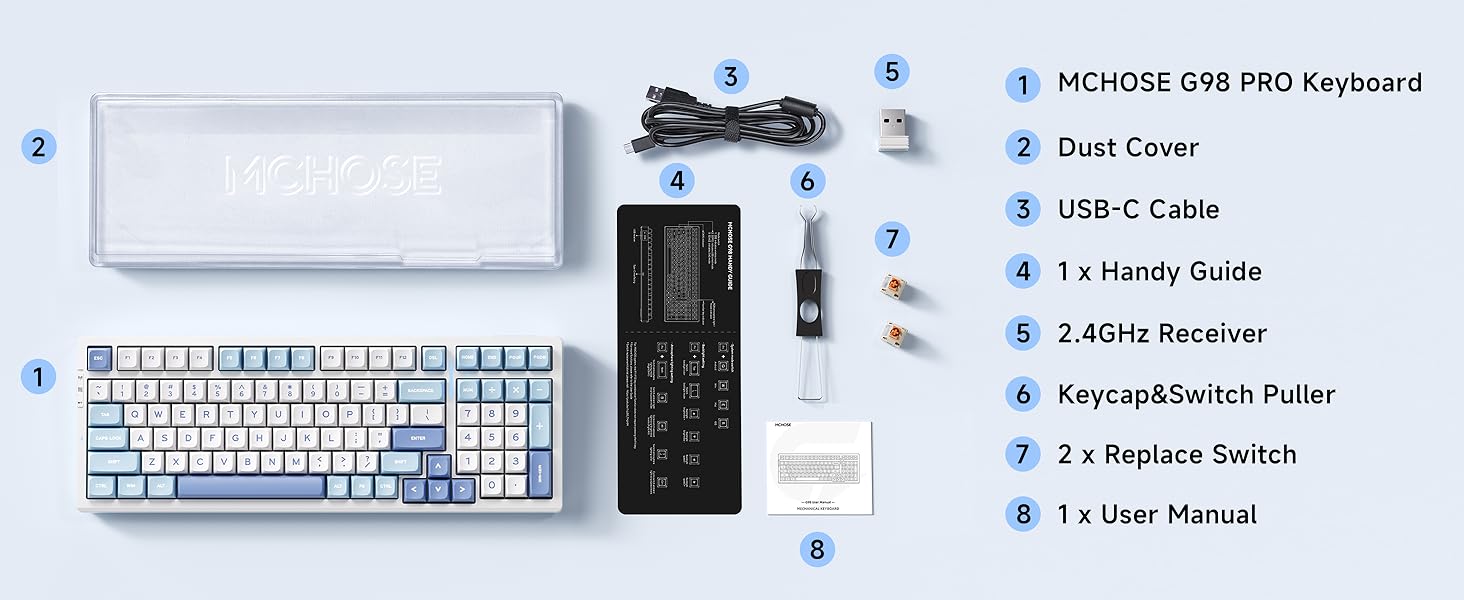
Image: All items included in the MCHOSE G98 PRO package.
3. Setup
3.1. Connectivity Options
The MCHOSE G98 PRO supports three connection modes: 2.4GHz wireless, Bluetooth 5.0, and wired USB-C. You can easily switch between these modes using the dedicated switch on the keyboard.
- 2.4GHz Wireless: For low-latency gaming, use the included 2.4GHz USB receiver.
- Bluetooth 5.0: Connect up to three Bluetooth-enabled devices and switch between them.
- Wired USB-C: Connect directly to your computer using the USB-C cable for a stable connection and simultaneous charging.
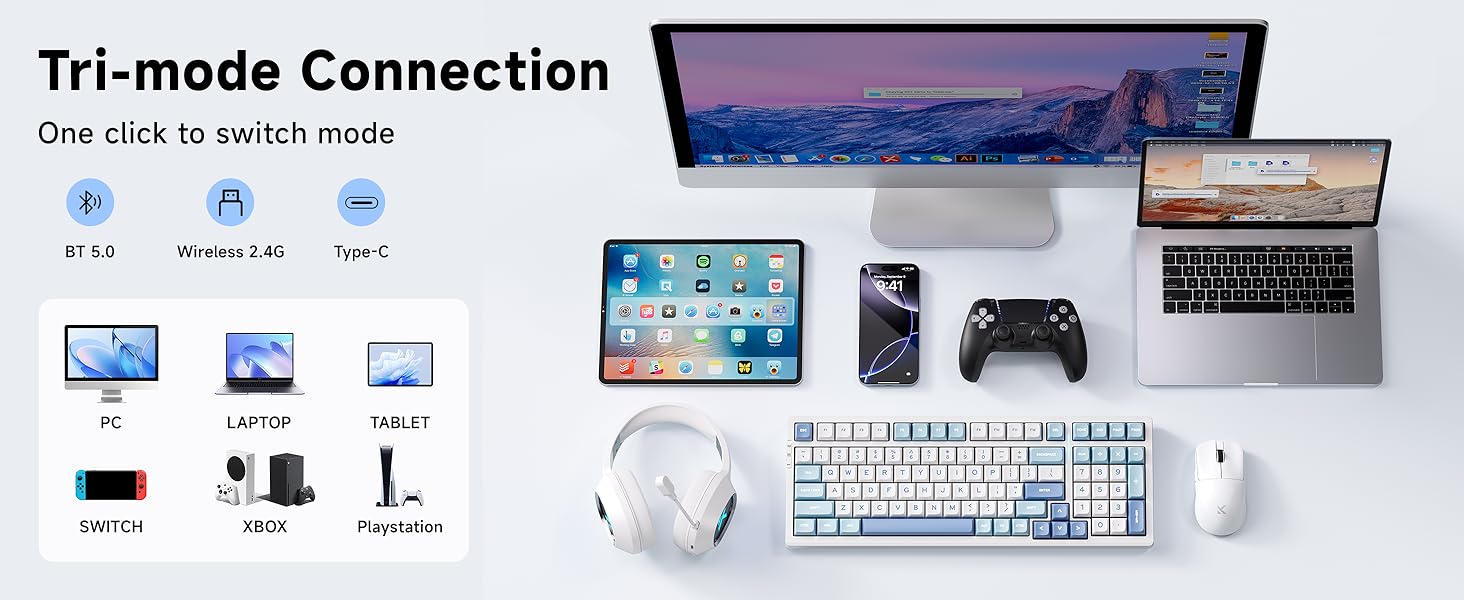
Image: Tri-mode connectivity options and compatible devices.
3.2. 2.4GHz Receiver Storage
The 2.4GHz receiver is conveniently stored within the keyboard's magnetic side plate for easy access and secure keeping.

Image: Location of the hidden 2.4GHz receiver storage.
3.3. Charging the Keyboard
The keyboard features a high-capacity 8000mAh battery. Connect the USB-C cable to the keyboard's port and to a power source (computer USB port or wall adapter) to charge. The keyboard can be used while charging in wired mode.
4. Operating Instructions
4.1. RGB Lighting Control
The MCHOSE G98 PRO features per-key RGB lighting with 16.8 million colors and various effects. Use the following key combinations to adjust the lighting:
- Fn + Tab: Switch backlight color.
- Fn + Shift (Right): Switch atmosphere lighting mode.
- Fn + B: Toggle between battery display and lighting effects.
- Fn + Up/Down Arrow: Adjust backlight brightness.
- Fn + Left/Right Arrow: Adjust backlight speed.
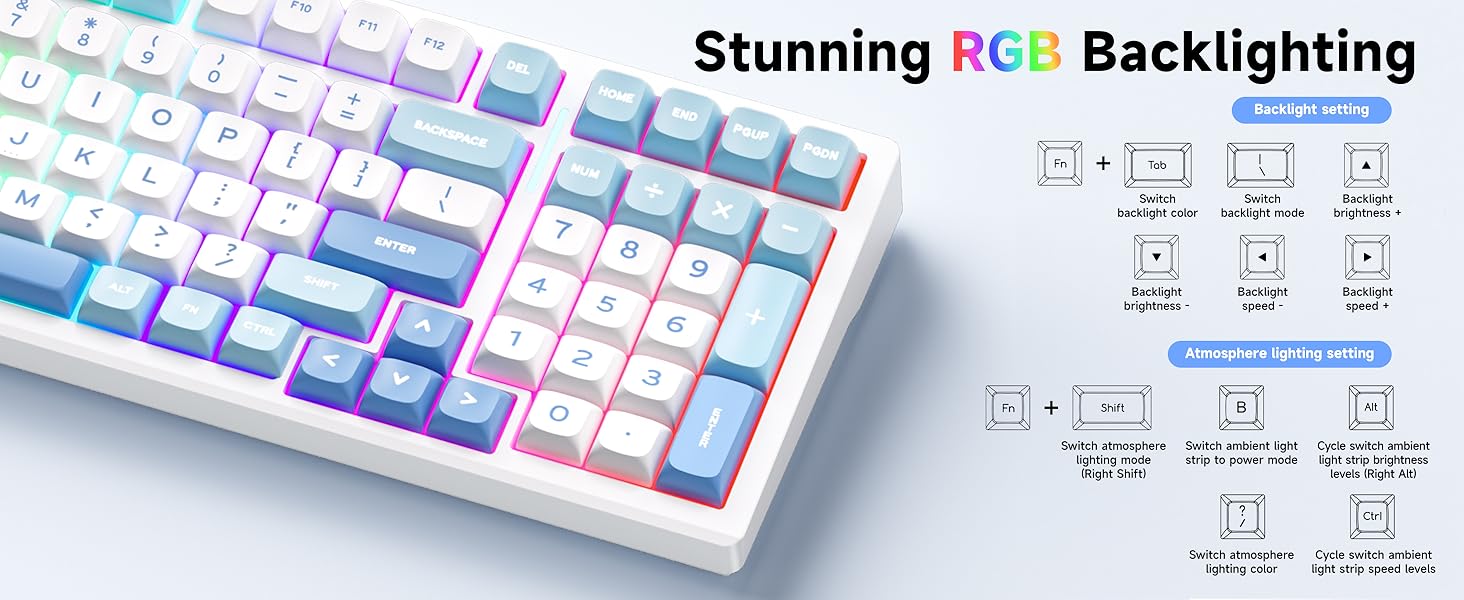
Image: RGB backlighting controls and effects.
4.2. Key Customization with MCHOSE HUB
Customize your keyboard settings, including macros, key assignments, and lighting modes, using the MCHOSE HUB software. This software allows for personalized configurations to suit your preferences.
Video: Instructions on how to connect and use the MCHOSE Web driver and Desktop driver for customization.
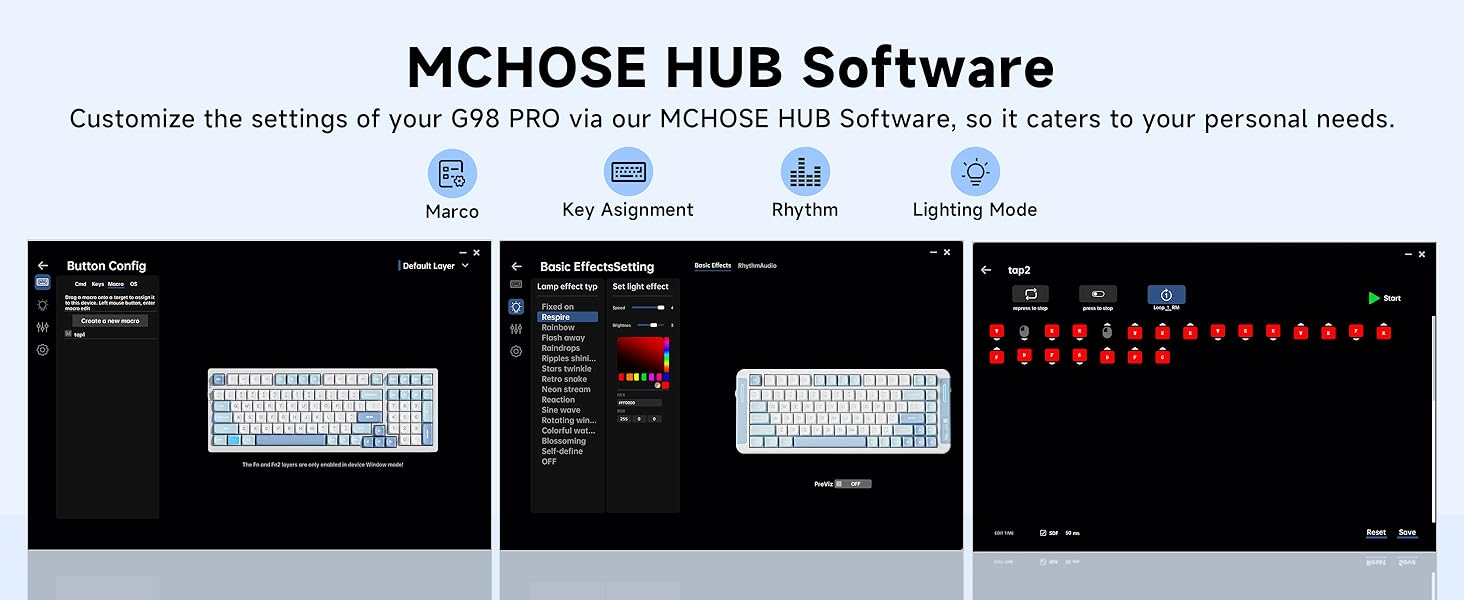
Image: MCHOSE HUB software interface for keyboard customization.
4.3. Hot-Swappable Switches
The G98 PRO features hot-swappable PCB sockets, allowing you to easily change 3-pin and 5-pin mechanical switches without soldering. This enables full customization of your typing experience.
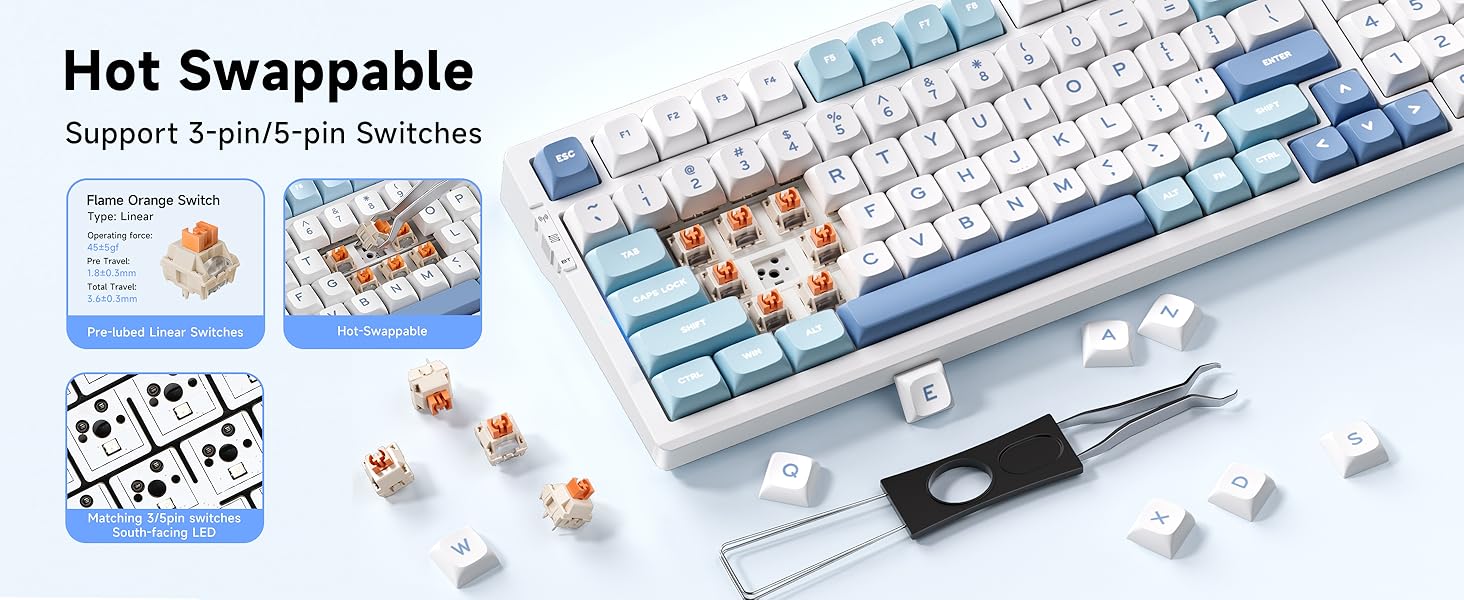
Image: Hot-swappable switches feature demonstration.
5. Features
- TOPSPEED Wireless Technology: Experience ultra-low 1ms response time with 60% reduced latency for stable and responsive performance.
- 5-Layer Gasket Structure: Designed for superior sound dampening and shock absorption, providing a consistent and pleasant typing feel.
- Ergonomic Design: Features a golden angle and two-stage adjustable tilt legs for all-day typing comfort, reducing finger and wrist fatigue.
- 96% Compact Layout: 99 keys layout saves desktop space while retaining essential arrow keys and a number pad.
- Double-Shot PBT Keycaps: Durable keycaps designed to resist wear, fading, and shine over time.
- Anti-Ghosting: Correctly detects input from each key simultaneously, regardless of how many other keys are pressed.
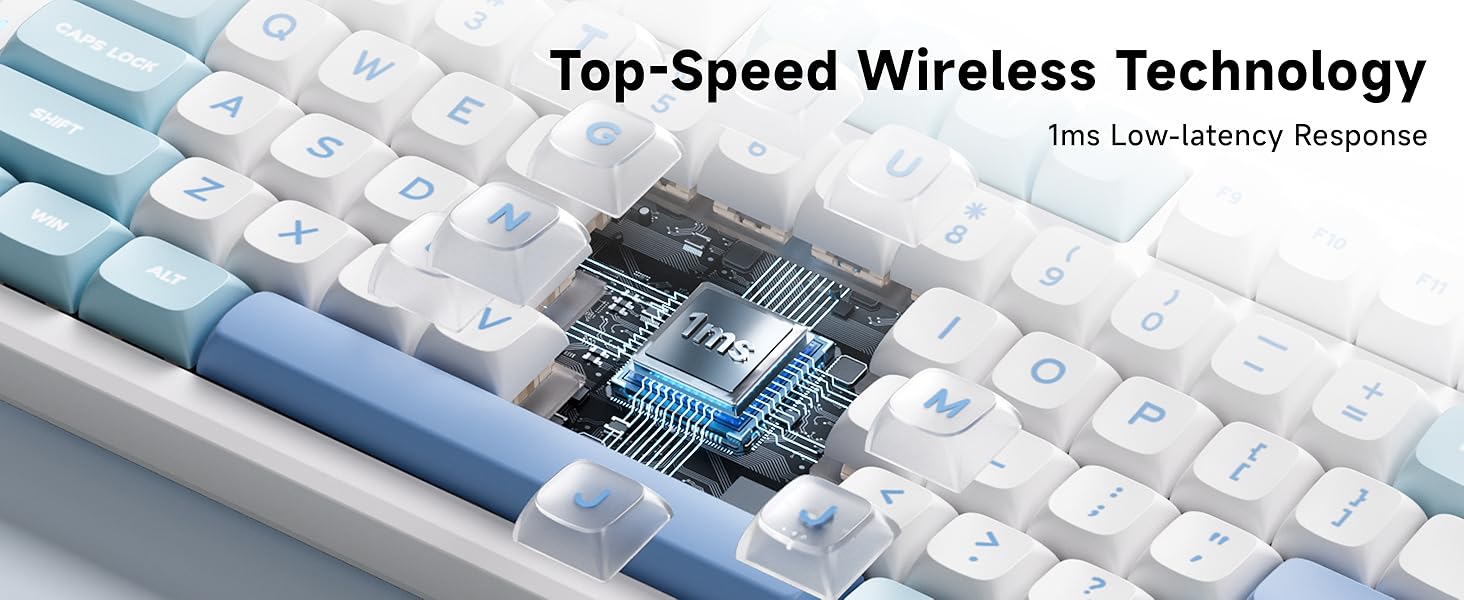
Image: Top-Speed Wireless Technology for ultra-fast response.
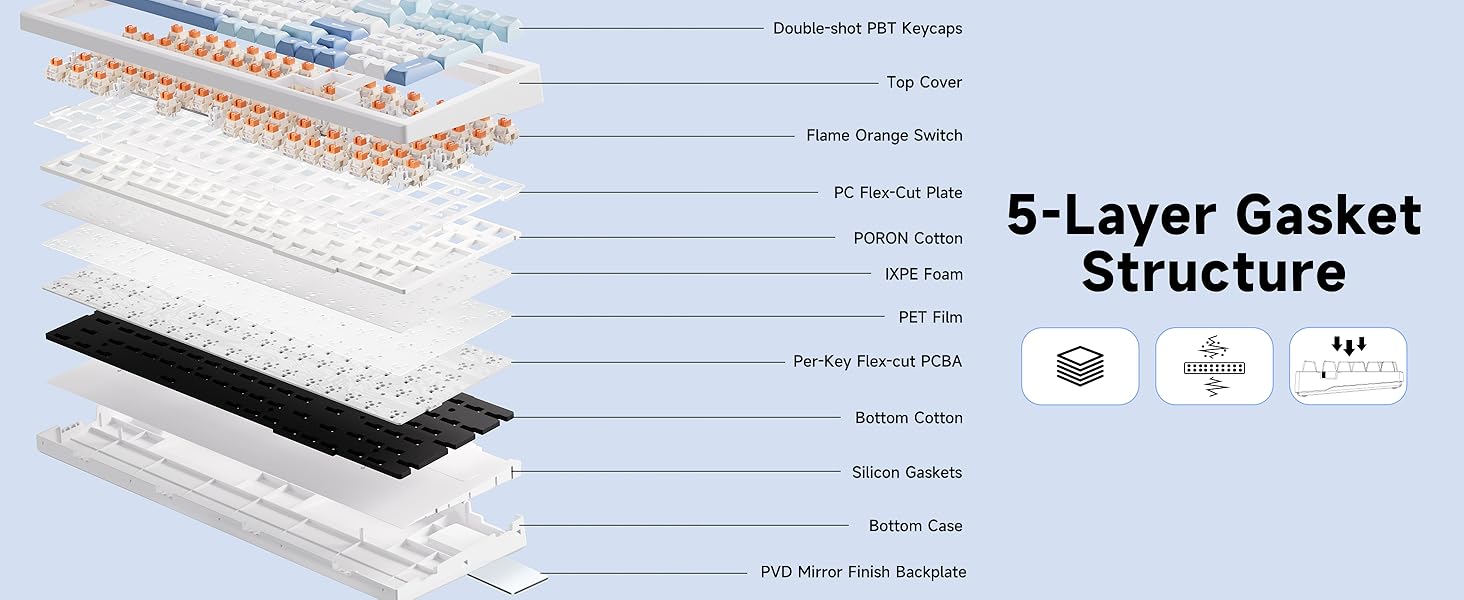
Image: Detailed view of the 5-layer gasket structure.
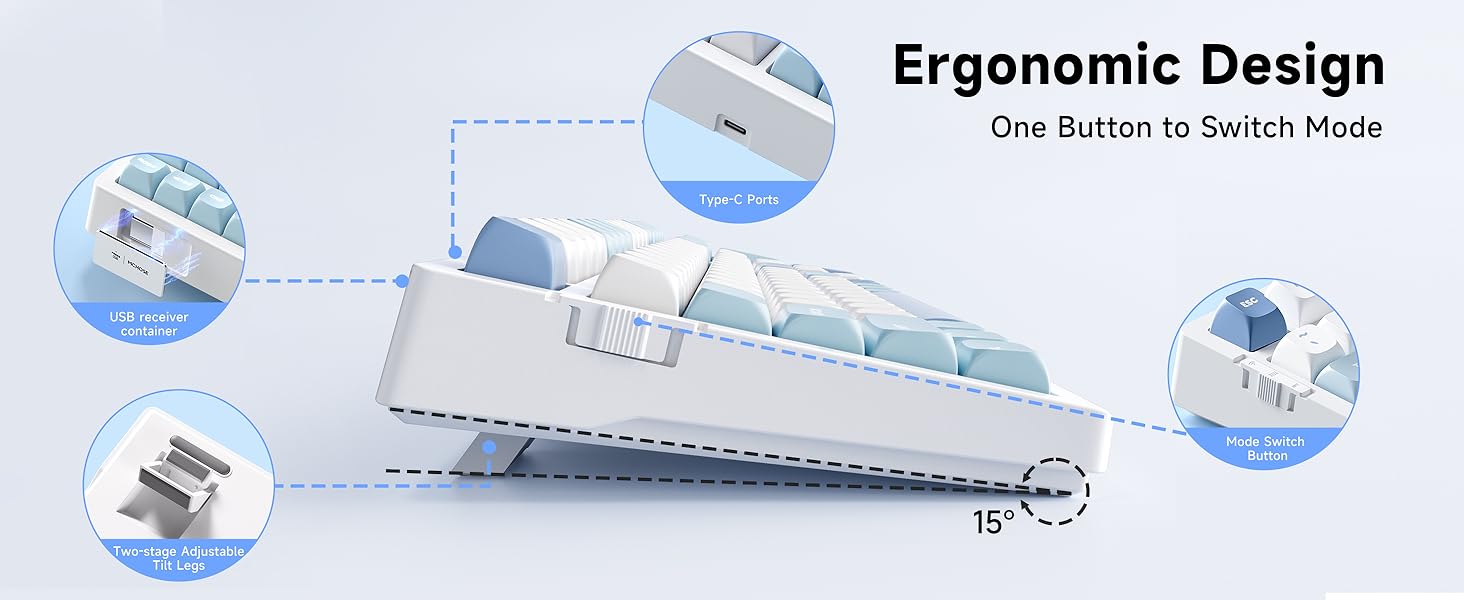
Image: Ergonomic design with adjustable tilt legs and port locations.
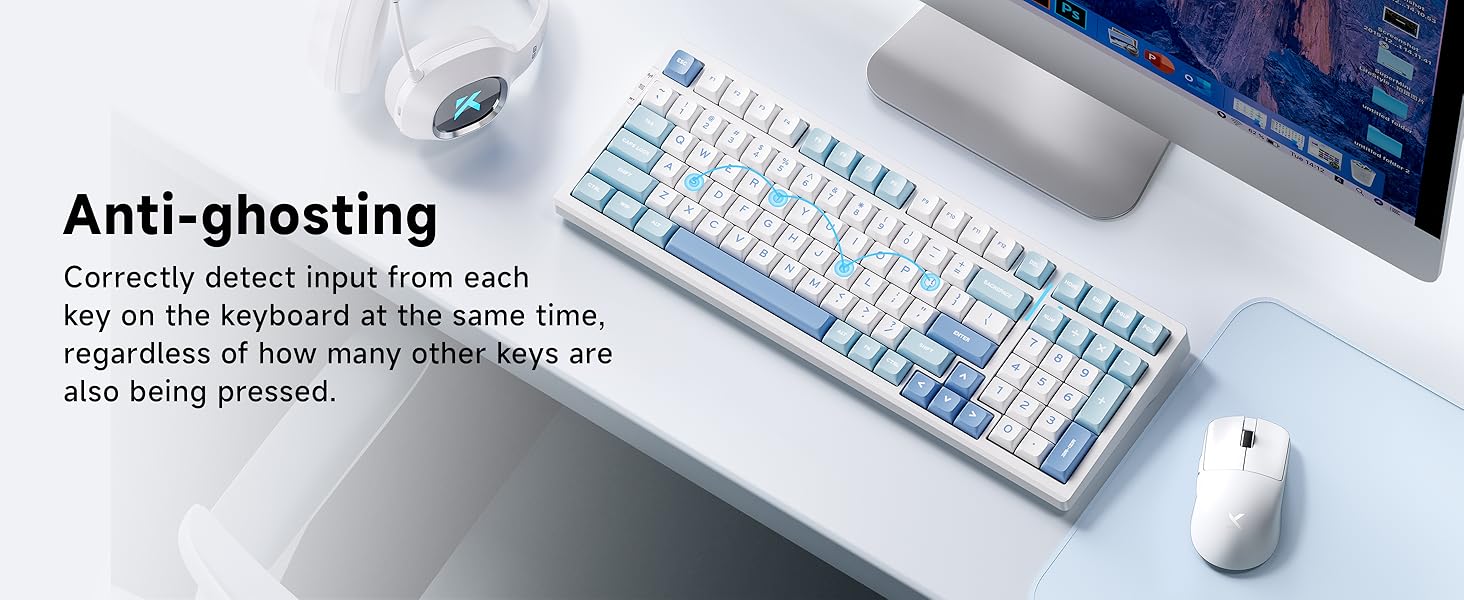
Image: Anti-ghosting feature for accurate input.
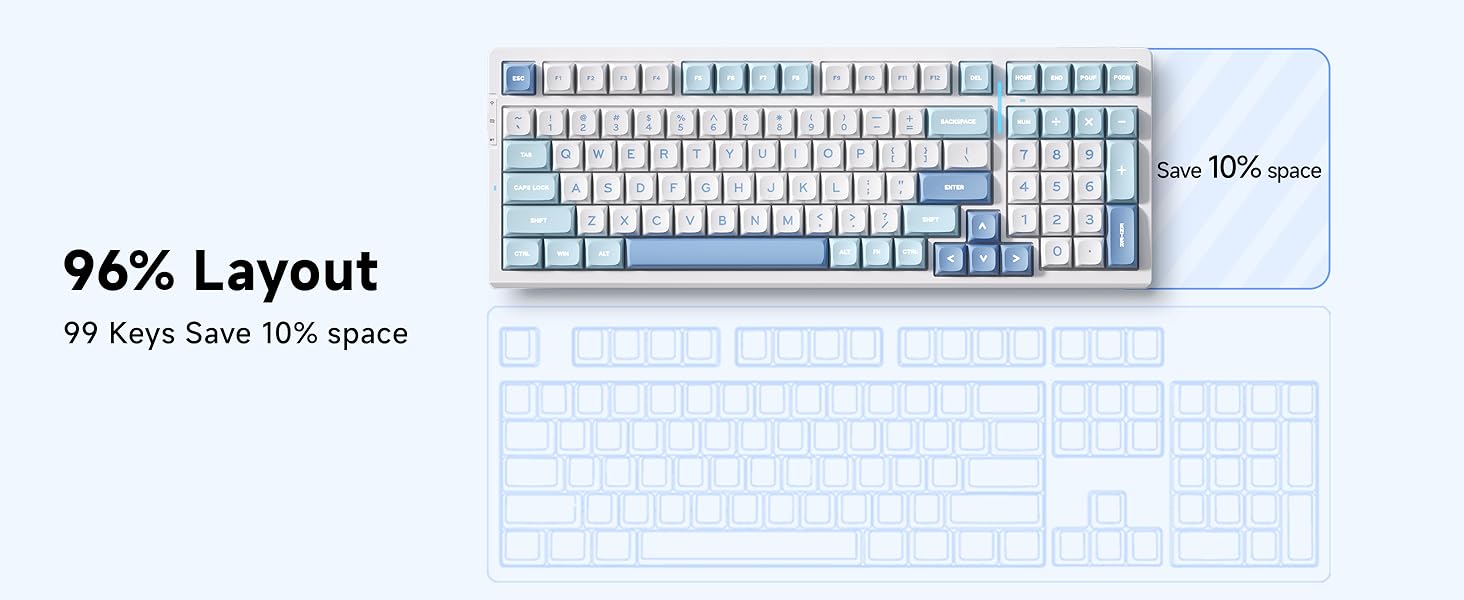
Image: 96% compact layout for space efficiency.
6. Specifications
- Product Dimensions: 7.48 x 18.11 x 2.36 inches
- Item Weight: 3.69 pounds
- Connectivity Technology: 2.4GHz Wireless, BT5.0, USB-C
- Keyboard Description: Mechanical
- Special Features: Backlit, Customizable Display Keys, Ergonomic, Hot-Swappable, Rechargeable
- Battery: 8000mAh Lithium Polymer (included)
- Keyboard Backlighting: RGB
- Compatible Devices: Gaming Console, Laptop, PC, Smartphone, Tablet
7. Maintenance
To ensure the longevity and optimal performance of your MCHOSE G98 PRO keyboard, follow these maintenance guidelines:
- Cleaning: Use the included dust cover when not in use. For cleaning, gently wipe the keycaps and chassis with a soft, dry cloth. For deeper cleaning, remove keycaps using the provided puller and clean with compressed air.
- Storage: Store the 2.4GHz receiver in its designated magnetic compartment to prevent loss.
- Battery Care: Avoid fully discharging the battery frequently. Charge the keyboard regularly to maintain battery health.
8. Troubleshooting
If you encounter issues with your MCHOSE G98 PRO keyboard, consider the following common troubleshooting steps:
- Connectivity Issues: Ensure the keyboard is in the correct mode (2.4GHz, Bluetooth, or Wired). For wireless modes, check battery level. For Bluetooth, ensure the device is paired correctly. For 2.4GHz, ensure the receiver is securely plugged in.
- Key Not Responding: If a specific key is not responding, try removing and re-inserting its switch, as it might be loose. If the issue persists, try replacing the switch with one of the spare switches provided.
- RGB Lighting Problems: Check the lighting control key combinations (Fn + Tab, Fn + Up/Down Arrow) to ensure settings are not turned off or set to minimum brightness.
- Software Issues: Ensure you have the latest MCHOSE HUB software installed from the official MCHOSE website.
9. Warranty and Support
For warranty information and technical support, please refer to the official MCHOSE website or contact MCHOSE customer service. Protection plans may be available for extended coverage.
Video: MCHOSE G98 PRO Wireless Gaming Keyboard overview from the official seller.
Related documentsG98 PRO


Ask a question about this manual
Ask about setup, troubleshooting, compatibility, parts, safety, or missing instructions. Manuals+ will review the question and use this page’s manual context to help answer it.