
1. Introduction
Thank you for choosing the Wantek BC3 Pro Bone Conduction Headphones. These open-ear headphones are designed for comfort and performance, featuring IP68 waterproofing, Bluetooth 5.3 connectivity, and 32GB of built-in MP3 storage. This manual provides essential information for setup, operation, and maintenance to ensure optimal use.
2. What's in the Box
- Wantek BC3 Pro Bone Conduction Headphones
- Charging Cable
- Earplugs (for swimming)
- User Manual
3. Product Overview
The Wantek BC3 Pro headphones feature a lightweight, flexible titanium frame that rests comfortably around your head, transmitting sound through your cheekbones, leaving your ears open to ambient sounds. The control buttons are conveniently located on the side for easy access.
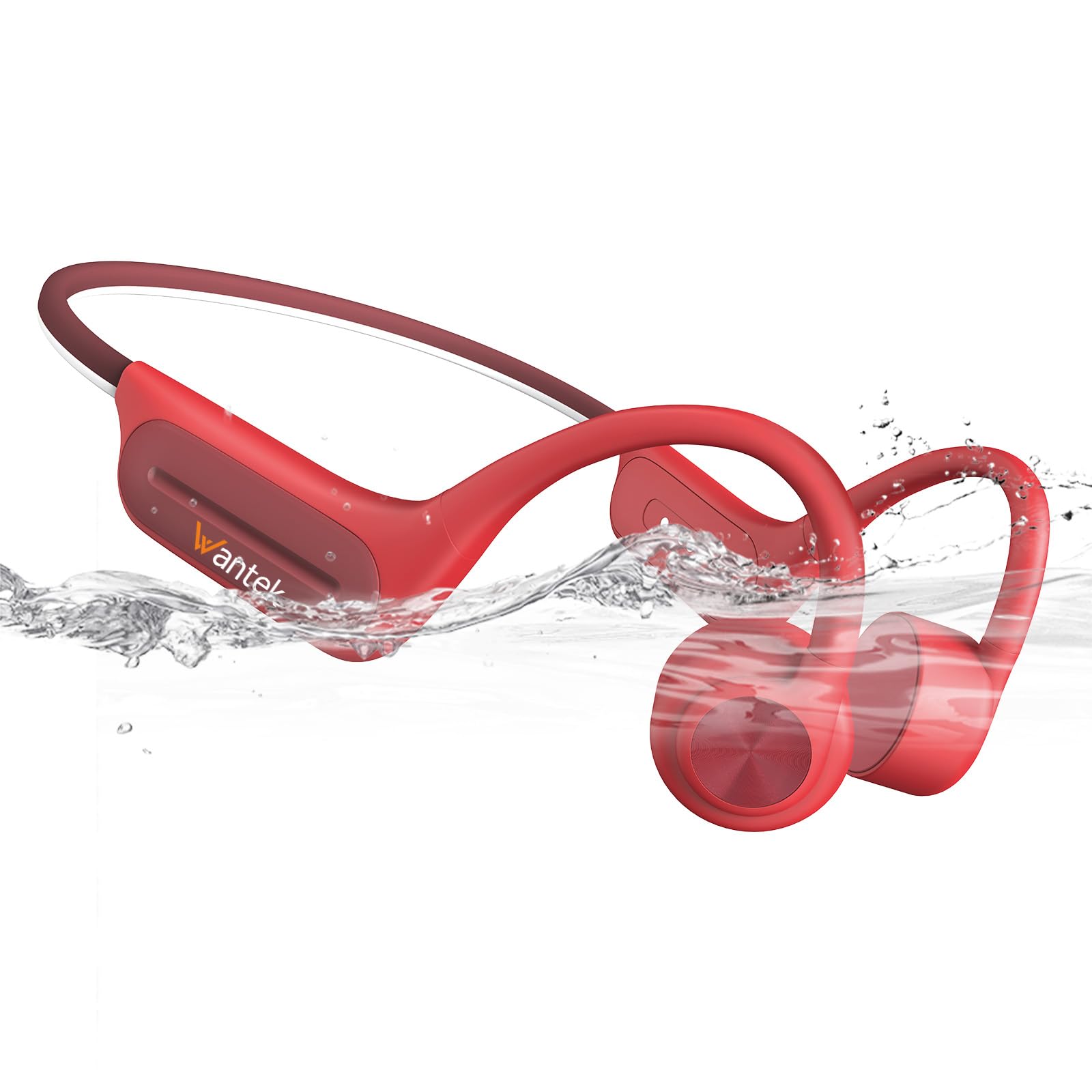
Image 3.1: Wantek BC3 Pro Bone Conduction Headphones (Red variant).

Image 3.2: User demonstrating the open-ear bone conduction technology during a workout.
4. Setup
4.1 Initial Charge
Before first use, fully charge the headphones. Connect the charging cable to the charging port on the headphones and a USB power source. The LED indicator will show charging status.
4.2 Power On/Off
- Power On: Press and hold the Power button for 3 seconds until the LED indicator flashes.
- Power Off: Press and hold the Power button for 5 seconds until the LED indicator turns off.
4.3 Bluetooth Pairing
- Ensure the headphones are powered off.
- Press and hold the Power button for 5-7 seconds until the LED indicator flashes red and blue alternately, indicating pairing mode.
- On your device (phone, tablet, computer), enable Bluetooth and search for available devices.
- Select "BC3 Pro" from the list of devices.
- Once connected, the LED indicator will flash blue slowly.
Video 4.1: Demonstration of Bluetooth pairing and wearing the headphones for various activities like running, cycling, and swimming.
5. Operating Instructions
5.1 Music Playback
- Play/Pause: Press the Multi-function button once.
- Next Track: Press and hold the Volume + button for 2 seconds.
- Previous Track: Press and hold the Volume - button for 2 seconds.
- Volume Up: Press the Volume + button once.
- Volume Down: Press the Volume - button once.
5.2 Call Management
- Answer/End Call: Press the Multi-function button once.
- Reject Call: Press and hold the Multi-function button for 2 seconds.
5.3 Switching Between Bluetooth and MP3 Mode
The headphones feature 32GB of internal storage for MP3 playback, ideal for activities like swimming where Bluetooth connectivity might be limited.
- Switch Mode: Double-press the Multi-function button to toggle between Bluetooth mode and MP3 mode.
- Uploading MP3 Files: Connect the headphones to a computer using the charging cable. The headphones will appear as a removable disk. Drag and drop your MP3 files into the device's storage.
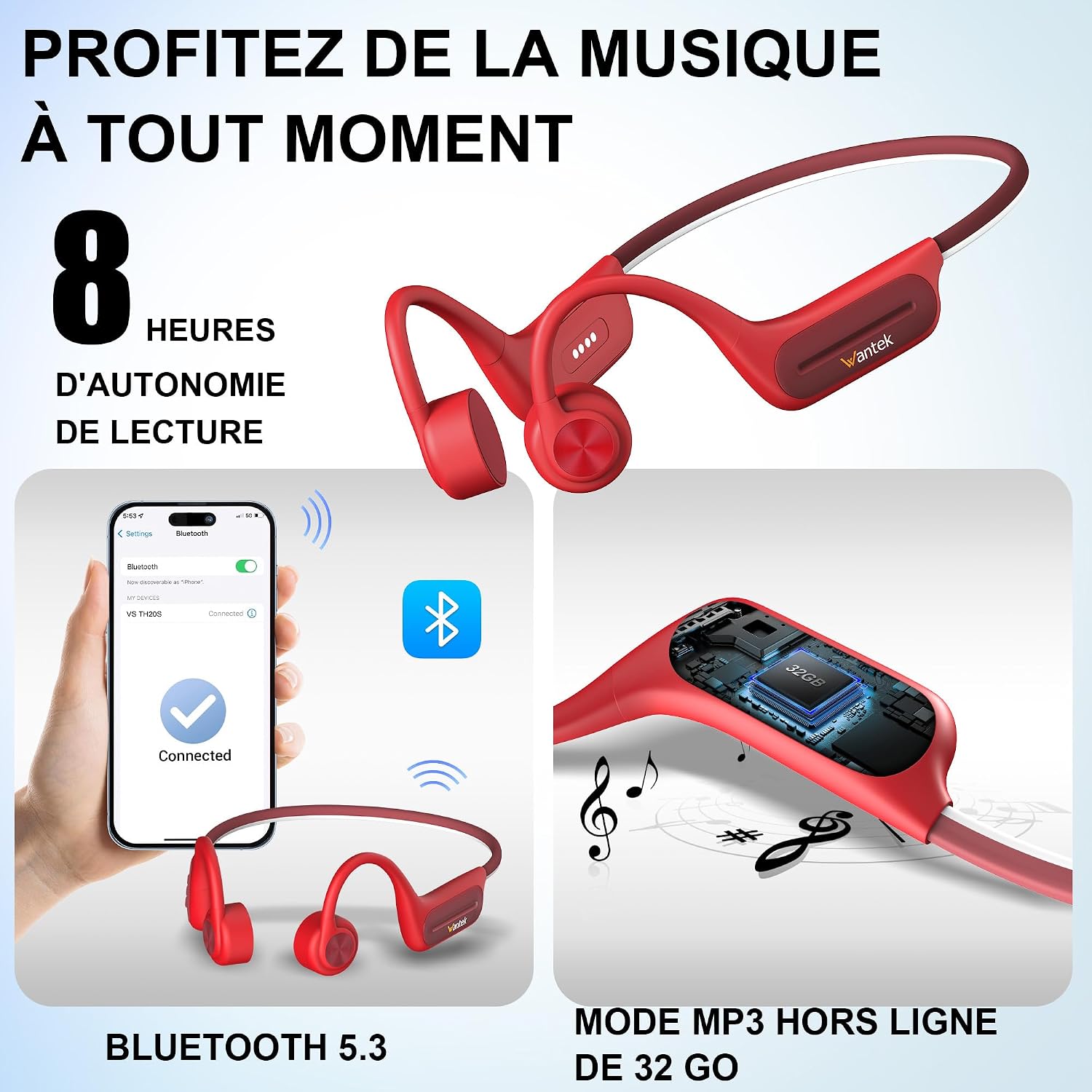
Image 5.1: Overview of key features including 8-hour battery life, Bluetooth 5.3, and 32GB MP3 storage.
6. Charging
The headphones are equipped with a magnetic charging port. Ensure the charging cable is correctly aligned with the port. A full charge takes approximately 2 hours and provides up to 8 hours of playback time. A quick 5-minute charge can provide 30 minutes of listening.
7. Maintenance
- Cleaning: Wipe the headphones with a soft, dry cloth. Do not use abrasive cleaners or solvents.
- Storage: Store the headphones in a cool, dry place away from direct sunlight and extreme temperatures.
- Water Exposure: While IP68 waterproof, it is recommended to rinse the headphones with fresh water after use in chlorinated or saltwater and allow them to dry completely before charging.
8. Troubleshooting
| Problem | Possible Cause | Solution |
|---|---|---|
| Headphones do not power on. | Low battery. | Charge the headphones fully. |
| Cannot pair via Bluetooth. | Headphones not in pairing mode; device Bluetooth off. | Ensure headphones are in pairing mode (red/blue flashing LED). Turn Bluetooth on your device. Forget and re-pair the device. |
| No sound in MP3 mode. | No MP3 files loaded; low volume. | Ensure MP3 files are loaded onto the device. Increase volume. |
| Sound quality issues. | Improper fit; water in transducers (after swimming). | Adjust headphones for a secure fit. Allow headphones to dry completely after water exposure. |
9. Specifications
| Feature | Detail |
|---|---|
| Brand | Wantek |
| Model Name | BC3 Pro |
| Ear Placement | Open Ear |
| Form Factor | Neckband, Open-Ear |
| Connectivity Technology | Wireless (Bluetooth 5.3) |
| Bluetooth Range | Up to 10 meters |
| Internal Storage | 32GB (for MP3 playback) |
| Water Resistance | IP68 Waterproof |
| Battery Life | Up to 8 hours |
| Charging Time | Approx. 2 hours |
| Impedance | 30 Ohms |
| Frequency Range | 20Hz - 20,000Hz |
| Control Method | Tactile Buttons |
| Compatible Devices | Phones, Tablets, Computers, Laptops |
| Weight | 32 grams |
| Internal Material | Titanium |
10. Safety Information
- Do not disassemble, repair, or modify the product.
- Keep away from extreme temperatures, direct sunlight, and fire.
- Avoid prolonged listening at high volumes to prevent hearing damage.
- Use caution when using headphones in situations requiring awareness of your surroundings (e.g., traffic).
- Keep out of reach of children and pets.
11. Warranty and Support
Wantek products come with a standard manufacturer's warranty. For warranty claims, technical support, or further assistance, please refer to the contact information provided on the product packaging or the official Wantek website. Please retain your proof of purchase for warranty purposes.