
Introduction
The Seasonic CORE GX 750W power supply is designed to provide stable and efficient power for your computer system. This fully modular unit complies with ATX 3.1 and PCIe 5.1 standards, featuring a native 12V-2x6 connector for modern graphics cards. It boasts Cybenetics Platinum and 80 PLUS Gold certifications, ensuring high energy efficiency. This manual provides essential information for safe installation, operation, maintenance, and troubleshooting.
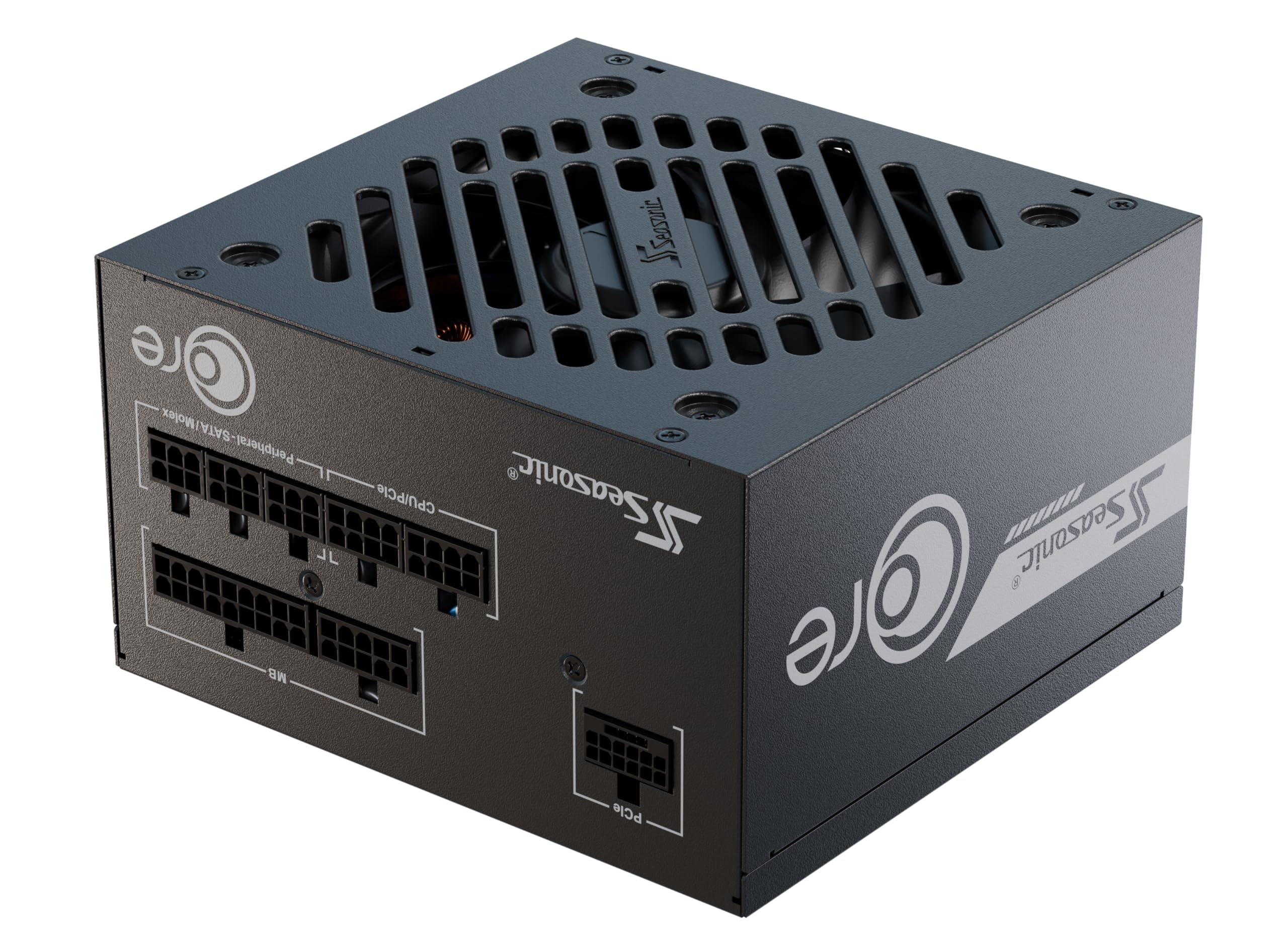
Image: The Seasonic CORE GX 750W power supply, showcasing its compact design and branding.
Safety Precautions
Please read and follow these safety guidelines carefully to prevent injury or damage to your equipment:
- Always disconnect the AC power cord from the wall outlet before installing, removing, or cleaning the power supply.
- Do not open the power supply unit. High voltages are present inside, and there are no user-serviceable parts. Opening the unit will void the warranty.
- Ensure proper grounding to prevent electrical shock.
- Install the power supply in a well-ventilated area, away from heat sources, direct sunlight, and moisture.
- Use only the modular cables provided with this power supply. Using incompatible cables may cause damage to the PSU or connected components.
- If the power supply is not functioning correctly, refer to the troubleshooting section or contact customer support. Do not attempt repairs yourself.
Package Contents
Verify that all items are present in your package:
- Seasonic CORE GX 750W Power Supply Unit
- Modular Cable Set (including native 12V-2x6 cable)
- AC Power Cord
- Mounting Screws
- Cable Ties
- User Manual

Image: Diagram illustrating the types and lengths of fully modular cables included with the CORE GX 750W power supply, such as M/B 24-pin ATX, CPU 4+4-pin, SATA, MOLEX, and 12V-2x6 connectors.

Image: Top-down view of the Seasonic CORE GX power supply, highlighting the clearly labeled modular cable connection ports for PCIe, MB, CPU/PCIe, and Peripheral/SATA/Molex.
Setup and Installation
Preparing for Installation
- Ensure your computer is completely powered off and unplugged from the wall outlet.
- Open your PC case to access the power supply mounting area and component connections.
Mounting the Power Supply
- Carefully place the Seasonic CORE GX power supply into the designated PSU bay in your PC case.
- Secure the power supply using the provided mounting screws. Ensure it is firmly attached.
- The compact 140mm depth of the power supply allows for compatibility with a wide range of PC cases, including more compact designs.
Connecting Modular Cables
The fully modular design allows you to connect only the cables necessary for your system, improving airflow and cable management.
- Mainboard (MB) Power: Connect the 24-pin ATX cable to the corresponding port on the power supply and your motherboard.
- CPU Power: Connect the CPU 4+4-pin cable(s) to the CPU power port(s) on the power supply and your motherboard.
- PCIe Power (Graphics Cards): For modern graphics cards, use the native 12V-2x6 cable. Connect it to the PCIe port on the power supply and the 12V-2x6 input on your graphics card. If your graphics card uses dual 8-pin PCIe connectors, use the included 12V-2x6 to dual 8-pin PCIe cable.
- Peripherals: Connect SATA power cables to your SSDs, HDDs, and optical drives. Connect Molex cables for other peripherals as needed.
Ensure all connections are secure and properly seated. Utilize the braided-pattern modular cables for cleaner routing and improved aesthetics within your PC case.

Image: Close-up of the premium braided-pattern modular cables, designed for durability and ease of cable management.
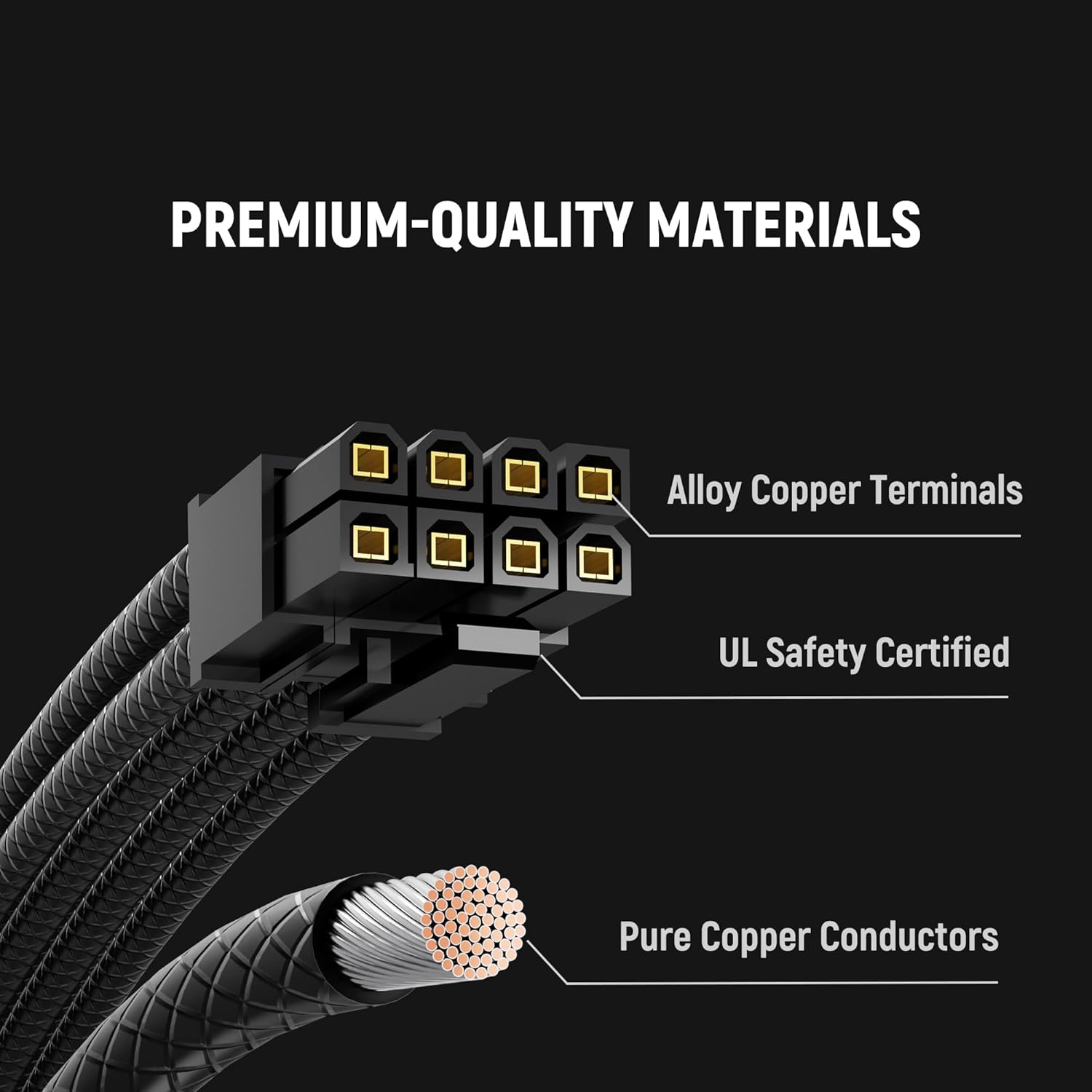
Image: Illustration detailing the premium-quality materials used in the cables, including alloy copper terminals and pure copper conductors, ensuring reliable power delivery.
Operating Instructions
After installation, ensure all cables are connected correctly and securely. Plug the AC power cord into the power supply and then into a grounded wall outlet. Flip the power switch on the back of the PSU to the 'ON' position. Your system is now ready to be powered on.
The Seasonic CORE GX features a Hydro Dynamic Bearing (HDB) silent fan, which provides optimal cooling while maintaining low noise levels. The fan control is smart and adjusts its speed based on the power supply's temperature and load, ensuring efficient and quiet operation.

Image: Diagram illustrating the Hydro Dynamic Bearing (HDB) fan technology, which contributes to silent operation and efficient cooling.
Maintenance and Care
To ensure the longevity and optimal performance of your Seasonic CORE GX power supply, follow these maintenance guidelines:
- Dust Removal: Periodically clean the exterior of the power supply and the fan grille to prevent dust buildup. Use compressed air to gently clear dust from the fan blades and internal components. Ensure the power supply is unplugged before cleaning.
- Ventilation: Ensure that the PC case has adequate airflow and that the power supply's intake and exhaust vents are not obstructed.
- Cable Management: Proper cable management not only improves aesthetics but also enhances airflow within the case, contributing to better cooling for all components, including the PSU.
Troubleshooting Common Issues
If you encounter problems with your power supply, refer to the table below for common issues and potential solutions:
| Problem | Possible Cause | Solution |
|---|---|---|
| System does not power on | AC power cord not connected, PSU switch off, loose cable connections, faulty component. | Check AC power cord, ensure PSU switch is ON, re-seat all modular cables, test components individually if possible. |
| System powers on but shuts down unexpectedly | Overload, overheating, faulty component, unstable power. | Ensure adequate ventilation, check for dust buildup, verify component compatibility and power draw, test with minimal components. |
| Loud fan noise | Dust buildup, fan obstruction, high load/temperature. | Clean fan and vents, ensure no cables obstruct fan, verify system load and temperatures. |
If the issue persists after attempting these solutions, please contact Seasonic customer support.
Technical Specifications
The Seasonic CORE GX 750W power supply offers robust performance and advanced features:
- Model Name: Core GX-750 ATX 3.1
- Output Wattage: 750W
- Form Factor: ATX
- Efficiency: 80 PLUS Gold and Cybenetics Platinum certified
- Cooling Method: Air, with Hydro Dynamic Bearing (HDB) fan
- Dimensions (L x W x H): 5.5 x 5.9 x 3.4 inches (140 x 150 x 86 mm)
- Input Voltage: 90-240 Volts (AC)
- Connectors: Native 12V-2x6, ATX 24-pin, CPU 4+4-pin, SATA, Molex
- Compliance: ATX 3.1, PCIe 5.1

Image: Internal view of the power supply showcasing the OptiSink Design PCB, which contributes to advanced heat dissipation and a more compact layout.

Image: Detailed explanation of OptiSink Design, highlighting its 48% more compact PCB design and 8x higher heat conductivity for superior thermal performance.

Image: Information on improved manufacturing processes, including Active PFC, Full-bridge LLC, Synchronous rectification, and DC-DC converter, contributing to enhanced integration and reliability.
Warranty and Customer Support
The Seasonic CORE GX 750W power supply comes with a 7-year warranty, reflecting Seasonic's commitment to quality and reliability. Advanced SMD manufacturing and optimized production ensure reliable, long-term performance.
For technical assistance, warranty claims, or further inquiries, please visit the official Seasonic website or contact their customer support team through the contact information provided on their website.

Image: Banner highlighting the 7-year warranty, emphasizing advanced manufacturing and optimized production for reliable, long-term performance.
Product Video Overview
Watch this official product video for a visual overview of the Seasonic CORE GX power supply and its features.
Video: An official overview of the Seasonic CORE ATX 3.1 power supply, showcasing its design, features, and included components like modular cables. This video highlights aspects such as compact size, silent fan operation, and ATX 3.1 & PCIe 5.1 compliance.


