
ANDELI AMZBYMOON3SC1
ANDELI MONER Auto Darkening Welding Helmet User Manual
Model: AMZBYMOON3SC1
1. Introduction
Thank you for choosing the ANDELI MONER Auto Darkening Welding Helmet. This manual provides essential information for the safe and effective operation, maintenance, and troubleshooting of your new welding helmet. Please read this manual thoroughly before use and retain it for future reference.

Figure 1: ANDELI MONER Auto Darkening Welding Helmet
2. Safety Information
Always prioritize safety when welding. This helmet is designed to protect your eyes and face from harmful radiation, sparks, and spatter during welding, cutting, and grinding operations. Failure to follow safety instructions can result in serious injury.
- Ensure the helmet is properly fitted and adjusted before each use.
- Inspect the helmet and lenses for any damage before operation. Replace damaged parts immediately.
- Do not use the helmet if the auto-darkening function is not working correctly.
- Always wear appropriate personal protective equipment (PPE) in addition to the welding helmet, including safety glasses, gloves, and protective clothing.
- Avoid direct exposure to welding arc without proper eye protection.
- Keep the helmet clean and free from debris to ensure optimal visibility and function.
Figure 2: The helmet provides UV/IR protection up to Shade DIN16 at all times.
3. Product Features
The ANDELI MONER Welding Helmet is equipped with advanced features for enhanced safety and performance:
- 180° Large Viewing Screen: Main viewing area of 3.94" x 3.74" with additional 3.72" x 1.76" side view areas (DIN4, non-auto-darkening) for a comprehensive field of vision.
- True Color View: Offers 1/1/1/2 optical clarity, providing a clearer and more natural view of the welding area by reducing the traditional lime green tint.
- Interference Suppression: Designed to minimize false triggering from ambient light sources like sunlight or workshop lights, while remaining highly responsive to the welding arc.
- Auto Darkening: Features 4 premium arc sensors that switch from light to dark in 1/25000 seconds, protecting the welder's eyes from harmful rays.
- Comfortable Headgear: Cushioned front and rear headbands reduce pressure points, ensuring a secure and comfortable fit for extended use. Adjustable up to 130°.
- Adjustable Settings: External controls for sensitivity, delay (fast/slow), and mode selection (Weld, Cut, Grind).
- Integrated LED Lights: Provides additional illumination for working in low-light conditions.

Figure 3: Panoramic 180° large viewing area for enhanced visibility.
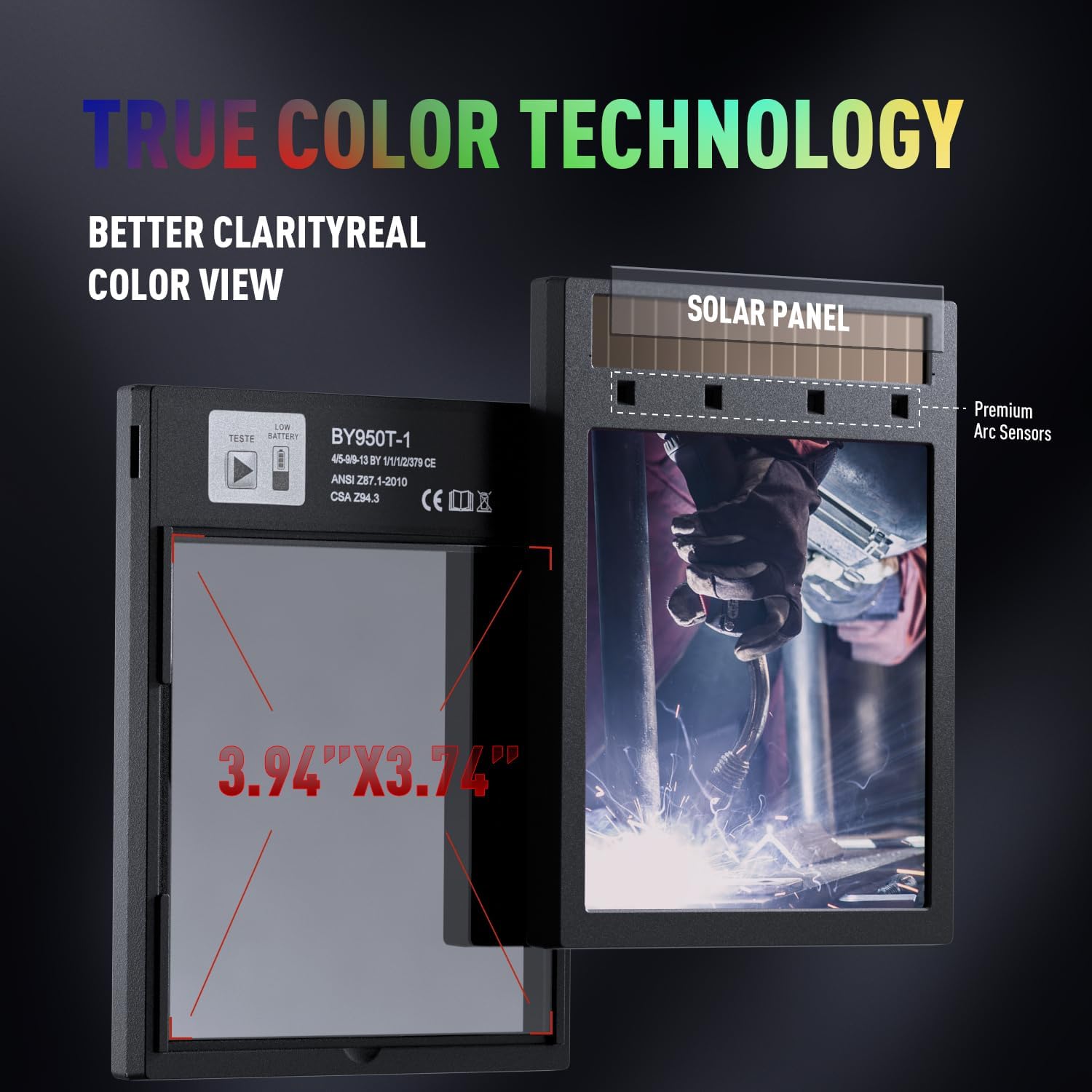
Figure 4: True Color Technology provides better clarity and a natural view.
Figure 5: Four premium arc sensors ensure rapid auto-darkening.
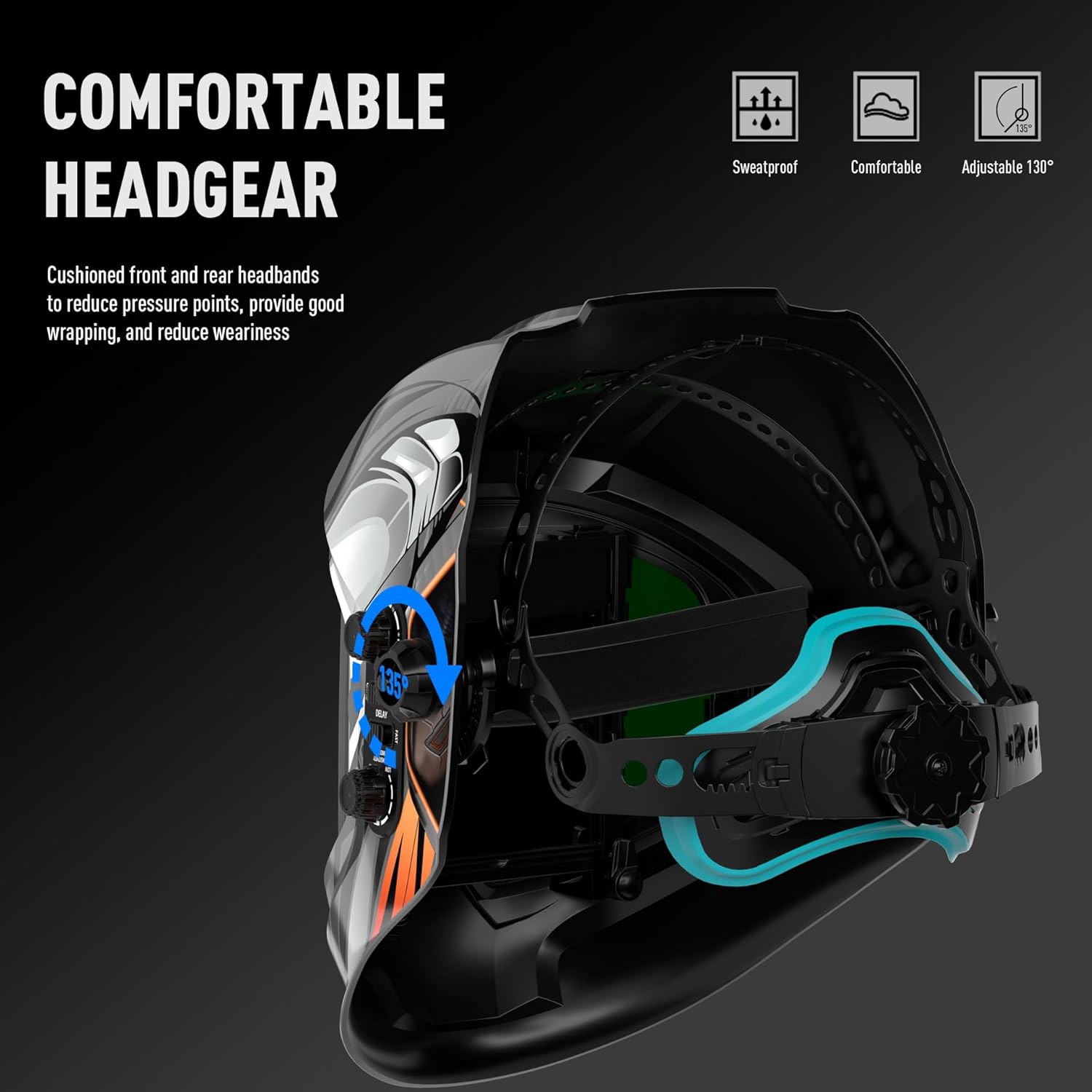
Figure 6: Ergonomic and adjustable headgear for maximum comfort.
4. Setup
- Unpacking: Carefully remove all components from the packaging. Verify that all included items are present: 1 welding helmet, 1 portable cloth bag, 1 outer lens, and 1 inner lens.
- Battery Installation/Check: The helmet requires 2 CR2032 batteries (included). Ensure they are correctly installed. The helmet features a battery check function (refer to controls on the side of the helmet).
- Headgear Adjustment:
- Adjust the top strap to position the helmet correctly on your head.
- Use the rear knob to tighten or loosen the headband for a snug, comfortable fit.
- Adjust the angle of the helmet's pivot points to ensure the helmet flips up and down smoothly and stays in position.
- Protective Film: Remove any protective films from the inner and outer lenses before first use.
5. Operating Instructions
The ANDELI MONER helmet offers various adjustable settings to optimize your welding experience:
- Mode Selection: Use the external dial to select the appropriate mode for your task:
- Grind Mode (DIN 4): For grinding operations, the lens remains in a light shade.
- Cut Mode (DIN 5-9): For plasma cutting or similar applications.
- Weld Mode (DIN 9-13): For various welding processes (MIG, TIG, Stick).
- Sensitivity Adjustment: Adjust the sensitivity dial to control how quickly the lens reacts to the welding arc. Higher sensitivity is suitable for low amperage TIG welding.
- Delay Adjustment: The delay dial controls the time it takes for the lens to return to its light state after the arc stops. A longer delay is useful for high amperage welding to prevent eye fatigue.
- Shade Adjustment: In Weld/Cut modes, use the shade dial to select the desired darkness level (DIN 9-13 for Weld, DIN 5-9 for Cut) based on your welding process and amperage.
- LED Lights: Activate the integrated LED lights by pressing the button located on the side of the helmet. These lights provide illumination for improved visibility in dark work areas.

Figure 7: Three adjustable modes: Grind, Cut, and Weld.
6. Maintenance
- Cleaning: Clean the helmet shell with a soft, damp cloth. Do not use harsh solvents. Clean the auto-darkening filter (ADF) and protective lenses with a soft, lint-free cloth and a mild lens cleaning solution. Avoid abrasive materials.
- Lens Replacement: Replace outer and inner protective lenses regularly, especially if they become scratched, pitted, or cloudy. Follow the instructions provided with replacement lenses for proper installation.
- Battery Replacement: When the low battery indicator appears, replace the 2 CR2032 batteries. Ensure correct polarity.
- Storage: Store the helmet in a clean, dry place away from direct sunlight and extreme temperatures. Use the provided cloth bag for protection.
7. Troubleshooting
| Problem | Possible Cause | Solution |
|---|---|---|
| Lens does not darken. | Low battery; sensors obstructed; incorrect mode. | Replace batteries; clean sensors; select Weld/Cut mode. |
| Poor visibility through lens. | Dirty lenses; scratched lenses; incorrect shade setting. | Clean lenses; replace lenses; adjust shade. |
| Helmet feels uncomfortable. | Improper headgear adjustment. | Adjust headgear straps and pivot points for a balanced fit. |
| False triggering of auto-darkening. | High sensitivity setting; strong ambient light. | Reduce sensitivity; reposition to avoid direct light on sensors. |
8. Specifications
| Feature | Specification |
|---|---|
| Brand | ANDELI |
| Model Name | ANDELI Welding Helmet (MONER) |
| Part Number | AMZBYMOON3SC1 |
| Main Viewing Area | 3.94" x 3.74" |
| Side View Area | 3.72" x 1.76" (DIN4, non-auto-darkening) |
| Optical Clarity | 1/1/1/2 |
| UV/IR Protection | Up to Shade DIN16 at all times |
| Arc Sensors | 4 Premium Sensors |
| Switching Time | 1/25000 seconds (Light to Dark) |
| Adjustable Shades | DIN 4 (Grind), DIN 5-9 (Cut), DIN 9-13 (Weld) |
| Power Source | Solar Powered with 2 CR2032 batteries (included) |
| Material | PP |
| Item Weight | 1.7 Pounds |
| Product Dimensions | 11.81 x 9.84 x 11.81 inches |
9. Warranty & Support
This ANDELI Welding Helmet comes with a 1-Year Warranty from the date of purchase. This warranty covers manufacturing defects and material flaws under normal use.
For technical support, warranty claims, or any questions regarding your product, please contact ANDELI Official Store US directly through your purchase platform or visit the official ANDELI website for contact information.
Please have your model number (AMZBYMOON3SC1) and purchase date ready when contacting support.
Ask a question about this manual
Ask about setup, troubleshooting, compatibility, parts, safety, or missing instructions. Manuals+ will review the question and use this page’s manual context to help answer it.