1. Introduction
The Dioche Universal Smart Home Volume Controller is designed to provide precise and convenient audio level adjustments for various sound systems. Featuring a durable ABS panel and dual-channel stereo adjustment, this controller offers five distinct volume levels to suit diverse listening environments. Its straightforward design ensures easy installation and integration into your smart home audio setup.
2. Product Overview
This section provides an overview of the components included with your Dioche Volume Controller.
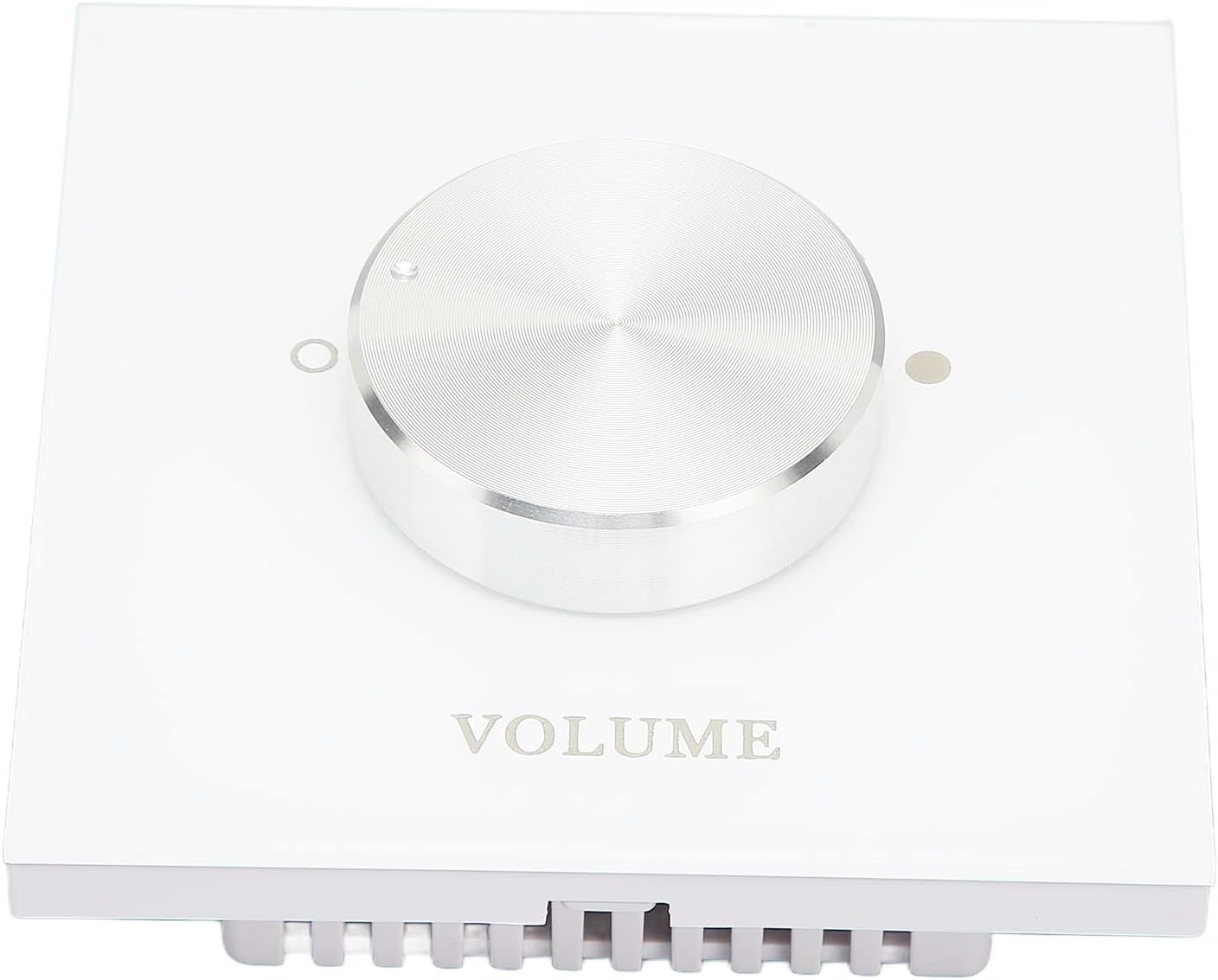
Figure 2.1: Front view of the Dioche Volume Controller, showcasing the central silver volume knob and the 'VOLUME' label on the transparent panel.

Figure 2.2: Front view of the Dioche Volume Controller, highlighting the five subtle indicator dots around the knob that represent the different volume levels.

Figure 2.3: Rear view of the Dioche Volume Controller, displaying the input and output wiring terminals (R-IN, R-OUT, L-IN, L-OUT) and a printed installation diagram for connecting to a power amplifier and speakers.

Figure 2.4: Two gold-colored screws provided for mounting the volume controller.
3. Setup and Installation
The Dioche Volume Controller is designed for easy wiring and installation. Follow these steps for proper setup:
- Preparation: Ensure all audio equipment (amplifier, speakers) is powered off before beginning installation.
- Mounting: Choose a suitable location for wall mounting. Use the provided screws to secure the controller to the wall.
- Wiring Connections: Refer to the wiring diagram on the back of the unit (Figure 2.3).
- Connect the audio input from your amplifier to the R-IN (Right Input) and L-IN (Left Input) terminals.
- Connect your speakers to the R-OUT (Right Output) and L-OUT (Left Output) terminals. Ensure correct polarity (+/-) for all connections.
- Secure Connections: Ensure all wires are securely fastened in their respective terminals to prevent loose connections or short circuits.
- Power On: Once all connections are made and secured, you may power on your audio equipment.
4. Operating Instructions
The Dioche Volume Controller offers intuitive control over your audio system's volume.
4.1 Volume Adjustment
The controller features a rotary knob for adjusting the audio output. It provides 5 distinct levels of volume adjustment. Rotate the knob clockwise to increase the volume and counter-clockwise to decrease it. The indicator dots around the knob (Figure 2.2) may correspond to these levels.
4.2 Dual Channel Control
This unit supports dual-channel stereo adjustment, allowing you to control the volume of two speakers simultaneously. This ensures a balanced audio experience across your stereo setup.
5. Maintenance
To ensure the longevity and optimal performance of your Dioche Volume Controller, follow these simple maintenance guidelines:
- Cleaning: The transparent panel is made of premium ABS material. To clean, gently wipe the surface with a soft, dry, or slightly damp cloth. Avoid using harsh chemicals or abrasive cleaners, as these can damage the finish.
- Environment: Keep the controller in a dry environment, away from direct sunlight, extreme temperatures, and excessive moisture.
- Handling: Avoid applying excessive force to the volume knob or panel.
6. Troubleshooting
If you encounter issues with your Dioche Volume Controller, consider the following basic troubleshooting steps:
- No Sound:
- Check all wiring connections to ensure they are secure and correctly connected to the amplifier and speakers.
- Verify that the amplifier and speakers are powered on and functioning correctly.
- Ensure the volume knob on the controller is not set to the lowest level.
- Distorted Sound:
- Check for loose wiring connections.
- Ensure the audio source is not overdriven or producing distorted signals.
- Uneven Volume (Left/Right):
- Verify that the L-IN/L-OUT and R-IN/R-OUT connections are correctly made and secure.
- Test individual speakers to ensure they are functioning properly.
If problems persist after attempting these steps, please contact customer support.
7. Specifications
| Feature | Specification |
|---|---|
| Brand | Dioche |
| Model Number | Diocheic7fy1ren3 |
| Panel Material | ABS |
| Volume Adjustment Levels | 5 Levels |
| Channel Type | Dual Channel Stereo |
| Product Dimensions | 3.54"D x 3.54"W x 1.96"H (9cm x 9cm x 5cm) |
| Item Weight | 3.35 ounces (95g) |
| Mounting Type | Wall Mount |
| Connectivity Technology | Wired (Ethernet listed in source, but likely refers to wired audio connection for smart home integration) |
8. Warranty and Support
For warranty information or technical support, please refer to the documentation provided at the time of purchase or visit the official Dioche website. Keep your purchase receipt for warranty claims.