
1. Introduction
This manual provides instructions for the proper installation, operation, and maintenance of the Eujgoov HCW M634 Battery Charging Control Module. This module is designed to manage the charging process of 6-60V storage batteries, ensuring optimal performance and extending battery life by preventing overcharge and undercharge.
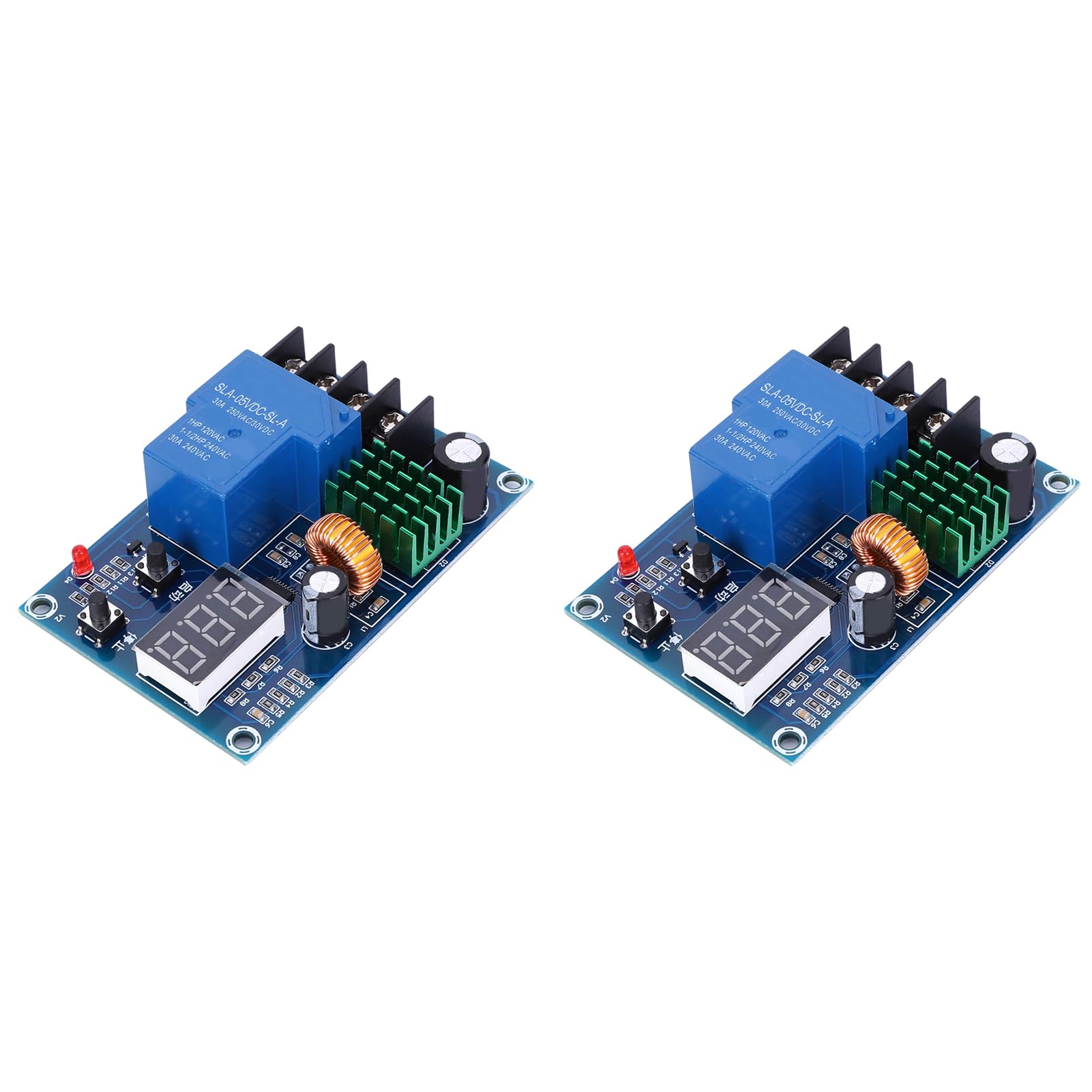
Figure 1: Eujgoov HCW M634 Battery Charging Control Module
2. Product Features
- Input Voltage: DC 6-60V.
- Suitable for 6-60V battery charging control, allowing setting of charging and stop charging voltages.
- Direct output type.
- Voltage error: +/-0.1V.
- Automatic power outage feature to save energy and prolong battery life.
- Intelligent design for efficient power management.
- Applications include home chargers, solar energy systems, and wind generators.

Figure 2: Various battery types compatible with the HCW M634 module.
3. Safety Information
Please read and understand all safety instructions before operating the device. Failure to follow these instructions may result in electric shock, fire, or serious injury.
- Ensure all connections are secure and correct before applying power.
- Do not exceed the specified input voltage range (DC 6-60V).
- Keep the module away from water, moisture, and extreme temperatures.
- Only qualified personnel should perform installation and wiring.
- Disconnect power before making any adjustments or connections.
4. Setup and Installation
The HCW M634 module features clear input and output terminals for straightforward connection.
- Input Connection: Connect your DC 6-60V charger to the 'IN' terminals on the module. Ensure correct polarity (+ to + and - to -).
- Battery Connection: Connect the storage battery to the 'BAT' terminals on the module. Ensure correct polarity (+ to + and - to -).
- The module will then control the charging voltage from the charger to the battery based on your set parameters.

Figure 3: Connection Diagram for the HCW M634 Module.
5. Operating Instructions
The module's settings are adjusted using the 'Start' and 'Stop' buttons. The 'Start' button functions as an 'Up' adjustment, and the 'Stop' button functions as a 'Down' adjustment during setting.
-
Set Starting Voltage:
In the normal voltage display state, press the 'Start' button once to display the current start charging voltage. To change this value, long press the 'Start' button for 3 seconds until the digital tube flashes. Then, use the 'Start' button (Up) or 'Stop' button (Down) to set your desired starting voltage value.
-
Set Stop Voltage:
In the normal voltage display state, press the 'Stop' button once to display the current stopping voltage. To change this value, long press the 'Stop' button for 3 seconds until the digital tube flashes. Then, use the 'Start' button (Up) or 'Stop' button (Down) to set your desired stopping charge voltage value.
-
Factory Reset:
While the module is powered on, simultaneously press both the 'Start' and 'Stop' buttons. The digital tube will display '888', indicating that the factory default settings have been restored.

Figure 4: Introduction to the Settings Panel and Buttons.
6. Specifications
| Parameter | Value |
|---|---|
| Input Voltage | DC 6-60V |
| Display Accuracy | 0.1V |
| Control Accuracy | 0.1V |
| Output Type | Direct Output |
| Voltage Error | +/-0.1V |
| Application Fields | 6-60V Storage Battery |
| Dimensions | 81 x 54 x 24 mm (3.19 x 2.13 x 0.94 inches) |
| Weight | Approximately 129 g |

Figure 5: Module dimensions.
7. Troubleshooting
If you encounter issues with the HCW M634 module, consider the following:
- No Display/No Power: Check all power connections to ensure they are secure and that the input voltage is within the 6-60V range. Verify polarity.
- Incorrect Voltage Readings: Ensure the battery and charger are properly connected. If readings are consistently off, perform a factory reset.
- Module Not Controlling Charging: Verify that the start and stop voltage settings are correctly configured and that the start voltage is lower than the stop voltage. Check all wiring for loose connections.
- Module Overheating: Ensure adequate ventilation around the module. If persistent, reduce load or check for short circuits.
8. Maintenance
The HCW M634 module requires minimal maintenance:
- Keep the module clean and free from dust and debris.
- Ensure it is installed in a dry environment, away from corrosive substances.
- Periodically check all wiring connections for tightness and signs of wear.
9. Warranty and Support
This product comes with a manufacturer warranty for 90 days from the date of purchase. For warranty claims or technical support, please contact your retailer or the manufacturer directly. Please have your purchase details and model number (HCW M634) available when contacting support.