
Introduction
Thank you for choosing the NVBOTY M2219 Rechargeable Hearing Aids. These devices are designed to enhance your listening experience with advanced noise cancellation and adjustable volume control. This manual provides essential information for proper setup, operation, and maintenance to ensure optimal performance.
What's in the Box

Image: Contents of the NVBOTY M2219 Hearing Aids box, including two hearing aids, a charging case, multiple ear tips, a cleaning brush, a Type-C charging cable, and a user manual.
- Two (2) NVBOTY M2219 Hearing Aids
- One (1) Charging Case / Storage Box
- Multiple Ear Tips (various sizes)
- One (1) Cleaning Brush
- One (1) Type-C Charging Cable
- One (1) User Manual
Setup
1. Initial Charging
Before first use, fully charge your hearing aids and the charging case. Place the hearing aids into the charging slots of the case. Connect the Type-C charging cable to the charging case and a power source. A full charge takes approximately 3 hours.

Image: The NVBOTY M2219 hearing aids are shown in their charging case, which features LED indicators for battery status and a Type-C charging port. The image highlights the compact design and charging functionality.
2. Choosing and Attaching Ear Tips
Select the ear tip size that provides a comfortable and secure fit for your ear. The device comes with three different ear tip sizes (S, M, L) to ensure a personalized fit.

Image: A detailed diagram of the NVBOTY M2219 hearing aid, illustrating its components including the microphone, Volume + and Volume - buttons, and the sound hole. Various ear tip sizes (Small, Medium, Large) are displayed, emphasizing the customizable fit.
3. Inserting the Hearing Aid
- Gently place the main unit of the hearing aid behind your ear.
- Carefully insert the ear tip into your ear canal until it feels snug and comfortable.
- Adjust the wire connecting the main unit to the ear tip to ensure it sits securely.
Operating Instructions
1. Power On/Off
To turn the hearing aid on or off, press and hold the “Volume+” button for 3 seconds.
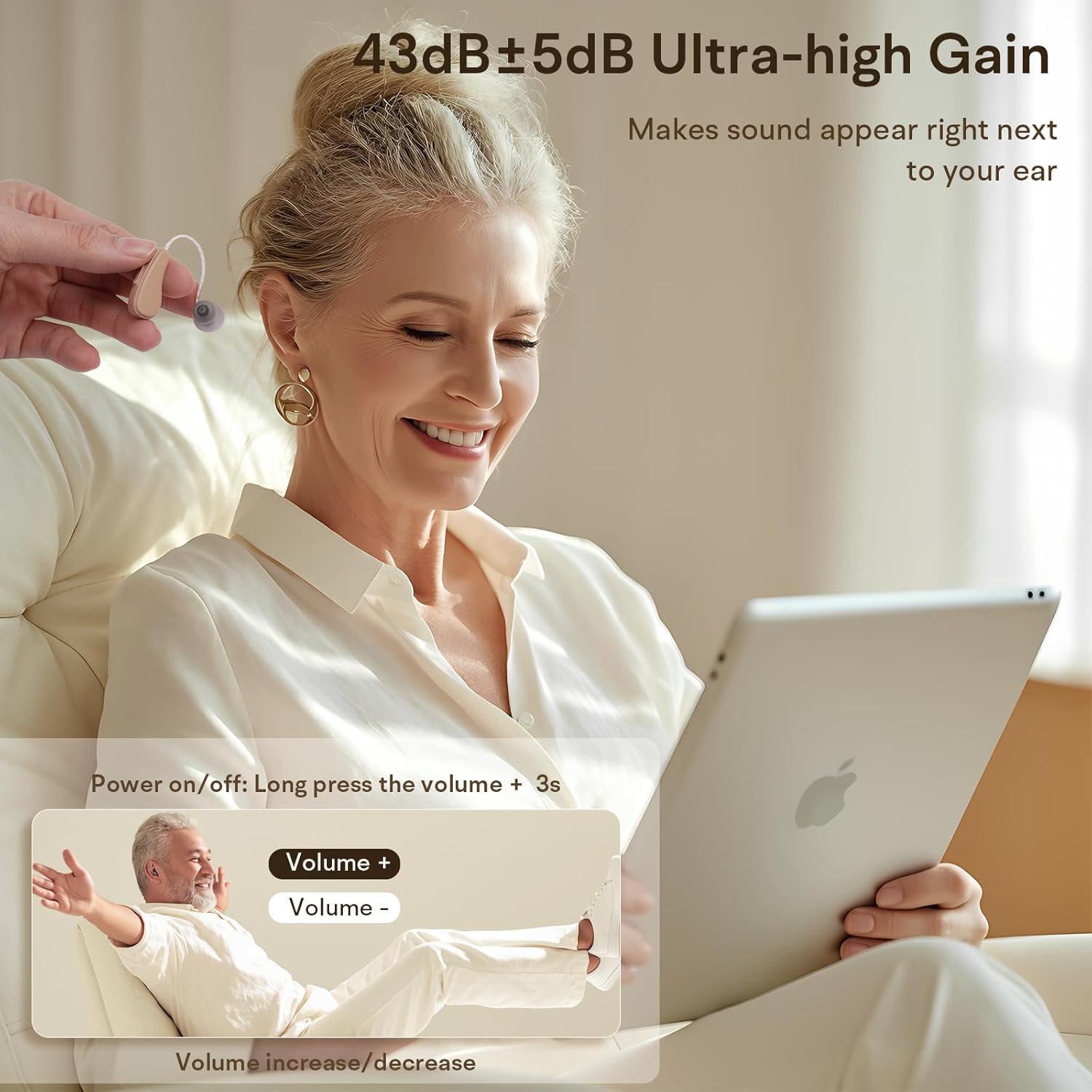
Image: A woman is shown wearing the NVBOTY M2219 hearing aid, demonstrating its discreet fit. An instructional overlay indicates that the device is powered on/off by pressing and holding the 'Volume +' button for 3 seconds.
2. Volume Control
The hearing aids feature 5 adjustable volume levels. A single click of the “Volume+” or “Volume-” button adjusts the volume up or down. The smart memory function will automatically restore your last used volume setting when powered on.
3. Noise Cancellation
The advanced chip technology in the NVBOTY M2219 effectively reduces feedback and provides active noise cancellation, delivering a clear and pure listening experience even in noisy environments. The volume gain is 43dB±5dB.

Image: This diagram visually explains the noise cancellation feature, showing how the NVBOTY M2219 hearing aid effectively suppresses whistling sounds, resulting in a clearer audio experience. It contrasts distorted sound waves with clear ones.
4. Video Demonstration
Video: This video demonstrates the features and operation of the NVBOTY M2219 Rechargeable Hearing Aid, including its noise cancellation capabilities and ease of use. It provides a visual guide to understanding the product's functionality.
Maintenance
1. Cleaning
Regular cleaning is essential for maintaining the performance and longevity of your hearing aids. Use the provided cleaning brush and a soft, dry cloth to clean the hearing aids and ear tips. Do not use water or any cleaning solutions directly on the device.
2. Storage
When not in use, store your hearing aids in the provided charging case or carrying case. This protects them from dust, moisture, and physical damage. Keep the devices away from heat sources and strong magnetic fields.

Image: The NVBOTY M2219 hearing aids are shown securely stored in their compact carrying case, positioned alongside the charging case. This illustrates the portability and protective storage options for the devices.
Troubleshooting
- No Sound: Ensure the hearing aids are powered on and fully charged. Check that the ear tips are correctly inserted and not blocked by debris.
- Poor Sound Quality/Feedback: Adjust the ear tip for a snug fit. Ensure the volume is not set too high. Clean the ear tips and sound hole.
- Device Not Charging: Verify the charging cable is securely connected to both the case and the power source. Ensure the hearing aids are correctly placed in the charging slots.
Specifications
| Feature | Detail |
|---|---|
| Model Name | M2219 |
| Brand | NVBOTY |
| Style | In-Ear |
| Material | Plastic |
| Color | Black |
| Volume Gain | 43dB±5dB |
| Continuous Use Time | Up to 25 hours (100 hours with charging case) |
| Charging Time | Approx. 3 hours for full charge |
| Volume Levels | 5-Level Button Control |
| Special Features | Noise Cancellation, Smart Memory Function |
Warranty and Support
For warranty activation and support, please refer to the warranty card included in your product packaging. You may also contact NVBOTY customer service for assistance.
Email: mvxipservice@outlook.com
Please consult a healthcare professional before using this device, especially if you have any pre-existing medical conditions.


