
Tecnock 1803
Tecnock RC Truck Car Model 1803 Instruction Manual
Model: 1803 | Brand: Tecnock
1. Introduction
This manual provides essential information for the safe and effective operation and maintenance of your Tecnock RC Truck Car Model 1803. Please read this manual thoroughly before first use and retain it for future reference.
The Tecnock RC Truck Car is a high-speed, 4WD remote control monster truck designed for various terrains. It features dual LED headlights, chassis lights, and comes with two rechargeable batteries for extended playtime.
2. Safety Information
- Always operate the RC car in open areas away from people, pets, and obstacles.
- Do not operate near public roads or where traffic is present.
- Keep fingers, hair, and loose clothing away from moving parts.
- Do not operate in wet conditions unless specifically designed for it (this model is waterproof, but avoid deep water submersion of the remote).
- Adult supervision is recommended for children operating the RC car.
- Ensure batteries are charged correctly and handled safely.
- Turn off the RC car and remote control when not in use.
3. Setup
3.1 Package Contents
Verify that all items are included in the package:
- Tecnock RC Truck Car
- Remote Control
- 2 x 1000 mAh Rechargeable Lithium Ion Batteries
- USB Charging Cable
- Screwdriver
- Product Manual (this document)

Figure 1: Package contents of the Tecnock RC Truck Car, showing the grey truck, remote control, two green battery packs, a screwdriver, and the product box.
3.2 Battery Charging
Before first use, fully charge both rechargeable batteries. A red light on the USB charger indicates charging. The light will turn off when charging is complete.
Video 1: Demonstration of how to charge the RC car battery using the provided USB cable. The video shows connecting the battery to the USB charger, which illuminates a red light during charging. The light turns off when fully charged.
3.3 Car Battery Installation
One battery is pre-installed. To access the battery compartment or install the second battery:
- Remove the four clips securing the car's body shell.
- Carefully lift the body shell to expose the internal components.
- Connect the red battery connector to the corresponding port inside the car. Secure the battery with the strap.
- Replace the body shell and secure it with the four clips.

Figure 2: The Tecnock RC Truck Car with its body shell detached, revealing the internal chassis, motor, and battery compartment. A red wire connector is visible for battery connection.
3.4 Remote Control Battery Installation
The remote control requires 3 AA batteries (not included). Open the battery compartment on the underside of the remote and insert the batteries, observing polarity.
3.5 Pairing the Remote Control
To pair the remote control with the RC car:
- Ensure the car's battery is connected and the car is powered off.
- Turn on the remote control.
- Turn on the RC car using the power button located on the chassis (accessible through the driver's side window).
- The remote and car should automatically sync.
4. Operating Instructions
4.1 Basic Controls
- Throttle Trigger: Pull the trigger towards you to move forward. Push the trigger away from you to reverse.
- Steering Wheel: Turn the wheel left or right to steer the car.

Figure 3: The remote control for the Tecnock RC Truck Car, highlighting the steering wheel on the left and the trigger for throttle control.
4.2 Speed and Steering Adjustment
The remote control features dials to adjust speed and steering trim:
- Speed Dial: Adjusts the maximum speed of the RC car. Turn towards 'Max' for higher speeds, or 'Min' for slower, more controlled operation.
- Steering Trim: Adjusts the steering to ensure the car drives straight when the steering wheel is centered. If the car drifts, adjust this dial slightly until it tracks straight.
4.3 Terrain Handling
The Tecnock RC Truck Car is designed for all-terrain use, including:
- Grass
- Dirt/Sand
- Concrete/Pavement
- Rocks
- Shallow Water (waterproof design)

Figure 4: The Tecnock RC Truck Car demonstrating its ability to traverse different environments such as grass, paved roads, sandy areas, and rocky surfaces.
4.4 LED Headlights and Chassis Lights
The RC car is equipped with dual LED headlights and chassis lights for enhanced visibility and aesthetic appeal, especially during nighttime operation.
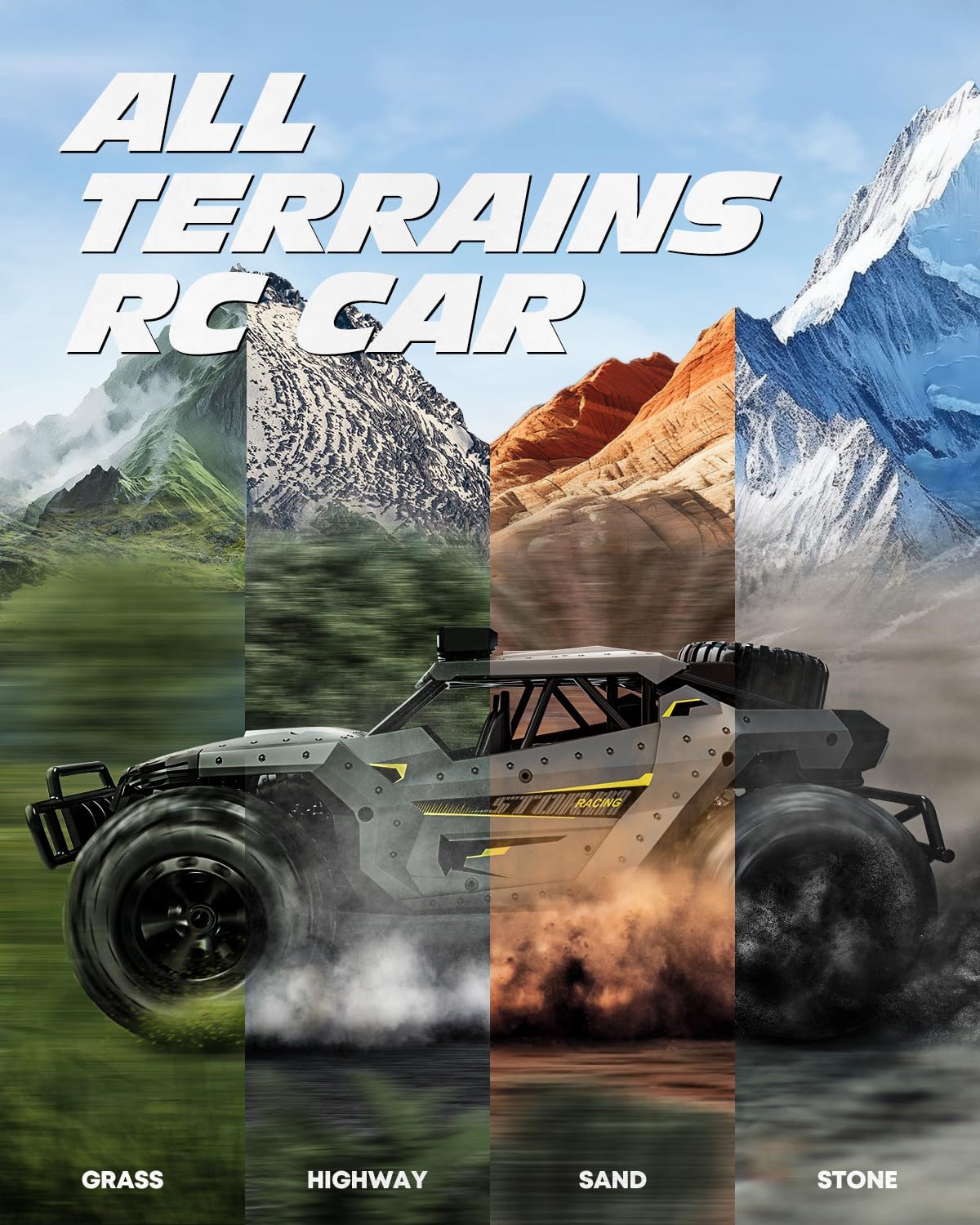
Figure 5: The Tecnock RC Truck Car shown with its bright LED headlights and blue chassis lights activated, providing illumination for low-light conditions.
5. Maintenance
- Cleaning: After use, especially in dirt or wet conditions, clean the car with a soft, damp cloth. Remove any debris from the wheels and chassis.
- Battery Care: Always fully charge batteries before storage. Store batteries in a cool, dry place. Do not overcharge or completely discharge batteries.
- General Inspection: Regularly check for loose screws, damaged parts, or worn tires. Replace damaged components as needed.
6. Troubleshooting
| Problem | Possible Cause | Solution |
|---|---|---|
| RC car does not respond to remote. | Low battery in car or remote; Not paired correctly. | Charge car battery; Replace remote batteries; Re-pair remote and car. |
| Short playtime. | Battery not fully charged; Old/worn battery. | Ensure full charge before use; Use the second battery; Consider replacing old batteries. |
| Car pulls to one side. | Steering trim needs adjustment. | Adjust the steering trim dial on the remote control. |
| Turning motor issues. | Potential motor malfunction. | Contact customer support for assistance. |
7. Specifications
- Model Number: 1803
- Product Dimensions: 12 x 7.87 x 5.12 inches
- Item Weight: 3.23 pounds
- Recommended Age: 8 years and up
- Batteries: 2 Lithium Ion batteries required (included)
- Control Frequency: 2.4GHz (Anti-Interference)
- Max Speed: 20+ KM/H
8. Warranty and Support
Tecnock offers dedicated after-sales service. If you have any questions or encounter issues with your product, please contact us promptly for a satisfactory solution.
This product includes a 12-month extended warranty. Please refer to the warranty card included in your package for details on how to register and claim your warranty.
Related documents1803

Ask a question about this manual
Ask about setup, troubleshooting, compatibility, parts, safety, or missing instructions. Manuals+ will review the question and use this page’s manual context to help answer it.