
1. Introduction
This manual provides comprehensive instructions for the installation, operation, and maintenance of your VECHTEL 12.3-inch Android 13 Car Radio. Designed specifically for Audi Q5 models from 2009 to 2019 with high configuration, this unit enhances your driving experience with advanced multimedia and connectivity features.
Please read this manual thoroughly before installation and use to ensure proper functionality and safety.
2. Compatible Car Models
This car radio is compatible with the following vehicle:
- Audi Q5: 2009-2019 High Configuration models.
Important: Before purchasing or installing, please ensure that your car's dashboard is identical to the images provided in the product listing. If your dashboard differs, this item may not be suitable for your vehicle.

Image: Comparison of Audi Q5 dashboard before and after installation of the VECHTEL 12.3-inch Android 13 Car Radio. The image shows the sleek integration of the new display.
3. Key Features
- 8-Core Android 13 System: Equipped with 4GB RAM, 64GB ROM, and an 8-core CPU for fast and smooth operation.
- 12.3-inch IPS HD Touchscreen: Features an ultra-high resolution of 1920x720 for crisp, detailed images and vibrant colors. Supports split-screen display and customizable UI themes.
- Wireless & Wired CarPlay/Android Auto: Seamless integration with your smartphone for instant access to calls, maps, music, and voice control via Siri/Google.
- Retains Original Vehicle Features: Designed to preserve the functionality of your original car radio, amplifier, steering wheel controls, and original camera.
- Additional Connectivity: Includes online/offline maps, Wi-Fi, Bluetooth 5.0 for hands-free calls and music, smartphone mirror link, FM/RDS radio, DSP with 32-band equalizer, subwoofer output, and dual USB ports.

Image: The 12.3-inch IPS HD touchscreen displaying the Android 13 interface with various applications and features.
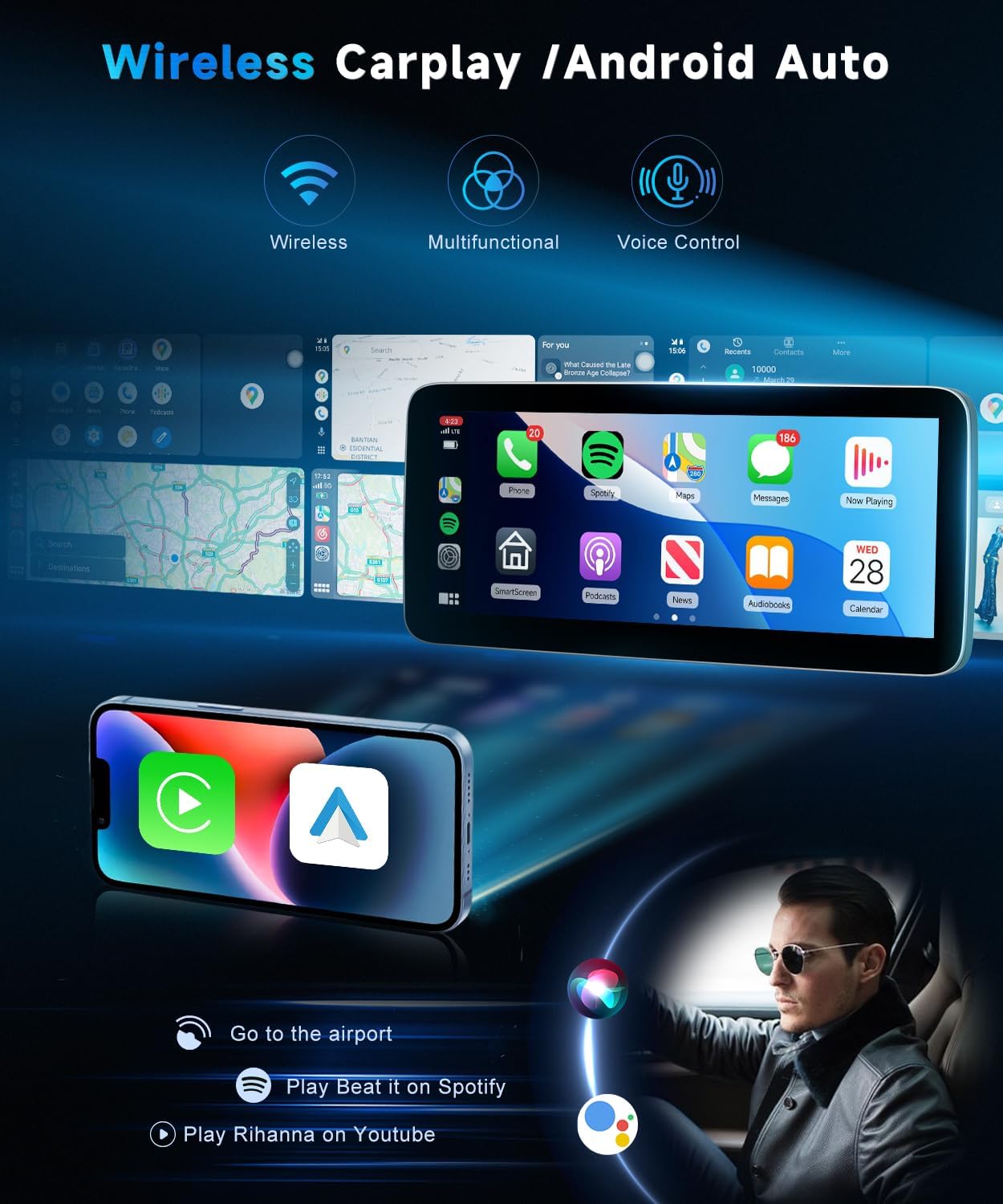
Image: Illustration of wireless CarPlay and Android Auto features, showing smartphone integration for navigation, music, and calls.
4. Important Installation Notes
Please observe the following critical notes during installation:
- Fiber Optic Wiring: Original cars with fiber optic wiring must have the fiber optic plug switched to the power plug. The fiber optic plug is not included.
- AMI Interface: If the original vehicle has an AMI interface, you will need to purchase an AMI adapter cable and audio adapter cable separately.
- Airbag Lights: If the original car has airbag lights, you may need to purchase airbag wires (optional).
- Middle Speaker Line: For Audi high-equipped models, if the middle speaker line is not connected to the car player, there will be no sound. Ensure proper connection.
- AC CANBUS Plug: Follow the instructions carefully for connecting the AC CANBUS plug to retain AC control panel functionality.

Image: Visual guide for important installation considerations, including fiber optic wiring, AMI interface, and airbag light connections.

Image: Step-by-step guide for connecting the middle speaker cable and the AC CANBUS plug, highlighting critical connection points.
5. Product Wiring Diagram
The following diagram illustrates the various cables and connections required for the VECHTEL car radio. Ensure all connections are secure and correctly matched.

Image: Comprehensive wiring diagram showing connections for power, RCA, USB, rear camera input, GPS antenna, CANBUS, and other accessories.
6. Operating Instructions
6.1 Wireless CarPlay / Android Auto Connection
To connect your smartphone wirelessly to CarPlay or Android Auto, follow these steps:
- Ensure the "AirPlay" or "CarPlay" option is turned on in the unit's settings (Setup -> Smart Phone -> Smart Phone Setting).
- Turn on your mobile phone's Wi-Fi switch.
- Turn on your mobile phone's Bluetooth switch.
- Search for the screen's Bluetooth (e.g., "CAR-BT-XXXX") on your phone and pair it.
- Allow contact and favorites sync when prompted.
- Click "Use CarPlay" or "Use Android Auto" on your phone to activate the function.
Video: Demonstrates how to connect wireless CarPlay, using a BMW screen as an example. This process is similar for the VECHTEL unit.
Video: Shows the steps to connect wireless AirPlay, using a BMW screen as an example. The procedure is analogous for the VECHTEL unit.
6.2 System Switching
You can easily switch between the new Android 13 system and your original Audi system:
- To return to the new system from the original interface, simply touch any position on the screen.
- To return to the original car interface from the new system, click the "Original car interface" icon on the home screen.
- Alternatively, you can often use the original vehicle's MMI control knob to navigate the original system.
Video: Demonstrates the system switching functionality on a 12.3-inch car radio for Audi, showing how to toggle between the new and original interfaces.
6.3 Rear Camera and Parking System
The unit supports both OEM and aftermarket rear cameras, along with parking system integration for enhanced safety.
Video: A wiring tutorial for a VW rearview camera, providing general guidance for connecting aftermarket cameras to similar car radio systems.
7. Specifications
| Feature | Detail |
|---|---|
| Brand | VECHTEL |
| Screen Size | 12.3 Inches |
| Operating System | Android 13 |
| RAM | 4GB |
| ROM | 64GB |
| CPU | 8-Core |
| Display Resolution | 1920x720 (IPS HD) |
| Connectivity | Wireless/Wired CarPlay, Android Auto, Wi-Fi, Bluetooth 5.0, USB, RCA |
| Special Features | DSP (32-band EQ), GPS Navigation, Mirror Link, FM/RDS Radio, Subwoofer Output |
| Model Number | VECHTEL-AQ5-AND13 |
8. Troubleshooting
If you encounter any issues with your VECHTEL car radio, please refer to the following common troubleshooting tips:
- No Sound:
- Ensure the middle speaker line is correctly connected, especially for high-equipped Audi models.
- Verify all audio cables (RCA, power) are securely connected.
- Check the volume settings on both the car radio and your connected smartphone.
- CarPlay/Android Auto Not Connecting:
- Confirm Wi-Fi and Bluetooth are enabled on your smartphone and the car radio.
- Ensure the correct Bluetooth device is selected and paired.
- Check the "AirPlay" or "CarPlay" option is enabled in the unit's settings.
- Try restarting both your smartphone and the car radio.
- Screen Flickering/Display Issues:
- Verify all LVDS cables are securely connected.
- Check the display settings for brightness, contrast, and color balance.
- Original System Features Not Working:
- Ensure all original vehicle wiring harnesses are correctly reconnected to the new unit.
- Confirm the CANBUS decoder is properly installed and connected.
For persistent issues, please contact VECHTEL customer support directly via Amazon.
9. Warranty and Support
VECHTEL products come with a standard manufacturer's warranty. Please refer to your purchase documentation for specific warranty terms and conditions.
For technical assistance, troubleshooting, or warranty claims, please contact VECHTEL customer support through the Amazon platform where you made your purchase. Our support team is available to assist you with any questions or concerns.
