
topzee V3550
topzee Vacuum Sealer for Food - Model V3550
User Instruction Manual
Introduction
The topzee Vacuum Sealer for Food, model V3550, is engineered to extend the freshness of your food by removing air and sealing it in airtight bags. This appliance is ideal for preserving meats, vegetables, fruits, and dry goods, helping to reduce food waste and maintain flavor. Its intuitive design and multiple modes make food preservation simple and efficient.

Image: The topzee Vacuum Sealer, demonstrating a vacuum-sealed steak, highlighting its primary function of food preservation.
Safety Instructions
- Read all instructions before operating the appliance.
- Do not immerse the appliance, power cord, or plug in water or other liquids.
- Keep out of reach of children. Close supervision is necessary when used near children.
- Unplug from outlet when not in use and before cleaning.
- Do not operate any appliance with a damaged cord or plug, or after the appliance malfunctions or has been damaged in any manner.
- Use only attachments and accessories recommended by the manufacturer.
- Do not use outdoors.
- Do not place on or near a hot gas or electric burner, or in a heated oven.
- Always ensure the lid is properly latched before operating.
What's in the Box?

Image: A visual representation of the product packaging contents, including the vacuum sealer unit and its accessories.
- 1 x topzee Vacuum Sealer
- 1 x Power Cord
- 1 x Instruction Manual
- 10 x 8.7"x11.8" Bags
- 1 x 11"x10" Roll
- 1 x Vacuum Hose
Setup
- Unpack all components from the box.
- Place the vacuum sealer on a flat, stable, and dry surface.
- Ensure the power cord is securely plugged into the appliance and a compatible electrical outlet.
- Open the lid of the vacuum sealer.
- If using a bag roll, insert it into the built-in roll storage chamber.
- Pull the bag material through to the sealing strip area, ready for bag creation or sealing.
Operating Instructions
1. Making a Bag from a Roll
- Open the lid of the vacuum sealer.
- Pull the bag roll material to the desired length.
- Place the edge of the bag material over the sealing strip.
- Close the lid firmly until both sides click into place.
- Press the "Seal" button. The indicator light will flash during sealing and turn solid when complete.
- Once sealed, open the lid and use the built-in cutter to cut the bag to your desired length.
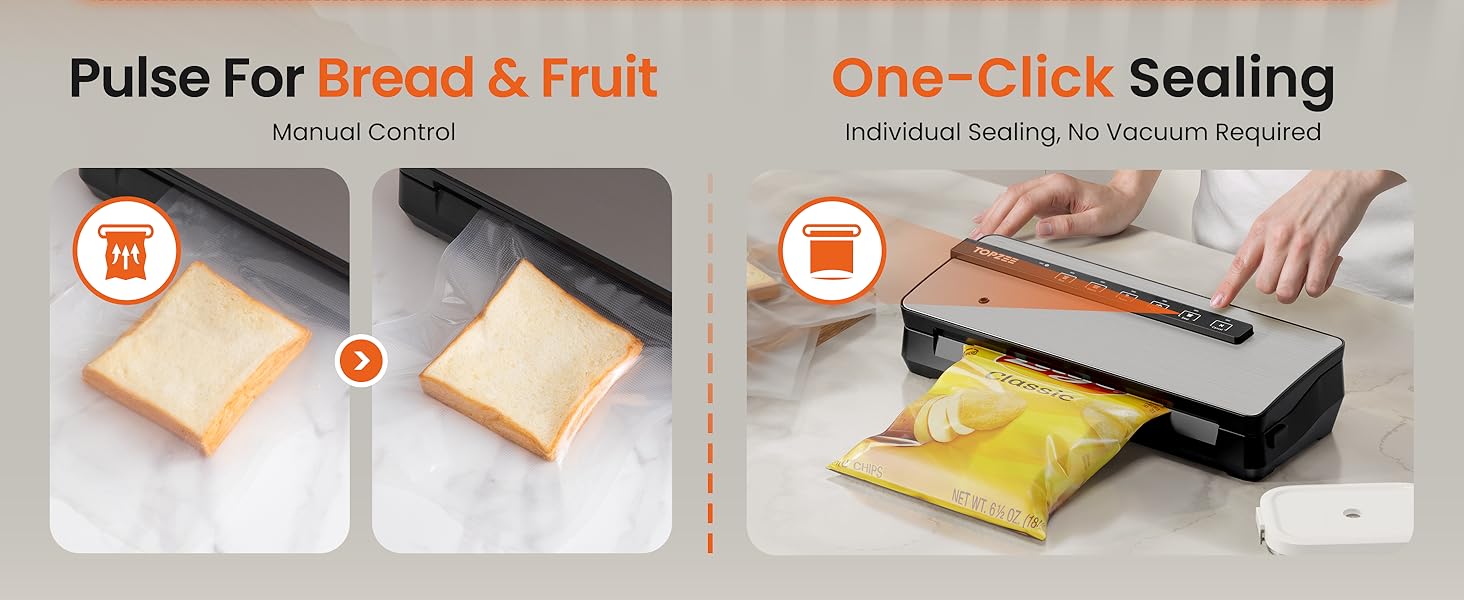
Image: Demonstrates the three-step process for creating a custom-sized bag from the roll using the built-in cutter.
2. Sealing Food (Dry Mode)
- Place the food inside the vacuum bag, leaving at least 3 inches of space from the top opening.
- Ensure the open end of the bag is clean and dry.
- Place the open end of the bag into the vacuum chamber.
- Close the lid firmly until both sides click into place.
- Press the "Dry" button. The machine will automatically vacuum the air and then seal the bag.
- Once the process is complete and the indicator light stops flashing, open the lid and remove the sealed bag.
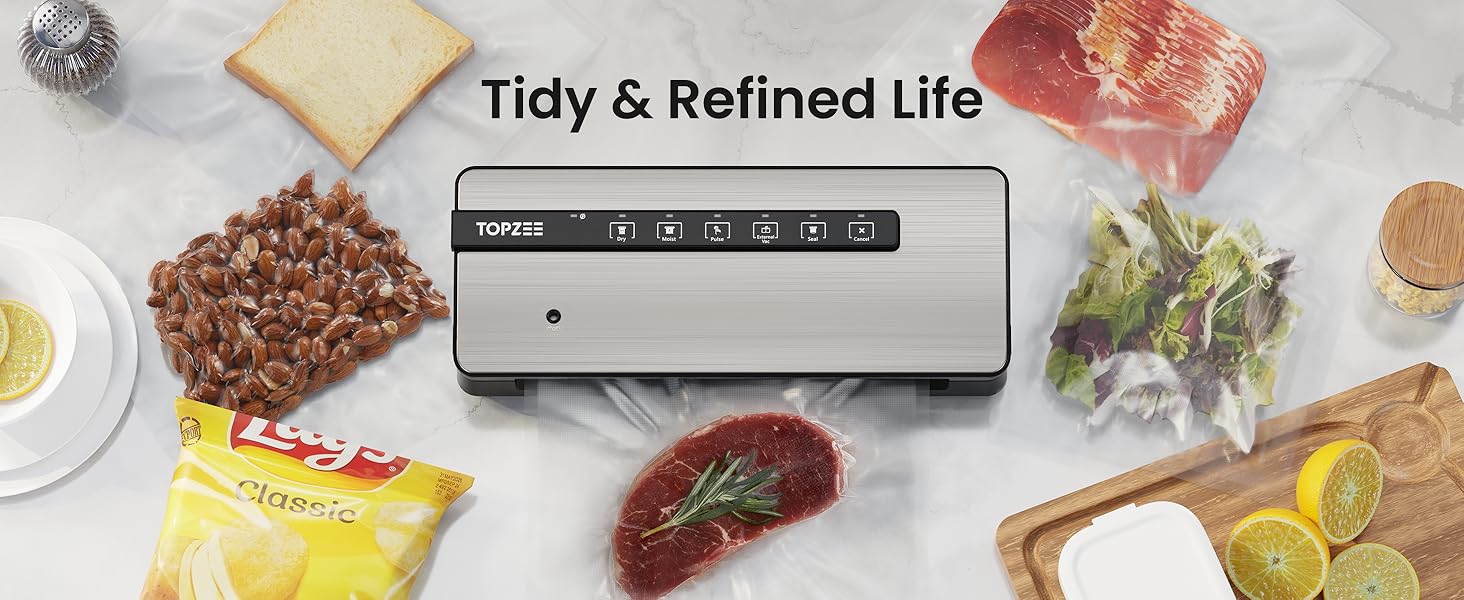
Image: Illustrates the simple three-step process of placing food, closing the lid, and selecting the mode for vacuum sealing.
3. Sealing Food (Moist Mode)
For moist foods, follow the same steps as the "Dry Mode" but select the "Moist" button. This mode adjusts the vacuum and sealing time to ensure a secure seal for foods with moisture content, such as marinated meats or fresh produce.
4. Pulse Function for Delicate Foods
The "Pulse" button provides manual control over the vacuuming process. Press and hold the "Pulse" button to vacuum, and release it to stop. This is ideal for soft or delicate items like chips, bread, or baked goods, preventing crushing while still achieving a good seal. After pulsing, press the "Seal" button to complete the process.
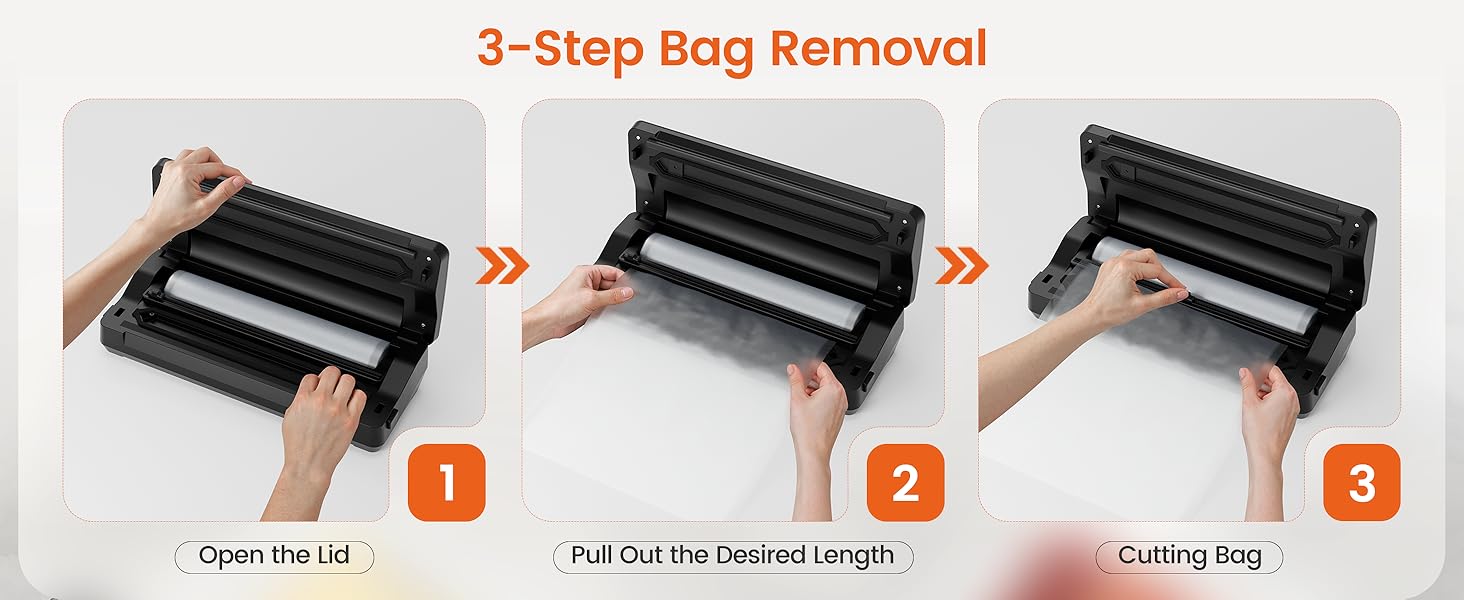
Image: Shows the "Pulse" function for gentle vacuuming of delicate items like bread, and the "Seal" function for bags without vacuuming.
5. External Canister Vacuuming
To vacuum seal food in external canisters or containers, connect the included vacuum hose to the "Accessory Port" on the vacuum sealer and to the port on your compatible canister. Press the "External Vac" button. The machine will draw air from the canister. Once vacuuming is complete, remove the hose.
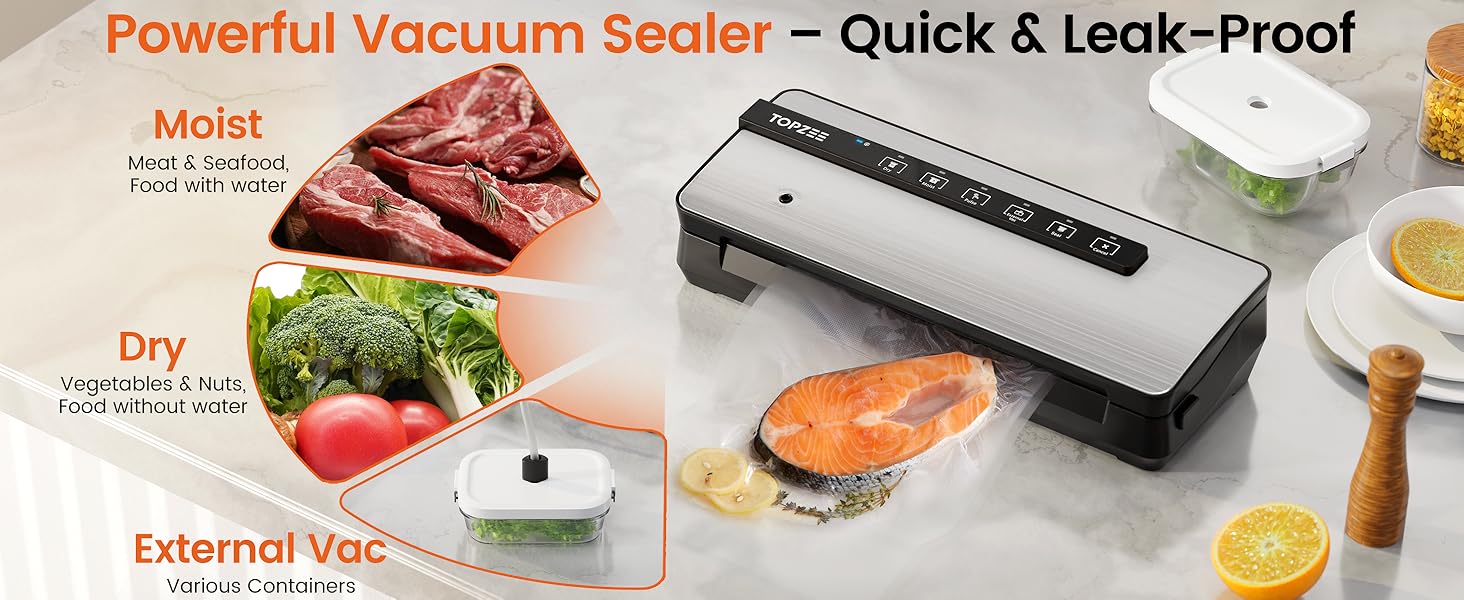
Image: Highlights the versatility of the vacuum sealer with modes for dry food, moist food, and external vacuuming for containers.
Maintenance
Cleaning the Appliance
- Always unplug the appliance before cleaning.
- Wipe the exterior of the vacuum sealer with a soft, damp cloth. Do not use abrasive cleaners or solvents.
- Clean the vacuum chamber and sealing strip regularly to ensure optimal performance. Use a mild soap solution if necessary, then wipe dry.
- Ensure all parts are completely dry before closing the lid or storing the appliance.
Storage
- Store the appliance in a cool, dry place.
- For prolonged storage, it is recommended to leave the lid unlatched to prevent compression of the sealing gaskets, which can affect performance over time.
Troubleshooting
| Problem | Possible Cause | Solution |
|---|---|---|
| Machine does not turn on. | Not plugged in; power outlet issue. | Ensure power cord is securely plugged in. Test outlet with another appliance. |
| Bag does not vacuum properly. | Bag not correctly placed; lid not fully latched; sealing strip/gasket dirty or damaged. | Reposition bag. Press down firmly on both sides of the lid until it clicks. Clean or inspect sealing strip and gaskets. |
| Bag does not seal. | Sealing strip dirty or wet; bag material issue; overheating. | Clean and dry the sealing strip. Ensure bag is suitable for vacuum sealing. Allow machine to cool down for 20-30 seconds between seals. |
| Air leaks into sealed bag. | Improper seal; bag puncture; food with sharp edges. | Reseal the bag. Check bag for punctures. Use a larger bag or pad sharp edges of food. |
Specifications
| Feature | Detail |
|---|---|
| Model No. | V3550 |
| Sealing Length | Max. 11.81 inches |
| Product Dimensions | 14.8"L x 6.1"W x 3.1"H |
| Item Weight | 4.49 pounds |
| Rated Voltage | AC 120V, 60 Hz |
| Brand | topzee |
| Color | Silver |
Warranty & Support
For warranty information and customer support, please refer to the documentation included with your purchase or contact topzee customer service directly. Keep your purchase receipt for warranty claims.
Additional protection plans may be available for purchase to extend coverage beyond the standard manufacturer's warranty. Please check with your retailer for details.
Ask a question about this manual
Ask about setup, troubleshooting, compatibility, parts, safety, or missing instructions. Manuals+ will review the question and use this page’s manual context to help answer it.