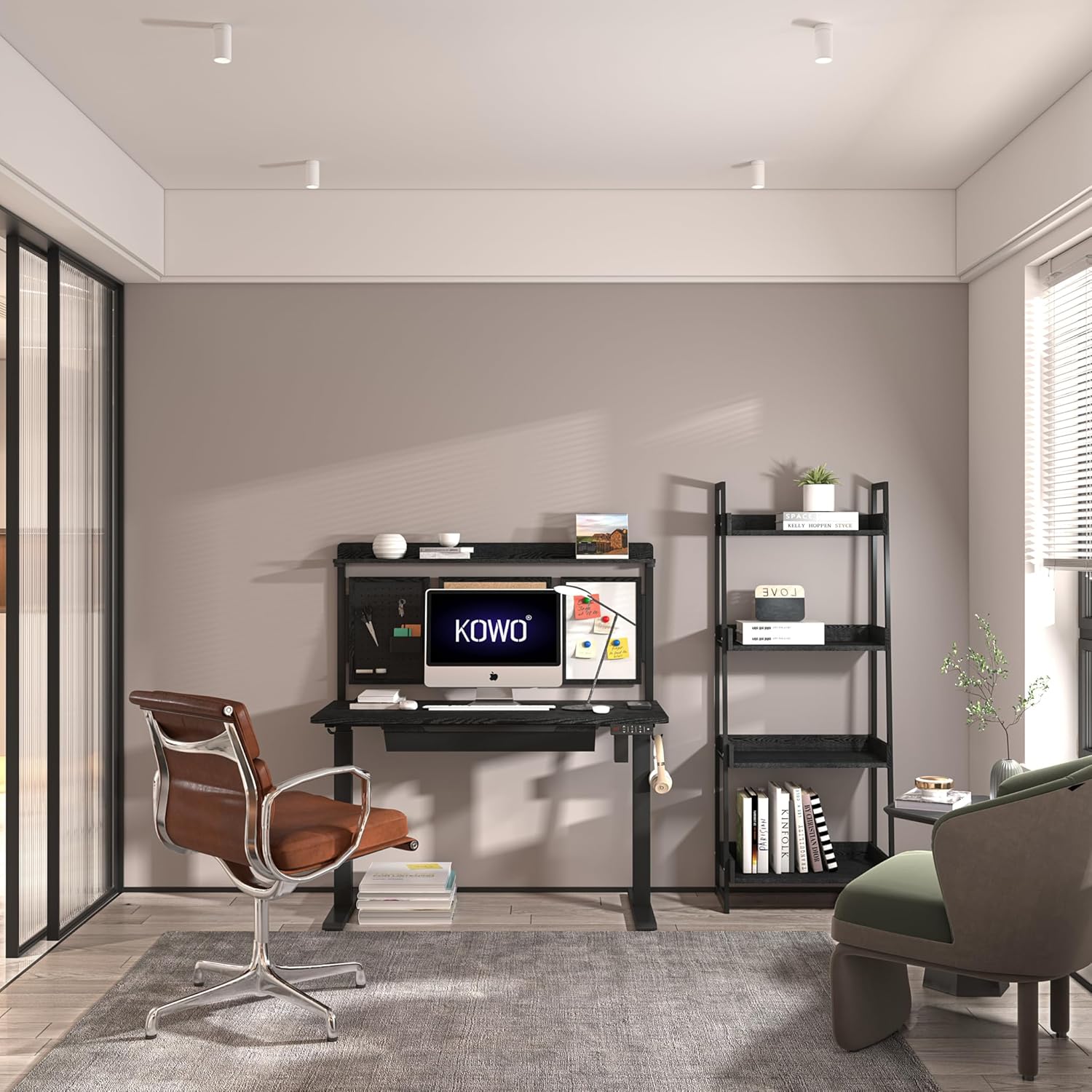
Image: The Kowo K304 Electric Height Adjustable Standing Desk with back board and drawer, shown in a modern office environment.
1. Introduction
Thank you for choosing the Kowo K304 Electric Height Adjustable Standing Desk. This manual provides essential information for the safe assembly, operation, and maintenance of your new desk. Please read it thoroughly before use and retain it for future reference.
2. Important Safety Instructions
Please read all instructions carefully before assembly and use. Keep this manual for future reference.
- Ensure all components are present and undamaged before assembly.
- Do not exceed the maximum weight capacity of 110 lbs (50 kg).
- Keep children and pets away from the desk during operation.
- Ensure there are no obstructions in the desk's path during height adjustment.
- Do not sit or stand on the desk.
- Disconnect power before cleaning or maintenance.
- Use only the provided power adapter.
- Avoid placing liquids directly on the control panel or near electrical components.
3. Package Contents
Verify that all parts are included in your package. If any parts are missing or damaged, contact customer support.
- Desk Top
- Leg Frames (2)
- Feet (2)
- Control Panel
- Power Adapter and Cable
- Back Board Assembly
- Drawer Assembly
- Cup Holder
- Hanging Hooks
- Assembly Hardware (screws, Allen wrenches, etc.)
4. Setup and Assembly
Follow these steps to assemble your Kowo K304 standing desk. It is recommended to have two people for assembly.
- Unpack Components: Carefully remove all parts from the packaging and lay them out on a clean, soft surface to prevent scratches.
- Attach Feet to Leg Frames: Secure the two feet to the bottom of each leg frame using the provided screws.
- Connect Leg Frames to Desk Top: Position the desk top upside down. Attach the leg frames to the designated mounting points on the underside of the desk top. Ensure all screws are tightened securely.
- Install Control Panel: Mount the digital display control panel to the front edge of the desk top, typically on the right side, using the provided screws. Connect the control panel cable to the motor in the leg frame.
- Assemble Back Board and Drawer: Follow the specific instructions for assembling the back board and drawer components. Attach the back board to the rear of the desk top and install the drawer assembly underneath the desk top.
- Attach Accessories: Install the cup holder and hanging hooks in your preferred locations on the desk or back board.
- Connect Power: Connect the power adapter to the desk's motor and then plug it into a wall outlet.

Image: The Kowo K304 Electric Height Adjustable Standing Desk, featuring the integrated back board and drawer.
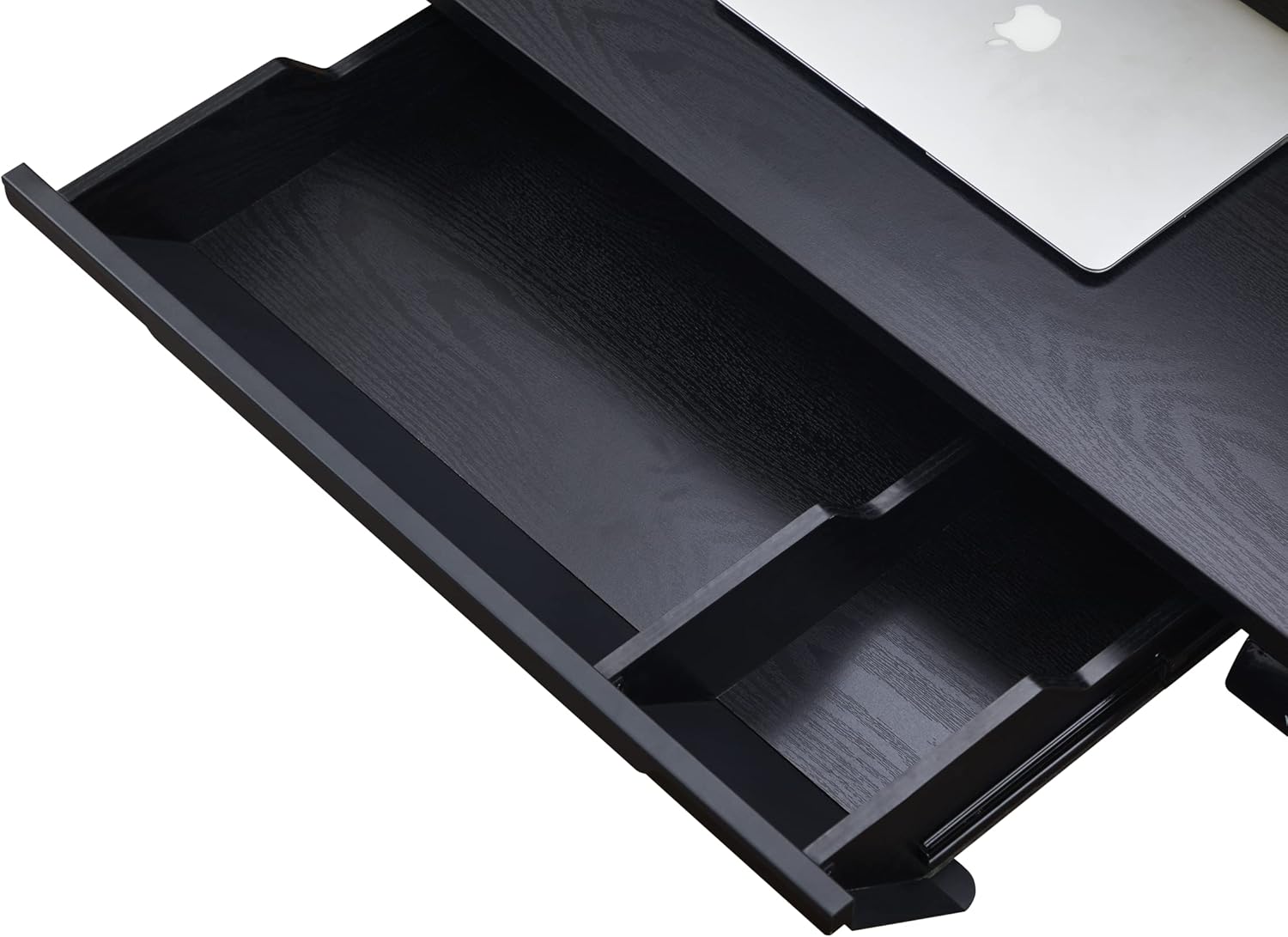
Image: A detailed view of the integrated drawer, providing convenient storage space.
5. Operating Instructions
Your Kowo K304 desk features electric height adjustment and convenient controls.
5.1. Digital Display Control Panel

Image: Overview of the digital display control panel, convenient cup holder, hanging hooks, and integrated USB ports.
- Up/Down Arrows (▲ / ▼): Press and hold to adjust the desk height up or down. Release the button to stop at the desired height.
- Memory Presets (1, 2, 3, 4):
- To Save a Height: Adjust the desk to your desired height. Press the "M" button, then press one of the number buttons (1, 2, 3, or 4) within 3 seconds. The display will show "S-" followed by the number, indicating the height is saved.
- To Use a Saved Height: Press the corresponding number button (1, 2, 3, or 4). The desk will automatically move to the saved height.
- USB Ports: The control panel includes 1 Type A and 1 Type C USB port for charging devices.
5.2. Height Adjustment Range

Image: Illustration of the desk's smooth and silent height adjustment mechanism, showing the minimum height of 28.7 inches (73 cm) and maximum height of 47.2 inches (120 cm).
- Minimum Height: 28.7 inches (73 cm)
- Maximum Height: 47.2 inches (120 cm)
- Adjustment Speed: Approximately 25mm per second.
6. Maintenance
Proper care will ensure the longevity of your Kowo K304 standing desk.
- Cleaning: Wipe the desk surface and frame with a soft, damp cloth. Avoid harsh chemicals or abrasive cleaners.
- Cable Management: Periodically check and organize cables to prevent tangles and damage.
- Motor Inspection: Ensure the motor and power connections are free from dust and debris. Do not attempt to open the motor housing.
- Weight Capacity: Do not overload the desk. The maximum weight capacity is 110 lbs (50 kg).
7. Troubleshooting
If you encounter issues with your desk, refer to the following common problems and solutions.
| Problem | Possible Cause | Solution |
|---|---|---|
| Desk does not move. | Power cable disconnected, motor error, overload. | Check power connections. Reduce weight on desk. Unplug for 10 seconds and plug back in to reset. |
| Desk moves unevenly. | Uneven weight distribution, loose connections. | Distribute weight evenly. Check all assembly screws are tight. |
| Error code on display. | Specific motor or sensor issue. | Refer to the full troubleshooting guide (if available) or contact customer support with the specific error code. Try a power cycle (unplug, wait 10s, plug in). |
| Desk is shaky. | Loose connections, uneven floor. | Ensure all screws are tightened. Adjust leveling feet if your floor is uneven. |
If the problem persists, contact Kowo customer support.
8. Specifications
| Feature | Detail |
|---|---|
| Model Number | K3041-02-14-DD (K304 Series) |
| Product Dimensions (D x W x H) | 23.6"D x 54.3"W x 53.1"H (600mm D x 1380mm W x 1350mm H) |
| Adjustable Height Range | 28.7" (73 cm) to 47.2" (120 cm) |
| Maximum Weight Capacity | 110 lbs (50 kg) |
| Desk Top Material | Wood |
| Base Material | Iron |
| Color | Black |
| Special Features | Electric Height Adjustment, Memory Presets, Back Board, Drawer, USB Ports (Type A & Type C), Cup Holder, Hanging Hooks |
| Item Weight | 79.6 Pounds |

Image: Detailed dimensions of the Kowo K304 standing desk, including width, depth, and height range.
9. Customer Support
For assistance with assembly, operation, or troubleshooting, please contact Kowo customer support.
- Online Support: Visit the official Kowo website for FAQs and support resources.
- Contact Information: Refer to your purchase documentation or the Kowo website for direct contact methods.
Note: This product may be eligible for extended protection plans. Please refer to your retailer for details.


