Introduction
Thank you for choosing the Sper Scientific Portable Digital Kitchen Timer 810015. This versatile timer is designed for precision and ease of use in various settings, including kitchens, laboratories, classrooms, and for personal activities. It features four independent timing channels, a clock function, and a large, clear display. Please read this manual thoroughly to ensure proper operation and to maximize the timer's functionality.

Image: Front view of the Sper Scientific Portable Digital Kitchen Timer 810015, showing the digital display and control buttons.
Key Features
- Four Independent Timers: Manage up to four separate tasks simultaneously.
- Clock Function: Displays current time in 12/24 hour format.
- Large Digital Display: Clear and easy-to-read digits for all four timers and the clock.
- Count Up/Down Capability: Functions as both a stopwatch and a countdown timer.
- 1-Minute Alarm: Audible alert for each completed timer channel.
- Versatile Mounting Options: Includes a fold-out stand, pocket clip, and magnetic back for flexible placement.
- Compact and Portable Design: Lightweight and easy to carry or store.

Image: Diagram highlighting the timer's key features, including four independent timers, a time range of 0-99 hours, 59 minutes, 59 seconds, 1-second resolution, count up/down functionality, and a 1-minute alarm.
Package Contents
Upon opening your package, please verify that all items are present:
- Sper Scientific Portable Digital Kitchen Timer 810015
- Instruction Manual
- CR2032 Battery
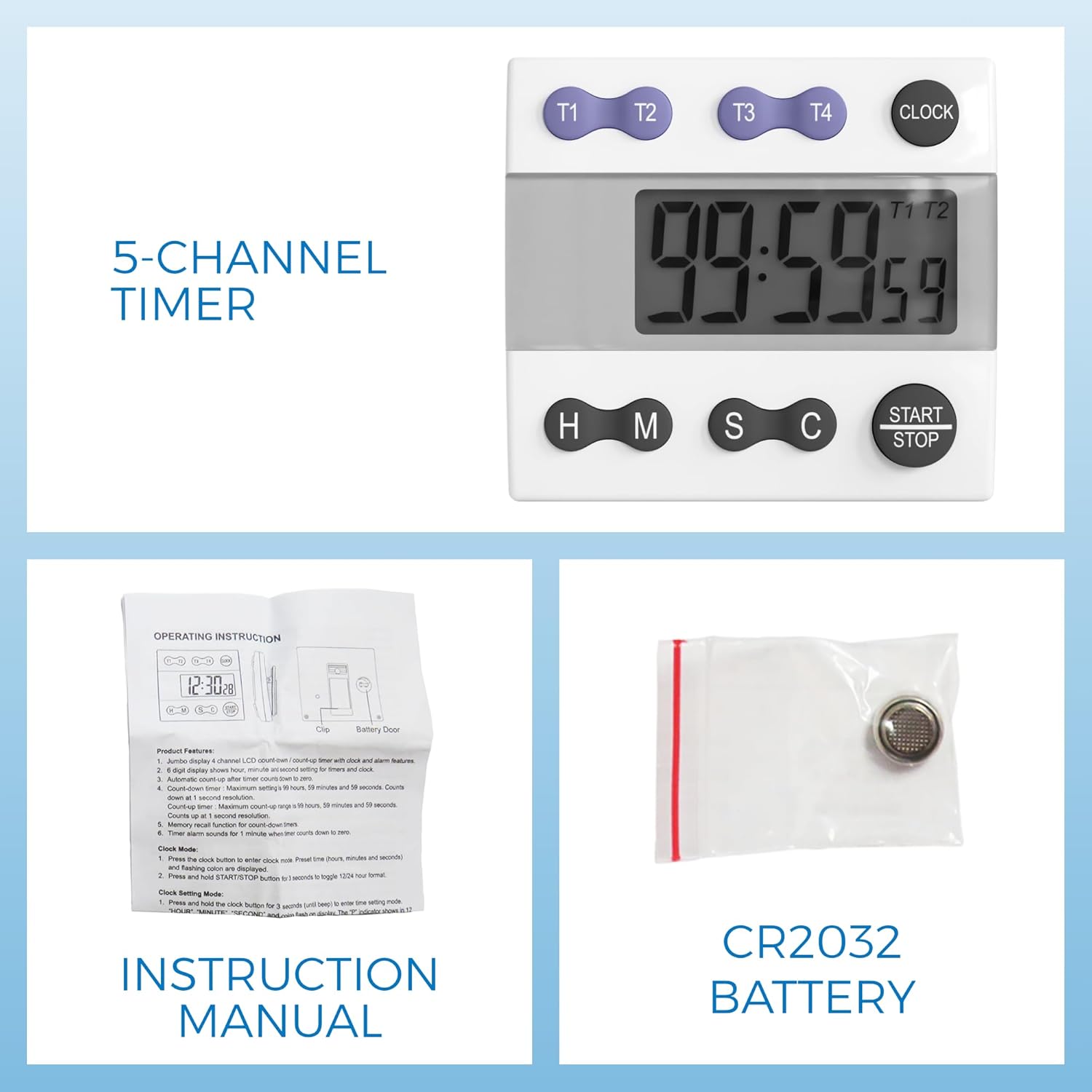
Image: Contents of the product package, showing the timer, a folded instruction manual, and a CR2032 battery in a small plastic bag.
Setup
Battery Installation
- Locate the battery compartment on the back of the timer.
- Open the battery compartment cover.
- Insert one CR2032 battery, ensuring the correct polarity (+/-).
- Close the battery compartment cover securely.
Initial Power On
After battery installation, the timer should power on automatically and display the clock or a default timer setting.
Operating Instructions
Button Functions Overview

Image: Close-up of the timer's buttons with labels indicating their functions: T1, T2, T3, T4 for timer channel selection; CLOCK for clock mode; H, M, S for setting hours, minutes, and seconds; C for clearing; and START/STOP for initiating or pausing a timer.
- T1, T2, T3, T4: Selects the desired timer channel (Timer 1 to Timer 4).
- CLOCK: Toggles between timer mode and clock display mode. Press and hold to set the clock.
- H (Hour): Sets the hour for the selected timer or clock.
- M (Minute): Sets the minute for the selected timer or clock.
- S (Second): Sets the second for the selected timer or clock.
- C (Clear): Clears the time setting for the currently selected timer.
- START/STOP: Starts or stops the selected timer.
Setting the Clock
- Press the CLOCK button to enter clock mode.
- Press and hold the CLOCK button for approximately 3 seconds until the hour digits begin to flash.
- Use the H, M, and S buttons to adjust the hour, minute, and second respectively.
- Press the CLOCK button again to confirm the setting and exit clock setting mode.
- To switch between 12-hour and 24-hour format, press and hold the S button while in clock display mode.
Setting a Countdown Timer
- Select a timer channel (T1, T2, T3, or T4) by pressing the corresponding button. The selected timer's indicator will appear on the display.
- Use the H, M, and S buttons to set the desired countdown time. The maximum setting is 99 hours, 59 minutes, and 59 seconds.
- Press the START/STOP button to begin the countdown.
- To pause the countdown, press START/STOP again. Press it once more to resume.
- When the countdown reaches zero, an alarm will sound for approximately 60 seconds.
- To stop the alarm, press any button. The timer will automatically reset to the last set time.
- To clear a timer setting, select the timer channel and press the C button.
Using the Count-Up Timer (Stopwatch)
- Select a timer channel (T1, T2, T3, or T4).
- Ensure the selected timer is cleared (display shows 00:00:00). If not, press the C button.
- Press the START/STOP button to begin counting up.
- To pause the count-up, press START/STOP again. Press it once more to resume.
- To reset the count-up timer to zero, press the C button while the timer is stopped.
Maintenance
Cleaning
Wipe the timer with a soft, damp cloth. Do not use abrasive cleaners or immerse the unit in water.
Battery Replacement
When the display becomes dim or the timer functions erratically, it is time to replace the CR2032 battery. Follow the battery installation steps outlined in the Setup section.
Troubleshooting
| Problem | Possible Cause | Solution |
|---|---|---|
| Timer does not power on. | Battery is not installed or is depleted. | Install a new CR2032 battery, ensuring correct polarity. |
| Display is dim or flickering. | Low battery power. | Replace the CR2032 battery. |
| Alarm is not sounding. | Timer volume may be too low (if adjustable, though this model typically has a fixed alarm). | Ensure the timer is not covered or obstructed. If the issue persists, the battery may be low. |
| Buttons are unresponsive. | Temporary software glitch or low battery. | Remove and reinsert the battery to perform a soft reset. If the issue persists, replace the battery. |
Specifications
- Model: 810015
- Brand: Sper Scientific
- Material: Acrylonitrile Butadiene Styrene (ABS)
- Dimensions (L x W x H): Approximately 3.5" x 3" x 1.25" (8.9 cm x 7.6 cm x 3.2 cm)
- Item Weight: 2 ounces (56.7 grams)
- Timer Channels: 4 independent channels
- Time Range: 0 to 99 hours, 59 minutes, 59 seconds
- Resolution: 1 second
- Alarm Duration: Approximately 60 seconds
- Power Source: 1 x CR2032 battery
- Display: Large LCD

Image: Visual representation of the timer's dimensions (2.88" wide, 2.5" tall, 0.56" thick) and weight (2 oz), along with its integrated stand, pocket clip, and magnetic back.
Versatile Applications
The Sper Scientific 810015 timer is suitable for a variety of uses:
- Cooking and Baking: Perfect for managing multiple dishes or steps in a recipe.
- Laboratory Experiments: Ideal for precise timing in scientific procedures.
- Classroom Activities: Useful for managing test times, group work, or presentations.
- Workouts and Fitness: Helps track exercise intervals or rest periods.
- General Household Tasks: For any activity requiring timed intervals.

Image: A collage demonstrating various applications of the timer, including cooking, laboratory use, presentations, and workouts.
Warranty Information
Specific warranty details for the Sper Scientific Portable Digital Kitchen Timer 810015 are not provided in the available product data. Please refer to the official Sper Scientific website or contact their customer support for detailed warranty terms and conditions.
Support
For technical assistance, product inquiries, or further support, please visit the official Sper Scientific website or contact their customer service department. Contact information is typically available on the manufacturer's website or within the product packaging.
You can find more information about Sper Scientific products by visiting their store: Sper Scientific Store on Amazon.


