1. Introduction
Thank you for choosing the ICE smart 3.0 Black Milanese Smartwatch. This manual provides essential information for setting up, operating, maintaining, and troubleshooting your device. Please read it carefully to ensure optimal performance and longevity of your smartwatch.
The ICE smart 3.0 combines elegant design with advanced features, including a vibrant 1.78-inch AMOLED display, integrated GPS, health monitoring, and seamless smartphone connectivity.
2. Getting Started
2.1 Package Contents
- ICE smart 3.0 Smartwatch
- Charging Cable
- User Manual (this document)
2.2 Charging the Smartwatch
Before first use, fully charge your ICE smart 3.0. Connect the magnetic charging cable to the charging points on the back of the watch and plug the USB end into a power adapter (not included) or a computer's USB port. A full charge typically takes approximately 2 hours. The battery life is approximately 3 to 5 days depending on usage.

Figure 1: Front view of the ICE smart 3.0 Smartwatch.
2.3 Pairing with Your Smartphone
- Download the official ICE smart application from your smartphone's app store (compatible with iOS 9.0+ and Android 5.1+).
- Ensure Bluetooth is enabled on your smartphone.
- Open the ICE smart app and follow the on-screen instructions to create an account or log in.
- Select 'Add Device' or 'Pair New Device' within the app.
- Select 'ICE smart 3.0' from the list of available devices.
- Confirm the pairing request on both your smartphone and the smartwatch.
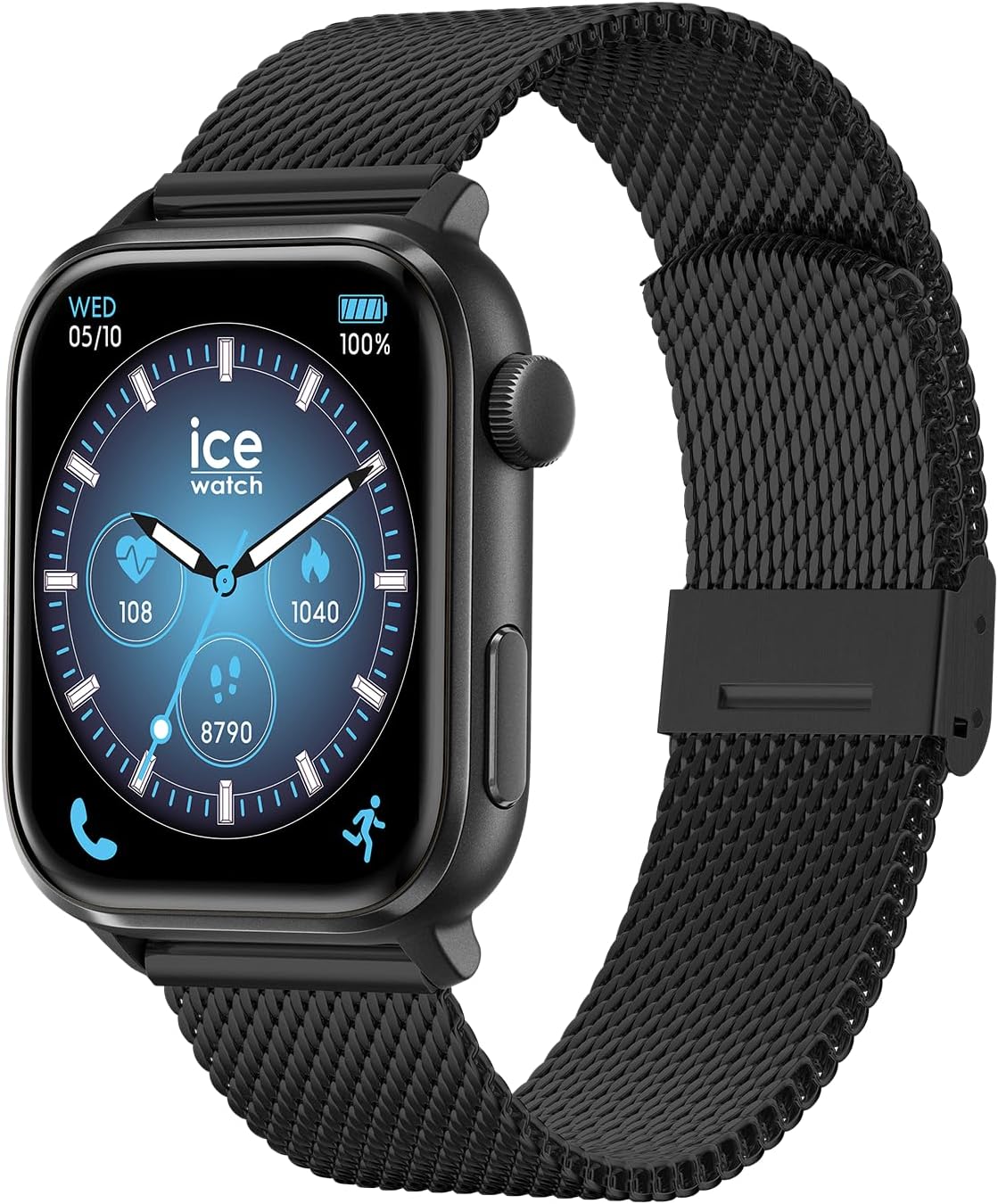
Figure 2: ICE smart 3.0 Smartwatch with detached Milanese band.
3. Operating Your Smartwatch
3.1 Basic Navigation
- Touchscreen: Swipe left/right, up/down to navigate through menus and features. Tap to select.
- Side Button/Crown: Press to return to the home screen or activate specific functions as configured in the app.
3.2 Key Features
- Integrated GPS: Track your outdoor activities with precise location data. Compatible with Strava for detailed activity analysis and sharing.
- Health Monitoring: Continuously monitor essential health metrics such as heart rate, steps, and sleep patterns.
- Notifications: Receive call, message, and app notifications directly on your wrist.
- ICE Call (In Case of Emergency): Directly call pre-set emergency contacts from your watch.
- Music Player Control: Control music playback on your paired smartphone.
- Alarm: Set alarms and reminders.

Figure 3: Side view of the ICE smart 3.0 Smartwatch.
4. Maintenance
4.1 Water Resistance
The ICE smart 3.0 is IP68 certified, meaning it is resistant to splashes and can withstand immersion in water up to 1.5 meters deep for a maximum of 30 minutes. It is suitable for daily use and light rain. However, it is not designed for aquatic sports such as swimming, diving, or showering with hot water, as steam and high pressure can compromise the seals.
4.2 Cleaning and Care
- Wipe the watch and band regularly with a soft, damp cloth.
- Avoid using harsh chemicals, abrasive cleaners, or solvents.
- Ensure the charging contacts are clean and dry before charging.
4.3 Battery Longevity
- Avoid extreme temperatures (hot or cold) as they can affect battery life.
- Do not leave the watch fully discharged for extended periods.
- For long-term storage, charge the battery to about 50%.
5. Troubleshooting
5.1 Common Issues and Solutions
- Watch not turning on: Ensure the watch is fully charged. Try connecting it to the charger for at least 30 minutes.
- Cannot pair with smartphone:
- Ensure Bluetooth is enabled on your phone and the watch.
- Make sure the watch is within Bluetooth range (approx. 10 meters).
- Restart both the watch and your smartphone.
- Clear Bluetooth cache on your phone (Android) or forget the device and re-pair (iOS).
- Notifications not appearing:
- Check notification settings in the ICE smart app.
- Ensure app permissions are granted for notifications on your phone.
- Verify that the watch is connected to your phone via Bluetooth.
- Inaccurate health data: Ensure the watch is worn snugly on your wrist, not too tight or too loose. Clean the sensor on the back of the watch.
6. Specifications
| Feature | Detail |
|---|---|
| Model Number | 024656 |
| Display | 1.78-inch AMOLED Touchscreen |
| Battery Type | Lithium Polymer |
| Battery Capacity | 380mAh |
| Battery Life | 3-5 days (typical usage) |
| Connectivity | Bluetooth |
| GPS | Integrated GPS |
| Water Resistance | IP68 (up to 1.5m for 30 minutes) |
| OS Compatibility | iOS 9.0+ / Android 5.1+ |
| Memory Storage | 129 MB |
| Dimensions (Package) | 16.1 x 9.6 x 3.4 cm |
| Weight (Package) | 190 grams |
7. Warranty and Support
All ICE-WATCH products, including the ICE smart 3.0, come with a 2-year warranty from the date of purchase. This warranty covers manufacturing defects and malfunctions under normal use.
For warranty claims, technical support, or any inquiries regarding your ICE smart 3.0 smartwatch, please contact ICE-WATCH customer service through the official website or your point of purchase. Please have your proof of purchase and the product's model number (024656) ready when contacting support.
For more information, visit the official ICE-WATCH store: ICE-WATCH Store