
1. Introduction
Thank you for choosing the Amazon Basics Bluetooth Speaker. This compact and portable speaker is designed to deliver premium sound with enhanced bass, featuring IPX5 waterproofing for versatile indoor and outdoor use. This manual provides essential information for setting up, operating, and maintaining your speaker.

Figure 1: Amazon Basics Bluetooth Speaker highlighting key features.
2. Safety Information
- Do not expose the speaker to extreme temperatures or direct sunlight.
- Avoid dropping or subjecting the speaker to strong impacts.
- Keep the speaker away from water sources, despite its IPX5 rating, to prevent damage to internal components.
- Do not attempt to disassemble or repair the speaker yourself. Contact qualified service personnel.
- Use only the provided USB-C charging cable or a certified equivalent.
3. Package Contents
Ensure all items are present in the package:
- Amazon Basics Bluetooth Speaker
- 30cm USB Charging Cable
- Wrist Strap
- Quick Setup Guide (QSG)
- User Manual (this document)
4. Product Overview
4.1 Controls and Ports

Figure 2: Top control panel of the speaker.
- Bluetooth Button: Press and hold to enter pairing mode.
- Volume Down (-): Short press to decrease volume. Long press for previous track.
- Volume Up (+): Short press to increase volume. Long press for next track.
- Power Button: Press and hold to power on/off. Short press to play/pause.
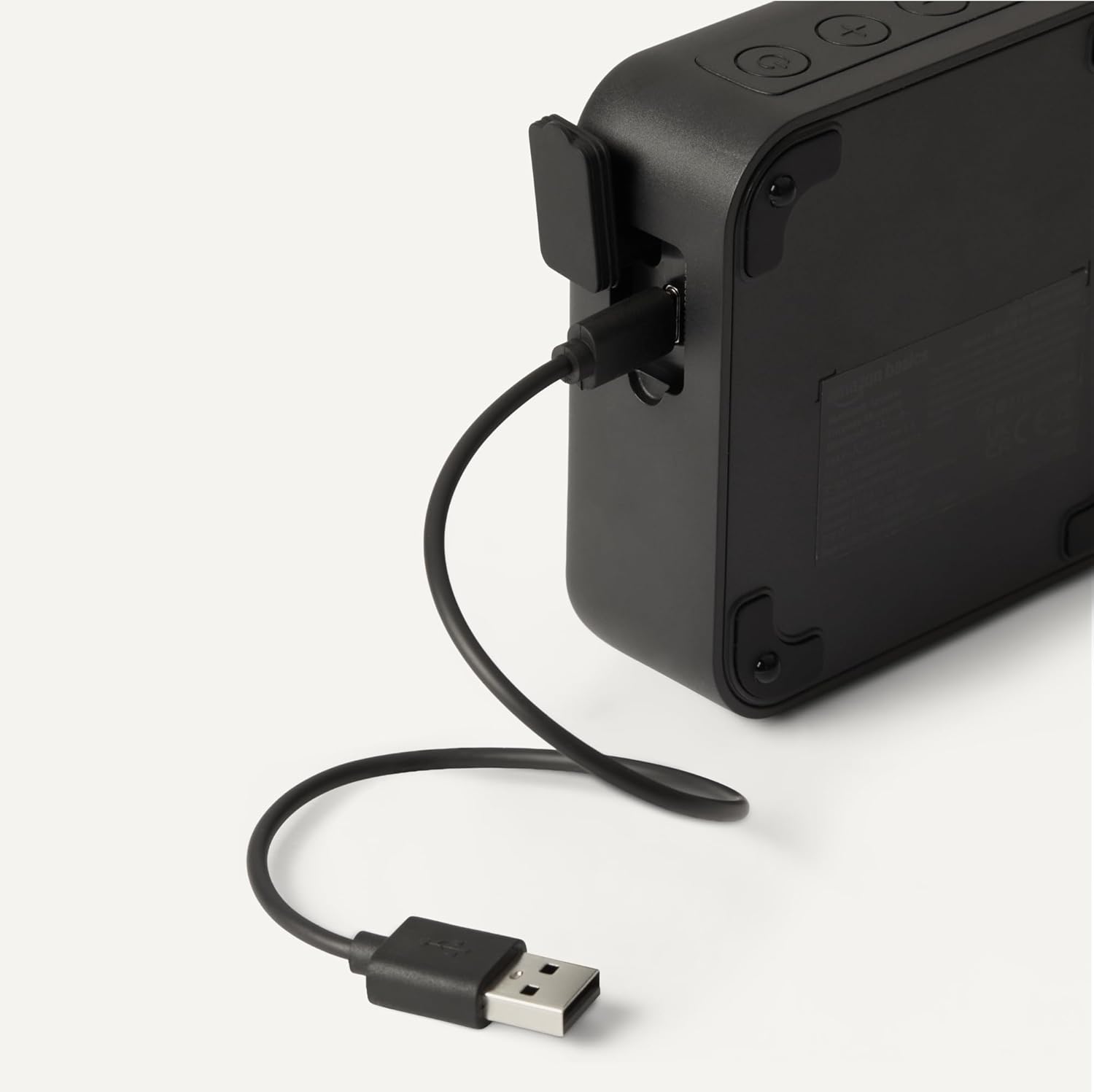
Figure 3: USB-C charging port.
- USB-C Charging Port: Connect the provided USB-C cable for charging.
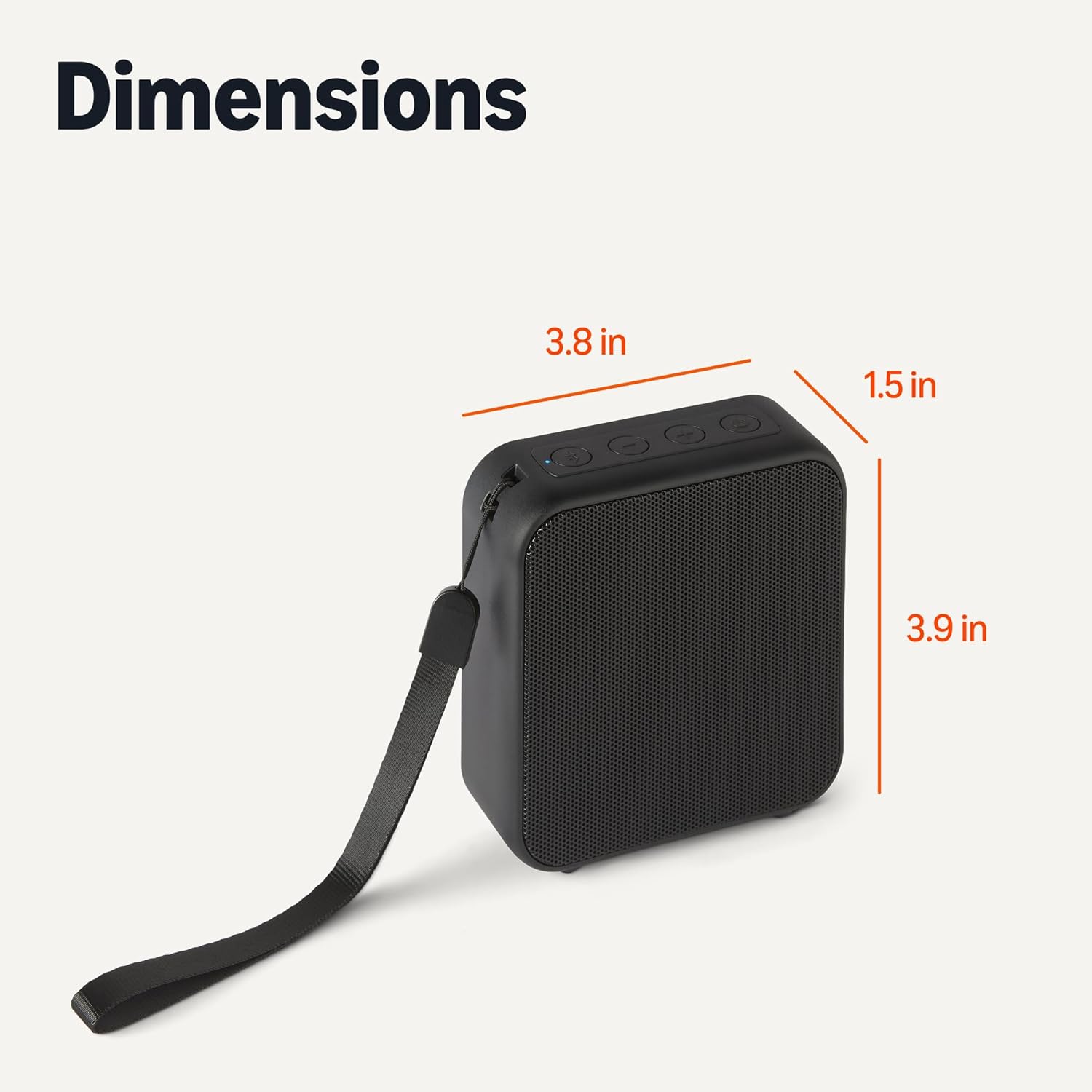
Figure 4: Speaker with wrist strap.
- Wrist Strap: Attach the included wrist strap for easy portability.
5. Setup
5.1 Charging the Speaker
- Connect the small end of the USB-C charging cable to the speaker's USB-C port.
- Connect the large end of the USB cable to a USB power adapter (not included) or a computer's USB port.
- The LED indicator will show charging status. A full charge takes approximately 3 hours.
5.2 Bluetooth Pairing
- Ensure the speaker is charged and powered off.
- Press and hold the Power button to turn on the speaker. The speaker will enter pairing mode automatically, indicated by a flashing blue LED.
- On your Bluetooth-enabled device (smartphone, tablet, laptop), go to the Bluetooth settings.
- Search for available devices and select "Amazon Basics BT Speaker" from the list.
- Once connected, the blue LED will stop flashing and remain solid. You will hear an audible confirmation.
- The speaker will automatically reconnect to the last paired device when powered on, if the device is within range and Bluetooth is enabled.
6. Operation
6.1 Power On/Off
- To Power On: Press and hold the Power button for 2-3 seconds.
- To Power Off: Press and hold the Power button for 2-3 seconds.
6.2 Playing Audio
- After successful Bluetooth pairing, open your music application on your device and start playing audio.
- Play/Pause: Short press the Power button to play or pause the audio.
6.3 Volume and Track Control
- Increase Volume: Short press the "+" button.
- Decrease Volume: Short press the "-" button.
- Next Track: Long press the "+" button.
- Previous Track: Long press the "-" button.
7. Maintenance
7.1 Cleaning and Storage
- Wipe the speaker with a soft, dry cloth. Do not use abrasive cleaners or solvents.
- Store the speaker in a cool, dry place away from direct sunlight and extreme temperatures.
- If not used for extended periods, charge the speaker at least once every three months to maintain battery health.
8. Troubleshooting
Refer to the table below for common issues and their solutions:
| Problem | Solution |
|---|---|
| Speaker does not power on. | Ensure the speaker is fully charged. Connect to a power source and try again. |
| Cannot pair with Bluetooth device. | Make sure the speaker is in pairing mode (flashing blue LED). Ensure Bluetooth is enabled on your device and it is within 10 meters of the speaker. Forget the device in your phone's Bluetooth settings and try pairing again. |
| No sound or low volume. | Check the volume levels on both the speaker and your connected device. Ensure the speaker is properly paired. |
| Sound distortion. | Move the speaker closer to your device to reduce interference. Lower the volume on both the speaker and your device. |
| Speaker disconnects frequently. | Ensure the speaker and your device are within Bluetooth range (10 meters) and there are no significant obstacles. Check for other interfering wireless devices. |
9. Specifications
Detailed technical specifications for the Amazon Basics Bluetooth Speaker:
| Feature | Detail |
|---|---|
| Model Name | Amazon Basics BT Speaker |
| Item Model Number | AMZ-B5520A |
| Connectivity Technology | Bluetooth 5.3 |
| Bluetooth Range | Up to 10 meters (33 feet) |
| Speaker Type | Portable Speaker |
| Audio Output Mode | Stereo |
| Speaker Maximum Output Power | 3 Watts |
| Speaker Size | 1.75 Inches |
| Power Source | Battery Powered |
| Battery Capacity | 800 mAh |
| Charging Time | Approximately 3 hours |
| Playtime | Up to 6 hours (at 50% volume) |
| Water Resistance Level | IPX5 (Waterproof) |
| Product Dimensions (LxWxH) | 3.90 x 3.78 x 1.46 inches (9.9 x 9.6 x 3.7 cm) |
| Item Weight | 10 ounces (283.5 grams) |
| Color | Black |
10. Warranty Information
This Amazon Basics Bluetooth Speaker comes with a Limited Warranty. For specific details regarding warranty coverage, duration, and terms, please refer to the warranty card included in your product packaging or visit the official Amazon Basics website.
11. Customer Support
For further assistance, troubleshooting, or product inquiries, please contact Amazon Basics customer support through the Amazon website or your purchase platform. Have your product model number (AMZ-B5520A) and purchase details ready.


