
1. Introduction
Thank you for choosing the Onforu 100W Dusk to Dawn Outdoor LED Flood Light. This high-performance lighting fixture is designed to provide reliable and efficient illumination for various outdoor applications. Featuring 11000 lumens of bright daylight white light (6500K) and an IP66 waterproof rating, it is suitable for yards, garages, pathways, and other exterior areas. This manual provides essential information for safe installation, operation, and maintenance of your flood light.
2. Safety Information
WARNING: Risk of electric shock. Disconnect power at the fuse or circuit breaker before installation or servicing.
- Read all instructions carefully before installation.
- Installation must be performed by a qualified electrician in accordance with national and local electrical codes.
- Ensure the supply voltage is correct (120V AC) before connecting the fixture.
- Do not install on surfaces that are not structurally sound.
- Do not look directly into the LED light source when illuminated.
- Keep flammable materials away from the light fixture.
- This product is designed for outdoor use and is IP66 rated for water resistance. However, ensure all connections are properly sealed to prevent water ingress.
3. Package Contents
Verify that all components are present before beginning installation:
- Onforu 100W LED Flood Light (Model BDB70D-3)
- Mounting Hardware (Silicone Gasket*1, Expansion Rubber Plug*3, Machine Screw*2, Long Machine Screw*1, Wire Nuts*3, Machine Screw*2, Machine Screw*3)
- EVA Gasket*1
- Mounting Bracket*1
- Wiring Instructions

Figure 3.1: Product with adjustable heads and included accessories.
4. Specifications
| Feature | Specification |
|---|---|
| Brand | Onforu |
| Model Number | BDB70D-3 |
| Wattage | 100 watts |
| Brightness | 11000 lumens |
| Color Temperature | 6500 Kelvin (Daylight White) |
| Voltage | 120 volts |
| Water Resistance Level | IP66 Waterproof |
| Number of Light Sources | 3 (Adjustable Heads) |
| Material | Aluminum |
| Dimensions (L x W x H) | 10.7"L x 6.2"W x 4"H |
| Installation Type | Wall Mount |
5. Setup and Installation
Follow these steps for proper installation. Ensure power is disconnected before starting.
- Prepare the Mounting Surface: Choose a suitable location for wall mounting. The recommended installation height is 9.84ft (3m) for optimal coverage.
- Mount the Bracket: Secure the mounting bracket to the junction box using the provided screws. Ensure it is firmly attached.
- Wire the Light: Connect the live wire (black), neutral wire (white), and ground wire (green) from your electrical supply to the corresponding wires on the flood light using the included wire nuts. Ensure all connections are secure and insulated.
- Attach the Light Body: Carefully attach the light body to the mounting bracket using the long machine screw.
- Adjust Light Heads: The three lamp heads can be adjusted to your desired angle (up to 335° horizontally and 110° vertically) to customize the illuminating area.

Figure 5.1: Installation steps for the Onforu LED Flood Light.

Figure 5.2: Installation height recommendations and light coverage.
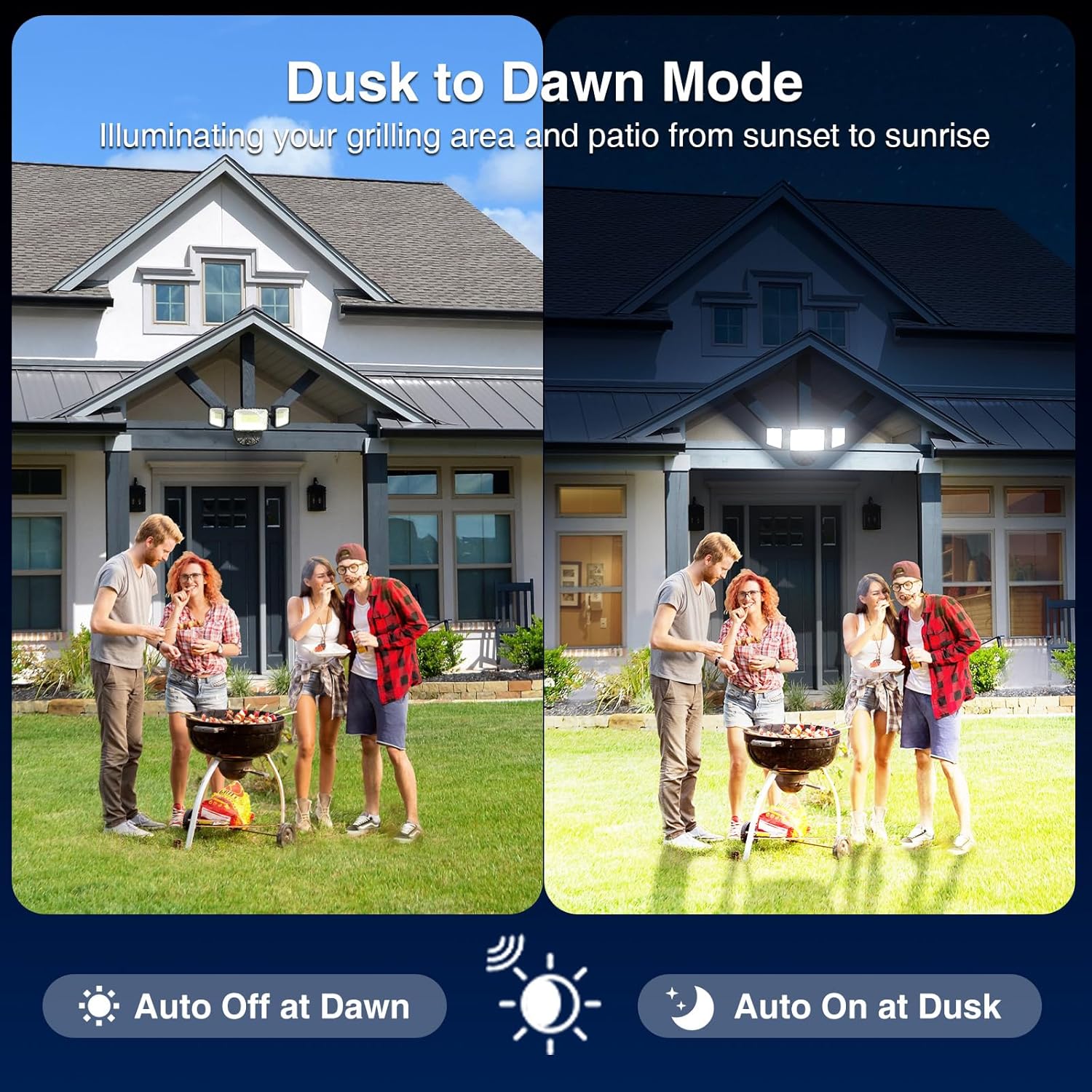
Figure 5.3: Example of light coverage in a yard setting.
6. Operating Modes
The Onforu LED Flood Light offers two operating modes:
- Dusk to Dawn Mode (Automatic):
This mode utilizes the built-in photocell sensor. The light will automatically turn ON when ambient light levels drop (10-20 Lux) and turn OFF when ambient light levels increase (30-60 Lux). This provides automatic, hands-free operation from sunset to sunrise.

Figure 6.1: Dusk to Dawn automatic operation.
- Switch-Controlled Mode (Always On):
To operate the light using a standard wall switch, cover the photocell sensor with the included black EVA cap. Once the sensor is covered, the light will function as a normal switch-controlled fixture, allowing you to manually turn it on and off.

Figure 6.2: Always On mode activated by covering the sensor.
Product Overview Video
Video 6.1: An overview of the Onforu 100W Dusk to Dawn Outdoor Lighting, demonstrating its features and functionality.
7. Maintenance
Regular maintenance ensures optimal performance and longevity of your flood light:
- Cleaning: Periodically clean the light fixture and photocell sensor with a soft, damp cloth to remove dirt, dust, or debris. Do not use abrasive cleaners or solvents.
- Inspection: Annually inspect the wiring and mounting hardware for any signs of wear, corrosion, or loosening. Tighten connections as needed.
- Lens Condition: Ensure the lens covers are free from cracks or damage that could compromise the IP66 rating.
CAUTION: Always disconnect power before performing any maintenance.
8. Troubleshooting
If you encounter issues with your Onforu LED Flood Light, refer to the following common problems and solutions:
| Problem | Possible Cause | Solution |
|---|---|---|
| Light does not turn on at dusk. |
|
|
| Light stays on during the day. |
|
|
| Light flickers or is dim. |
|
|
9. Warranty and Support
Onforu products are designed for quality and reliability. For warranty information or technical support, please refer to the documentation included with your purchase or visit the official Onforu website. Please have your model number (BDB70D-3) and purchase date available when contacting support.
Manufacturer: Onforu
For further assistance, please visit the Onforu Store on Amazon.


