
1. Introduction
This manual provides essential instructions for the proper use and care of your Samsung Galaxy S25 Ultra Standing Grip Case. This official Samsung accessory is designed to protect your device while offering enhanced grip and a convenient standing function.
Please read this manual thoroughly before using the product to ensure optimal performance and longevity.
2. Setup: Installing the Case
Follow these steps to correctly install the Standing Grip Case on your Samsung Galaxy S25 Ultra.
- Prepare your device: Ensure your Samsung Galaxy S25 Ultra is clean and free of dust or debris.
- Align the case: Hold the case with the camera cutout aligned with your phone's camera module.
- Insert the phone: Gently push your phone into the case, starting with one side, then carefully pressing the other side until the phone is fully seated within the case. Ensure all edges are securely covered.
- Check fit: Verify that all buttons, ports, and the camera are accessible and unobstructed.
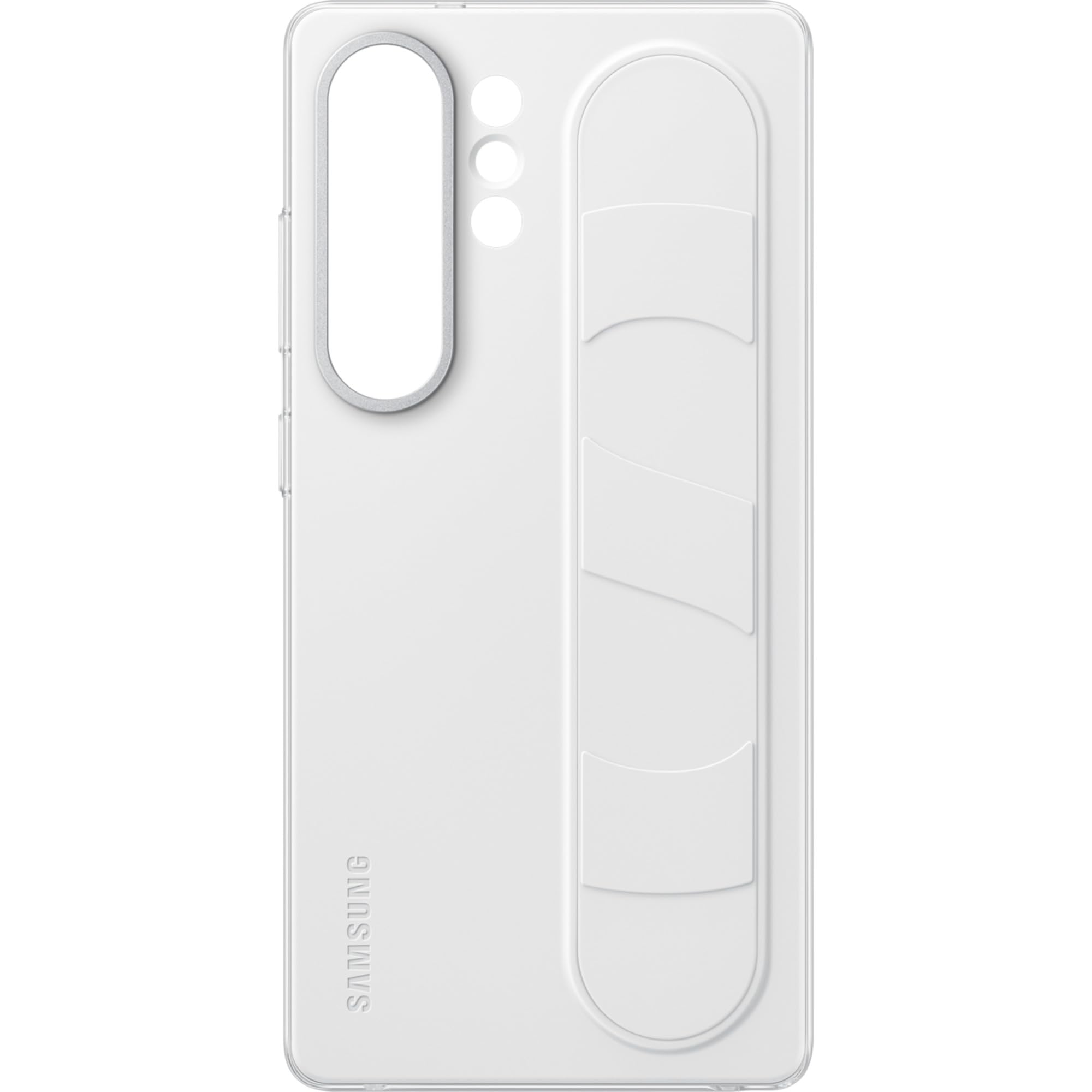
Figure 2.1: The Samsung Galaxy S25 Ultra Standing Grip Case in white, shown installed on a compatible smartphone. The image highlights the sleek fit and the integrated grip mechanism on the back.
3. Operation: Using the Standing Grip Feature
The integrated grip on the back of the case serves a dual purpose: providing a secure hold and functioning as a kickstand.
3.1. Hand Grip Function
- To use as a hand grip, slide your fingers through the loop on the back of the case. This provides a more secure hold on your device, reducing the risk of accidental drops.
3.2. Standing Function (Kickstand)
- To activate the standing function, pull the grip loop outwards from the case.
- Position your phone horizontally or vertically, using the extended grip as a stable stand. This allows for hands-free viewing of content.
- Ensure the grip is fully extended and locked into position for maximum stability.
- When finished, gently push the grip loop back into its recessed position until it is flush with the case.
4. Maintenance and Care
Proper care will extend the life and appearance of your case.
- Cleaning: Use a soft, damp cloth with mild soap and water to clean the silicone surface.
- Avoid harsh chemicals: Do not use alcohol, abrasive cleaners, or strong detergents, as these can damage the silicone material and its coating, potentially making it sticky or attracting dust.
- Drying: Allow the case to air dry completely before reattaching it to your phone.
- Storage: Store the case in a cool, dry place away from direct sunlight when not in use.
5. Troubleshooting
If you encounter issues with your Standing Grip Case, refer to the following common solutions.
| Problem | Possible Cause | Solution |
|---|---|---|
| Grip does not stay extended. | Improper extension or wear over time. | Ensure the grip is fully pulled out until it clicks into a stable position. If the issue persists after prolonged use, the mechanism may be worn. |
| Case feels sticky or attracts dust. | Exposure to harsh chemicals or improper cleaning. | Clean the case with a soft cloth, mild soap, and water. Avoid alcohol-based cleaners. |
| Phone does not fit securely. | Incorrect phone model or improper installation. | Verify that the case is designed for the Samsung Galaxy S25 Ultra. Re-install the phone, ensuring all edges are properly seated. |
6. Specifications
- Brand: Samsung
- Model Name: EF-GS938CWEGWW
- Model Number: EF-GS938
- Compatible Phone Models: Samsung Galaxy S25 Ultra
- Material: Silicone
- Color: White
- Additional Features: Hand Grip/Stand
- Item Dimensions: 0.43 x 3.15 x 6.5 inches
- Item Weight: 46 Grams
- Water Resistance Level: Water Resistant
7. Warranty and Support
For warranty information and customer support, please refer to the official Samsung website or contact your local Samsung service center. Keep your proof of purchase for warranty claims.
Online Support: Visit Samsung Support for product registration, FAQs, and service requests.


