Introduction
Thank you for choosing the Pxwaxpy Portable Charger Power Bank 40,800mAh. This device is designed to provide reliable and fast charging for your electronic devices on the go. Featuring built-in cables and multiple output ports, it offers convenience and versatility. This manual provides essential information on how to set up, operate, maintain, and troubleshoot your power bank to ensure optimal performance and longevity.
Product Overview
Key Features:
- 40,800mAh High Capacity: Provides multiple charges for smartphones, tablets, and other compatible devices.
- Built-in Cables: Includes integrated iOS (Lightning) and Type-C cables for direct device charging, eliminating the need to carry extra cables.
- 25W PD & QC 4.0 Fast Charging: Supports Power Delivery (PD) and Quick Charge (QC 4.0) protocols for rapid charging of compatible devices.
- Multiple Outputs: Features 5 output options (2 built-in cables, 2 USB-A ports, 1 USB-C port) to charge up to 5 devices simultaneously.
- Dual Inputs: Recharge the power bank via the built-in USB-A cable or the USB-C port.
- LED Digital Display: Clearly shows the remaining battery percentage.
- Advanced Safety Protection: Equipped with an Intelligent Controlling IC to prevent overcharge, overvoltage, overcurrent, and short circuits.
Package Contents:
- 1 x Pxwaxpy Portable Charger Power Bank (Model HX160Q1) with Built-in Cables
- 1 x Type-C Charging Cable (for recharging the power bank)
- 1 x User Manual

Figure 1: Pxwaxpy Portable Charger Power Bank showing its sleek design, built-in cables, and digital display.
Safety Information
Please read and follow these safety instructions carefully to prevent damage to the product or injury to yourself.
- Do not expose the power bank to extreme temperatures (hot or cold), direct sunlight, or fire.
- Do not immerse the power bank in water or other liquids.
- Avoid dropping, hitting, or disassembling the device.
- Keep out of reach of children.
- Use only certified chargers and cables for recharging the power bank.
- If the power bank swells, emits smoke, or shows any other abnormal behavior, discontinue use immediately.
- Do not attempt to modify or repair the device yourself. Contact customer support for assistance.
- This power bank contains a lithium polymer battery. Please dispose of it responsibly according to local regulations.
Setup
Initial Charging of the Power Bank:
- Upon first use, it is recommended to fully charge the power bank.
- Connect the provided Type-C charging cable to the power bank's Type-C input port.
- Plug the other end of the Type-C cable into a compatible USB wall adapter (not included).
- Alternatively, you can use the built-in USB-A cable to recharge the power bank by plugging it into a USB wall adapter.
- The LED digital display will show the charging progress, indicating 100% when fully charged.
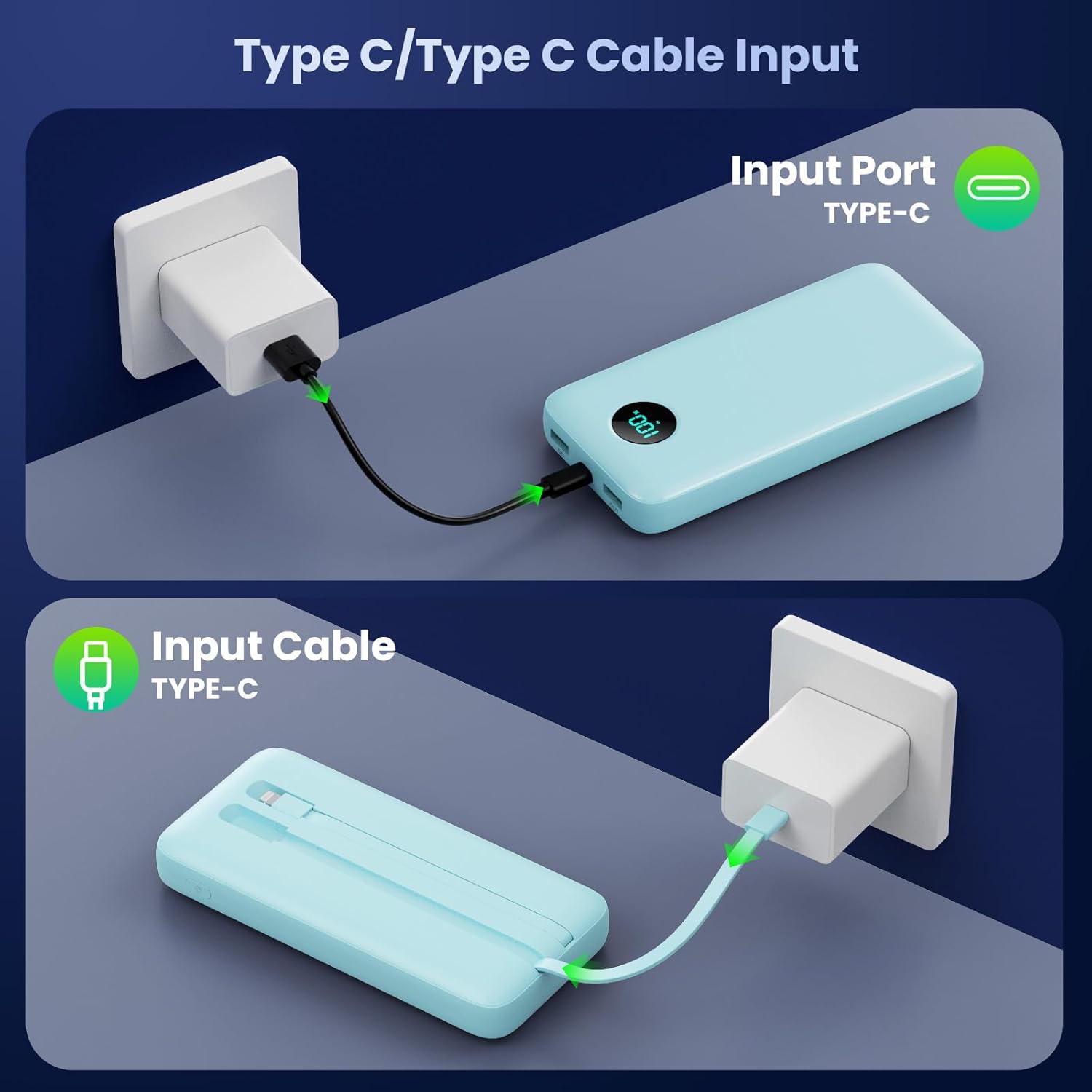
Figure 2: Recharging the Pxwaxpy Power Bank using its Type-C input port or the built-in Type-C cable.
Operating Instructions
Charging Your Devices:
The power bank offers multiple ways to charge your devices:
- Using Built-in Cables:
- Locate the built-in iOS (Lightning) or Type-C cable.
- Pull out the appropriate cable and connect it directly to your compatible device.
- The power bank will automatically begin charging.
- Using USB-A Ports:
- Connect your device's charging cable to one of the two USB-A output ports on the power bank.
- Connect the other end of your cable to your device.
- Charging will commence automatically.
- Using USB-C Port (Output):
- Connect your device's USB-C charging cable to the power bank's USB-C port (which also functions as an output).
- Connect the other end to your USB-C compatible device.
- Fast charging (PD) will activate if your device supports it.
You can charge up to 5 devices simultaneously using a combination of the built-in cables and external ports.

Figure 3: The Pxwaxpy Power Bank simultaneously charging multiple devices, including smartphones, a tablet, earbuds, and a smartwatch.
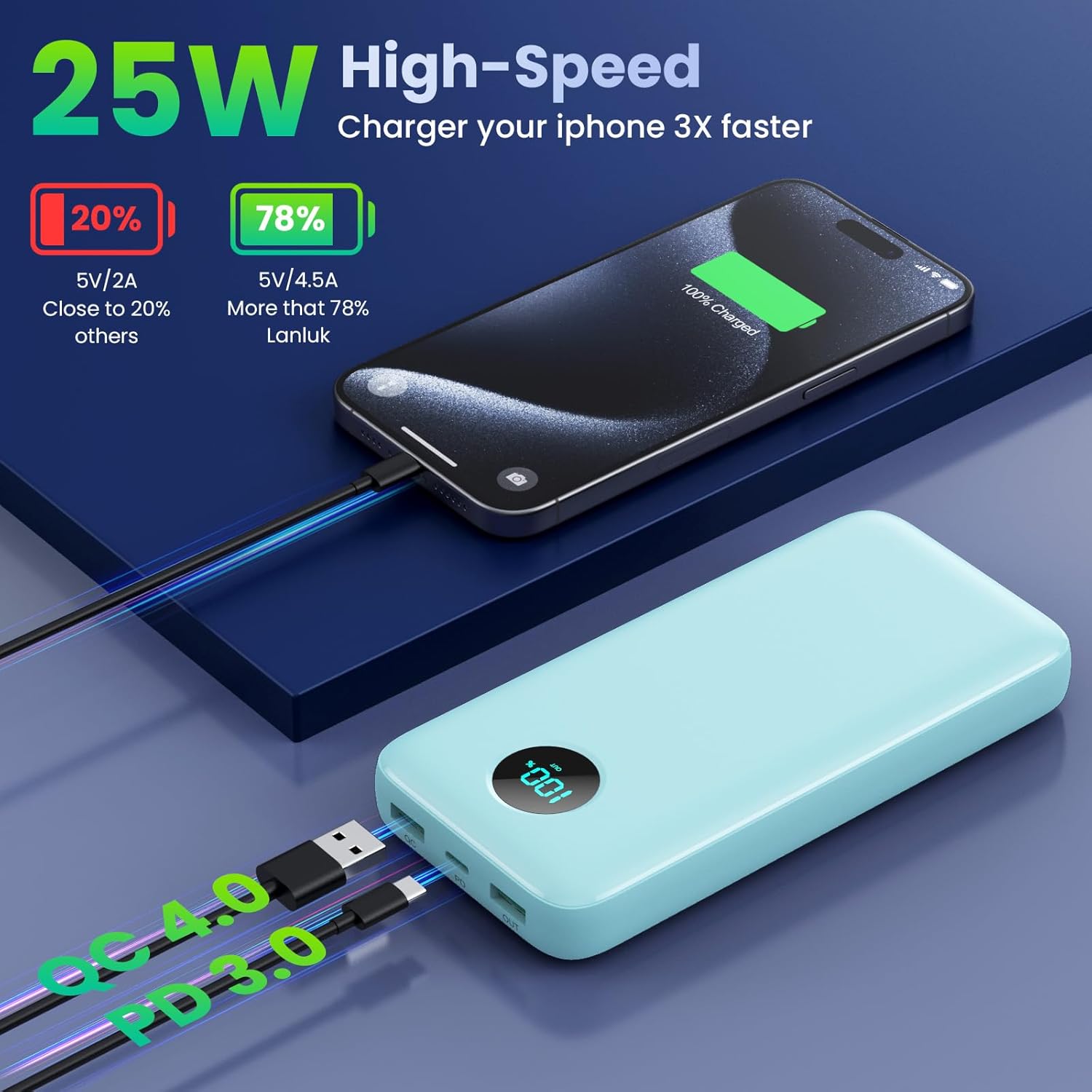
Figure 4: Demonstrating the 25W high-speed charging capability of the power bank, significantly faster than standard charging.
LED Display Indicators
The integrated LED digital display provides real-time information about the power bank's battery status.
- Percentage Display: Shows the remaining battery capacity from 0-100%.
- "IN" Indicator: Appears when the power bank is being recharged.
- "OUT" Indicator: Appears when the power bank is charging an external device.
Monitor the display to know when to recharge the power bank or how much power is left for your devices.
Maintenance
- Cleaning: Use a soft, dry cloth to clean the exterior of the power bank. Do not use harsh chemicals or abrasive materials. Regularly clean the tips of the built-in cables to ensure good contact and prevent oxidation.
- Storage: Store the power bank in a cool, dry place away from direct sunlight and extreme temperatures. For long-term storage, it is recommended to keep the power bank charged to approximately 50-75% to preserve battery health.
- Battery Care: To maximize battery lifespan, avoid fully discharging the power bank frequently. Recharge it when the battery level is low.
Troubleshooting
| Problem | Possible Cause | Solution |
|---|---|---|
| Power bank not charging devices. |
|
|
| Power bank not recharging. |
|
|
| Slow charging of devices. |
|
|
| LED display is not working. |
|
|
Specifications
| Feature | Detail |
|---|---|
| Model Number | HX160Q1 |
| Battery Capacity | 40,800mAh |
| Battery Type | Lithium Polymer |
| Input (USB-C) | 25W Max (PD) |
| Output (USB-C) | 25W Max (PD) |
| Output (USB-A Ports) | QC 4.0 compatible |
| Output (Built-in iOS Cable) | Standard Charging |
| Output (Built-in Type-C Cable) | PD Fast Charging |
| Product Dimensions | 15 x 1.5 x 7.5 inches |
| Item Weight | 1.15 pounds |
| Special Features | LCD Indicator, Fast Charging, Over Discharge Protection, Short Circuit Protection, Overcurrent Protection, Overvoltage Protection |
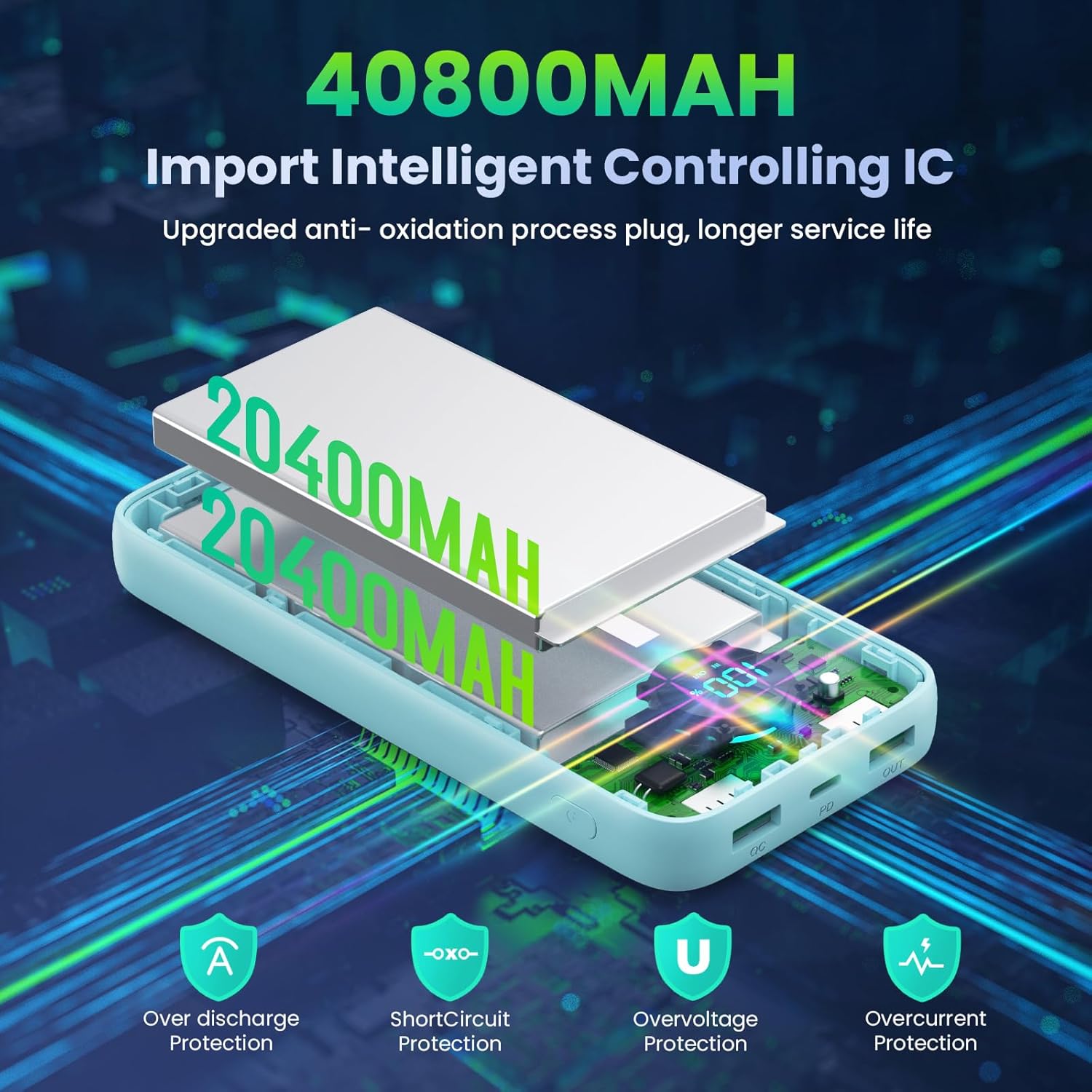
Figure 5: Internal intelligent controlling IC and multiple safety protections for the Pxwaxpy Power Bank.
Warranty and Support
Your Pxwaxpy Portable Charger Power Bank comes with lifetime technical support. For any questions, concerns, or technical assistance, please refer to the contact information provided in your product packaging or visit the official Pxwaxpy website.
Please retain your purchase receipt for any warranty claims.


