
1. Introduction
This manual provides detailed instructions for the INIU W21 Magnetic Wireless Charger Stand. Please read this manual carefully before use to ensure proper operation and to maximize the product's lifespan. This device is designed for efficient and safe wireless charging of compatible Apple devices.
2. Package Contents
Verify that all items listed below are included in your package:
- INIU Magnetic Charging Stand (x1)
- 20W USB-C Adapter (x1)
- User Manual (x1)
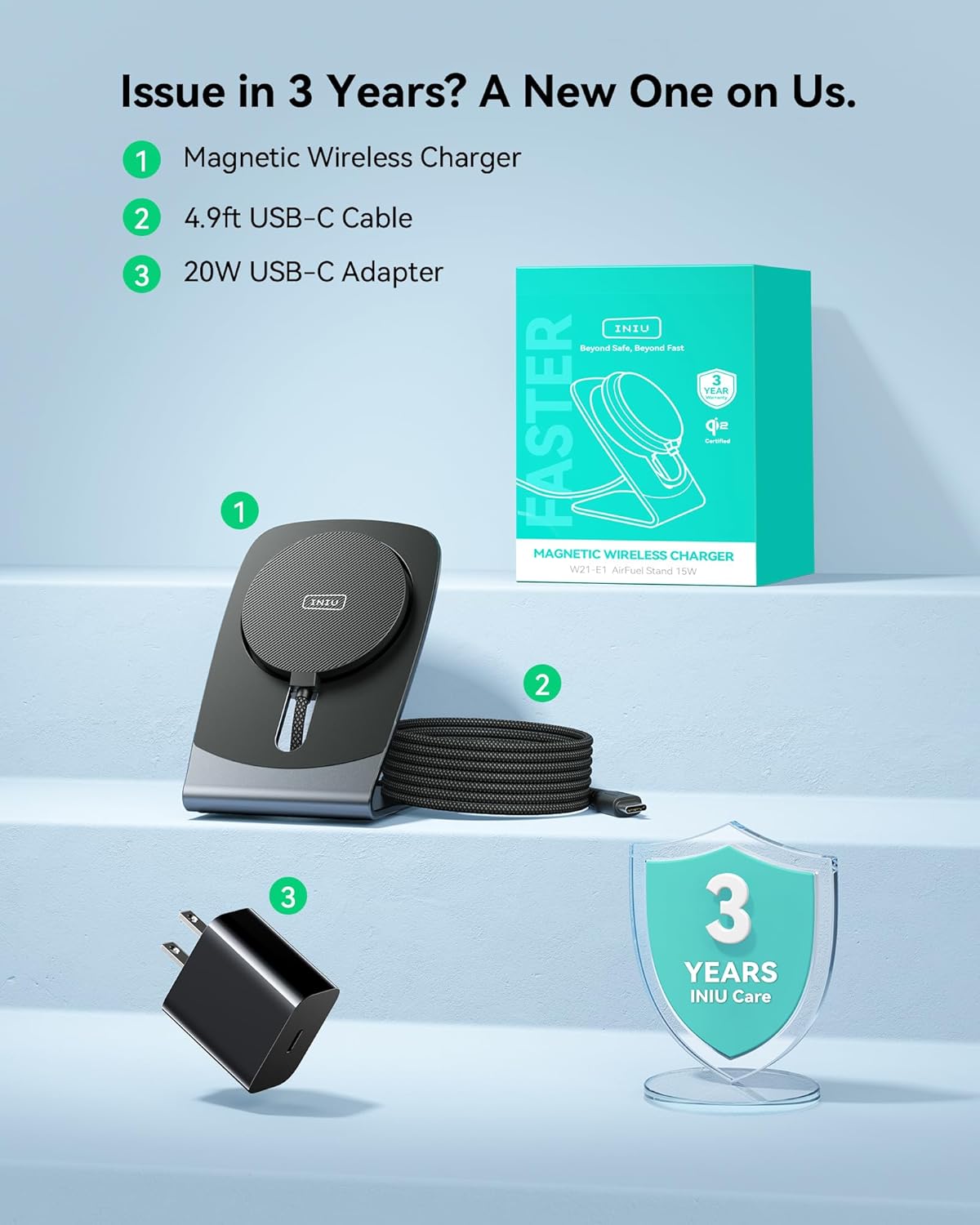
Image: Contents of the INIU W21 Magnetic Wireless Charger Stand package.
3. Safety Information
To ensure safe operation and prevent damage, please observe the following precautions:
- Do not expose the device to water, moisture, or extreme temperatures.
- Avoid dropping, disassembling, or attempting to repair the charger yourself.
- Use only the provided 20W USB-C adapter to power the charger.
- Keep the charger away from strong magnetic fields to prevent interference.
- Ensure proper ventilation around the charger during use.
4. Setup
- Connect the Power Adapter: Plug the provided 20W USB-C Adapter into a standard wall power outlet.
- Connect the Charging Stand: Connect the USB-C cable from the INIU Magnetic Charging Stand to the USB-C port on the power adapter.
- Position the Stand: Place the charging stand on a stable, flat surface, such as a desk or nightstand.
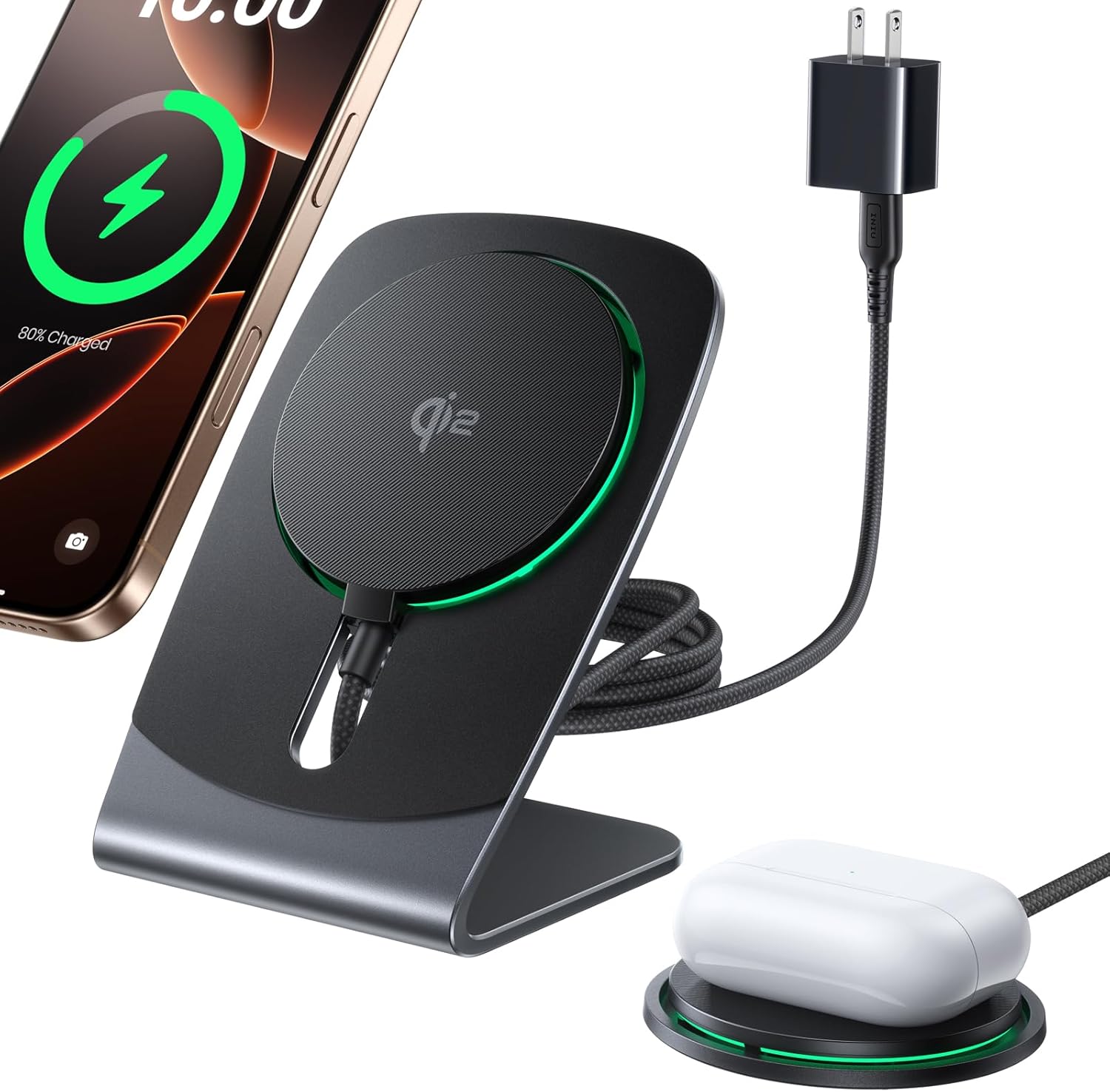
Image: The INIU W21 charger stand, power adapter, and charging cable ready for use.
5. Operating Instructions
5.1 Magnetic Charging
To begin charging, simply align your compatible iPhone (12-17 series) or AirPods (4, 3, Pro, Pro2) with the magnetic charging pad. The device will automatically snap into place, ensuring optimal alignment for charging. A secure magnetic connection is indicated by the device adhering firmly to the pad.

Image: The charger's strong magnetic grip ensures devices remain securely attached during charging.
5.2 Fast Charging
The INIU W21 charger supports Qi2-certified 15W fast wireless charging, providing significantly quicker charging times compared to standard wireless chargers. Ensure your device supports 15W wireless charging for optimal performance.

Image: Charging speed comparison highlighting the efficiency of the INIU Qi2 15W charger.
5.3 Cooling Fan Technology
This charger features an integrated 23-Fin Turbo Cooling Fan. This advanced cooling system actively dissipates heat, maintaining optimal charging temperatures for your device. This prevents overheating, which can prolong your device's battery health and ensure consistent charging speeds.

Image: Internal view of the cooling fan technology designed to prevent iPhone overheating during charging.
5.4 Detachable Design and Versatility
The charging pad can be easily detached from the stand, offering versatile usage options. Use it as a stand for hands-free viewing, video calls, or to utilize iOS StandBy mode. Detach the pad for portable charging or for uninterrupted gaming sessions.

Image: The detachable design allows for flexible use, supporting StandBy mode, hands-free viewing, and portable charging.
6. Compatibility
The INIU W21 Magnetic Wireless Charger Stand is compatible with the following devices:
- iPhones: iPhone 12, 12 Pro, 12 Pro Max; iPhone 13, 13 Pro, 13 Pro Max; iPhone 14, 14 Plus, 14 Pro, 14 Pro Max; iPhone 15, 15 Plus, 15 Pro, 15 Pro Max; iPhone 16, 16 Plus, 16 Pro, 16 Pro Max; iPhone 17, 17 Plus, 17 Pro, 17 Pro Max.
- AirPods: AirPods 4, AirPods 3, AirPods Pro, AirPods Pro 2. Note: Not compatible with AirPods model A2897 released in 2022.
This charger is also compatible with MagSafe-compatible phone cases, provided the case thickness does not exceed 0.16 inches (4mm).
7. Maintenance
Proper maintenance ensures the longevity and optimal performance of your charger:
- Cleaning: Always disconnect the charger from the power source before cleaning. Use a soft, dry, lint-free cloth to gently wipe the surface of the charger. Do not use liquid cleaners, abrasive materials, or aerosols.
- Ventilation: Ensure the cooling fan vents are kept clear of dust and debris to maintain effective heat dissipation.
- Storage: When not in use for extended periods, store the charger in a cool, dry place away from direct sunlight.
8. Troubleshooting
If you encounter issues with your INIU W21 Magnetic Wireless Charger Stand, refer to the following common solutions:
- Device not charging:
- Ensure the power adapter is securely plugged into both the wall outlet and the charging stand.
- Verify your device is properly aligned and centered on the magnetic charging pad.
- Confirm your device is compatible with wireless charging and MagSafe technology.
- Remove any non-MagSafe compatible phone cases or cases thicker than 0.16 inches (4mm).
- Slow charging:
- Ensure you are using the provided 20W USB-C adapter, as lower wattage adapters may result in slower charging.
- Confirm your device supports 15W wireless charging.
- Check for excessive heat; while the cooling fan is designed to prevent this, ensure its vents are clear.
- Cooling fan noise:
- The cooling fan operates to maintain optimal temperature during charging. A low hum is normal. If the noise is excessive, ensure the fan vents are not obstructed by dust or foreign objects.
If the issue persists after attempting these solutions, please contact customer support.
9. Specifications
| Brand | INIU |
| Model | W21 |
| Input Voltage | 12 Volts |
| Amperage | 5 Amps |
| Total USB Ports | 1 (USB Type C) |
| Special Features | Automatic Off, Fast Charging, Magnetic, MagSafe Compatible, Multi-Device Charging, Cooling Fan |
| Package Dimensions | 4.09 x 3.11 x 3.03 inches |
| Item Weight | 4 ounces |
| Date First Available | November 28, 2024 |
| Manufacturer | Shenzhen Topstar Industry Co., Ltd. |
10. Warranty and Support
INIU stands by the quality of its products. The INIU W21 Magnetic Wireless Charger Stand comes with an industry-leading 3-year care warranty.
- Warranty Coverage: For any quality issues encountered within 3 years from the date of purchase, a replacement product will be provided.
- Technical Support: For technical assistance, troubleshooting guidance, or to initiate a warranty claim, please contact INIU customer service. You can typically find contact information on the official INIU website or through the retailer where you purchased the product.
Image: The product packaging highlights the 3-year INIU care warranty.
11. Official Product Videos
Note: No official product videos with 'Seller' as creator type were provided in the product data for embedding in this manual.
