1. Introduction
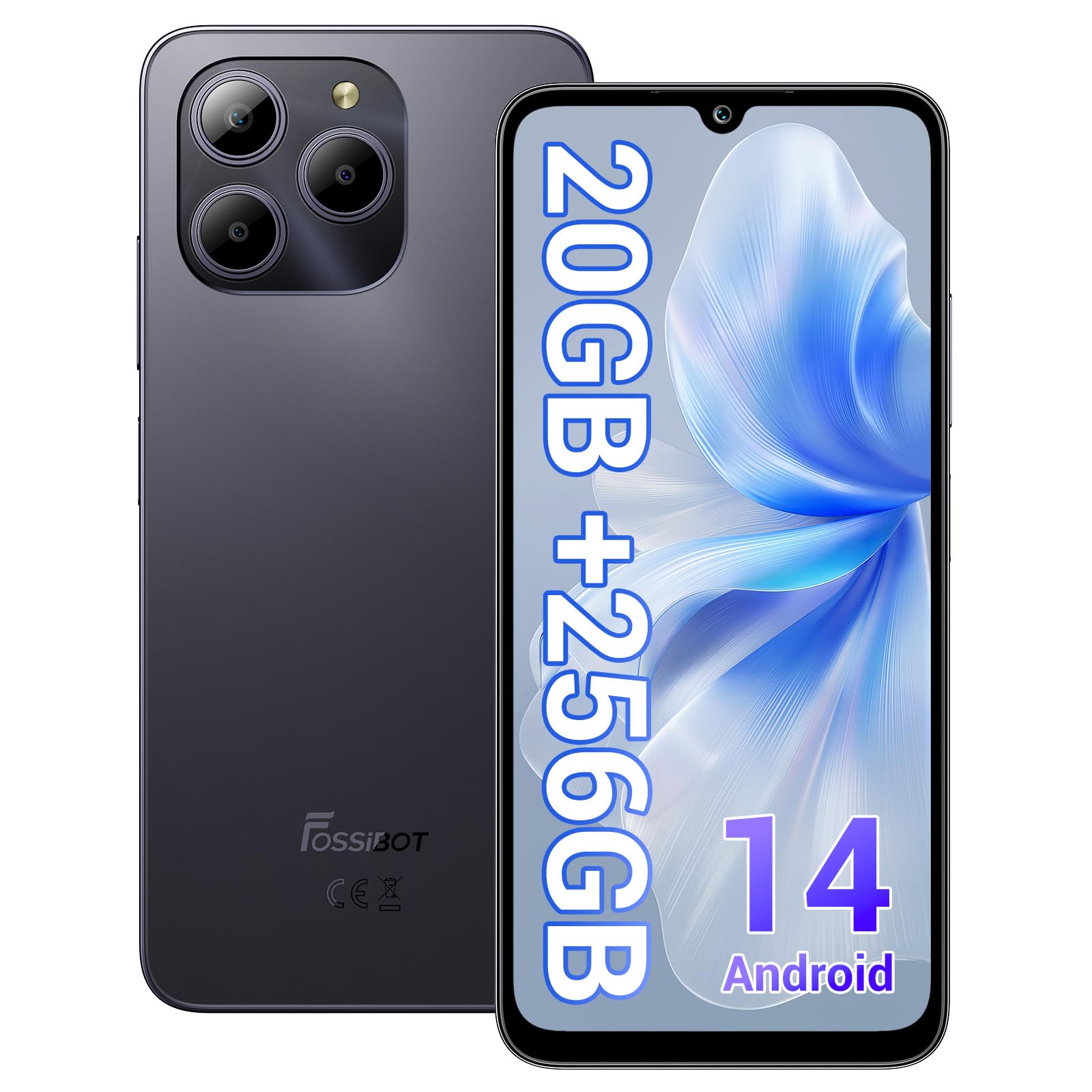
Welcome to the FOSSIBOT S2 Smartphone user manual. This guide provides essential information for setting up, operating, maintaining, and troubleshooting your new device. The FOSSIBOT S2 is an unlocked smartphone featuring Android 14, a 6.72-inch FHD+ display, a 50MP main camera, a 5000mAh battery, and advanced security features like Face ID and a fingerprint sensor.
2. Safety Information
- Battery Safety: Do not attempt to replace the battery yourself. Use only FOSSIBOT-approved chargers and cables. Avoid exposing the device to extreme temperatures or direct sunlight.
- Water Resistance: This device is not waterproof. Avoid exposure to liquids.
- Hearing Protection: Avoid prolonged listening at high volume levels to prevent hearing damage.
- Driving Safety: Do not use your phone while driving. Always prioritize road safety.
- Disposal: Dispose of the device and its accessories responsibly according to local regulations. Do not dispose of with household waste.
3. Package Contents
Verify that all items are present in your product package:
- FOSSIBOT S2 Smartphone
- SIM Card Pin
- Type-C USB Cable
- 18W Charger
- User Manual/Warranty Card
- TPU Case

4. Device Overview
Familiarize yourself with the physical components of your FOSSIBOT S2 smartphone.

- Front: 6.72-inch FHD+ display, 16MP front camera, earpiece.
- Rear: 50MP main camera, LED flash, fingerprint sensor (side-mounted).
- Sides: Power button, volume buttons, SIM/SD card tray, USB Type-C port, 3.5mm audio jack.
5. Setup
5.1 Inserting SIM and SD Cards
- Locate the SIM card tray on the side of your device.
- Insert the provided SIM ejector tool into the small hole next to the tray and press gently until the tray pops out.
- Place your Nano-SIM cards (up to two) and/or a microSD card (for storage expansion up to 1TB) into the designated slots on the tray. Ensure the gold contacts face downwards.
- Carefully reinsert the tray into the phone until it clicks into place.

5.2 Powering On and Initial Setup
- Press and hold the Power button until the FOSSIBOT logo appears.
- Follow the on-screen prompts to select your language, connect to a Wi-Fi network, and set up your Google account.
- You will be guided through setting up security features such as a PIN, pattern, fingerprint, and Face ID.
6. Operating Your Device
6.1 Display
The FOSSIBOT S2 features a 6.72-inch FHD+ In-cell display with a resolution of 1080 x 2400 pixels, providing clear and vibrant visuals.

6.2 Performance
Powered by the MediaTek G85 Octa-Core processor and 20GB RAM (8GB physical + 12GB virtual), the FOSSIBOT S2 delivers smooth performance for multitasking, gaming, and streaming. It includes 256GB of internal storage, expandable up to 1TB with a TF card.

6.3 Camera
Capture high-quality photos and videos with the 50MP AI main camera and take clear selfies with the 16MP front camera. The camera system supports various modes for different shooting scenarios.

6.4 Battery and Charging
The FOSSIBOT S2 is equipped with a 5000mAh battery, providing extended usage time. It supports 18W fast charging via the Type-C port.
6.5 Security Features
Unlock your device securely using the side-mounted fingerprint sensor or Face ID recognition.

6.6 Connectivity
The FOSSIBOT S2 supports dual 4G SIM cards for reliable network coverage. It also includes NFC for contactless payments and GPS/GLONASS/Galileo/Beidou for accurate navigation.

6.7 Android 14 Operating System
Experience the latest features and security enhancements with Android 14, offering improved privacy controls, smarter battery management, and a customizable user interface.

7. Maintenance
- Software Updates: Regularly check for and install system updates to ensure optimal performance and security.
- Cleaning: Use a soft, lint-free cloth to clean the screen and body of the phone. Avoid harsh chemicals.
- Battery Care: To prolong battery life, avoid fully discharging the battery frequently. Charge the device before it drops below 20%.
- Storage Management: Periodically clear unnecessary files and apps to maintain device speed and free up storage.
8. Troubleshooting
If you encounter issues with your FOSSIBOT S2, refer to the following common solutions:
- Device Not Turning On: Ensure the battery is charged. Connect the phone to the charger for at least 15 minutes, then try powering on again.
- Apps Crashing/Freezing: Close background apps. Clear the cache of the problematic app or reinstall it. If the issue persists, perform a factory reset (back up data first).
- Poor Network Signal: Check if your SIM card is properly inserted. Ensure you are within network coverage. Restart the device.
- Battery Draining Quickly: Reduce screen brightness, disable unused features like Wi-Fi, Bluetooth, and GPS when not needed. Check battery usage in settings to identify power-hungry apps.
- Fingerprint/Face ID Not Working: Ensure your fingers are clean and dry for fingerprint recognition. For Face ID, ensure your face is well-lit and unobstructed. Re-register your fingerprint or face if necessary.
For more complex issues, please contact FOSSIBOT customer support.
9. Specifications
| Feature | Specification |
|---|---|
| Model Name | S2 |
| Operating System | Android 14 |
| Processor | MediaTek Helio G85 Octa-Core (2 GHz) |
| RAM | 20 GB (8GB physical + 12GB virtual) |
| Internal Storage | 256 GB |
| Expandable Storage | Up to 1TB via TF card |
| Display Size | 6.72 Inches FHD+ In-cell |
| Display Resolution | 1080 x 2400 pixels |
| Rear Camera | 50MP |
| Front Camera | 16MP |
| Battery Capacity | 5000mAh |
| Charging | 18W Fast Charging (Type-C) |
| Connectivity | Dual 4G SIM, Wi-Fi, Bluetooth, NFC |
| Navigation | GPS, GLONASS, Galileo, Beidou |
| Security | Fingerprint Sensor, Face ID |
| Audio Jack | 3.5 mm |
| Dimensions | 6.57 x 3.03 x 0.34 inches |
| Weight | 1.04 pounds |
10. Warranty and Support
Your FOSSIBOT S2 smartphone comes with a standard manufacturer's warranty. Please refer to the included Warranty Card in your package for specific terms and conditions, including warranty duration and coverage details.
For technical support, service inquiries, or to access additional resources, please visit the official FOSSIBOT website or contact their customer service department. Contact information can typically be found on the Warranty Card or the FOSSIBOT brand store page.
Online Support: Visit the FOSSIBOT Store on Amazon


