
1. Introduction
Thank you for choosing the EVTSCAN SCY-16102 1/16 Scale 2.4G 4WD RC Car. This high-performance remote control vehicle is designed for off-road enthusiasts, offering a realistic driving experience with advanced features such as a 2.4G full-scale synchronous remote control system, independent suspension, and LED headlights. This manual provides essential information for the proper setup, operation, maintenance, and safety of your RC car.
2. Package Contents
Please verify that all items listed below are included in your package:
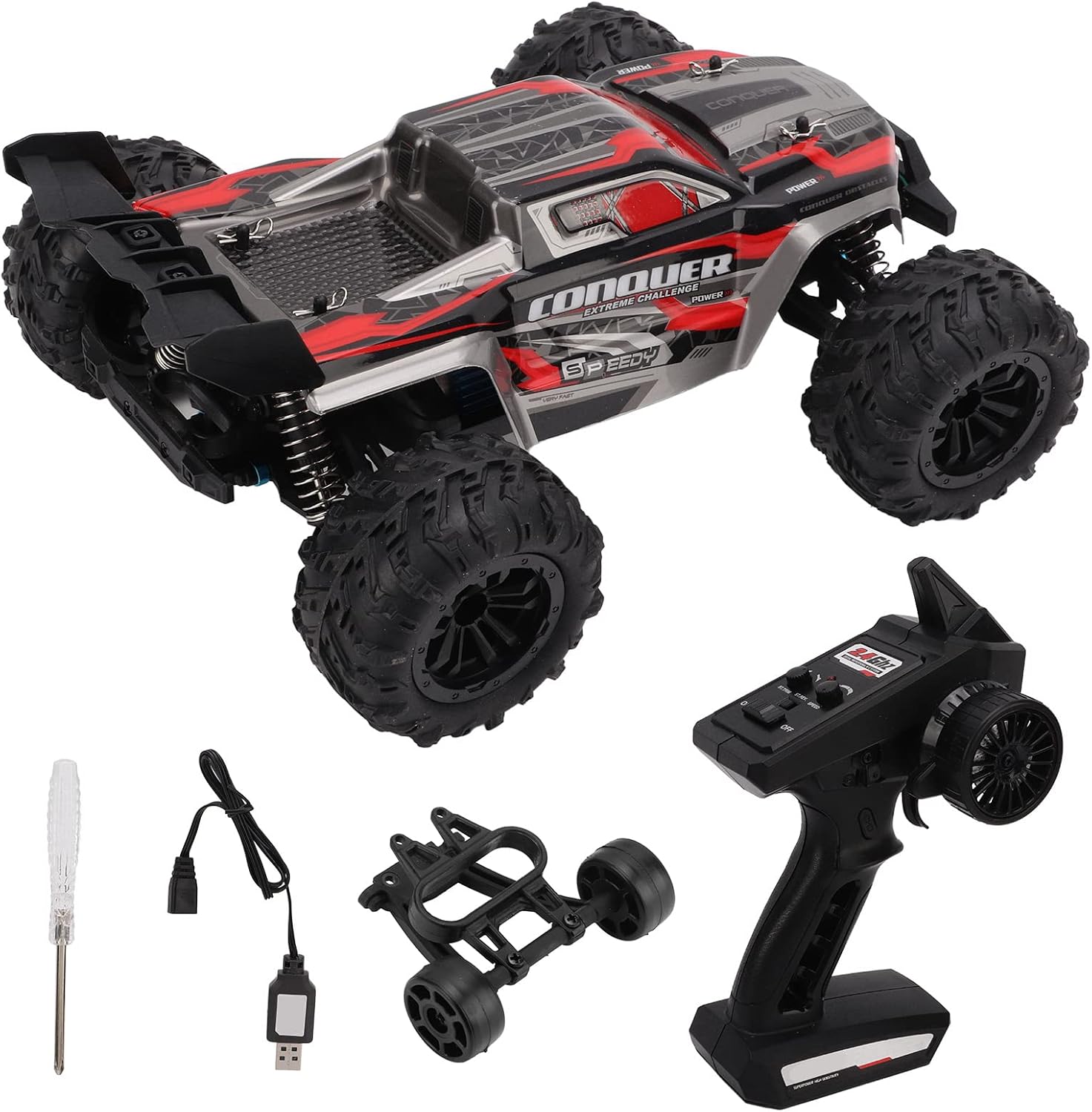
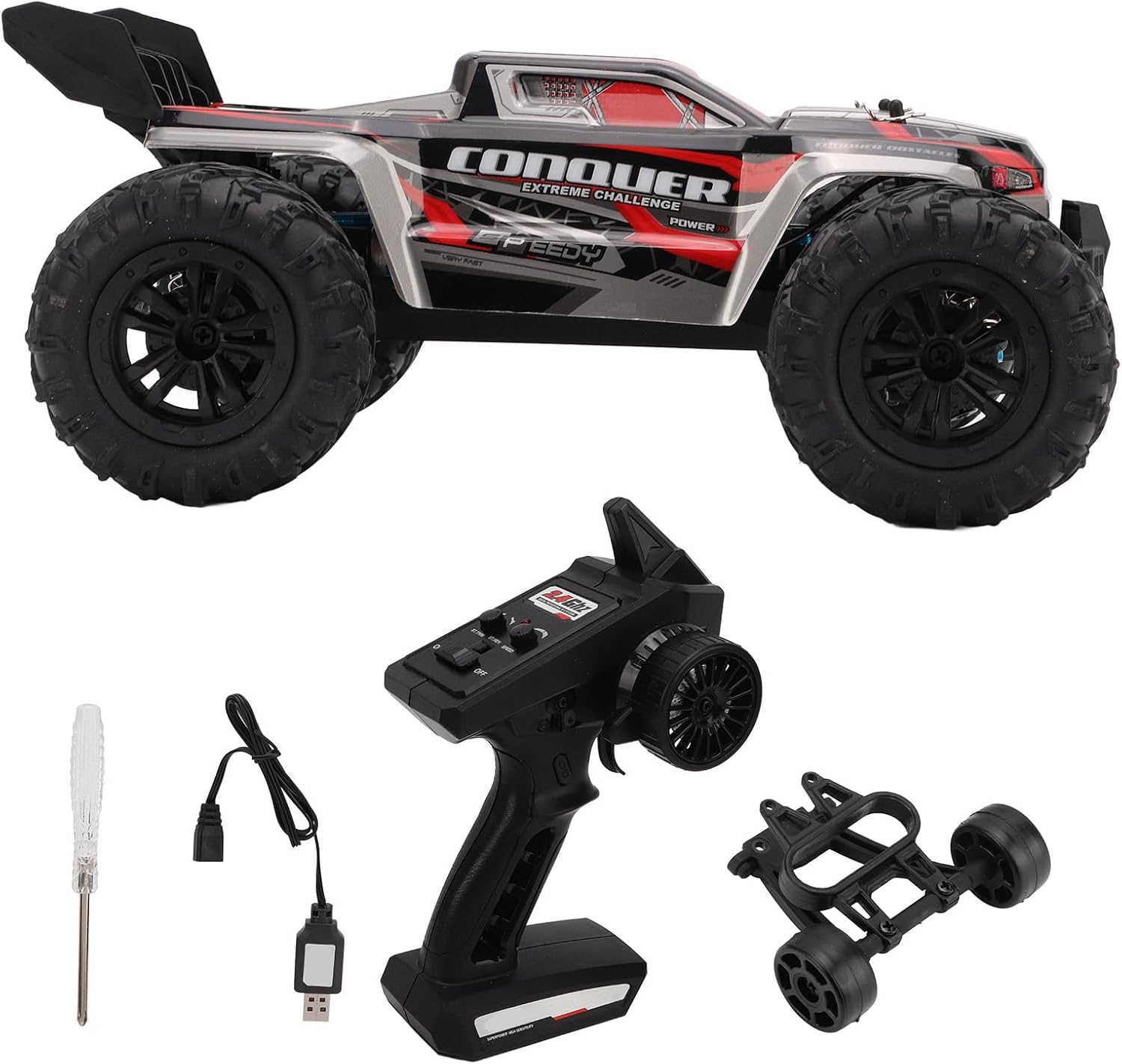
- 1 x Remote Control Car
- 1 x Remote Control
- 1 x Instruction Manual
- 1 x Rear Wing
- 1 x Head-up Wheel
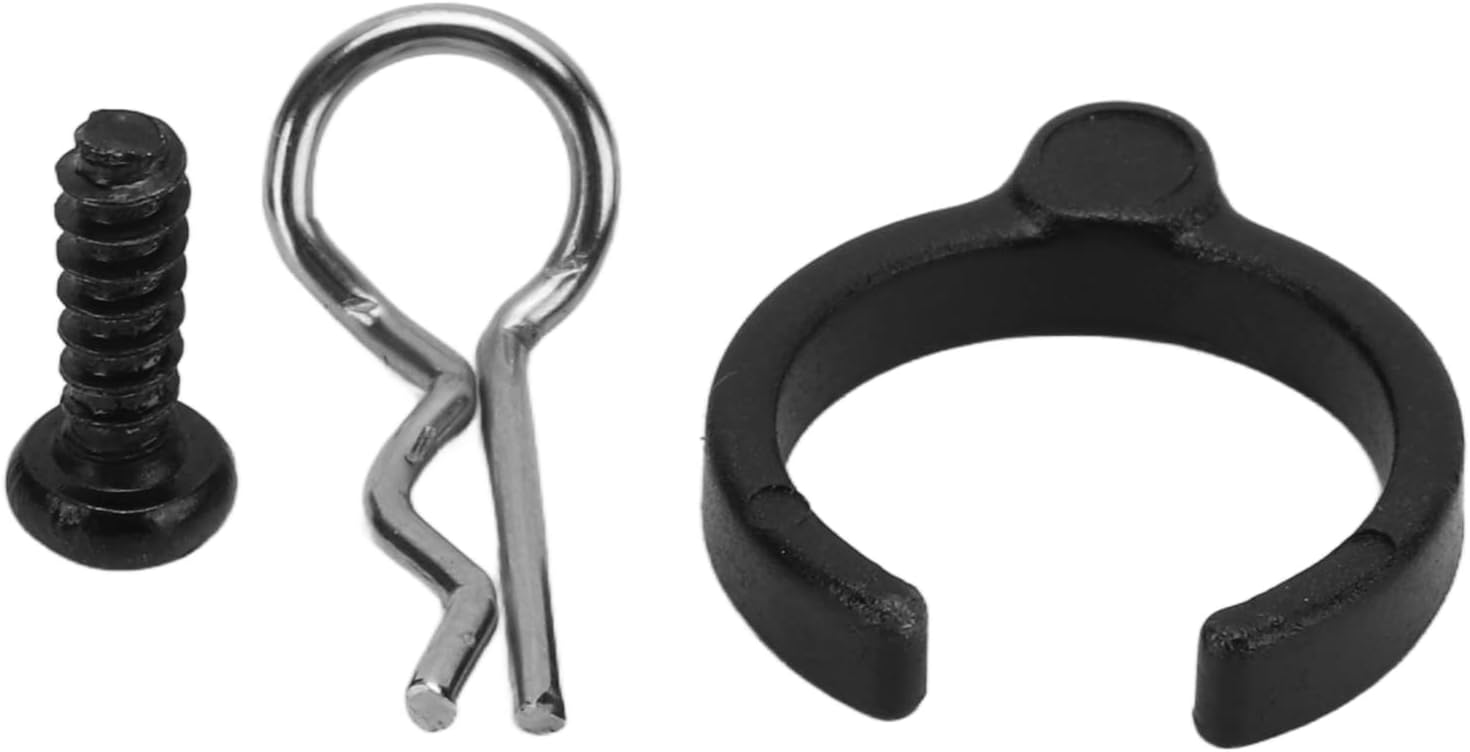
- 4 x Car Shell Buckles
- 3 x Screws
- 4 x Suspension Accessories
- 1 x Screwdriver
- 1 x Charging Cable
3. Specifications
| Feature | Detail |
|---|---|
| Item Type | 1/16 RC Car |
| Shell Material | Plastic |
| Charging Time | Approx. 2 hours |
| Usage Time | 12-15 minutes |
| High Speed | 38 km/h |
| Suitable Age | 14 years and above |
| Weight | Approx. 1600 g / 56.4 oz |
| Body Size | Approx. 27 x 23 x 12 cm / 10.6 x 9.1 x 4.7 in |
| Body Battery | 7.4V 1300mAh Lithium Battery (built-in) |
| Remote Control Battery | 3 x AA batteries (not included) |
| Remote Control Distance | Approx. 80 m / 262.5 ft |
| Motor | 390 High-Speed Carbon Brush Motor (with heat sink) |
| Package Dimensions | 31 x 24 x 15 cm |
| Model Number | EVTSCANnwm4zfxdrv-12 |
4. Setup
4.1 Remote Control Battery Installation
- Locate the battery compartment on the back of the remote control.
- Open the battery cover.
- Insert 3 AA batteries (not included), ensuring correct polarity (+/-).
- Close the battery cover securely.

4.2 Car Battery Charging
The RC car is equipped with a built-in 7.4V 1300mAh Lithium battery. Use the provided charging cable for charging.
- Ensure the car's power switch is in the OFF position.
- Connect the charging cable to the car's charging port.
- Connect the other end of the charging cable to a suitable USB power adapter (not included).
- The charging indicator will show the charging status. Charging typically takes approximately 2 hours.
- Once fully charged, disconnect the charging cable.
4.3 Initial Assembly (if required)
Some components, such as the rear wing or head-up wheel, may require attachment using the provided screws and screwdriver. Refer to the diagrams for correct placement.
5. Operating Instructions
5.1 Power On/Off
- Turn on the remote control by sliding its power switch to the 'ON' position.
- Turn on the RC car by sliding its power switch to the 'ON' position.
- The remote control and car will automatically pair. An indicator light on the remote will confirm successful pairing.
- To power off, turn off the car first, then the remote control.
5.2 Driving Controls
The 2.4G full-scale synchronous remote control system allows for precise control:
- Steering Wheel: Rotate the steering wheel left or right to control the car's direction.
- Throttle Trigger: Pull the trigger to accelerate forward. Push the trigger forward to brake or reverse.
- The car supports continuous variable speed, high-speed driving, rapid acceleration, deceleration, braking, reverse, left turns, and right turns.

5.3 LED Headlights
The RC car is equipped with LED headlights that feature three modes:
- Always On: Provides continuous illumination.
- Slow Flash: Flashes slowly for visibility.
- Fast Flash: Flashes rapidly for enhanced visibility or signaling.
Refer to the remote control's manual for specific button functions to cycle through these modes.
6. Maintenance
6.1 Cleaning
After each use, especially in dusty or muddy conditions, clean the car to prevent dirt buildup from affecting performance.
- Use a soft brush or compressed air to remove dirt and debris from the chassis, wheels, and suspension components.
- Wipe the body with a soft, damp cloth. Avoid using harsh chemicals or solvents.
6.2 Storage
When not in use for extended periods:
- Ensure the car's battery is partially charged (not fully charged or fully discharged) for optimal longevity.
- Remove batteries from the remote control.
- Store the car and remote in a cool, dry place away from direct sunlight and extreme temperatures.
6.3 Battery Care
- Always use the provided charging cable.
- Do not overcharge or completely discharge the battery.
- If the battery swells or shows signs of damage, discontinue use immediately and dispose of it properly.
6.4 Component Check
Regularly inspect the following components:
- Screws: Ensure all screws are tight. Tighten any loose screws to prevent parts from falling off during operation.
- Suspension: Check the shock absorbers and suspension arms for any damage or excessive play.
- Tires: Inspect tires for wear and tear. Ensure they are securely attached to the wheels.

7. Safety Precautions
To ensure safe operation and prolong the life of your RC car, please observe the following safety guidelines:
- Age Appropriateness: This product is suitable for individuals aged 14 years and above. Adult supervision is recommended for younger users.
- Charging Protection: The car's battery features constant current and constant voltage balance charging, along with overcharge and overcurrent protection functions.
- Motor Anti-Jamming Protection: In case of overload, the motor will automatically stop operating to prevent damage.
- High-Temperature Protection: If the operating temperature exceeds a defined safe condition, the drive control circuit will cease operation and resume once the temperature drops to a safe level.
- Low Voltage ESC Power-Off: The Electronic Speed Controller (ESC) will automatically power off when the battery voltage drops below approximately 6.3-6.4V to prevent damage from excessive discharge.
- Operating Environment: Operate the RC car in open, clear areas away from people, pets, obstacles, and water. Avoid public roads.
- Avoid Water: Do not operate the car in wet conditions or near water, as this can damage electronic components.
- Battery Handling: Never puncture, disassemble, or expose the battery to fire or extreme heat.
8. Troubleshooting
If you encounter issues with your EVTSCAN SCY-16102 RC car, please refer to the following common troubleshooting steps:
- Car does not respond:
- Ensure both the car and remote control are powered on.
- Check if the remote control batteries are correctly installed and have sufficient power. Replace if necessary.
- Verify that the car's built-in battery is fully charged.
- Confirm that the remote control and car are properly paired.
- Car runs slowly or lacks power:
- The car's battery may be low. Recharge the battery fully.
- Check for any obstructions in the wheels or drivetrain.
- Erratic control or loss of signal:
- Ensure you are within the specified remote control distance (approx. 80m).
- Move to an area with less electromagnetic interference.
- Re-pair the remote control and car.
- LED headlights not working:
- Check the car's battery level.
- Ensure the headlight mode is correctly selected on the remote control.
If these steps do not resolve the issue, please contact customer support.
9. Warranty and Support
Warranty information for your EVTSCAN SCY-16102 RC Car is typically provided with the product packaging or at the point of purchase. Please retain your proof of purchase for warranty claims.
For technical support, spare parts, or further assistance, please contact EVTSCAN customer service. You may also visit the official EVTSCAN store for more information and product updates: