Introduction
This manual provides detailed instructions for the proper use, setup, and maintenance of your King Lucky i39 Open Ear Headphones. Please read this manual thoroughly before using the product to ensure optimal performance and longevity.
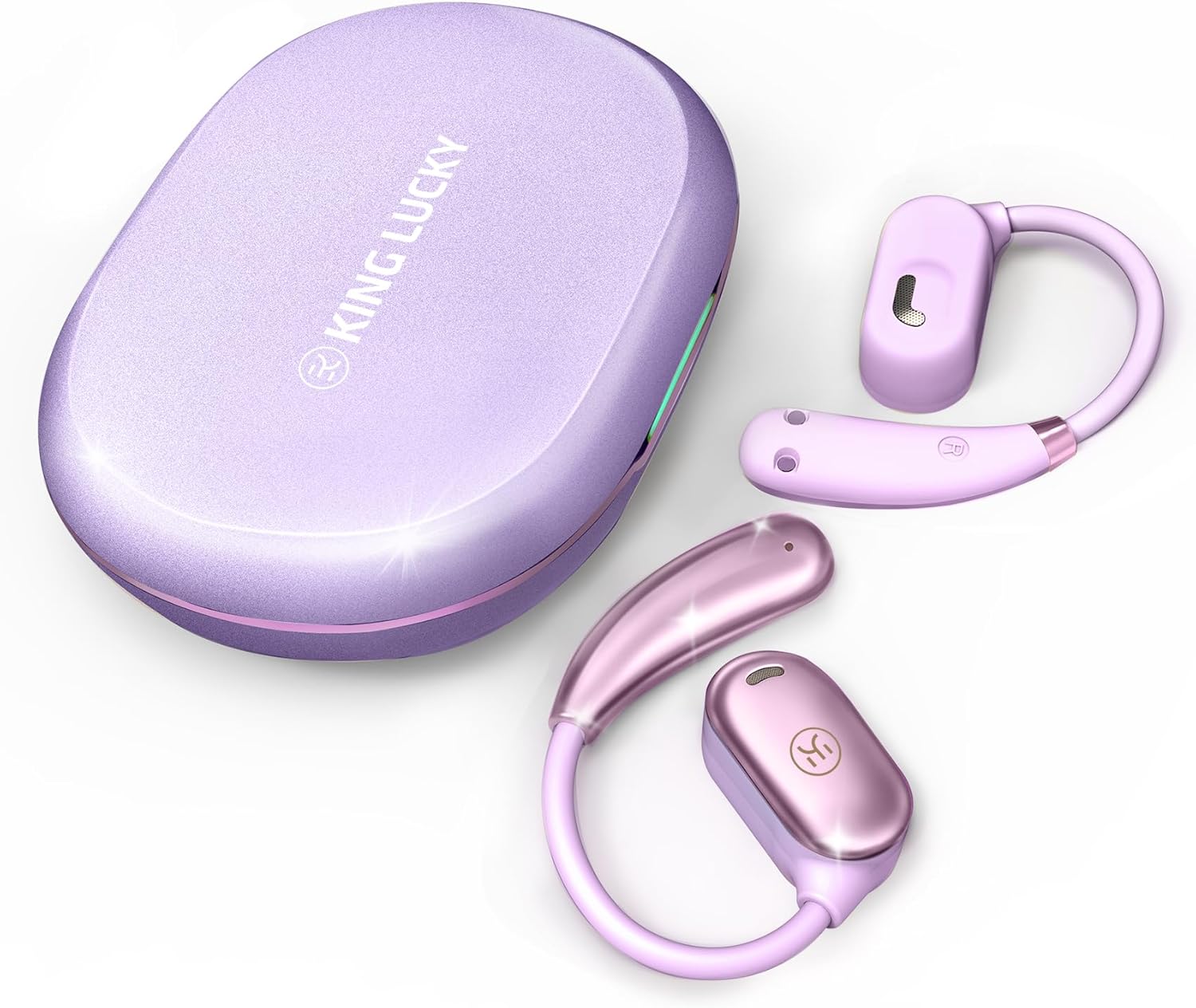
Image: King Lucky i39 Open Ear Headphones and their charging case, both in a purple finish, displayed on a white background.
Package Contents
Verify that all items listed below are present in your package:
- King Lucky i39 Open Ear Earbuds (x2)
- Charging Case (x1)
- User Manual (x1)
- Type-C Charging Cable (x1)

Image: An illustration showing the King Lucky i39 earbuds, their charging case, a USB-C charging cable, and a user manual, indicating the package contents.
Product Overview
Familiarize yourself with the components of your King Lucky i39 Open Ear Headphones.
- Earbuds: Left and Right open-ear design earbuds.
- Charging Case: Stores and charges the earbuds.
- Charging Port: USB Type-C port on the charging case.
- LED Indicators: On earbuds and charging case to show battery status and pairing.
- Touch Control Area: Located on the side of each earbud for various functions.
- Microphones: Dual microphones for clear calls.
Setup
1. Initial Charging
Before first use, fully charge the earbuds and the charging case.
- Place both earbuds into the charging case.
- Connect the Type-C charging cable to the charging port on the case and to a USB power source.
- The LED indicators on the case and earbuds will show charging status. A full charge typically takes approximately 2 hours.

Image: The King Lucky i39 charging case open, with both earbuds inside. Digital displays indicate battery levels for the case and individual earbuds, highlighting the charging process.
2. Bluetooth Pairing
Follow these steps to pair your headphones with a Bluetooth-enabled device:
- Ensure the earbuds are charged and placed in the charging case.
- Open the charging case. The earbuds will automatically enter pairing mode, and their LED indicators will flash.
- On your device (smartphone, tablet, computer), enable Bluetooth.
- Search for "King Lucky i39" in the list of available Bluetooth devices.
- Select "King Lucky i39" to connect. Once connected, the LED indicators on the earbuds will stop flashing, and your device will confirm the connection.
- If pairing fails, place the earbuds back in the case, close the lid, wait a few seconds, then reopen and try again.

Image: King Lucky i39 earbuds and their charging case are shown alongside a smartphone, laptop, and smartwatch, illustrating compatibility with various Bluetooth 5.3 devices.
Wearing Instructions
For optimal comfort and sound quality, follow these steps to properly wear your open-ear headphones:
- Position: Hold the earbud with the speaker part facing your ear canal.
- Hook Over Ear: Gently place the ear hook over the top of your ear.
- Adjust: Rotate the earbud backward along the auricle until it sits comfortably and securely in position, with the speaker resting just outside your ear canal.
- Check Fit: Ensure the earbud is stable and does not feel loose. The soft silicone and memory metal design should conform to your ear shape.

Image: A three-step diagram illustrating how to wear the King Lucky i39 open ear headphones: placing the earbud above the ear, rotating it backward along the auricle, and completing the insertion for a secure fit.

Image: A close-up of a woman wearing a King Lucky i39 open ear headphone, highlighting its ergonomic design and how it sits comfortably on the ear without entering the ear canal.
Operating Instructions
The King Lucky i39 headphones feature touch controls on the side of each earbud. A feedback sound confirms each touch input.
Music Playback & Volume Control
- Play/Pause: Double-tap (x2) on either the Left (L) or Right (R) earbud.
- Volume Down: Single-tap (x1) on the Left (L) earbud.
- Volume Up: Single-tap (x1) on the Right (R) earbud.
- Previous Song: Triple-tap (x3) on the Left (L) earbud.
- Next Song: Triple-tap (x3) on the Right (R) earbud.
Call Management
- Answer/Hang Up Call: Double-tap (x2) on either the Left (L) or Right (R) earbud.
- Reject Call: Tap and hold for 2 seconds on either the Left (L) or Right (R) earbud.
Other Functions
- Activate Voice Assistant: Tap and hold for 2 seconds on the Left (L) earbud.
- Game Mode: Tap and hold for 2 seconds on the Right (R) earbud.

Image: A visual guide detailing the touch control functions for the King Lucky i39 earbuds, including single, double, triple taps, and tap-and-hold actions for volume, track control, calls, voice assistant, and game mode.
Maintenance
Cleaning
- Regularly clean the earbuds and charging case with a soft, dry, lint-free cloth.
- Do not use abrasive cleaners, alcohol, or chemical solvents.
- Ensure charging contacts on both earbuds and case are free from dust and debris.
Storage
- When not in use, store the earbuds in their charging case to protect them and keep them charged.
- Store in a cool, dry place, away from extreme temperatures and direct sunlight.
Water Resistance
The King Lucky i39 headphones are rated IPX5 water resistant, meaning they can withstand splashes and sweat. They are not designed for submersion in water. Avoid exposing them to strong jets of water or swimming.

Image: Two King Lucky i39 open ear headphones are shown with water droplets on their surface, emphasizing their IPX5 waterproof grade and nano-hydrophobic coating designed to prevent sweat penetration.
Troubleshooting
Common Issues and Solutions
| Issue | Solution |
|---|---|
| Earbuds not pairing/connecting. |
|
| One earbud not working. |
|
| Poor sound quality. |
|
| Earbuds not charging in case. |
|
Specifications
| Feature | Detail |
|---|---|
| Model Name | i39 |
| Bluetooth Version | 5.3 |
| Ear Placement | Open Ear |
| Audio Driver Type | Dynamic Driver (18.7mm) |
| Battery Life (Single Earbud) | Up to 8 Hours |
| Total Playtime (with Charging Case) | Up to 60 Hours |
| Charging Time | Approximately 2 Hours |
| Water Resistance Rating | IPX5 |
| Control Method | Touch Control |
| Item Weight (per earbud) | 7.3g (0.25 oz) |
| Frequency Range | 20 Hz - 20,000 Hz |
| Impedance | 16 Ohm |
| Noise Control | Passive Noise Cancellation (ENC for calls) |

Image: An exploded view diagram highlighting the 18.7mm customized dynamic driver of the King Lucky i39 headphones, contrasting its size with a smaller 10mm driver from other models.
Warranty and Support
King Lucky products are designed and manufactured to the highest quality standards. For warranty information, technical support, or customer service inquiries, please refer to the contact information provided on the product packaging or visit the official King Lucky website.
Please retain your proof of purchase for warranty claims.


