1. Introduction
This manual provides detailed instructions for the installation, operation, and maintenance of your ROOMEDAL UL1741 10KW Solar Hybrid Inverter. This powerful low-frequency inverter is designed for off-grid and backup power systems, converting 48V DC to 110/240V AC split-phase output, and features built-in MPPT solar charge controllers. Please read this manual thoroughly before installation and use to ensure safe and optimal performance.

Figure 1: Front view of the UL1741 10KW Solar Hybrid Inverter.
2. Safety Information
Your safety is paramount. Adhere to all warnings and instructions provided in this manual. This inverter meets UL 1741 standard ETL certification, ensuring safety and reliability. Always consult with a qualified electrician for installation.
2.1 General Safety Precautions
- Do not attempt to disassemble or repair the inverter yourself. Refer all servicing to qualified personnel.
- Ensure proper grounding to prevent electrical shock.
- Keep the inverter away from water, moisture, and flammable materials.
- Ensure adequate ventilation around the inverter to prevent overheating.
- Always disconnect power before performing any maintenance or wiring.
2.2 Protection Features
The UL1741 inverter is equipped with comprehensive protection features to ensure safe operation:
- Over/Low Voltage Protection: Safeguards against input voltage fluctuations.
- Overtemperature Protection: Prevents damage from excessive heat.
- Overload Protection: Protects the inverter and connected appliances from excessive current draw.
- Short Circuit Protection: Automatically shuts down in case of a short circuit.
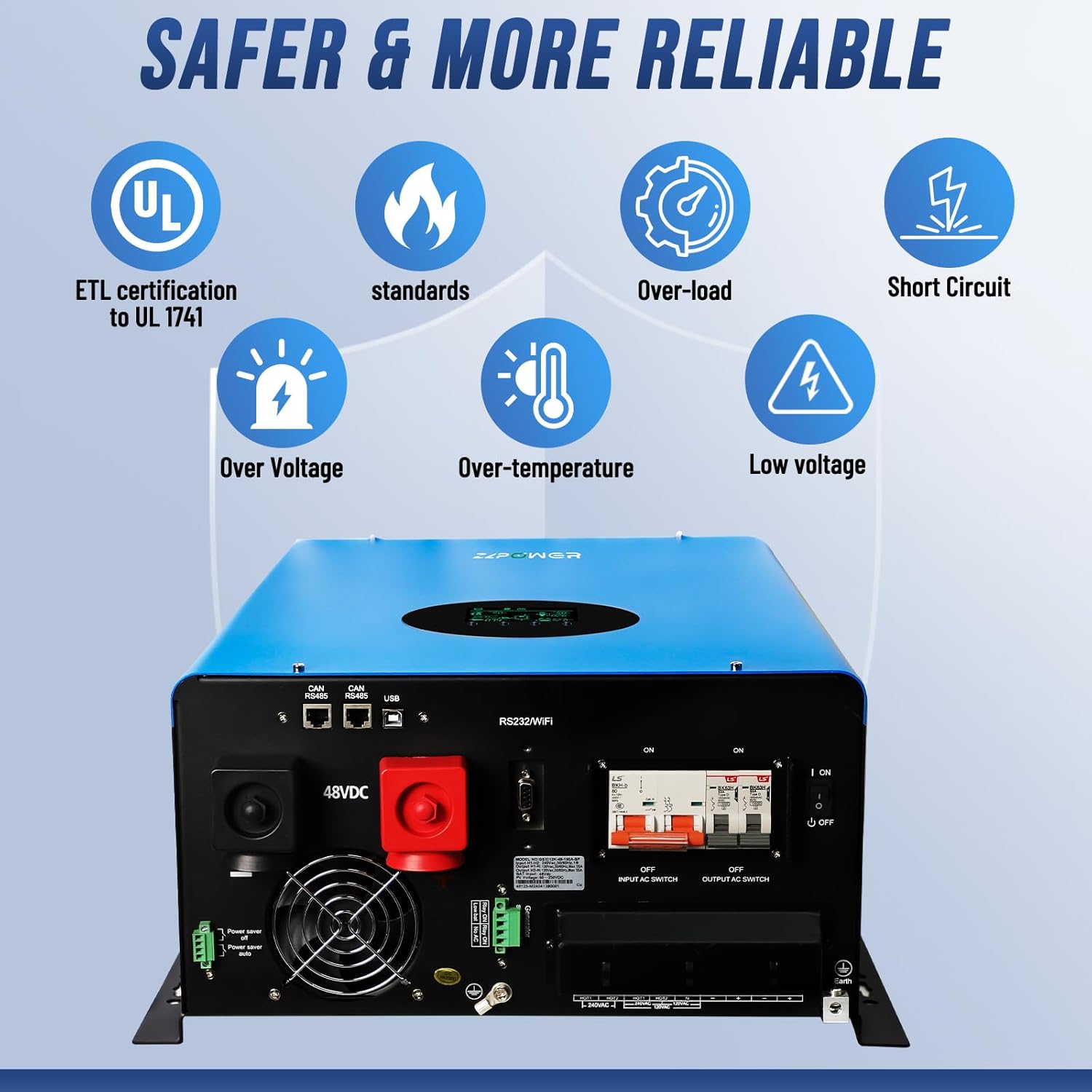
Figure 2: Overview of inverter protection features and rear panel connections.
3. Product Overview
The ROOMEDAL UL1741 is a robust solar hybrid inverter designed for reliable power conversion and management. Key components and features include:
- LCD Display: Provides real-time operational data and allows for settings adjustments.
- Dual MPPT Controllers: Built-in 2x 80A Maximum Power Point Tracking controllers for efficient solar charging.
- Low-Frequency Transformer: Ensures stable and reliable power output.
- Cooling Fans: Integrated dual cooling fans for optimal temperature management.
- Communication Ports: Includes RS232/WiFi, CAN, and USB ports for monitoring and control.

Figure 3: Innovative features of the inverter, including the LCD display and cooling system.

Figure 4: Rear panel connections, including battery terminals, AC input/output, and communication ports.

Figure 5: Detailed view of the LCD display for monitoring and control.
4. Setup and Installation
Proper installation is crucial for the safe and efficient operation of your inverter. Always ensure all connections are secure and correctly polarized.
4.1 Battery Connection
The inverter is compatible with various battery types, including AGM, GEL, lead-acid, lithium-ion, and LiFePO4 batteries. Ensure your battery bank voltage matches the inverter's 48V DC input. It is recommended to use batteries with a capacity of more than 200Ah for optimal performance.
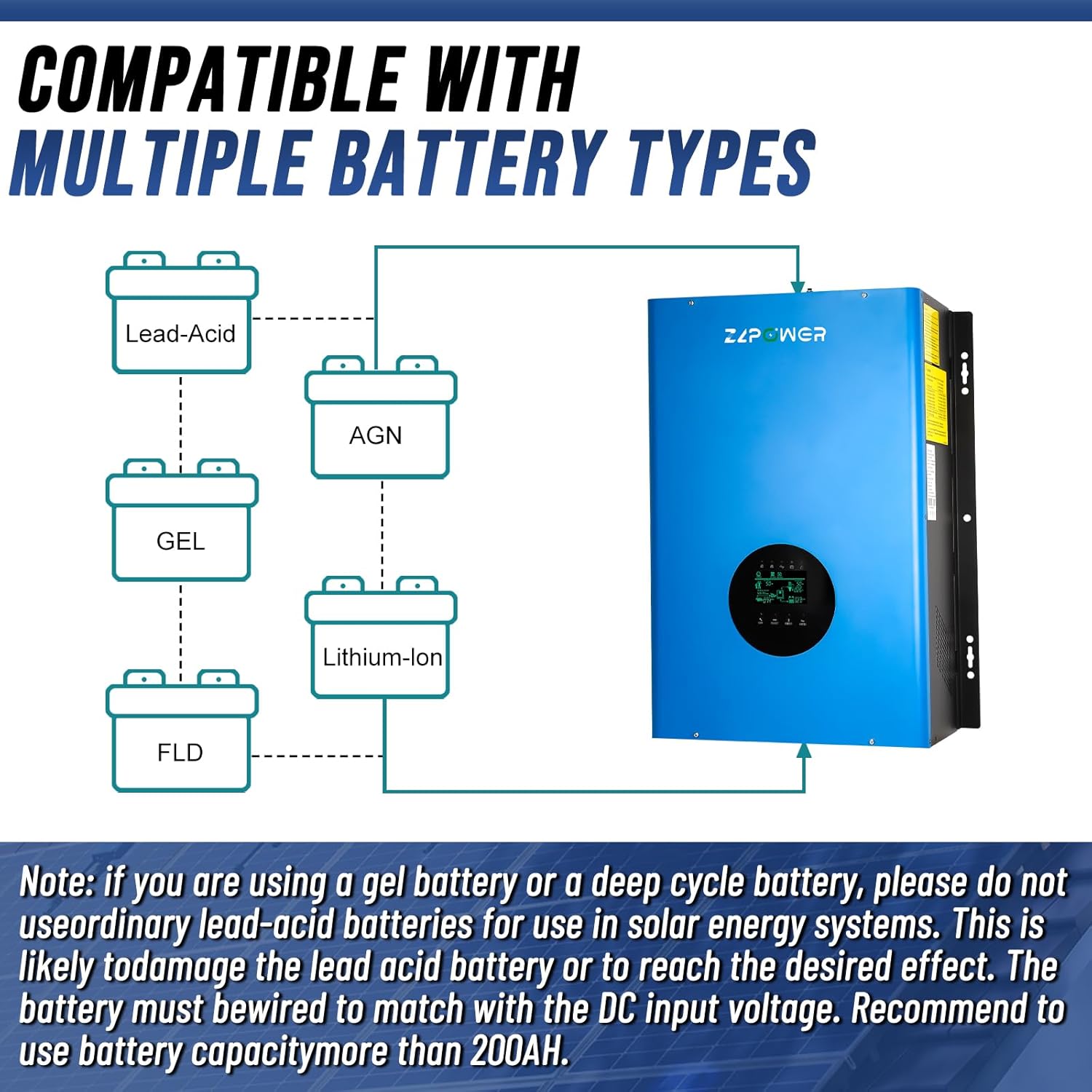
Figure 6: Inverter compatibility with various battery chemistries.
4.2 System Diagram
The UL1741 inverter integrates seamlessly into off-grid and backup power systems. It can connect to solar panels via its MPPT controllers, a battery bank for energy storage, and can also be connected to the main grid or a generator for charging or direct power supply.

Figure 7: Typical off-grid and backup power system configuration.
4.3 Installation Examples
The inverter can be installed in various settings, providing reliable power for homes, offices, and industrial applications.

Figure 8: Example of inverter installation with a battery bank.

Figure 9: Inverter setup with multiple batteries for increased capacity.

Figure 10: Inverter integrated into a comprehensive power system with a large battery array.
4.4 Installation and Operation Video
Watch this video for a visual guide on the installation and basic operation of the UL1741 Solar Hybrid Inverter.
Video 1: UL1741 Solar Hybrid Inverter Off Grid - Installation and Operation Overview.
5. Operation
The inverter's LCD screen allows for easy monitoring and adjustment of settings.
5.1 LCD Display and Controls
The LCD display provides real-time information on AC input/output, battery status, and operational mode. Use the 'CONF', 'SELECT', and 'ENTER' buttons to navigate menus and adjust settings.
5.2 Input/Output Selection
You can easily switch between 50Hz and 60Hz settings using the LCD screen. The inverter also allows selection of AC or Solar input priority.
5.3 Powering Appliances
The pure sine wave output of the inverter is suitable for powering a wide range of household appliances, including inductive loads like refrigerators, air conditioners, micro-wave ovens, and motors.

Figure 11: The inverter's pure sine wave output supports a variety of appliances.
5.4 Remote Monitoring
The inverter supports remote monitoring via optional WiFi/SNMP/CAN port. You can download the SmartESS app to connect and manage your inverter wirelessly.

Figure 12: Steps for wireless router connection and SmartESS app setup.
Download the SmartESS App:
6. Maintenance
Regular maintenance ensures the longevity and optimal performance of your inverter.
- Keep Clean: Periodically clean the exterior of the inverter with a dry cloth. Ensure ventilation openings are free from dust and debris.
- Check Connections: Regularly inspect all electrical connections (battery, solar, AC input/output) for tightness and signs of corrosion.
- Monitor Performance: Pay attention to the LCD display for any error codes or unusual readings.
- Battery Health: For lead-acid batteries, check electrolyte levels and specific gravity as per battery manufacturer's recommendations.
7. Troubleshooting
If you encounter issues with your inverter, refer to the following common problems and solutions. For complex issues, contact technical support.
| Problem | Possible Cause | Solution |
|---|---|---|
| Inverter not turning on | No DC input from batteries; Battery voltage too low; AC input switch off. | Check battery connections and voltage; Ensure AC input switch is ON. |
| No AC output | Overload; Short circuit; Overtemperature; Output AC switch off. | Reduce load; Check for short circuits; Allow inverter to cool; Ensure output AC switch is ON. |
| Low battery voltage alarm | Batteries are discharged; Insufficient charging. | Charge batteries via solar or grid/generator; Check solar panel connections. |
| Overload alarm | Connected load exceeds inverter capacity. | Reduce the total load connected to the inverter. |
8. Technical Specifications
| Feature | Specification |
|---|---|
| Model Name | Solar Hybrid Inverter |
| Wattage | 10 KW |
| Power Source | Solar Powered |
| Product Dimensions | 16.38 x 8.03 x 24.68 inches |
| Item Model Number | UL1741 |
| Certifications | UL 1741, ETL Certified |
| DC Input Voltage | 48V DC |
| AC Output Voltage | 110/240V (Settable) Split Phase |
| Frequency | 50Hz/60Hz (Settable) |
| MPPT Controllers | Dual 80A MPPT |
| Max Charging Current | 200A (Adjustable 0-100%) |
| Waveform | Pure Sine Wave |
9. Warranty and Support
The ROOMEDAL UL1741 Solar Hybrid Inverter comes with a 12 MONTHS warranty.
For any questions or technical assistance regarding the product, please contact ROOMEDAL Tech. We provide 1-to-1 technical service and aim to reply within 24 hours.


