
GetD 6973586270461
GetD Smart Sunglasses User Manual
Model: 6973586270461
Brand: GetD
Introduction
Welcome to the user manual for your GetD Smart Sunglasses. These innovative eyewear combine stylish design with advanced technology, offering polarized lenses for eye protection, integrated Bluetooth audio for music and calls, AI translation capabilities, and voice control. This manual provides detailed instructions on setup, operation, maintenance, and troubleshooting to ensure you get the most out of your smart sunglasses.

Image: GetD Smart Sunglasses, showcasing the sleek design and connectivity with a smartphone app.
What's in the Box
Your GetD Smart Sunglasses package includes the following items:
- Smart Sunglasses
- Charging Cable (Magnetic)
- User Manual (this document)
- Cleaning Cloth
Setup
1. Charging the Sunglasses
Before first use, fully charge your GetD Smart Sunglasses.
- Locate the magnetic charging port on the sunglasses.
- Connect the provided magnetic charging cable to the port.
- Connect the other end of the cable to a USB power adapter (not included) or a computer's USB port.
- The indicator light will show charging status. A full charge typically takes about 2 hours.
A full charge provides approximately 11 hours of continuous use (at 60% volume) or up to 15 days of standby time.

Image: Internal components and battery life information, highlighting the 2-hour fast charging and 11 hours of continuous use.
2. Bluetooth Pairing
The sunglasses use Bluetooth 5.4 for stable and seamless connectivity.
- Ensure the sunglasses are charged and powered on.
- Enable Bluetooth on your smartphone or other device.
- Search for "GetD Smart Glasses" or a similar name in your device's Bluetooth settings.
- Select the sunglasses to pair. A voice prompt will confirm successful connection.
- The sunglasses support automatic reconnection to previously paired devices.

Image: Visual representation of advanced Bluetooth 5.4 technology, showing stable connection up to 10 meters.
3. GetD Smart Glasses App
For full functionality, including AI translation and health features, download the GetD Smart Glasses App.
- For iOS devices, search "GetD" or "GetD Smart" in the Apple App Store.
- For Android devices, search "GetD" in APKPure (Google Play Store support may vary).

Image: Instructions for downloading the GetD Smart Glasses App from app stores.
Operating Instructions
Audio Playback and Calls
The sunglasses feature built-in HIFI speakers and an ENC noise reduction microphone for clear audio and calls.
- Music: Once paired, audio from your device will play through the sunglasses' open-ear speakers. The AAC frequency band is supported for enhanced sound quality.
- Calls: Answer or end calls with a simple press of a button on the temple. The omni-directional microphone with ENC (Environmental Noise Cancellation) ensures clear communication by filtering out ambient noise.
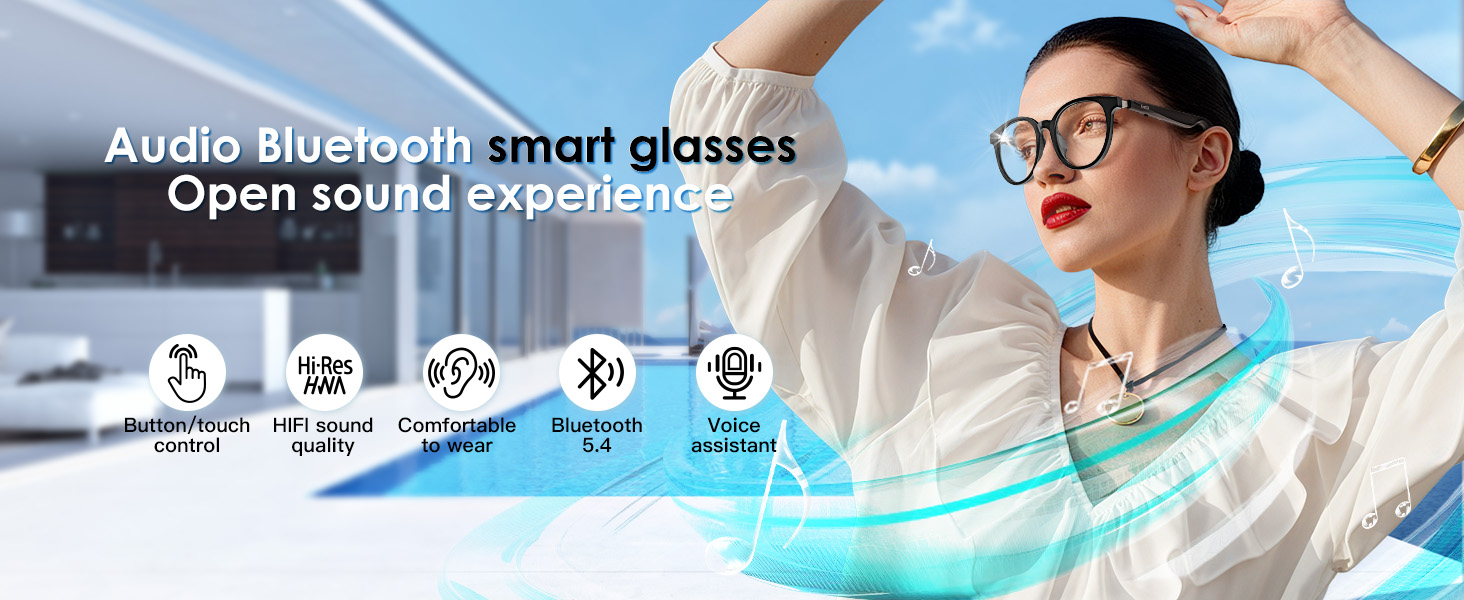
Image: Visualizing the open sound experience of the audio Bluetooth smart glasses.

Image: Detailed view of the anti-sound leakage design and the 14mm large amplitude speaker unit for clear high sound quality.
Voice Control and Touch Operation
Control your phone wirelessly and manage functions with voice commands or simple touch gestures.
- Voice Control: Support for wake-up voice control allows hands-free operation of your phone within 10 meters.
- Blind Touch Operation: A single button press on the temple enables convenient control for driving, answering calls, and switching songs without needing to look at your phone.
- Custom Audio: The GetD app allows you to choose from 6 preset audio modes (e.g., classical, pop) to customize your listening experience.

Image: Various use cases for the smart sunglasses, including wireless control, driving, outdoor activities, and office/study environments.
AI Translation Modes
The GetD Smart APP features 4 built-in multi-language translation modes, supporting accurate translation in 17 languages across various regions.
- AI Dialogue: Access to ChatGPT for intelligent Q&A and quick responses.
- Multi-language AI Translation: Real-time translation for cross-border travel and communication.
- Voice-to-Text: Convert spoken words into text.
- Face-to-Face Translation: Facilitates direct communication with real-time translation.
- Meeting Minutes: Document decisions, enhance communication, save time, and convert audio to text for efficient meeting records.

Image: Overview of the four AI modes available in the GetD app, including AI Translation, AI-powered multilingual conference recording, AI Chat, and Face-to-Face Translation.

Image: GetD AI glasses powered by ChatGPT, offering AI dialogue, intelligent Q&A, and fast, accurate, and efficient responses.

Image: GetD real-time translation supporting 17 languages and over 170 countries/regions, with an interactive split-screen interface for convenience.

Image: Benefits of Meeting Minutes feature, including documenting decisions, enhancing communication, saving time, real-time audio recording, and audio-to-text conversion.
Health Assistant Features (via App)
The GetD Smart App also offers health-related features to assist with daily well-being.
- Sedentary Reminder: Set reminders to move.
- Meditation Music: Access meditation audio.
- Health Data: Track activity metrics.
- Water Drinking Reminder: Set reminders to hydrate.

Image: Screenshots of the GetD Smart App demonstrating features like sedentary reminders, meditation music, health data tracking, and water drinking reminders.
Key Features and Benefits
- Polarized Lenses: High-quality TAC material lenses provide excellent light transmittance, color accuracy, and a good polarization effect. They are oil-resistant, wear-resistant, scratch-resistant, and drop-resistant.
- UV400 & Anti-Blue Light: Offers comprehensive protection for your eyes against harmful UV rays and blue light, enhancing comfort for both indoor and outdoor use.
- Comfortable Design: Made from lightweight, skin-friendly, and durable materials for all-day wear. High-quality metal hinges support a 15° wide-angle opening and adjustable tightness, suitable for various face shapes.
- Integrated & Waterproof Design: Magnetic charging technology allows for a highly integrated and airtight design (IPX4 waterproof), reducing openings and enhancing durability against sweat, rain, and water splashes.

Image: Comparison of non-polarized, GetD polarized, and ordinary polarized lenses, highlighting the superior visual clarity and color accuracy of GetD lenses.

Image: Illustration of GetD technology, emphasizing high precision, lightweight design, and optimized glasses legs for lower energy consumption and smaller size.
Image: Demonstration of IP54 waterproof performance, indicating protection against sweat, rain, and water splashes.
Maintenance and Care
- Clean lenses with the provided cleaning cloth or a soft, lint-free cloth. Avoid abrasive materials.
- Do not use harsh chemicals or alcohol-based cleaners on the lenses or frame.
- Store the sunglasses in their protective case when not in use to prevent scratches and damage.
- Avoid exposing the sunglasses to extreme temperatures (hot or cold) or direct sunlight for prolonged periods.
- While IPX4 waterproof, avoid submerging the sunglasses in water.
Troubleshooting
| Problem | Possible Cause | Solution |
|---|---|---|
| Cannot power on | Low battery | Charge the sunglasses fully. |
| Cannot pair via Bluetooth | Bluetooth not enabled on device; sunglasses not in pairing mode; too far from device. | Ensure Bluetooth is on, sunglasses are charged, and within 10 meters. Restart both devices. |
| No sound or low volume | Volume too low; not properly paired; audio source issue. | Increase volume on both sunglasses and connected device. Re-pair if necessary. Check audio source. |
| Call quality is poor | Environmental noise; microphone obstruction. | Ensure microphone is clear. The ENC feature should reduce most noise. Move to a quieter environment if possible. |
| App features not working | App not updated; sunglasses not connected to app; internet connectivity issues for AI features. | Ensure app is updated and sunglasses are connected within the app. Check internet connection for translation features. |
Specifications
- Model Number: 6973586270461
- Brand: GetD
- Color: Black Frame+Bright Lens
- Connectivity: Bluetooth 5.4
- Operating System Compatibility: iOS & Android
- Battery Capacity: 260mAh (2 Lithium Ion batteries included)
- Charging Time: Approximately 2 hours
- Battery Life: Up to 11 hours (continuous use at 60% volume), 15 days (standby)
- Water Resistance: IPX4
- Lens Material: TAC (Polarized, UV400, Anti-Blue Light)
- Microphone: Built-in with ENC Noise Reduction
- Speakers: Built-in HIFI Speakers (Open-ear, Stereo Sound)
- AI Features: AI Dialogue (ChatGPT access), Multi-language AI Translation (17 languages), Voice-to-Text, Face-to-Face Translation, Meeting Minutes
- Voice Control: Supported (within 10 meters)
- Weight: 5.3 ounces
- Dimensions: 6.42 x 2.68 x 2.05 inches (Package)

Image: Detailed product size measurements for the smart sunglasses.
Warranty and Support
For warranty information and customer support, please contact the seller, FUTURE 3D GROUP INC, directly through the platform where you purchased the product. They can provide details regarding product warranty, returns, and technical assistance.
Additional protection plans may be available for purchase separately. Please refer to your purchase documentation for details on any extended warranties or service agreements.
Official Product Video
Video: An official product video titled "AI Sunglasses for woman" from the seller, FUTURE 3D GROUP INC, demonstrating the features and usage of the GetD Smart Sunglasses.
Ask a question about this manual
Ask about setup, troubleshooting, compatibility, parts, safety, or missing instructions. Manuals+ will review the question and use this page’s manual context to help answer it.