
Introduction
Welcome to the GetD Smart Sunglasses user manual. These smart sunglasses integrate advanced technology to provide a seamless audio experience, AI translation capabilities, and eye protection. This manual will guide you through the setup, operation, and maintenance of your device to ensure optimal performance and longevity.

Image: GetD Smart Sunglasses with a smartphone displaying the companion app.
What's in the Box
Please verify that all items are present:
- GetD Smart Sunglasses
- Magnetic Charging Cable
- User Manual (this document)
Product Overview
The GetD Smart Sunglasses combine stylish eyewear with integrated audio and smart features. Key components include:
- Lenses: High-quality TAC material, polarized, UV400 anti-ultraviolet, and anti-blue light protection.
- Temples: House the speakers, microphone, battery, and control buttons. Designed for comfort and durability.
- Speakers: Integrated open-ear speakers for stereo sound.
- Microphone: Features ENC noise reduction for clear calls.
- Control Buttons: Discreet buttons on the temples for various functions.

Image: Overview of GetD Smart Sunglasses features.
Setup
1. Charging the Device
Before first use, fully charge your GetD Smart Sunglasses. Use the provided magnetic charging cable.
- Connect the magnetic charging cable to the charging ports on the temples of the glasses.
- Connect the USB end of the cable to a compatible power adapter (not included) or a computer's USB port.
- A full charge takes approximately 2 hours.
- A fully charged device provides up to 11 hours of continuous use (at 60% volume) or 15 days of standby time.

Image: Battery life and magnetic charging details.
2. App Installation
To access all smart features, download the GetD companion application on your smartphone.
- Scan the QR code provided in the product packaging or visit http://download.igetd.com to download the GetD app.
- Install the application on your iOS or Android device.
3. Bluetooth Pairing
Follow these steps to connect your GetD Smart Sunglasses to your smartphone:
- Turn on your GetD Smart Sunglasses.
- Enable Bluetooth on your smartphone.
- Open the GetD app and follow the on-screen instructions to select the correct Bluetooth device (e.g., "GetD-GGLite").
- Confirm the pairing request on your phone.
- Once connected, the app will display a confirmation, and your glasses are ready to use.

Image: Step-by-step guide for connecting the smart glasses.
Operating Instructions
1. Basic Controls
The GetD Smart Sunglasses feature intuitive touch controls on the temples:
| Function | Action |
|---|---|
| Answer/End Call | Tap L/R x1 |
| Play/Pause Music | Tap L/R x1 |
| Decline Phone Call | Tap L/R x2 |
| Previous Song | Tap L x2 |
| Next Song | Tap R x2 |
| Increase Volume | Tap L x1 (hold) |
| Reduce Volume | Tap R x1 (hold) |
| Voice Assistant | Tap L x2 (hold) |

Image: Intelligent touch control gestures.
2. Music Playback
Enjoy high-quality audio with your smart sunglasses:
- The latest Bluetooth 5.4 technology ensures stable and interference-resistant transmission.
- Supports AAC frequency band for enhanced audio quality with Apple and Android devices.
- Features two sound outlets per temple for a stereo sound effect and GetD audio gain technology for improved sound quality.
- Customize your audio experience with 6 preset modes (classical, pop, etc.) via the GetD app.
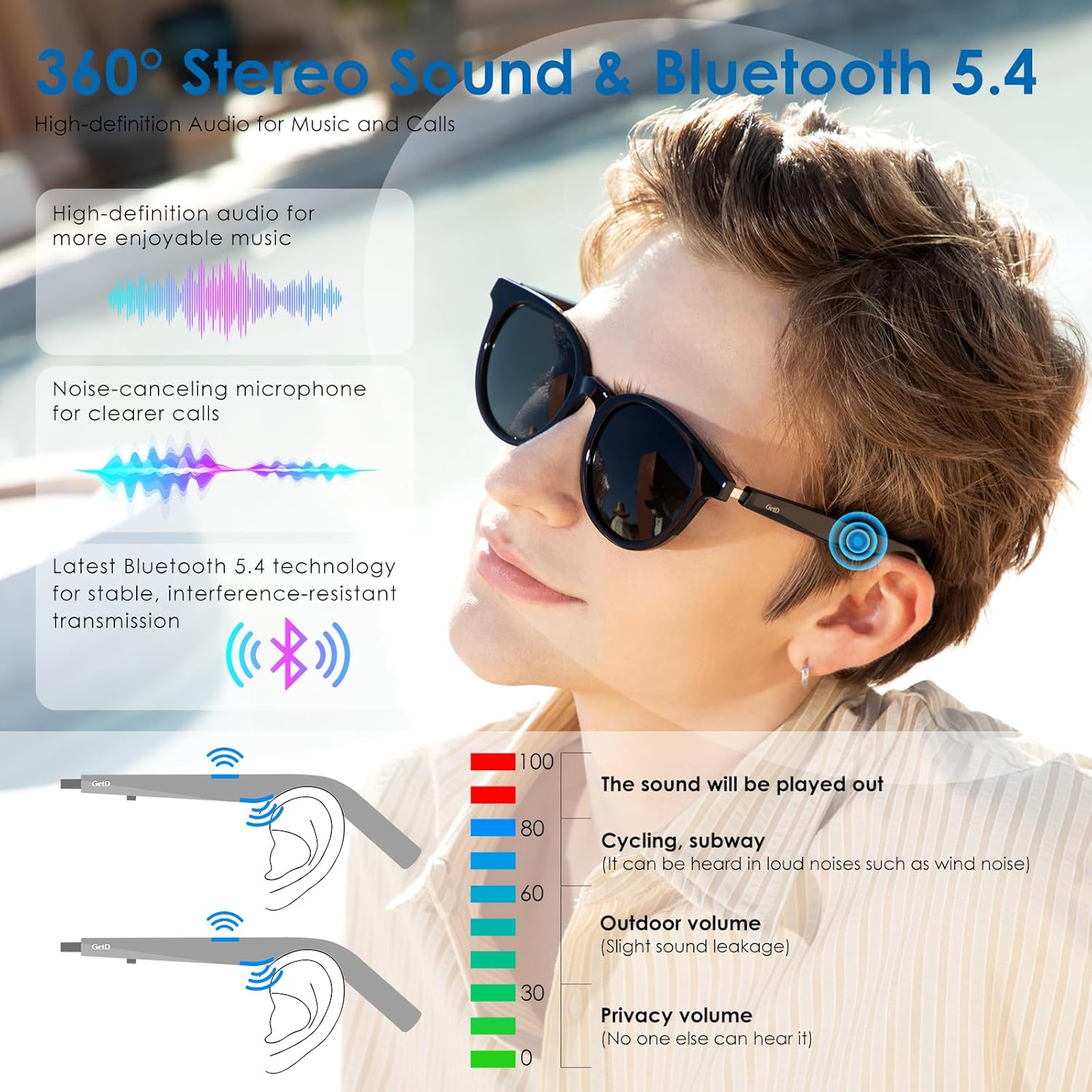
Image: Audio features and sound leakage illustration.
3. Hands-Free Calls
Make and receive calls with clarity:
- The integrated microphone features ENC (Environmental Noise Cancellation) to significantly improve sound collection and reduce ambient noise.
- Built-in high-quality speakers provide clear stereo sound for calls.
4. Voice Control
Control your phone wirelessly:
- Supports wake-up voice control to activate your phone's voice assistant.
- Wirelessly control your phone within a 10-meter range for tasks like making calls or switching songs.
5. AI Translation
The GetD Smart Sunglasses offer advanced AI translation features through the GetD app:
- AI Dialogue: Access to ChatGPT for intelligent conversations and information retrieval.
- Multi-language AI Translation: Supports accurate translation in 17 languages, covering over 170 countries and regions.
- Voice-to-Text: Converts spoken language into text.
- Face-to-Face Translation: Facilitates real-time communication with individuals speaking different languages.

Image: Overview of the 4 AI translation modes.

Image: Using the AI Assistant for information.

Image: Real-time translation in a meeting setting.
6. Health Assistant
The GetD app includes features to support your well-being:
- Sedentary Reminder: Notifies you to move after periods of inactivity.
- Meditation Music: Access to calming audio for relaxation.
- Health Data: Tracks basic health metrics.
- Water Drinking Reminder: Helps you maintain hydration.
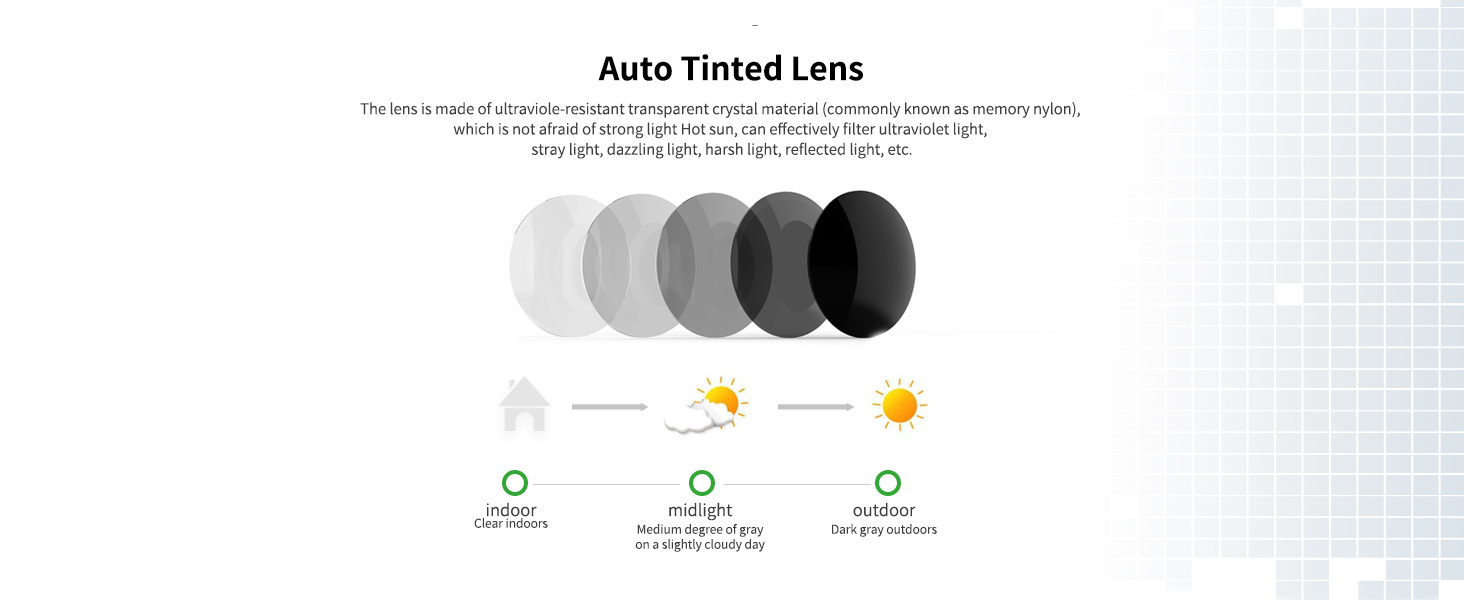
Image: GetD app's health assistant features.
Maintenance
To ensure the longevity and optimal performance of your GetD Smart Sunglasses, follow these maintenance guidelines:
- Cleaning Lenses: Use a soft, lint-free cloth specifically designed for eyewear. Avoid abrasive materials or harsh chemicals. The TAC material lenses are oil-resistant, wear-resistant, and scratch-resistant, but proper care is still recommended.
- Cleaning Frame: Wipe the frame with a soft, damp cloth.
- Water Resistance: The glasses are IPX4 waterproof, meaning they are resistant to splashes and sweat. Do not submerge them in water. Dry them thoroughly if they get wet.
- Storage: Store the sunglasses in their protective case when not in use to prevent scratches and damage.
- Temperature: Avoid exposing the glasses to extreme temperatures, both hot and cold, as this can affect battery life and electronic components.

Image: IP54 waterproof feature.
Troubleshooting
If you encounter issues with your GetD Smart Sunglasses, refer to the following common solutions:
- No Power: Ensure the glasses are fully charged. Connect them to the magnetic charging cable and allow at least 30 minutes for charging before attempting to power on.
- Cannot Pair via Bluetooth:
- Ensure Bluetooth is enabled on your smartphone and the glasses are in pairing mode.
- Make sure the glasses are within 10 meters of your phone.
- Forget the device in your phone's Bluetooth settings and attempt to pair again.
- Restart both your phone and the smart sunglasses.
- No Sound or Low Volume:
- Check the volume levels on both the glasses (using touch controls) and your smartphone.
- Ensure the glasses are properly connected via Bluetooth.
- Confirm that the audio output on your phone is set to the GetD Smart Sunglasses.
- Call Quality Issues (Echo/Noise):
- Ensure the microphone is not obstructed.
- Move to a quieter environment if possible, as ENC works best within certain noise limits.
- App Functionality Issues:
- Ensure the GetD app is updated to the latest version.
- Check your phone's internet connection for features requiring online access (e.g., AI translation, ChatGPT).
- Clear the app's cache or reinstall the app if problems persist.
If these steps do not resolve your issue, please contact GetD customer support.
Specifications
| Feature | Detail |
|---|---|
| Model | Smart Sunglasses |
| Brand | GetD |
| Connectivity | Bluetooth 5.4 |
| Wireless Range | Up to 10 meters (33 feet) |
| Battery Capacity | 260 mAh Lithium Ion |
| Charging Time | Approx. 2 hours (fast charging) |
| Music Playback Time | Up to 11 hours (at 60% volume) |
| Standby Time | Up to 15 days |
| Water Resistance | IPX4 (splash and sweat resistant) |
| Lens Material | TAC (Polarized, UV400, Anti-blue light) |
| Microphone | ENC Noise Reduction |
| Operating System Compatibility | iOS & Android |
| Item Weight | 0.15 Kilograms (5.3 ounces) |
Warranty and Support
For warranty information and customer support, please refer to the official GetD website or contact their customer service directly. Details are typically provided with your purchase documentation or on the manufacturer's product page.
Manufacturer: GetD