
Introduction
Welcome to the GetD AI Smart Glasses user manual. These smart glasses integrate advanced AI capabilities, including real-time translation and a productivity assistant, with high-quality audio and eye protection features. This manual provides detailed instructions for setup, operation, maintenance, and troubleshooting to ensure optimal use of your device.
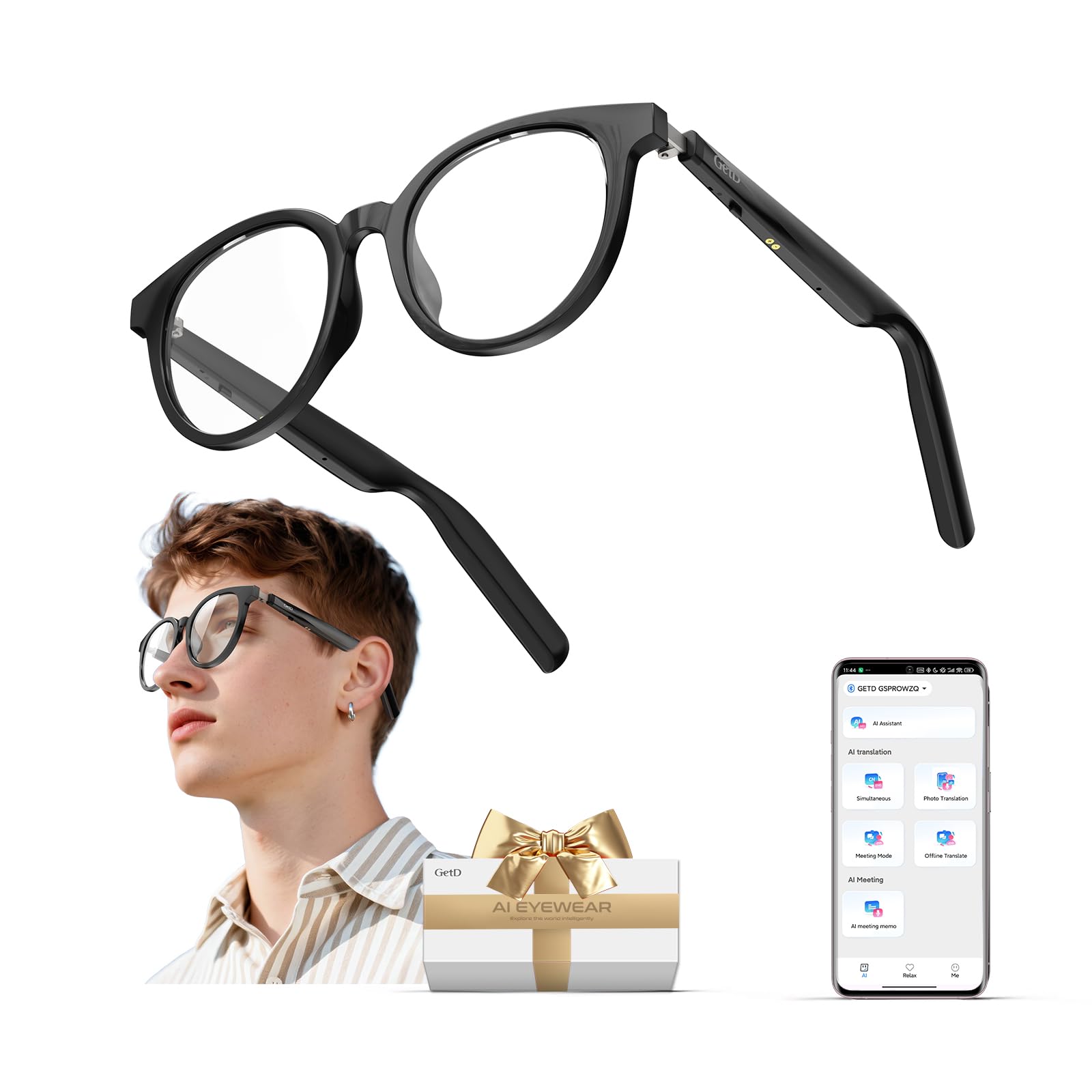
Figure 1: GetD AI Smart Glasses, front view.
Video 1: An overview of the GetD Smart Sunglasses, showcasing their design and basic features. This video provides a visual introduction to the product.
Setup
1. Unboxing and Initial Inspection
Upon receiving your GetD AI Smart Glasses, carefully open the packaging and inspect all contents. Ensure the following items are present:
- GetD AI Smart Glasses
- Charging Cable
- Cleaning Cloth
- Soft Case
- User Guide (this manual)

Figure 2: Contents of the GetD AI Smart Glasses package, including the glasses, charging cable, cleaning cloth, and soft case.
2. Charging the Glasses
Before first use, fully charge your GetD AI Smart Glasses. Connect the provided charging cable to the charging ports located on each arm of the glasses and to a USB power source. A full charge typically takes approximately 2 hours.
3. Powering On/Off
- To Power On: Press and hold the power buttons located on the underside of both arms for 3 seconds. You will hear an audible confirmation.
- To Power Off: Press and hold the power buttons on both arms for 3 seconds. You will hear an audible confirmation.
4. App Installation and Bluetooth Pairing
To unlock the full potential of your GetD AI Smart Glasses, download and install the official GetD App on your smartphone (available for iOS and Android). Follow these steps for pairing:
- Step 1: Turn on your glasses.
- Step 2: Enable Bluetooth on your phone.
- Step 3: Open the GetD App. The app will guide you through the pairing process. Select the correct Bluetooth device (e.g., "GetD GGlite") from the list.
- Step 4: Confirm pairing on your phone.
- Step 5: Once connected, the app will display a confirmation, and your glasses are ready to use.

Figure 3: Visual guide for connecting your GetD AI Smart Glasses via the GetD App and Bluetooth. For app download, visit download.igetd.com.
Operation
1. Basic Controls (Touch & Voice)
Your GetD AI Smart Glasses feature intuitive touch controls on the temples and support voice commands via the GETD App.
| Function | Action |
|---|---|
| Answer/End Call | Tap L/R x1 |
| Play/Pause Music | Tap L/R x1 |
| Decline Phone Call | Tap L/R x2 |
| Previous Song | Tap L x2 |
| Next Song | Tap R x2 |
| Increase Volume | Tap L x1 (hold) |
| Reduce Volume | Tap R x1 (hold) |
| Voice Assistant | Tap L x2 (hold) |

Figure 4: Diagram illustrating the intelligent touch control areas and their corresponding functions on the glasses' temples.
2. Audio Features
The open-ear design delivers Hi-Fi stereo sound, allowing you to enjoy music and calls while remaining aware of your surroundings. Dual ENC microphones ensure clear calls even in noisy environments.
- Music Playback: Connect via Bluetooth 5.4 to stream audio from your device.
- Call Management: Answer, end, or decline calls using the touch controls.
- Sound Customization: Use the GetD App to adjust equalizer settings for various music genres (e.g., Rock, Pop, Country).
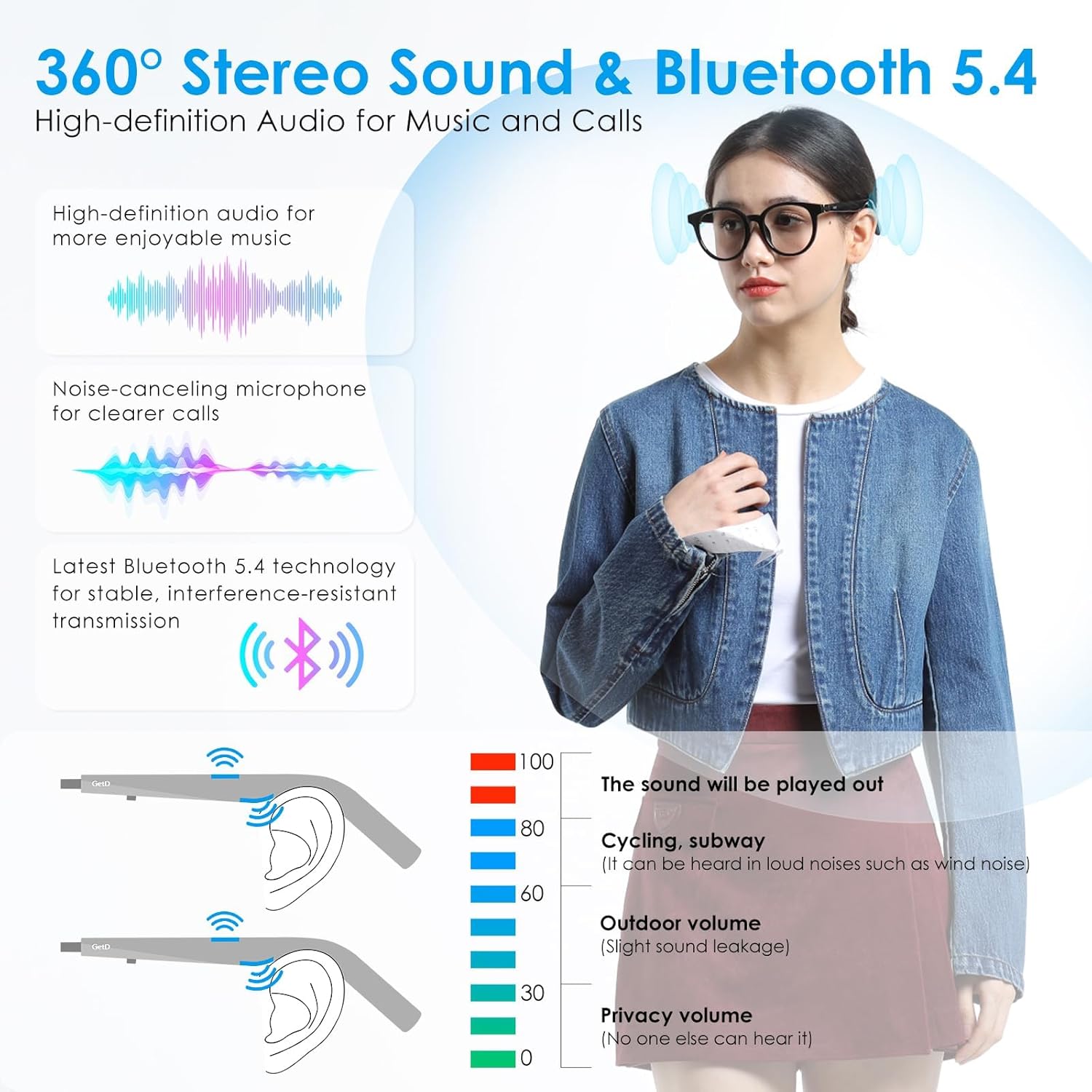
Figure 5: Illustration of the 360-degree stereo sound and Bluetooth 5.4 capabilities, highlighting open-ear audio and noise-canceling microphone.
3. AI Assistant & Translation
Leverage the integrated AI for enhanced productivity and communication.
- AI Chat (ChatGPT Powered): Ask questions via voice commands through your glasses, and receive spoken answers directly in your ears, with text displayed on the GetD App. Supported AI models include ChatGPT-4o, Deepseek, and Gemini 3.
- Real-time Translation: The glasses support bidirectional translation across 145 languages. Speak in your native language, and the app will translate and speak it aloud in the target language, and vice-versa. This feature is ideal for travel, business, and daily conversations.
- Meeting Notes & Transcription: Utilize the voice-to-text transcription feature for meetings or notes. The app can record audio and convert it to text, helping to document decisions and action items, and improve communication efficiency.

Figure 6: Depiction of the GetD AI glasses' integration with ChatGPT for intelligent dialogue and Q&A.

Figure 7: Illustration of the 145-language real-time translation feature, showing seamless global conversations and meeting records.

Figure 8: Visual representation of the benefits of the meeting minutes feature, including real-time audio recording and audio-to-text conversion.
4. Health Assistant Features
The GetD App includes various health-related features to support your well-being:
- Sedentary Reminder: Set reminders to move after periods of inactivity.
- Meditation Music: Access guided meditation audio to help relax and focus.
- Water Drinking Reminder: Schedule alerts to ensure adequate hydration throughout the day.
- Health Data: View basic health-related data within the app.

Figure 9: Screenshots of the GetD Smart App showcasing health assistant features like sedentary reminders, meditation music, and water drinking reminders.
Maintenance
1. Cleaning Your Glasses
Use the provided cleaning cloth to gently wipe the lenses and frame. Avoid using harsh chemicals or abrasive materials that could damage the lenses or electronic components.
2. Water Resistance
The GetD AI Smart Glasses are rated IP54 for water and sweat resistance. This means they are protected against dust ingress and splashing water from any direction. They are suitable for workouts and light rain but should not be submerged in water.

Figure 10: Image demonstrating the IP54 waterproof performance, indicating protection against sweat, rain, and water splashes.
3. Battery Life & Charging
The dual-battery system provides up to 11 hours of music playback, 9 hours of calls, or 15 days on standby. A quick 10-minute charge can provide 1 hour of use. Always use the original charging cable for optimal performance and safety.
Troubleshooting
If you encounter issues with your GetD AI Smart Glasses, refer to the following common problems and solutions:
- Glasses not powering on: Ensure the glasses are fully charged. Press and hold both power buttons for 3 seconds to power on.
- Unable to pair via Bluetooth: Make sure Bluetooth is enabled on your phone and the glasses are in pairing mode. Restart both the glasses and your phone, then try pairing again through the GetD App.
- No audio or poor sound quality: Check the volume levels on both your glasses and your phone. Ensure the glasses are properly connected via Bluetooth. In the GetD App, verify equalizer settings are appropriate for your audio.
- App connectivity issues: Ensure your GetD App is updated to the latest version. Close and reopen the app, or reinstall it if problems persist. Check your phone's internet connection for AI features.
- Translation not working: Verify that the correct languages are selected in the GetD App for face-to-face translation. Ensure a stable internet connection for AI-powered translation services.
- Touch controls unresponsive: Ensure the glasses are powered on and connected. Clean the touch sensitive areas on the temples.
Specifications
| Feature | Detail |
|---|---|
| Model Number | 510d31c1-4a2a-4650-9192-c784f218f769 |
| Package Dimensions | 6.38 x 2.68 x 1.93 inches |
| Item Weight | 5.3 ounces (0.15 Kilograms) |
| Batteries | 2 Lithium Ion batteries (included) |
| Battery Capacity | 260 Milliamp Hours |
| Operating System Compatibility | iOS & Android |
| Connectivity Technology | Bluetooth 5.4 |
| Special Feature | Phone Call, AI Translation, AI Assistant |
| Water Resistance | IP54 |
| Lens Type | Blue Light Filtering |
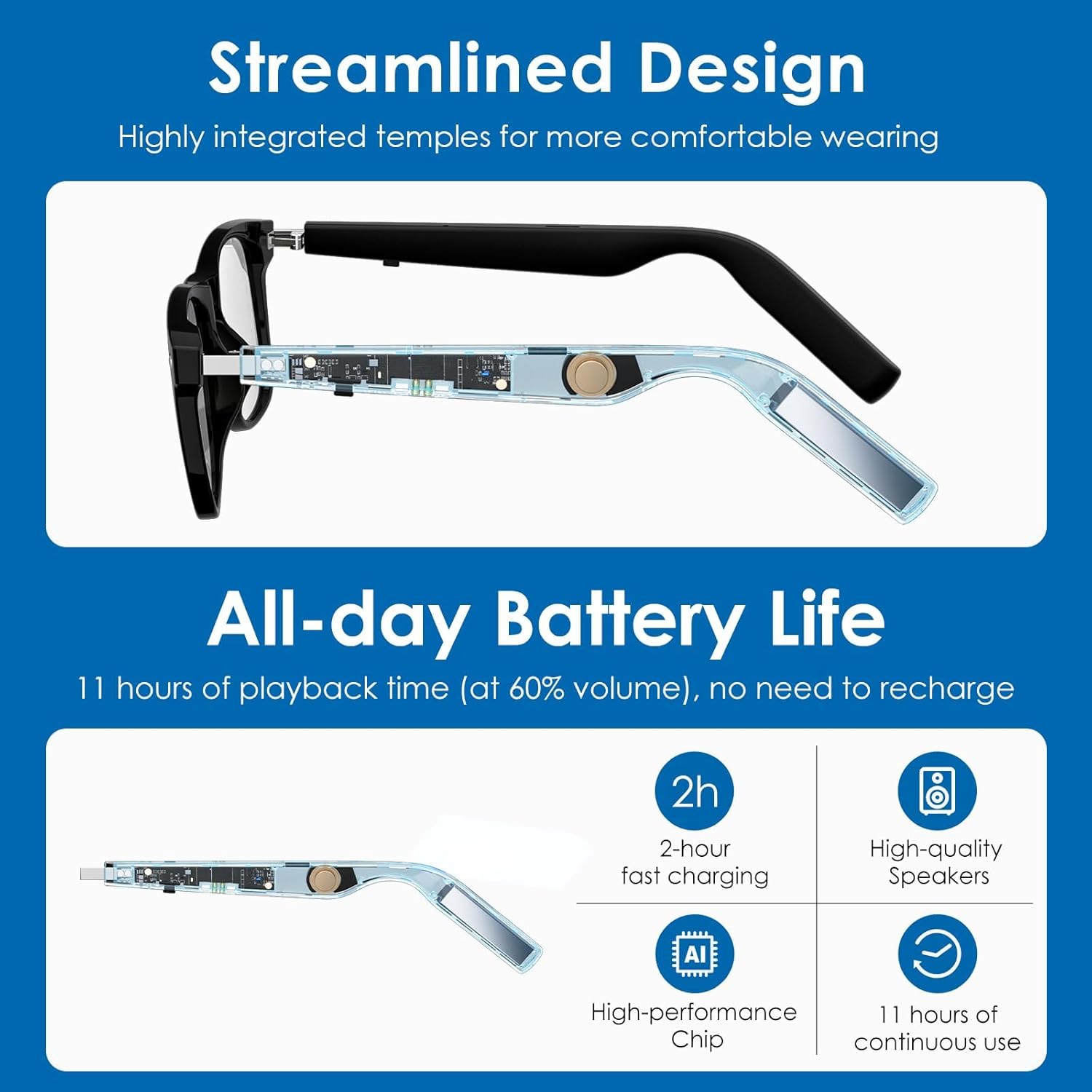
Figure 11: Detailed product size dimensions for the GetD AI Smart Glasses.

Figure 12: Cross-section view highlighting the internal components and lightweight design of the GetD AI Smart Glasses.
Warranty & Support
For product support, frequently asked questions, or warranty information, please visit the official GetD store or contact customer service through the GetD App. Keep your purchase receipt for warranty claims.
Video 2: A detailed demonstration of the GetD Smart Glasses for Men/Women, covering various features and use cases. This video can assist with understanding advanced functionalities.
