
Welcome
Thank you for choosing the SOWO Wireless Bluetooth Speaker. This manual provides essential information for the safe and optimal use of your speaker. Please read it thoroughly before use and retain it for future reference.
Safety Information
- Do not expose the speaker to extreme temperatures.
- Avoid dropping or subjecting the speaker to strong impacts.
- Keep away from children.
- Use only the provided charging cable or a certified equivalent.
- Do not attempt to disassemble or repair the speaker yourself.
What's in the Box
- 1 x SOWO Wireless Bluetooth Speaker
- 1 x Charging Cable
- 1 x User Manual
Product Overview
Speaker Components
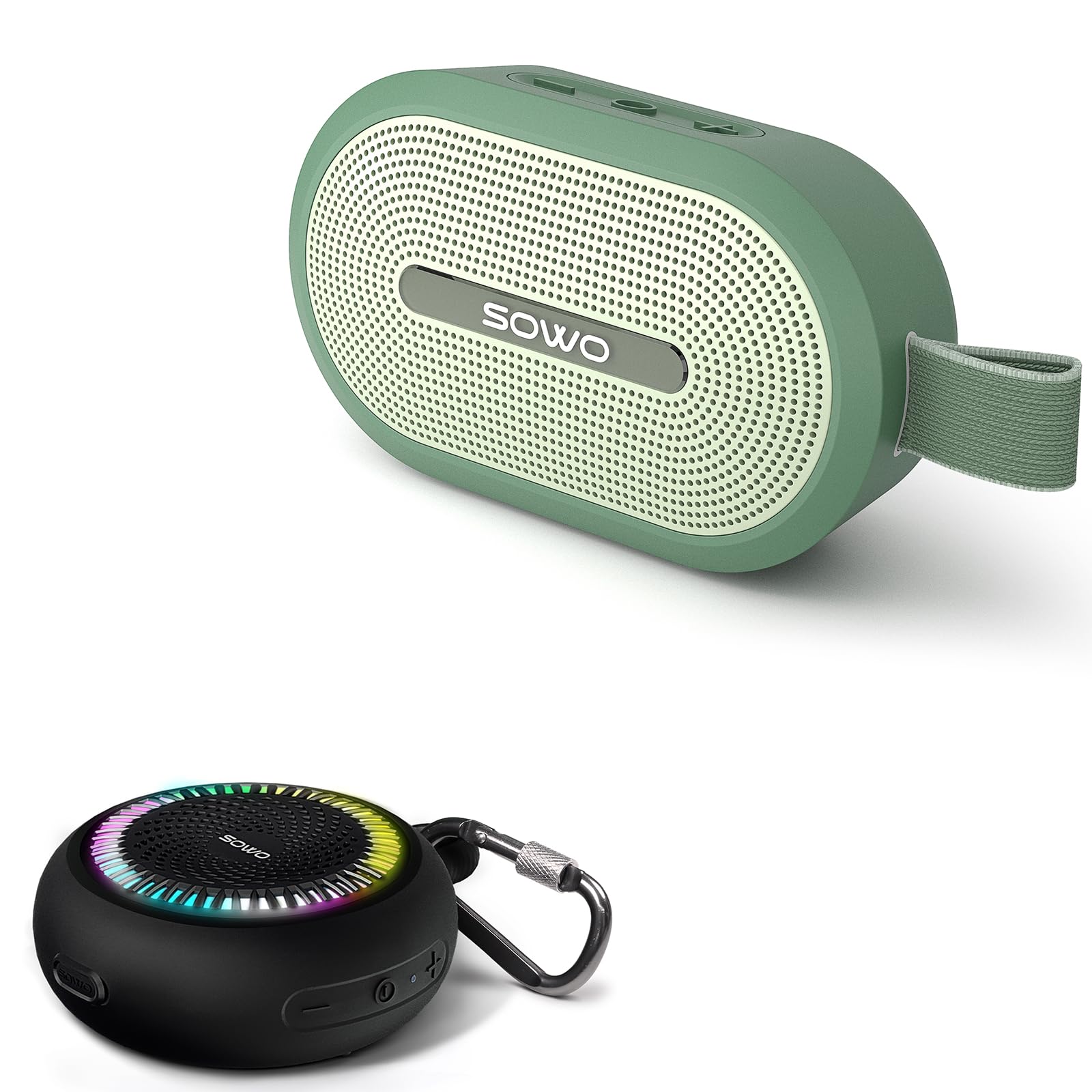
The image above displays the SOWO Wireless Bluetooth Speaker, highlighting its compact design, integrated carabiner clip, and the illuminated LED ring around the speaker grille. Visible control buttons include power, volume up, and volume down.
The SOWO Wireless Bluetooth Speaker features a robust design with intuitive controls. Key components include:
- Power Button: Located on the side, used for turning the speaker on/off.
- Volume Up/Next Track Button: Increases volume, long press for next track.
- Volume Down/Previous Track Button: Decreases volume, long press for previous track.
- Play/Pause Button: Controls music playback.
- Charging Port: Typically a USB-C port, located under a protective cover for waterproofing.
- LED Indicator: Provides status updates for power, charging, and Bluetooth pairing.
- Magnetic Base: Allows for secure attachment to metallic surfaces.
- Carabiner Clip: For easy portability and attachment to bags or golf carts.

This graphic highlights the speaker's internal audio technology, designed to deliver clear and powerful bass for an enhanced listening experience.

The image above showcases the speaker's small size and light weight, making it easy to operate with one hand and highly portable.
Setup
Charging the Speaker
Before first use, fully charge the speaker. Connect the charging cable to the speaker's charging port and a USB power adapter (not included). The LED indicator will show charging status and turn off or change color when fully charged.

This image illustrates the speaker's extended battery life, capable of providing up to 24 hours of playtime on a single charge, suitable for all-day use.
Powering On/Off
- To Power On: Press and hold the Power button for approximately 2-3 seconds until you hear an audible prompt and the LED indicator lights up.
- To Power Off: Press and hold the Power button for approximately 2-3 seconds until you hear an audible prompt and the LED indicator turns off.
Bluetooth Pairing
- Ensure the speaker is powered on and in pairing mode (LED indicator will flash, usually blue).
- On your device (smartphone, tablet, etc.), enable Bluetooth and search for available devices.
- Select "SOWO Speaker" (or similar name) from the list of devices.
- Once paired, the LED indicator will stop flashing and remain solid, and you will hear a confirmation sound.
True Wireless Stereo (TWS) Pairing
For an enhanced stereo sound experience, you can pair two SOWO Wireless Bluetooth Speakers together.

This image demonstrates the stereo pairing feature, where two SOWO speakers can be linked for a wider soundstage.
- Ensure both speakers are powered on and not connected to any other Bluetooth device.
- On one speaker, double-press the Power button (or a dedicated TWS button if available, refer to specific model instructions if different). The speaker will enter TWS pairing mode.
- The two speakers will automatically search for and connect to each other. Once connected, you will hear a confirmation sound, and one speaker will act as the master, ready for Bluetooth pairing with your device.
- Connect your device to the master speaker via Bluetooth as described in the "Bluetooth Pairing" section.
Operation
Basic Controls
- Play/Pause: Press the Play/Pause button once.
- Volume Up: Press the Volume Up (+) button.
- Volume Down: Press the Volume Down (-) button.
- Next Track: Press and hold the Volume Up (+) button.
- Previous Track: Press and hold the Volume Down (-) button.
- Answer/End Call: Press the Play/Pause button once during an incoming call.
- Reject Call: Press and hold the Play/Pause button during an incoming call.
Magnetic Functionality
The SOWO speaker features a strong magnetic base, allowing it to be securely attached to various ferrous metal surfaces. This is ideal for use on golf carts, refrigerators, or other suitable metallic objects.

This image illustrates the speaker's versatile magnetic and hook functions, allowing for secure placement in various environments, such as a shower or on a shelf.
Waterproof Usage (IP67)
The speaker is rated IP67 waterproof, meaning it is protected from dust and can withstand immersion in water up to 1 meter for 30 minutes. Ensure the charging port cover is securely closed before exposing the speaker to water.

The image shows the SOWO speaker floating in water, highlighting its IP67 waterproof rating and suitability for aquatic environments.
Maintenance
- Cleaning: Wipe the speaker with a soft, damp cloth. Do not use abrasive cleaners or solvents.
- Storage: Store the speaker in a cool, dry place away from direct sunlight and extreme temperatures.
- Battery Care: To prolong battery life, avoid fully discharging the speaker frequently. Charge it regularly, even if not in use for extended periods.
- Water Exposure: After exposure to water, ensure the speaker is thoroughly dried before charging.
Troubleshooting
| Problem | Solution |
|---|---|
| Speaker does not power on. | Ensure the speaker is charged. Connect it to a power source and try again. |
| Cannot pair via Bluetooth. | Make sure the speaker is in pairing mode (flashing LED). Turn off and on your device's Bluetooth. Ensure no other devices are connected to the speaker. |
| No sound or low volume. | Check the volume levels on both the speaker and your connected device. Ensure the speaker is properly paired. |
| TWS pairing fails. | Ensure both speakers are fully charged and not connected to any other Bluetooth device. Try resetting both speakers and repeating the TWS pairing process. |
| Speaker not responding. | Try a soft reset by pressing and holding the Power button for 10-15 seconds until it powers off. Then power it back on. |
| Magnetic attachment is weak. | Ensure the surface is flat, clean, and made of ferrous metal. Avoid uneven or painted surfaces that may reduce magnetic strength. |
| Sound distortion. | Reduce the volume on both the speaker and your device. Ensure the speaker is within Bluetooth range and there are no obstructions. |
Specifications
| Feature | Detail |
|---|---|
| Model Name | SOWO Wireless Bluetooth Speaker |
| Connectivity Technology | Bluetooth |
| Wireless Communication Technology | Bluetooth |
| Waterproof Rating | IP67 |
| Power Source | Battery Powered |
| Battery Life | Up to 24 hours (playback time) |
| Control Method | Touch |
| Audio Output Mode | Stereo (with TWS pairing) |
| Speaker Type | Outdoor |
| Compatible Devices | Laptop, MP3 Player, Smartphone, Tablet |
| Included Components | 1 x Bluetooth Speaker |
Warranty Information
The SOWO Wireless Bluetooth Speaker comes with a Limited Warranty. Please refer to the warranty card included with your product or visit the official SOWO website for detailed terms and conditions regarding coverage and duration.
Customer Support
For technical assistance, troubleshooting, or warranty claims, please contact SOWO customer support through their official website or the contact information provided in your product packaging. You can also visit the SOWO Store on Amazon for more information.


