
Introduction
This manual provides instructions for the Effireli RN02A/B Replacement Remote Control, designed for use with compatible Midea air conditioning units. This remote control offers direct functionality without the need for programming or complex setup.
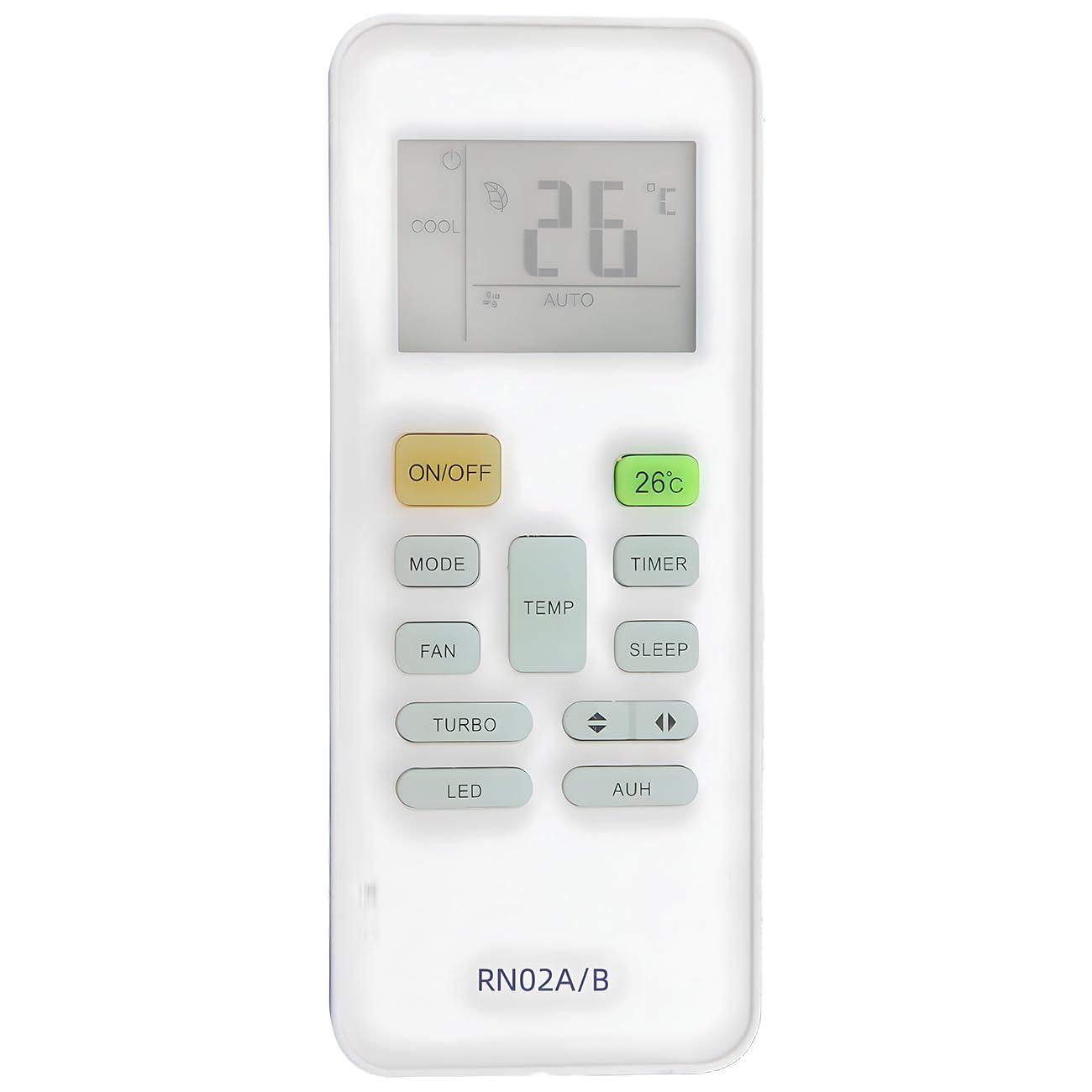
Image of the Effireli RN02A/B replacement remote control, showing its buttons and ergonomic design.
Setup
- Battery Installation: Open the battery compartment cover on the back of the remote control. Insert two (2) AAA batteries, ensuring correct polarity (+/-) as indicated inside the compartment. Close the battery cover securely.
- Initial Use: No programming or pairing is required. Once batteries are installed, the remote is ready for immediate use.
Operating Instructions
To operate your Midea air conditioning unit, point the remote control directly towards the air conditioner's receiver window. Ensure there are no obstructions between the remote and the unit.
- Power Button: Press to turn the air conditioner ON or OFF.
- Mode Button: Cycle through available operating modes (e.g., Cool, Heat, Fan, Dry, Auto).
- Temperature Adjustment: Use the Up and Down arrow buttons to increase or decrease the desired temperature setting.
- Fan Speed: Adjust the fan speed (e.g., Low, Medium, High, Auto).
- Timer Functions: If available on your air conditioner model, use the timer buttons to set automatic ON/OFF times.
Refer to your Midea air conditioner's original manual for specific functions and their corresponding remote control buttons if not explicitly listed here.
Maintenance
- Battery Replacement: Replace batteries when the remote's range decreases or it stops responding. Always replace both batteries simultaneously with new ones of the same type.
- Cleaning: Wipe the remote control with a soft, dry cloth. Do not use liquid cleaners or abrasive materials.
- Storage: If the remote will not be used for an extended period, remove the batteries to prevent leakage and damage. Store in a cool, dry place.
Troubleshooting
| Problem | Possible Cause | Solution |
|---|---|---|
| Remote not responding | Dead or incorrectly inserted batteries. Obstruction between remote and AC unit. | Replace batteries, ensuring correct polarity. Remove any objects blocking the signal path. |
| Limited operating range | Weak batteries. Interference from other electronic devices. | Replace batteries. Ensure no strong light sources or other infrared devices are interfering. |
| Specific function not working | Function not supported by your specific Midea AC model. | Consult your Midea air conditioner's original user manual to confirm supported features. |
Specifications
- Brand: Effireli
- Compatible Models: RN02A/B (for Midea Air Conditioners)
- Manufacturer Model Number: YK-RN02A/B
- Special Feature: No Programming Required
- Connectivity Technology: Infrared
- Max Number of Supported Devices: 1
- Power Source: 2 x AAA Batteries (not included)
- ASIN: B0DP4GN86G
Warranty and Support
Warranty: This product includes a 30-day money-back guarantee and a 12-month warranty covering manufacturing defects. Returns and exchanges are accepted within the warranty period.
Compatibility Note: If your specific Midea air conditioner model number is not listed as compatible (RN02A/B) or your original remote control appears significantly different, please contact the seller or manufacturer directly to confirm compatibility before purchase or for support.
Customer Support: For further assistance, troubleshooting, or warranty claims, please refer to your purchase documentation for seller contact information or visit the Effireli official support channels.