
1. Introduction
This manual provides essential information for the safe and proper use, maintenance, and care of your HJC RPHA 1N Joker Helmet. Please read this manual thoroughly before using your helmet and retain it for future reference.
The HJC RPHA 1N helmet is designed for street use and is certified to meet stringent safety standards, including FIM (FRHPhe-01), ECE, and D.O.T. (FMVSS 218) approvals, ensuring its legality for on-road motorcycle use in the United States and other regions.
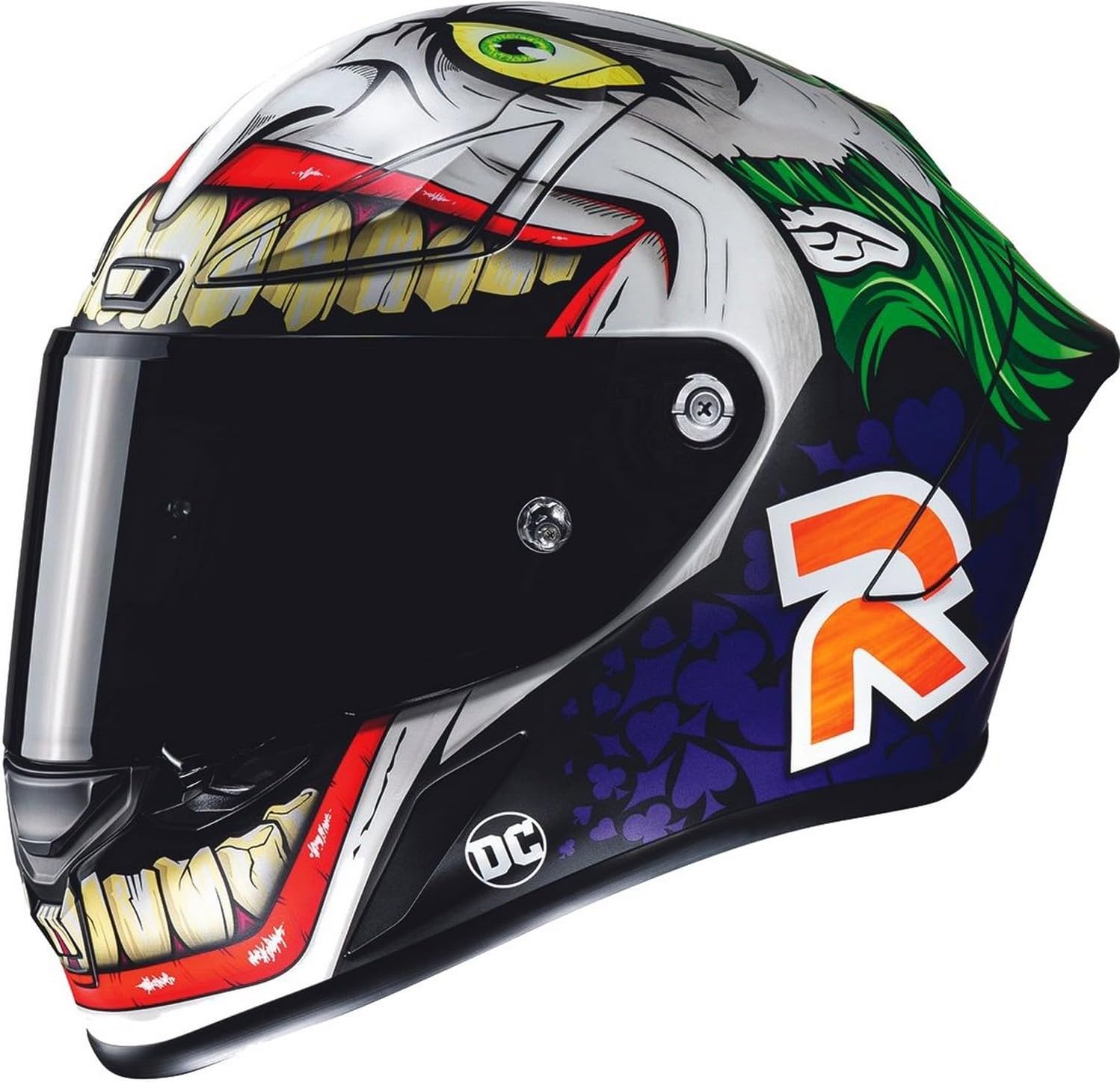
Figure 1.1: Side view of the HJC RPHA 1N Joker Helmet, showcasing the semi-flat green and purple design with Joker graphics.
2. Key Features
- Premium Integrated Matrix Plus (PIM Plus) Shell: Constructed with reinforcement materials including Carbon and Carbon-Glass Hybrid fabric, providing enhanced shock-resistant performance, comfort, and lightness.
- Advanced Channeling Ventilation System (ACS): Features 5 intake vents and 4 exhaust vents for full front-to-back airflow, effectively flushing heat and humidity out of the helmet. This system also reduces shield fogging.
- HJ-35 Visor: Pinlock-ready visor provides 99% UV protection and features a coated, double-locking system. Tear-off posts are pre-installed.
- Silver Cool™ Interior: Advanced fabric enhances moisture-wicking and quick-drying properties for improved comfort.
- Emergency Kit (Cheek Pads): Designed for quick and safe removal in emergency situations.
- Double D-Ring Closure: A secure and reliable retention system.
- Glasses Grooves: Integrated design to accommodate riders who wear eyeglasses or sunglasses.
- Speaker Pockets: Designed for integration with Bluetooth communication systems.
- Aerodynamic Shell Design: Optimized for performance and stability.

Figure 2.1: Front view of the HJC RPHA 1N Joker Helmet, highlighting the visor and ventilation system.
3. Setup and Assembly
3.1 Visor Attachment and Removal
The HJ-35 visor features an Easy Attachment System for simple and secure tool-less installation and removal. Refer to the detailed instructions provided in the separate visor manual or HJC's official support resources for precise steps.
3.2 Pinlock Lens Installation
Your helmet includes a Pinlock lens to prevent fogging. To install:
- Remove the visor from the helmet.
- Gently flex the visor to flatten it slightly.
- Align the Pinlock lens pins with the eccentric pins on the visor.
- Press the Pinlock lens firmly against the visor, ensuring a complete seal around the silicone gasket.
- Reinstall the visor onto the helmet.
3.3 Cheek Pad Installation/Removal
Cheek pads are removable and washable. For removal, gently pull them away from the helmet shell, detaching the snaps or clips. For installation, align and press them back into place until secure. The emergency kit feature allows for quick removal by trained personnel in an accident scenario.
4. Operating Your Helmet
4.1 Ventilation System
The ACS ventilation system features adjustable intake and exhaust vents. Locate the sliders or switches on the front and top of the helmet. Open these vents to increase airflow and close them to reduce it, depending on weather conditions and personal preference. Proper use of the ventilation system helps manage internal temperature and reduce visor fogging.

Figure 4.1: Front three-quarter view of the HJC RPHA 1N Joker Helmet, showing the upper ventilation intakes.
4.2 Visor Operation
The HJ-35 visor can be opened and closed manually. It features multiple detent positions to allow for partial opening. The double-locking system ensures the visor remains securely closed during high-speed riding. To engage the lock, push the visor fully down until it clicks into place. To release, typically a small lever or button near the visor pivot point needs to be actuated.
4.3 Double D-Ring Fastener
To secure the helmet, thread the strap through both D-rings, then back through the first D-ring only. Pull the strap tight until the helmet fits snugly without causing discomfort. Ensure the strap is not twisted. Always check the tightness before each ride.
5. Maintenance and Care
5.1 Shell Cleaning
Clean the helmet shell with a soft cloth and mild soap and water. Avoid using harsh chemicals, solvents, or abrasive cleaners, as these can damage the helmet's finish and materials. Rinse thoroughly and air dry.
5.2 Visor Cleaning
Clean the visor with a soft, damp cloth and mild soap or a specialized helmet visor cleaner. Do not use abrasive materials. For the Pinlock lens, clean it gently with a soft, damp cloth and avoid rubbing the silicone seal. Allow both to air dry completely before reassembly.
5.3 Interior Cleaning
The crown and cheek pads are removable and washable. Hand wash them in cool water with mild soap. Rinse thoroughly and allow them to air dry completely before reinstalling. Do not machine wash or tumble dry.
5.4 Storage
Store your helmet in a cool, dry place away from direct sunlight and extreme temperatures. Use the helmet bag provided to protect it from scratches and dust.

Figure 5.1: Rear three-quarter view of the HJC RPHA 1N Joker Helmet, showing the exhaust vents and aerodynamic spoiler.
6. Troubleshooting
| Problem | Possible Cause | Solution |
|---|---|---|
| Visor fogging | Insufficient airflow; cold/humid conditions; Pinlock not installed correctly. | Open ventilation vents. Ensure Pinlock lens is properly installed and sealed. Clean visor and Pinlock. |
| Helmet feels loose or too tight | Incorrect size; cheek pads not seated correctly. | Ensure correct helmet size. Check that cheek pads are fully seated. HJC offers interchangeable cheek pads for fine-tuning fit. |
| Excessive wind noise | Visor not fully closed; poor fit; missing chin curtain. | Ensure visor is fully closed and locked. Verify proper helmet fit. Install chin curtain (if not already). |
7. Specifications
| Feature | Detail |
|---|---|
| Model Name | RPHA 1N Joker DC Comics Helmet |
| Part Number | 0809-2048-05 |
| Certifications | FIM (FRHPhe-01), ECE, D.O.T. (FMVSS 218) |
| Shell Material | Premium Integrated Matrix Plus (PIM Plus): Carbon & Carbon-Glass Hybrid fabric |
| Ventilation | ACS Advanced Channeling Ventilation System (5 intakes, 4 exhausts) |
| Visor Type | HJ-35, Pinlock Ready, 99% UV protection, Double locking system |
| Interior Fabric | Silver Cool™ (Moisture-wicking, quick-dry) |
| Retention System | Double D-Ring |
| Included Accessories | Breath deflector, Chin curtain, Tear-Off Film (5 Pack), Pinlock lens, Light Smoke Aero Spoiler |
| Weight (Medium) | 3.32 lbs (1,508 +/- 37g) |
| Color | Semi-Flat Green/Purple (MC-48SF) |

Figure 7.1: Side view of the HJC RPHA 1N Joker Helmet, showcasing the detailed graphic design.
8. Warranty Information
HJC offers a 5-Year Limited Warranty for the original purchaser. This warranty guarantees the helmet to be free of defects in materials and workmanship. For full details regarding warranty claims and coverage, please refer to the official HJC website or contact HJC customer support.
9. Customer Support
For further assistance, technical support, or to inquire about replacement parts, please visit the official HJC website or contact their customer service department. Contact information can typically be found on the HJC website or within the packaging materials.
HJC Website: www.hjchelmets.com

