
Introduction
The Beurer Cardio Companion ME75 is a portable 3-lead EKG/ECG device designed for reliable and accurate heart monitoring. It allows users to obtain heart rhythm measurements in as little as 30 seconds from the comfort of their home. This manual provides comprehensive instructions for the safe and effective use of your ME75 monitor.

Image: The Beurer Cardio Companion ME75 EKG Monitor, a compact white device with a color display showing heart rate and an ECG waveform.
Important Safety Information
Please read all safety instructions carefully before using the device. Failure to follow these instructions may result in inaccurate readings or device damage.
- This device is not suitable for individuals with pacemakers, metal implants, or other implants that emit an electrical pulse.
- The ME75 is intended for personal use to monitor heart rhythm and detect irregularities. It is not a substitute for professional medical diagnosis or treatment.
- Consult your physician before making any medical decisions based on the readings from this device.
- Do not have skin-to-skin contact with another person while taking a measurement, as this may affect accuracy.
- Keep the device dry and away from extreme temperatures.
- Do not attempt to open or repair the device yourself. Contact customer support for assistance.
Legal Disclaimer: Statements regarding dietary supplements have not been evaluated by the FDA and are not intended to diagnose, treat, cure, or prevent any disease or health condition.
Product Features
- Accurate & Reliable: FDA-cleared 3-lead EKG monitor for precise heart rhythm measurement.
- Fast Results: Obtain real-time results in under 30 seconds on a bright, color display.
- Multiple Measurement Methods: Supports hand-to-hand, hand-to-wrist, hand-to-leg, and hand-to-chest measurements.
- Heart Rhythm Analysis: Monitors heart rate and alerts if an irregular heart rate or arrhythmia is detected.
- Data Storage: Stores up to 100 readings locally on the device.
- Bluetooth Connectivity: Seamlessly connects to the free "mini ECG" app for unlimited measurement storage and health tracking.
- Rechargeable Battery: Features a USB-B rechargeable battery for convenience.

Image: The Beurer ME75 device shown alongside a list of its key features, including compact design, real-time results, color display, built-in memory, Bluetooth pairing, and reliability.
Package Contents
Upon unpacking, please ensure all items are present and undamaged:
- Beurer Cardio Companion ME75 EKG Monitor
- USB-B Charging Cable
- User Manual (this document)
- (Potentially a carrying case or pouch, if included with the product)
Setup Guide
1. Charging the Device
Before first use, fully charge your ME75 monitor. Connect the provided USB-B cable to the device's charging port and plug the other end into a standard USB power adapter (not included) or a computer USB port. The battery indicator on the display will show charging progress.
2. Initial Power On
Press and hold the power button (usually located on the front or side) until the display illuminates. The device will typically show the current time and date, and be ready for a measurement.
3. App Installation and Bluetooth Pairing
For enhanced tracking and unlimited data storage, download the free "mini ECG" app from your smartphone's app store (iOS or Android). Follow these steps to pair your device:
- Ensure Bluetooth is enabled on your smartphone.
- Open the "mini ECG" app.
- Follow the in-app instructions to search for and connect to your ME75 device. The device's Bluetooth icon on its display will indicate a successful connection.

Image: A smartphone displaying the "mini ECG" app, which allows users to track, save, and share their measurements effortlessly via Bluetooth pairing.
Operating Instructions
Measurement Methods
The Beurer ME75 offers four ways to take an EKG measurement. For optimal results, ensure a stable position and avoid movement during the 30-second measurement period. Do not have skin-to-skin contact with another person during measurement.
- Recommended: Right Index Finger to Chest: Place your right index finger on the top electrode and the bottom electrode firmly against your chest, approximately 2 inches below the left nipple.
- Left Hand to Right Hand: Hold the device with your left hand, placing your left thumb on the top electrode. Place your right index finger on the bottom electrode.
- Left Leg to Right Index Finger: Place your right index finger on the top electrode and the bottom electrode firmly against your left leg, approximately 4 inches above the ankle.
- Left Wrist to Right Index Finger: Place your right index finger on the top electrode and the bottom electrode firmly against your left wrist.

Image: A visual guide demonstrating the four available measurement positions for the Beurer ME75: right index finger to chest, left hand to right hand, left leg to right index finger, and left wrist to right index finger.
Taking a Measurement
- Power on the device.
- Select your desired measurement method.
- Place your skin firmly on the electrodes as per the chosen method.
- The measurement will begin automatically and last for 30 seconds. Remain still and quiet during this time.
- Upon completion, your heart rate and an analysis of your heart rhythm will be displayed.
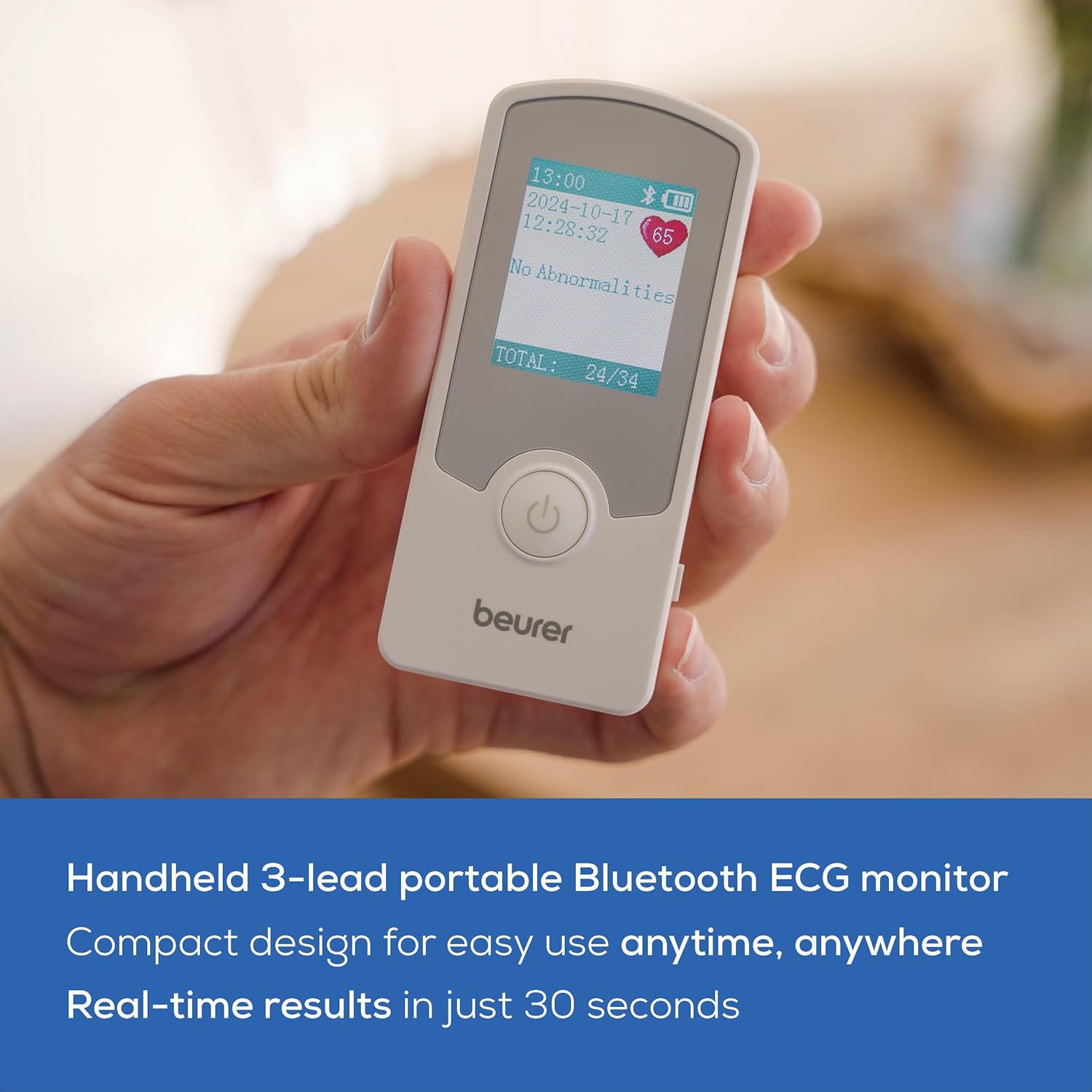
Image: A person holding the Beurer ME75, demonstrating its compact and handheld design, suitable for easy use anytime, anywhere, with real-time results in 30 seconds.

Image: A user interacting with the Beurer ME75, emphasizing the device's ability to provide accurate, quick results for peace of mind, ideal for monitoring heart health at home or on the go.
Understanding Results
The device will display your heart rate in beats per minute (bpm) and provide an analysis of your heart rhythm. It will indicate if an abnormality is detected. Refer to the app for more detailed interpretations and historical data.
Saving Data
- On Device: The ME75 can store up to 100 readings directly on the device's internal memory.
- Via App: When connected via Bluetooth, measurements are automatically synced to the "mini ECG" app, allowing for unlimited storage, trend tracking, and sharing with healthcare professionals.

Image: A detailed view of the Beurer ME75's color display, showing a heart rate reading and ECG waveform, along with indicators for built-in memory and rechargeable battery status.
Maintenance
Cleaning
Wipe the device and electrodes with a soft, damp cloth after each use. Do not use abrasive cleaners or immerse the device in water.
Battery Care
The ME75 has a built-in rechargeable Lithium Polymer battery. To prolong battery life:
- Charge the device regularly, even if not used frequently.
- Avoid fully discharging the battery before recharging.
- Store the device in a cool, dry place when not in use.
Storage
Store the device in its original packaging or a protective case to prevent damage. Keep it out of reach of children and pets.
Troubleshooting
| Problem | Possible Cause | Solution |
|---|---|---|
| Device does not turn on. | Battery is depleted. | Charge the device using the provided USB cable. |
| Inaccurate or no reading. | Poor contact with electrodes; movement during measurement; skin-to-skin contact with another person. | Ensure firm contact with electrodes. Remain still. Avoid contact with others. Clean electrodes. |
| Cannot connect to app via Bluetooth. | Bluetooth is off on phone; device not in pairing mode; app issue. | Ensure phone Bluetooth is on. Restart device and app. Try re-pairing from app settings. |
| "No Abnormalities" displayed but feeling symptoms. | The device detects specific arrhythmias. It does not detect all heart conditions or heart attacks. | Consult a medical professional immediately if you experience symptoms or concerns, regardless of device readings. |
Technical Specifications
- Model: ME75
- Product Dimensions: 3.85 x 1.75 x 0.6 inches
- Item Weight: 2.08 ounces (0.13 Pounds)
- Batteries: 1 Lithium Polymer battery (included, rechargeable, non-replaceable)
- Sensor Type: ECG (3-lead)
- Data Storage: 100 readings on device, unlimited via app
- Connectivity: Bluetooth
- Compatible Devices: Smartphones (iOS/Android with "mini ECG" app)
- Material: Plastic
- Color: White
- Manufacturer: Beurer
- UPC: 810110200395
Warranty and Support
For warranty information and customer support, please refer to the official Beurer website or contact their customer service directly. Keep your purchase receipt as proof of purchase.
Beurer North America: Visit the Beurer Store on Amazon


