1. Product Overview
The Tangxi Wireless Bluetooth Controller is a compact and versatile device designed to enhance your learning and gaming experience, particularly with applications like Anki. Its sensitive control keys and multi-platform compatibility make it a convenient tool for students, professionals, and gamers alike.
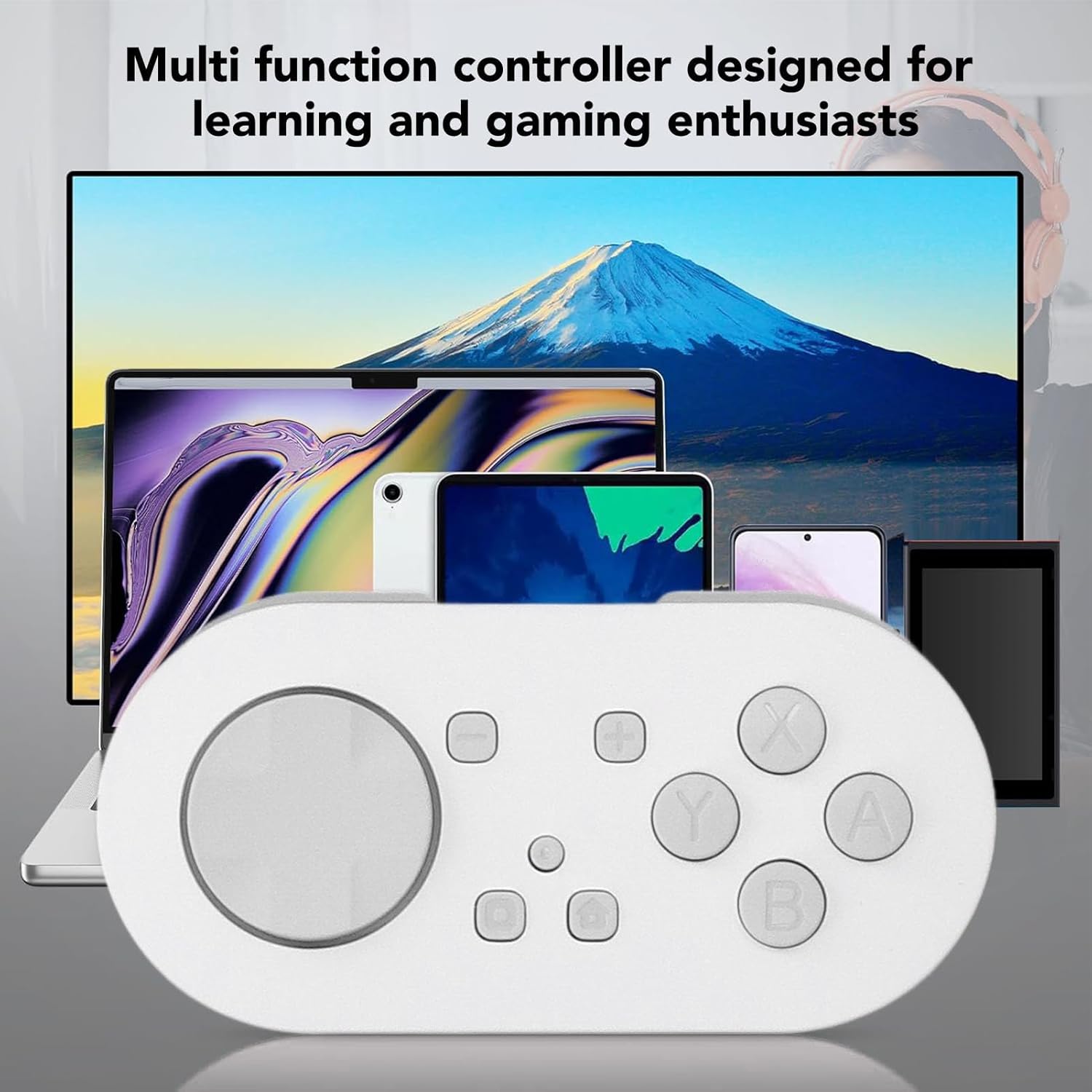
Figure 1: The Tangxi Wireless Bluetooth Controller compatible with multiple devices.
This controller features a portable design, multiple RGB lighting modes, and a long-lasting battery, ensuring an immersive and efficient user experience across various operating systems.

Figure 2: Top view of the Tangxi Wireless Bluetooth Controller.
2. Setup and Pairing
2.1 What's in the Box
Before you begin, ensure all components are present:

Figure 3: Package contents: Controller, USB Cable, and Strap.
- 1 x Tangxi Wireless Bluetooth Controller
- 1 x USB Charging Cable
- 1 x Wrist Strap
- 1 x Instruction Manual (this document)
2.2 Bluetooth Connection
The controller supports four connection modes: X input, Android, iOS, and Keyboard mode. Each mode has a specific pairing method and indicator light display.

Figure 4: Controller in use with a laptop running the Anki app.
- Power On: Ensure the controller is charged and powered on.
- Select Mode: Long press the Home button simultaneously with one of the following buttons to enter the desired pairing mode:
- Home + A: iOS Mode
- Home + B: Android Mode
- Home + X: X Input Mode (for Windows)
- Home + Y: Keyboard Mode (for general use across platforms)
- Pairing Indicator: The indicator light on the controller will flash rapidly, indicating it is in pairing mode.
- Device Bluetooth Settings: On your device (smartphone, tablet, computer), navigate to the Bluetooth settings.
- Connect: Search for available devices and select "Tangxi Controller" (or similar name) to connect. The indicator light will become solid once connected.
If pairing fails, turn off the controller, disable Bluetooth on your device, and repeat the steps. Ensure no other Bluetooth devices are interfering.
3. Operation
3.1 Basic Controls
The controller features a directional joystick, A/B/X/Y buttons, and several function keys for navigation and interaction.

Figure 5: Close-up of the control buttons.
- Joystick: Used for directional input and navigation.
- A/B/X/Y Buttons: Primary action buttons, functions vary by application and mode.
- Home Button: Powers on/off, used for mode selection during pairing.
- Other Function Buttons: Specific functions may vary based on the connected device and application. Refer to your application's settings for customization.

Figure 6: Close-up of the directional joystick.
3.2 RGB Lighting Modes
The controller features 15 independent LED lights with 8 vibrant colors and 14 RGB lighting effects (8 static, 6 dynamic).

Figure 7: Controller displaying RGB lighting modes.
- Changing Modes: Use the dedicated light buttons (if present) or combinations with the A/B/X/Y keys to cycle through the available RGB lighting effects.
- Customization: Experiment with different combinations to find your preferred lighting setup.
4. Maintenance and Battery
4.1 Charging the Controller
The controller is equipped with a 200mAh polymer lithium-ion battery.

Figure 8: Charging port location on the controller.
- Charging: Connect the provided USB cable to the controller's charging port and a suitable USB power source.
- Charging Indicator: The indicator light will show charging status (e.g., solid red while charging, off when fully charged).
- Battery Life: Expect 4 to 8 hours of continuous use with RGB lighting enabled.
- Auto Sleep: The controller features an auto-sleep function to conserve battery when idle.
- Low Voltage Warning: An indicator will alert you when the battery is low, prompting you to recharge.
4.2 Care and Storage
- Keep the controller dry and away from extreme temperatures.
- Clean with a soft, dry cloth. Avoid harsh chemicals.
- Store in a safe place to prevent physical damage.
5. Troubleshooting
If you encounter issues with your Tangxi Wireless Bluetooth Controller, refer to the table below for common problems and solutions.
| Problem | Possible Cause | Solution |
|---|---|---|
| Controller does not power on. | Battery is depleted. | Charge the controller using the provided USB cable. |
| Cannot pair with device. | Incorrect pairing mode selected; Bluetooth interference; device Bluetooth off. | Ensure correct mode (Home + A/B/X/Y) is selected. Turn off and on device Bluetooth. Try pairing in a different environment. |
| Buttons are unresponsive or incorrect input. | Incorrect connection mode for the application; software conflict. | Verify the controller is in the correct mode for your application (e.g., Keyboard mode for Anki on some systems). Check application settings for button mapping. For Mac/PC, third-party software like Karabiner may be needed for advanced customization. |
| RGB lights are not working. | Lighting mode off; low battery. | Press the light button or relevant key combination to activate/change modes. Charge the controller. |
If the problem persists after trying these solutions, please contact customer support.
6. Specifications
| Feature | Detail |
|---|---|
| Item Type | Wireless Bluetooth Controller |
| Material | ABS |
| Battery | 200mAh Polymer Lithium-ion Battery |
| Connection | Bluetooth |
| Compatibility | Windows, Android, OS X, iOS platforms |
| Dimensions | Approx. 2.9 x 1.4 inches (7.3 x 3.5 cm) - Based on product description of compact size |
| Weight | 2.46 ounces (approx. 70g) |
| Model Number | Tangxia2hx94e80i-11 |
7. Warranty and Support
Tangxi products are designed for reliability and performance. This product comes with a standard manufacturer's warranty against defects in materials and workmanship. Please retain your proof of purchase for warranty claims.
For technical support, troubleshooting assistance, or warranty inquiries, please contact Tangxi customer service through the retailer where the product was purchased or visit the official Tangxi brand store online:
Our support team is available to help you with any questions or concerns regarding your Tangxi Wireless Bluetooth Controller.


