
Introduction
Thank you for choosing the INIU P41L Portable Charger. This slim 45W 10000mAh power bank is designed for convenience and fast charging on the go. Featuring a built-in USB-C cable, multiple output ports, and a compact design, it ensures your devices stay powered throughout your day. Please read this manual carefully to ensure proper use and optimal performance.
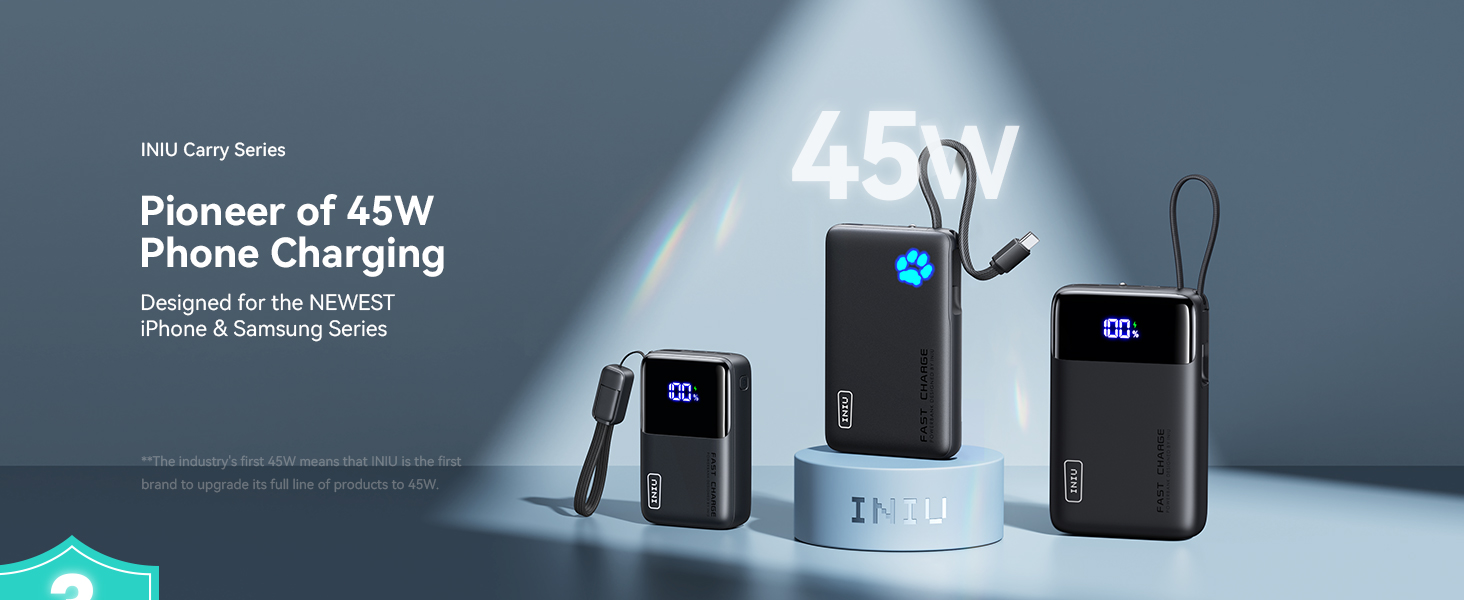
Image: The INIU P41L Portable Charger showcasing its built-in USB-C cable and compact design.
Setup
Initial Charging
Before first use, fully charge your INIU P41L power bank. Connect the built-in USB-C cable or an external USB-C cable to a compatible wall adapter (not included) and plug it into a power source. The Paw Power Indicator will illuminate to show charging progress.
Paw Power Indicator
The unique Paw Power Indicator on the front of the power bank shows the remaining battery level. Each illuminated 'toe' represents approximately 20% of the battery capacity. When all five 'toes' are lit, the power bank is fully charged.

Image: A close-up view of the INIU P41L's Paw Power Indicator, showing illuminated segments representing battery charge level.
Operating Instructions
Charging Your Devices
The INIU P41L offers multiple ways to charge your devices:
- Built-in USB-C Cable: Unplug the integrated USB-C cable from its storage slot and connect it directly to your USB-C compatible device.
- USB-C Port (IN/OUT): Use your own USB-C to USB-C cable to connect your device to the power bank's USB-C port. This port supports both input and output.
- USB-A Port (OUT): Use your own USB-A compatible cable to connect your device to the power bank's USB-A output port.
The power bank supports 45W fast charging, significantly reducing charging times for compatible devices.

Image: The INIU P41L Portable Charger rapidly charging an iPhone, highlighting its 45W fast charging capability.
Recharging the Power Bank
To recharge the INIU P41L, use the built-in USB-C cable or an external USB-C cable connected to a wall adapter. The power bank supports fast recharging, allowing it to be fully charged in approximately 2.3 hours with a compatible 45W adapter.

Image: The INIU P41L simultaneously charging three devices and illustrating how its built-in cable can be used for recharging the power bank itself.
Pass-Through Charging
The INIU P41L supports pass-through charging, meaning you can charge your devices while the power bank itself is being recharged. The power bank will prioritize charging your connected devices first, then recharge its internal battery.
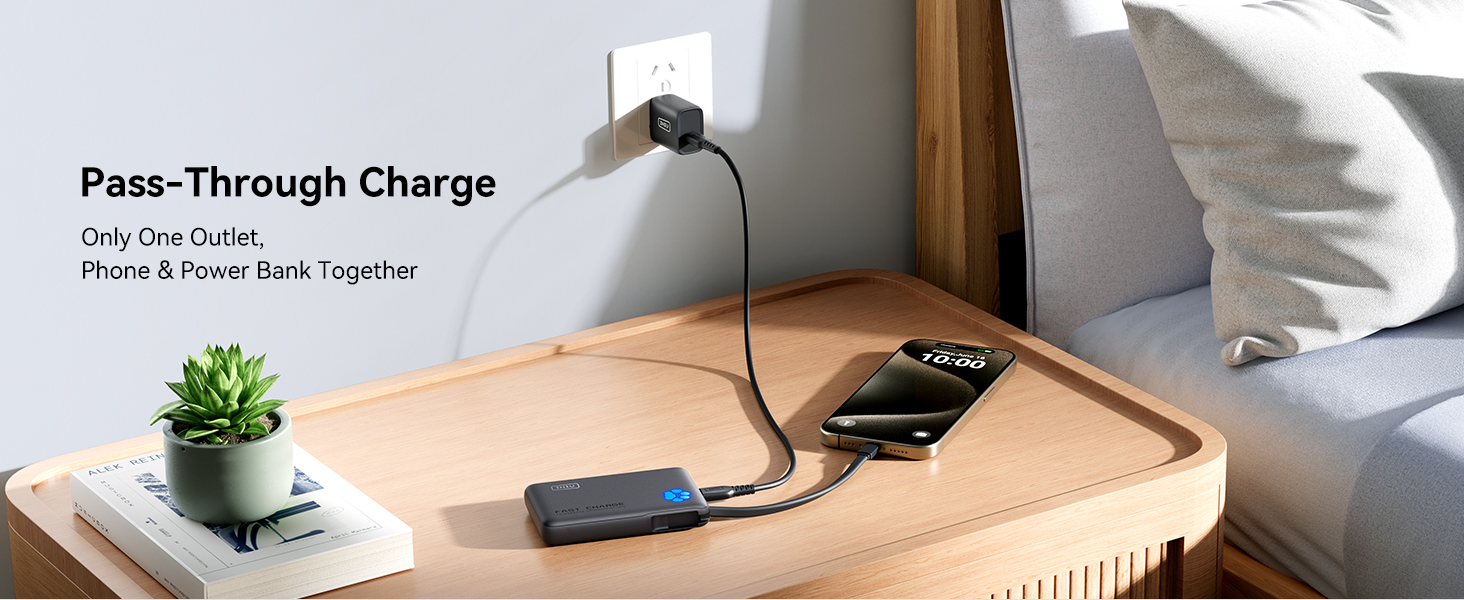
Image: The INIU P41L connected to a wall adapter, simultaneously charging a smartphone, demonstrating its pass-through charging capability.
Emergency Flashlight
To activate the emergency flashlight, double-press the power button located on the side of the power bank. Double-press again to turn it off. This feature is useful in low-light conditions or emergencies.
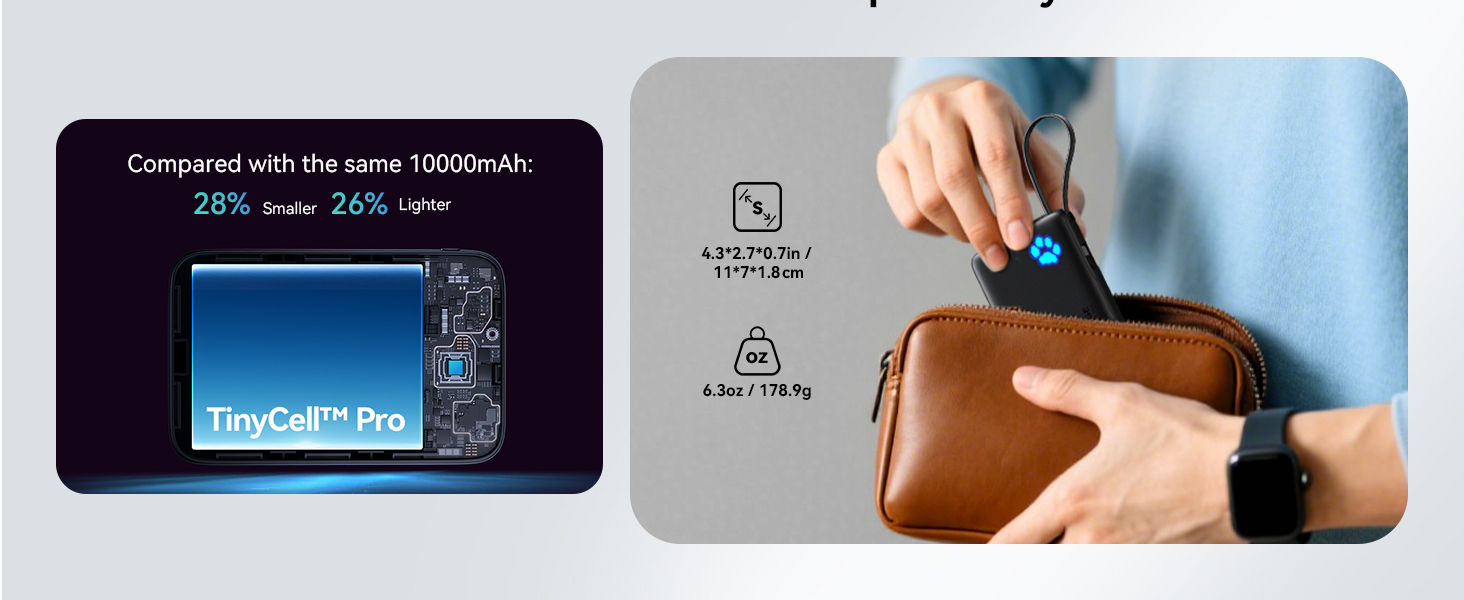
Image: The INIU P41L highlighting its thoughtful design details, including the emergency flashlight and the Paw Power Indicator.
Video: INIU Slim 45W PD Fast Charging 10000mAh Power Bank
Video: This video demonstrates the INIU Slim 45W PD Fast Charging 10000mAh Power Bank in action, highlighting its features and fast charging capabilities.
Video: Reasons I LOVE this INIU 45w Power Bank With Built In USB-C
Video: This video provides a personal review of the INIU 45W Power Bank with Built-In USB-C, detailing the user's favorite aspects and practical uses.
Maintenance
- Keep the power bank away from extreme temperatures, direct sunlight, and liquids.
- Avoid dropping or subjecting the device to strong impacts.
- Clean the surface with a soft, dry cloth. Do not use harsh chemicals or abrasive materials.
- For optimal battery life, fully charge the power bank at least once every three months if not in regular use.
Troubleshooting
Device Not Charging
- Ensure the power bank is sufficiently charged (check the Paw Power Indicator).
- Verify that the charging cable is securely connected to both the power bank and your device.
- Try a different charging cable or port on the power bank.
- Confirm your device is compatible with the power bank's output specifications.
Power Bank Not Recharging
- Ensure the charging cable is securely connected to the power bank and the wall adapter.
- Verify the wall adapter is functioning correctly and plugged into a live power outlet.
- Try a different wall adapter or USB-C cable.
Specifications
| Feature | Detail |
|---|---|
| Model Number | P41L |
| Battery Capacity | 10000 Milliamp Hours |
| Output Power | 45W Fast Charging |
| Connector Type | Output: USB-C*1 + USB-A*1, Built-in USB-C cable |
| Item Dimensions (L x W x Th) | 4.3" x 2.7" x 0.7" |
| Item Weight | 178.9 Grams |
| Battery Cell Type | Lithium Polymer |
| Special Features | Built-in USB-C Cable for Travel, Mini Size, Pocket-size, Ultra Small, Compact, Travel essential, USB C in&Out, Paw Power Indicator, Emergency Flashlight, Pass-Through Charging |
| Compatible Devices | iPhone 12-17 series, Samsung Galaxy S6-S25 series, Google Pixel 2-6 series, iPad Pro/Air, Apple Watch Series 8-9, AirPods |
Warranty
INIU provides an industry-leading 3-Year INIU Care warranty. For any quality issues, INIU will send you a new replacement. Please retain your proof of purchase for warranty claims.
Support
For further assistance or inquiries, please refer to the contact information provided in your product packaging or visit the official INIU website. You can also reach out to INIU Innovations Inc. directly through their Amazon seller page.


