
Introduction
This manual provides detailed instructions for the safe and efficient operation of your CAGIWIRU W15 Compressed Air Duster. This device features an upgraded brushless motor, adjustable wind speeds, and a compact design, making it suitable for various cleaning tasks for electronics, vehicles, and household items. Please read this manual thoroughly before using the product and retain it for future reference.
Package Contents
Verify that all items are present in the package:
- Electric Air Duster x 1
- Replacement Nozzles x 5
- Type-C Charging Cable x 1
- User Manual x 1
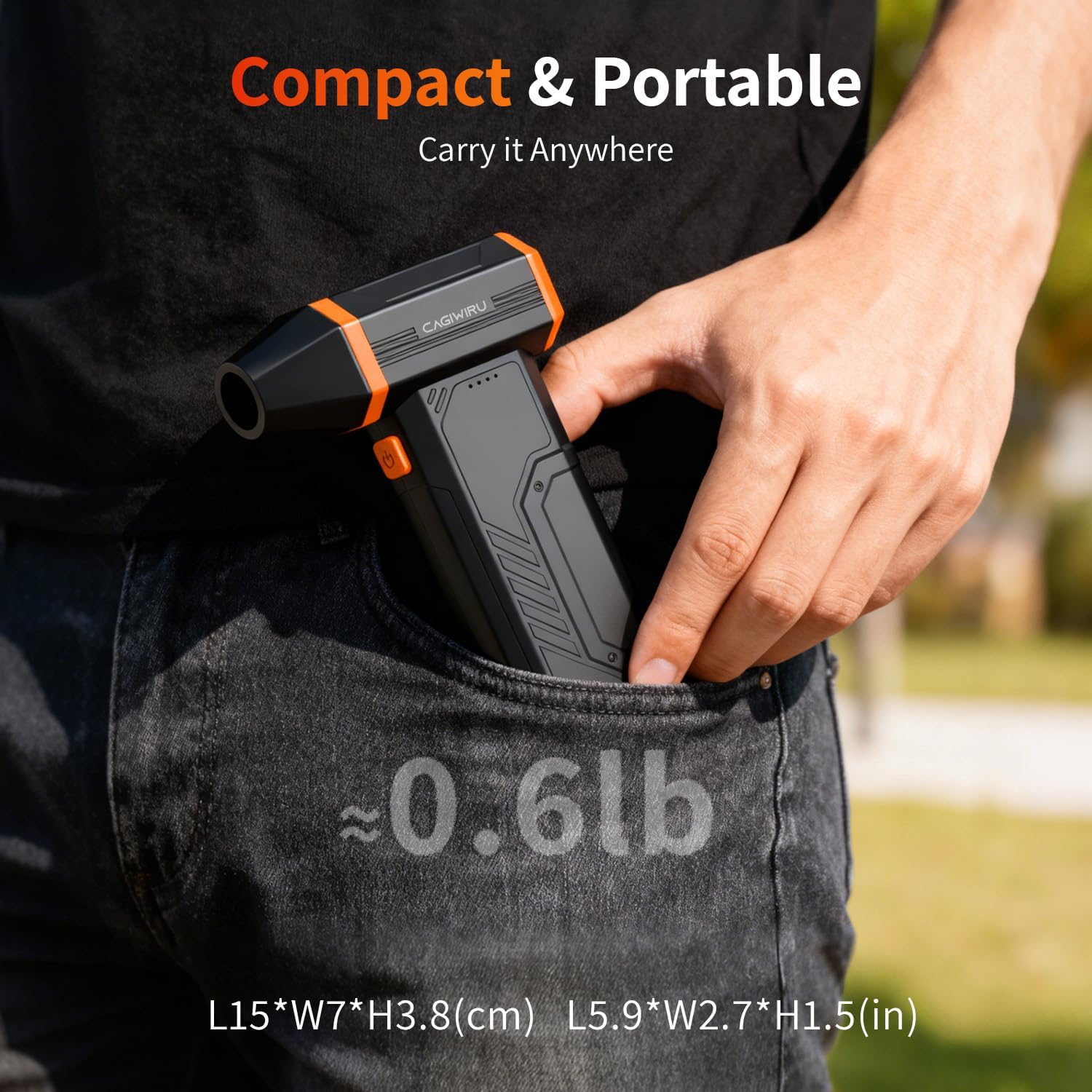
Image showing the CAGIWIRU W15 Compressed Air Duster along with its five replacement nozzles, Type-C charging cable, and user manual.
Product Features
- Upgraded Brushless Motor: Delivers powerful airflow up to 110,000 RPM, 100g wind pressure, and over 130m/s wind speed for enhanced cleaning efficiency.
- 3-Gear Adjustable Wind Speed: Select from 30,000 RPM (Gear 1), 60,000 RPM (Gear 2), or 110,000 RPM (Gear 3) to suit different cleaning needs.
- Compact and Lightweight Design: Weighs approximately 280g (0.6 lbs) and is palm-sized for easy handling, storage, and portability.
- LED Lighting: Integrated LED light for improved visibility in dark areas.
- Fast Charging: Supports Type-C fast charging, compatible with various power sources like car chargers and power banks.
- Versatile Nozzles: Includes five different nozzles for a wide range of applications.

Diagram illustrating the high-efficiency brushless motor of the CAGIWIRU W15 Compressed Air Duster, highlighting 100G wind pressure and 45m/s wind speed.

Image demonstrating the 3-gear adjustable wind speed feature of the CAGIWIRU W15 Compressed Air Duster, showing settings for 30,000 RPM, 60,000 RPM, and 110,000 RPM.

Image showcasing the LED lighting design of the CAGIWIRU W15 Compressed Air Duster, with the LED button indicated.

Image showing the compact and portable design of the CAGIWIRU W15 Compressed Air Duster, fitting easily into a pocket and weighing approximately 0.6 lbs.
Setup
Attaching Nozzles
The CAGIWIRU W15 comes with five different nozzles for various applications. To attach a nozzle, align the desired nozzle with the air outlet and push it firmly until it clicks into place. To remove, gently pull the nozzle off.

Image showing the CAGIWIRU W15 Compressed Air Duster with various nozzles, demonstrating how they can be attached and replaced.
Video demonstrating the operation of the CAGIWIRU W15 Compressed Air Duster, including power on/off and wind speed adjustment.
Initial Charging
Before first use, fully charge the air duster. Connect the provided Type-C charging cable to the charging port on the device and plug the other end into a compatible USB power source (e.g., adapter, car charger, power bank, computer). The charging indicator lights will show the charging status. A full charge takes approximately 2.5 hours.

Image illustrating the fast charging capability of the CAGIWIRU W15 Compressed Air Duster via a Type-C cable, showing compatibility with adapter chargers, car chargers, computer chargers, and power banks.
Operating Instructions
Power On/Off
To power on the device, press and hold the power button for a few seconds. To power off, press and hold the power button again.
Adjusting Wind Speed
Once powered on, briefly press the power button to cycle through the three wind speed gears:
- Gear 1: 30,000 RPM (for delicate cleaning)
- Gear 2: 60,000 RPM (for general cleaning)
- Gear 3: 110,000 RPM (for heavy-duty cleaning)
Using the LED Light
The LED light can be activated by a dedicated button, typically located near the power button. Press it once to turn on, and again to turn off.
Applications
The CAGIWIRU W15 Compressed Air Duster is designed for a wide range of cleaning tasks.
Computer and Electronics Cleaning
Use the duster to remove dust from keyboards, computer cases, game consoles, and other electronic devices.
Household Cleaning
Effectively clean hard-to-reach areas in your home, such as window sills, sofas, and air conditioner filters.
Car Cleaning
Ideal for cleaning car interiors, vents, and removing debris from exterior surfaces.
Outdoor and Other Uses
Can be used for inflating small items like air mattresses or yoga balls, starting fires for barbecues, and drying pet hair.
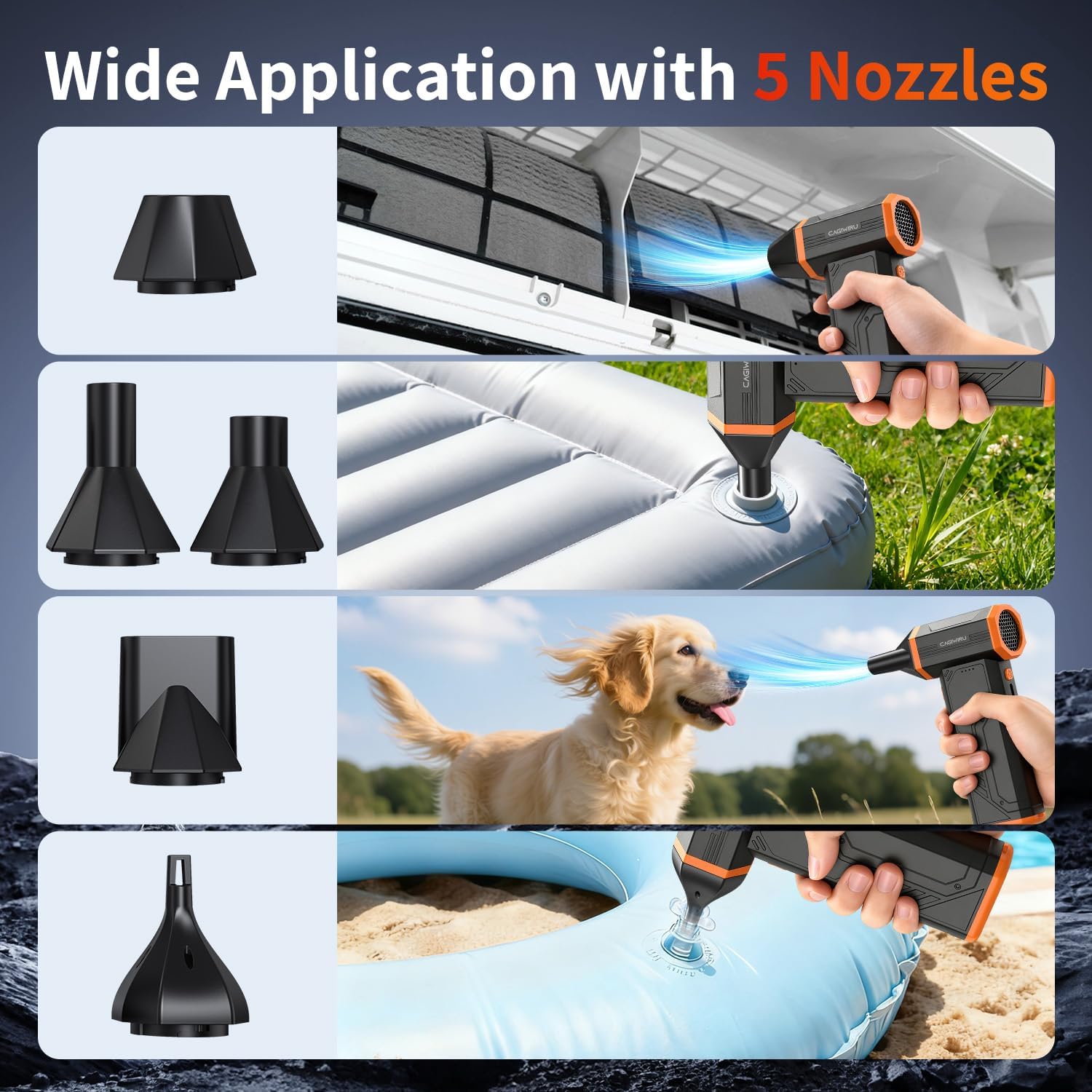
Collage of images showing the CAGIWIRU W15 Compressed Air Duster used with different nozzles for various applications, including cleaning air conditioning filters, inflating items, cleaning car interiors, and drying pet hair.
Maintenance
Cleaning the Device
Wipe the exterior of the air duster with a soft, dry cloth. Do not use harsh chemicals or abrasive cleaners. Ensure the device is powered off before cleaning.
Nozzle Care
The nozzles can be cleaned with a damp cloth. Ensure they are completely dry before reattaching them to the device.
Storage
Store the air duster in a cool, dry place away from direct sunlight and extreme temperatures. Keep it out of reach of children.
Troubleshooting
Device Not Turning On
- Check if the battery is charged. Connect the device to the charger and allow it to charge for at least 30 minutes before attempting to power on again.
- Ensure the power button is pressed and held for the required duration (a few seconds) to activate.
Weak Airflow
- Verify the battery level. A low battery can result in reduced performance.
- Ensure the correct nozzle is attached securely.
- Check for any obstructions in the air intake or outlet.
Charging Issues
- Confirm the Type-C cable is properly connected to both the duster and the power source.
- Try a different Type-C cable or power adapter to rule out faulty accessories.
- Ensure the power source is active and providing sufficient power.
Specifications
| Feature | Specification |
|---|---|
| Brand | CAGIWIRU |
| Model Number | W15 |
| Motor Type | Brushless |
| Max RPM | 110,000 RPM |
| Wind Pressure | 100g |
| Max Wind Speed | >130m/s |
| Adjustable Gears | 3 |
| Item Weight | 0.49 Kilograms (approx. 0.6 lbs) |
| Charging Port | Type-C |
| Charging Time | Approximately 2.5 hours |
Warranty and Support
Warranty Information
This product comes with a 2-year warranty from the date of purchase. The warranty covers manufacturing defects and malfunctions under normal use. It does not cover damage caused by misuse, accidents, unauthorized modifications, or normal wear and tear.
Customer Support
For any questions, technical assistance, or warranty claims, please contact CAGIWIRU customer support. Refer to the contact information provided in your purchase documentation or visit the official CAGIWIRU website. Please have your model number (W15) and proof of purchase ready when contacting support.