
PWAYTEK DT257W-H
PWAYTEK Wireless HDMI Transmitter and Receiver Kit User Manual
Model: DT257W-H
1. Introduction
The PWAYTEK Wireless HDMI Transmitter and Receiver Kit provides a convenient solution for wirelessly transmitting high-definition video and audio signals. This system eliminates the need for long HDMI cables, offering flexibility in device placement and setup. It supports various devices and resolutions, making it ideal for home entertainment, presentations, and gaming.

Figure 1: PWAYTEK Wireless HDMI Transmitter and Receiver units.
2. What's in the Box
Verify that all components are present in the package:
- Wireless HDMI Receiver (RX)
- Wireless HDMI Transmitter (TX)
- USB-A to Type-C Cable (x2)
- USB Type-C to HDMI Adapter (MAX support 4K)
- MINI HDMI to HDMI Adapter (MAX support 8K)
- Micro to HDMI Adapter (MAX support 8K)

Figure 2: All components included in the PWAYTEK Wireless HDMI Kit.
3. Setup Guide
The PWAYTEK Wireless HDMI Kit is designed for a simple plug-and-play experience. Follow these steps for quick setup:
3.1 Connecting the Receiver (RX)
- Connect the Wireless HDMI Receiver (RX) to an HDMI input port on your display device (TV, monitor, or projector).
- Connect one of the provided USB-A to Type-C cables to the RX unit and plug the USB-A end into a 5V/1A power source (e.g., a USB port on your TV or a USB wall adapter). Ensure sufficient power for stable operation.

Figure 3: Step 1 - Connecting the Receiver (RX) to your display and power.
3.2 Connecting the Transmitter (TX)
- Connect the Wireless HDMI Transmitter (TX) to the HDMI output port of your source device (laptop, game console, TV box, etc.).
- For devices manufactured after 2022 with a compatible USB Type-C port (Thunderbolt), the TX unit may draw power directly from the HDMI port, allowing for true wireless operation without an additional power cable.
- For other devices or if additional power is needed, connect the second USB-A to Type-C cable to the TX unit and plug the USB-A end into a 5V/1A power source.
- Utilize the included USB Type-C to HDMI, Mini HDMI, or Micro HDMI adapters as needed for your specific source device.

Figure 4: Transmitter (TX) connected to a laptop, demonstrating true wireless capability.

Figure 5: Type-C to HDMI Adapter compatibility.

Figure 6: Mini HDMI / Micro HDMI Adapter compatibility.
3.3 Pairing and Connection
Once both the TX and RX units are powered and connected, they will automatically pair. The display will show the mirrored content from your source device.

Figure 7: Plug and Play setup for fast auto-sync screen content.
Video 1: Official product video demonstrating the Wireless HDMI Transmitter and Receiver setup and functionality.
Video 2: Official product video showcasing the Wireless HDMI Transmitter and Receiver with Adapter 4K.
4. Operating Instructions
The PWAYTEK Wireless HDMI Kit offers seamless connectivity and high-quality transmission for various applications.
4.1 Wireless Connectivity and Range
Enjoy seamless transmission of 1080P HD video and audio signals. The system supports a long-range transmission of up to 164 feet (50 meters) in open terrain, providing flexible placement options for your devices.

Figure 8: Long-range transmission for flexible use.

Figure 9: Long Range Transmission up to 164FT/50M.
4.2 Display Modes (Copy/Extended)
The system supports both Copy Mode (mirroring your screen) and Extended Mode (extending your desktop). Switch between modes with a single click on the TX unit.

Figure 10: One-click to switch between Extended and Copy modes.
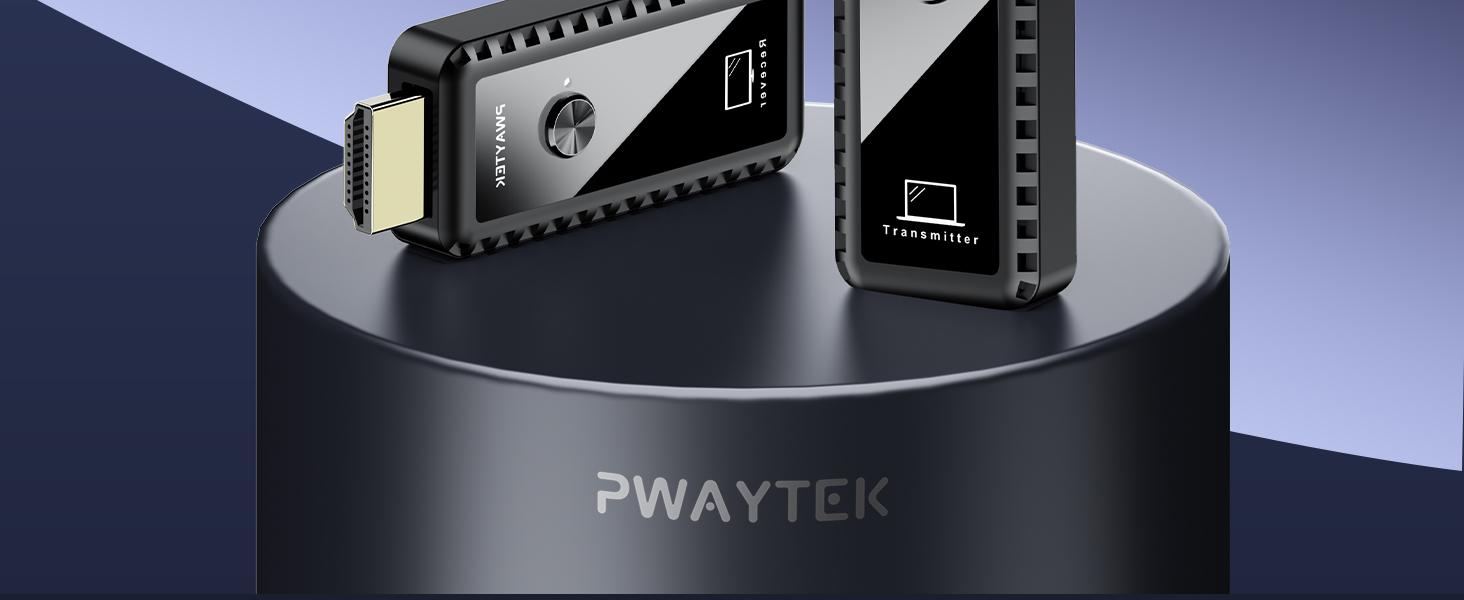
Figure 11: Extended Mode for multi-screen productivity.
4.3 Resolution and Audio
The kit supports resolutions up to 4K input and 1080P HD output. It also features Autosync Audio with SBC level audio decoding, supporting 44kHz/16bit audio for synchronized, lossless audio output.

Figure 12: 4K Ultra HD Decoding capabilities.

Figure 13: Stable 1080P 60Hz Refresh Rate Output.

Figure 14: Autosync Audio for synchronized sound.
4.4 Multi-Transmitter Support
The system supports connecting up to 4 Transmitters (TX) to 1 Receiver (RX). To switch the screen signal from another transmitter, simply press the button on that specific transmitter.

Figure 15: Support for up to 4 Transmitters (TX) to 1 Receiver (RX).
5. Product Specifications
| Feature | Detail |
|---|---|
| Brand Name | PWAYTEK |
| Model Number | DT257W-H |
| Item Weight | 5 ounces |
| Product Dimensions | 2.52 x 0.91 x 0.39 inches |
| Connectivity Technology | WIRELESS HDMI |
| Connector Type | HDMI |
| Resolution Support | 1080p (Output), up to 4K (Input) |
| Special Feature | Screen Mirroring |
| Compatible Devices | Projector, Laptop, Monitor, Television |
| Wireless Frequency | 2.4/5GHz |
| Transmission Distance | Up to 164 feet (50 meters) |
6. Maintenance
To ensure the longevity and optimal performance of your PWAYTEK Wireless HDMI Kit, follow these maintenance guidelines:
- Cleaning: Use a soft, dry cloth to clean the units. Avoid using liquid cleaners or abrasive materials.
- Storage: When not in use, store the units in a cool, dry place away from direct sunlight and extreme temperatures.
- Handling: Handle the units with care. Avoid dropping them or subjecting them to strong impacts.
- Ventilation: Ensure proper ventilation around the units during operation, especially during prolonged use, as they may generate some heat.
7. Troubleshooting
If you encounter issues with your Wireless HDMI Kit, refer to the following common problems and solutions:
- No Signal on Display:
- Ensure both TX and RX units are properly connected to their respective devices and powered on.
- Verify that the display is set to the correct HDMI input source.
- Check power supply: Ensure the RX unit receives sufficient power (5V/1A). For TX, if not using a post-2022 laptop with Thunderbolt, ensure it's also powered via USB.
- Try re-pairing the units by disconnecting and reconnecting them.
- Intermittent Connection or Lag:
- Obstacles (walls, furniture) can affect transmission distance and speed. Ensure a clear line of sight between the TX and RX units if possible.
- Minimize interference from other wireless devices operating on 2.4GHz or 5GHz frequencies.
- Ensure both units have stable power connections.
- Compatibility Issues with Specific Devices:
- While highly compatible, some older or specific devices (e.g., certain cable boxes or projectors) might have unique HDMI handshake requirements. Try power cycling all connected devices.
- Ensure the correct adapters (USB-C, Mini HDMI, Micro HDMI) are used for your source device.
8. Warranty and Support
PWAYTEK products are designed for reliability and performance. For warranty information, technical support, or any inquiries, please refer to the contact details provided in your product packaging or visit the official PWAYTEK website.
For additional resources and FAQs, you may also visit the PWAYTEK Store on Amazon.
Related documentsDT257W-H

Ask a question about this manual
Ask about setup, troubleshooting, compatibility, parts, safety, or missing instructions. Manuals+ will review the question and use this page’s manual context to help answer it.