
Sealy Sunrise Alarm Clock
Sealy Sunrise Alarm Clock Wake-Up Light User Manual
Model: Sunrise Alarm Clock | Brand: Sealy
Introduction
This user manual provides comprehensive instructions for the Sealy Sunrise Alarm Clock Wake-Up Light. It covers setup, operation, maintenance, and troubleshooting to ensure you get the most out of your device. This innovative alarm clock combines a gentle sunrise simulation with multicolor mood lighting, a USB charging port, and a temperature display to enhance your daily routine.
Key Features
- Sunrise Simulation: Gradually brightens to mimic a natural sunrise, promoting a gentle wake-up.
- 7 Multicolor LED Mood Lights: Offers a spectrum of colors to create various ambiances.
- 3 Brightness Levels: Adjustable illumination for different times of day or night.
- Tap-to-Snooze & Dual Alarm: Set two independent alarms and easily snooze with a tap.
- LED Display with Temperature Reader: Clear display showing time, date, and room temperature.
- USB Charging Port: Conveniently charge mobile devices.

Image: The Sealy Sunrise Alarm Clock displaying the time 8:45, with a smartphone connected to its USB charging port at the base. The clock emits a warm, bright light, and a remote control with color options is visible on the left.

Image: A woman stretching in bed as the Sealy Sunrise Alarm Clock on her nightstand emits a soft, warm light, illustrating the sunrise simulation feature.

Image: Three views of the Sealy Sunrise Alarm Clock demonstrating its adjustable brightness levels at 20%, 50%, and 100% intensity, showing how the light can be customized.
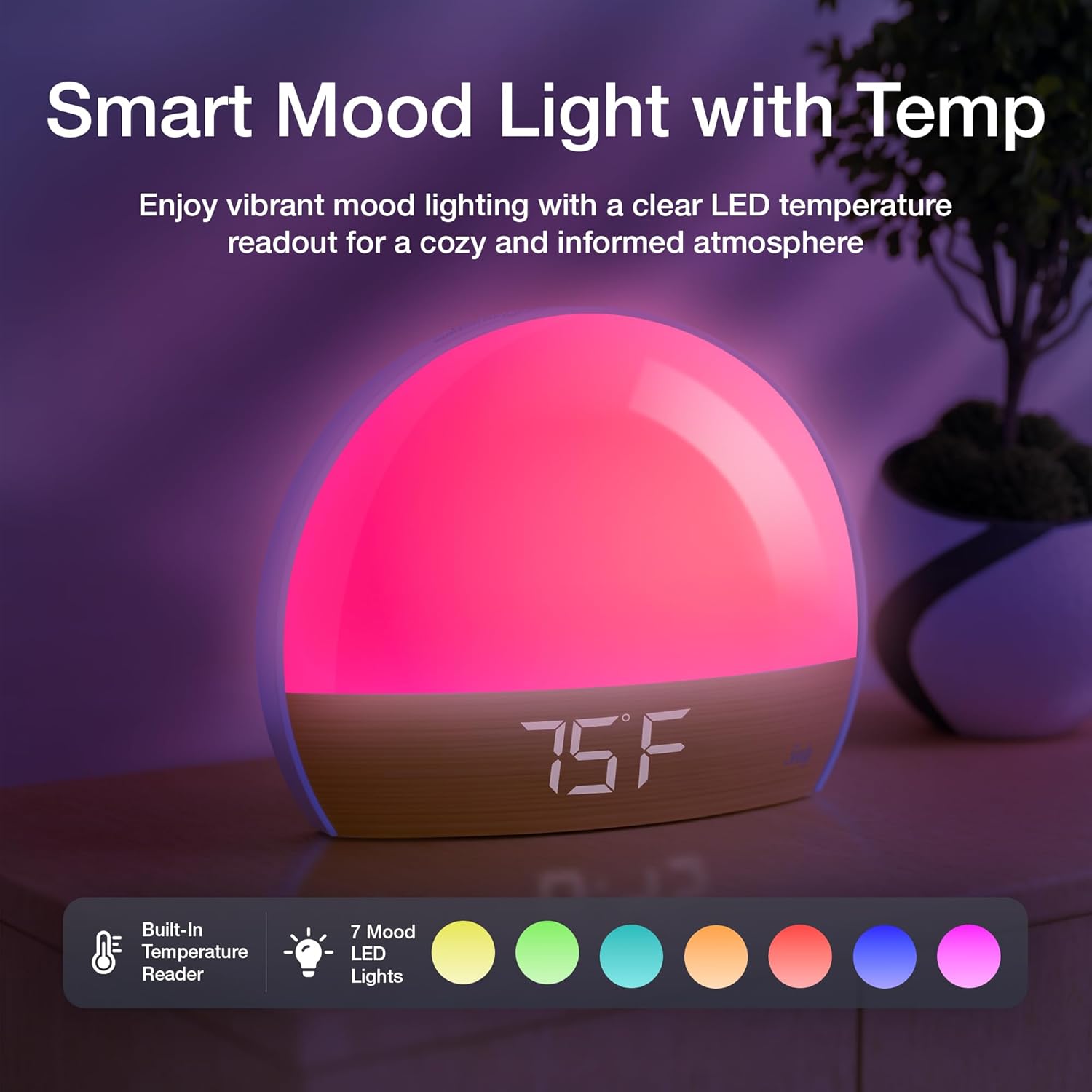
Image: The Sealy Sunrise Alarm Clock glowing with a vibrant pink mood light, displaying "75F" for temperature, and showing icons for built-in temperature reader and 7 mood LED lights with a color palette.

Image: A close-up of the back panel of the Sealy Sunrise Alarm Clock, highlighting the functional controls including buttons for Alarm ON/OFF, SET, DOWN, UP, and ports for USB Charging Output and Power Input.
Product Video Overview
Video: An official product video demonstrating the features of the Sealy Sunrise Alarm Clock, including sunrise simulation, adjustable brightness, tap-to-snooze, seamless charging, and multicolor mood lights.
What's Included
- Sealy Sunrise Alarm Clock Unit
- USB-C Power Cable
- User Manual (this document)
Setup Guide
- Unpack: Carefully remove all components from the packaging.
- Power Connection: Connect the provided USB-C cable to the "INPUT 5V" port on the back of the alarm clock. Plug the other end into a compatible USB power adapter (not included) and then into a wall outlet.
- Initial Power On: The clock display will illuminate.
- Set Time: Press the SET button to enter time setting mode. Use the UP and DOWN buttons to adjust the hour, then press SET to confirm and move to minutes. Repeat for minutes.
- Set Date: After setting the time, continue pressing SET to cycle through date settings (Year, Month, Day) and adjust using UP and DOWN.
Operating Instructions
Setting Alarms
- Access Alarm Setting: Press the ALARM ON/OFF button once to select Alarm 1. Press again for Alarm 2.
- Set Alarm Time: While the desired alarm is selected, press and hold the SET button. The hour will flash. Use UP and DOWN to adjust, then press SET to confirm and move to minutes.
- Select Alarm Sound: After setting the time, use UP and DOWN to choose from available alarm sounds.
- Adjust Alarm Volume: Use UP and DOWN to set the alarm volume.
- Activate Alarm: Press ALARM ON/OFF to toggle the alarm on or off. An alarm icon will appear on the display when active.
Sunrise Simulation
The sunrise simulation feature gradually increases light intensity 10-60 minutes before your set alarm time, mimicking a natural sunrise. This helps to gently wake you up. The duration of the simulation can be adjusted in the alarm settings.
Mood Lighting
To activate the mood lighting, press the light bulb icon on the remote control or the corresponding button on the device. Cycle through the 7 available colors by pressing the button repeatedly. To adjust brightness, use the brightness control buttons on the device or remote.
Tap-to-Snooze
When the alarm sounds, gently tap the top of the alarm clock to activate the snooze function. The alarm will pause for 9 minutes and then sound again. This can be repeated multiple times.
USB Charging Port
The alarm clock features a USB charging port (OUTPUT 5V 1A) on the back. Connect your mobile device's charging cable to this port to charge your device overnight or during the day.
Temperature Display
The integrated LED display shows the current room temperature in Fahrenheit. This feature provides real-time environmental information.
Maintenance
- Cleaning: Wipe the surface of the alarm clock with a soft, dry cloth. Do not use abrasive cleaners or solvents.
- Storage: If storing for an extended period, disconnect the power cable and store the device in a cool, dry place.
- Avoid Water: Do not immerse the device in water or expose it to excessive moisture.
Troubleshooting
| Problem | Possible Cause | Solution |
|---|---|---|
| Clock display is off. | No power connection. | Ensure the USB-C cable is securely connected and the power adapter is plugged into a working outlet. |
| Alarm does not sound. | Alarm not activated or volume too low. | Check if the alarm icon is displayed. Increase alarm volume. |
| Sunrise simulation not working. | Feature not enabled or incorrect alarm time. | Verify sunrise simulation is enabled in alarm settings and the alarm time is correctly set. |
| USB charging is slow or not working. | Device requires more power than supplied (1A). | Ensure your device is compatible with 5V 1A charging. Use the original charging cable for your device. |
Specifications
| Feature | Detail |
|---|---|
| Brand | Sealy |
| Style | Alarm Clock |
| Color | White |
| Product Dimensions | 3"D x 7"W x 7"H |
| Item Weight | 1.2 Pounds |
| Light Source Type | LED |
| Number of Light Sources | 7 (Multicolor Mood Lights) |
| Power Source | USB-C Cable |
| Voltage | 5 Volts (DC) |
| USB Output | 5V 1A |
| Special Features | Sunrise Simulation, Temperature Display, Tap-to-Snooze, USB Charging Port |
| Material | Plastic |
| Finish Type | Matte |
Warranty and Support
For warranty information, technical support, or customer service inquiries, please refer to the contact details provided on the product packaging or visit the official Sealy website. Keep your purchase receipt for warranty claims.
Ask a question about this manual
Ask about setup, troubleshooting, compatibility, parts, safety, or missing instructions. Manuals+ will review the question and use this page’s manual context to help answer it.