
Introduction
Thank you for choosing the Basike 20000mAh Power Bank P864L. This portable charger is designed to provide reliable and fast power for your devices on the go. With its high capacity, integrated cables, and advanced safety features, it ensures your devices stay charged efficiently and securely.
Key features include:
- 20000mAh High Capacity: Provides multiple charges for smartphones, tablets, and other devices.
- Fast Charging: Supports up to 22.5W output for rapid power delivery.
- Integrated Cables: Built-in USB-C and Lightning cables for convenience, eliminating the need to carry extra cables.
- Multiple Output Ports: Includes USB-A (up to 22.5W) and USB-C (up to PD20W) ports for versatile charging options.
- Digital Display: Clear LED indicator shows the remaining battery percentage.
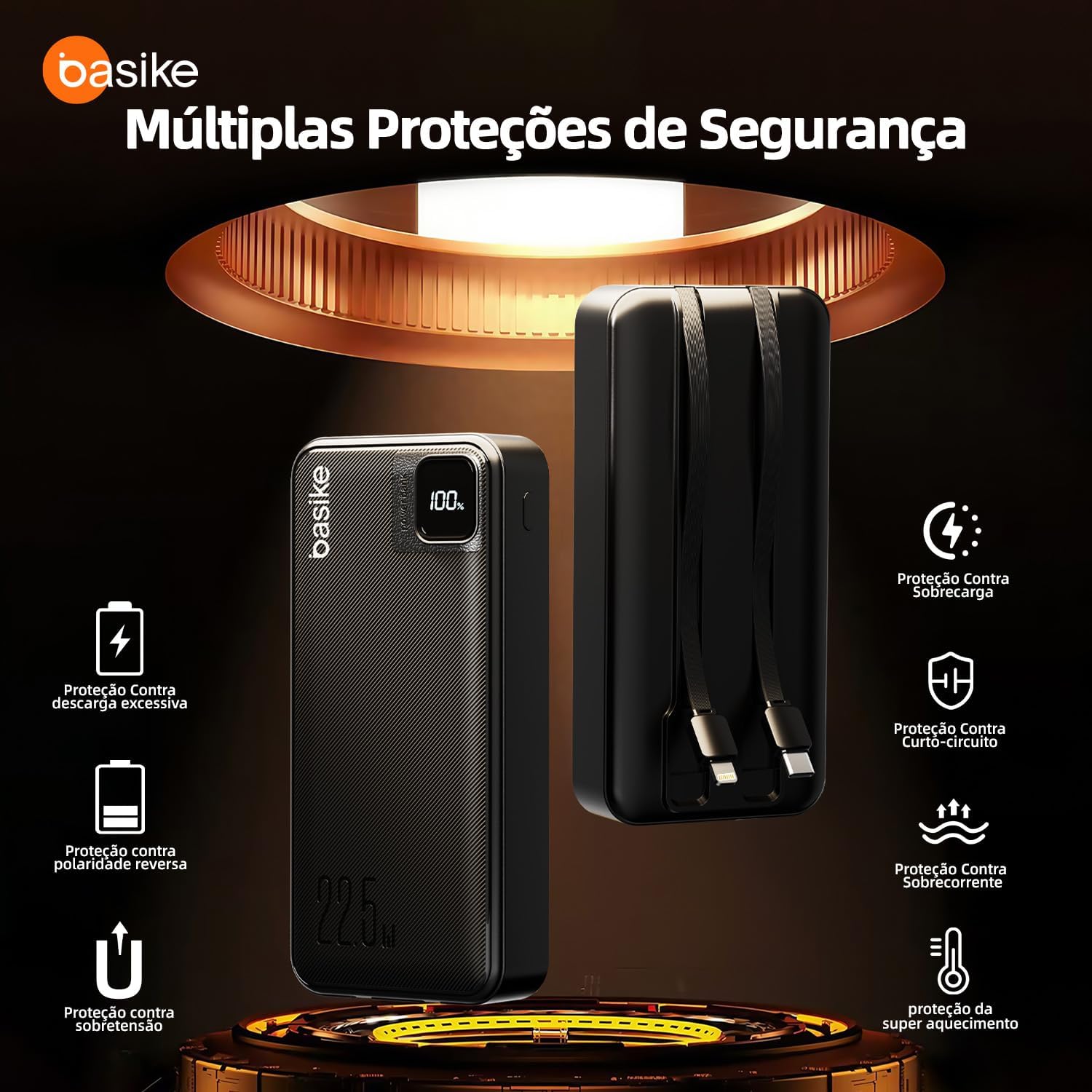
- Advanced Safety Protections: Equipped with multiple layers of protection against overcharge, short-circuit, overcurrent, and overheating.

Initial Setup
Charging the Power Bank
- First Use: It is recommended to fully charge your power bank before its first use.
- Connect to Power: Use a USB-C cable to connect the power bank's USB-C input port to a wall adapter (not included).
- Monitor Charge: The digital display will show the charging progress. It is fully charged when the display reads "100%".

Operating Instructions
Charging Your Devices
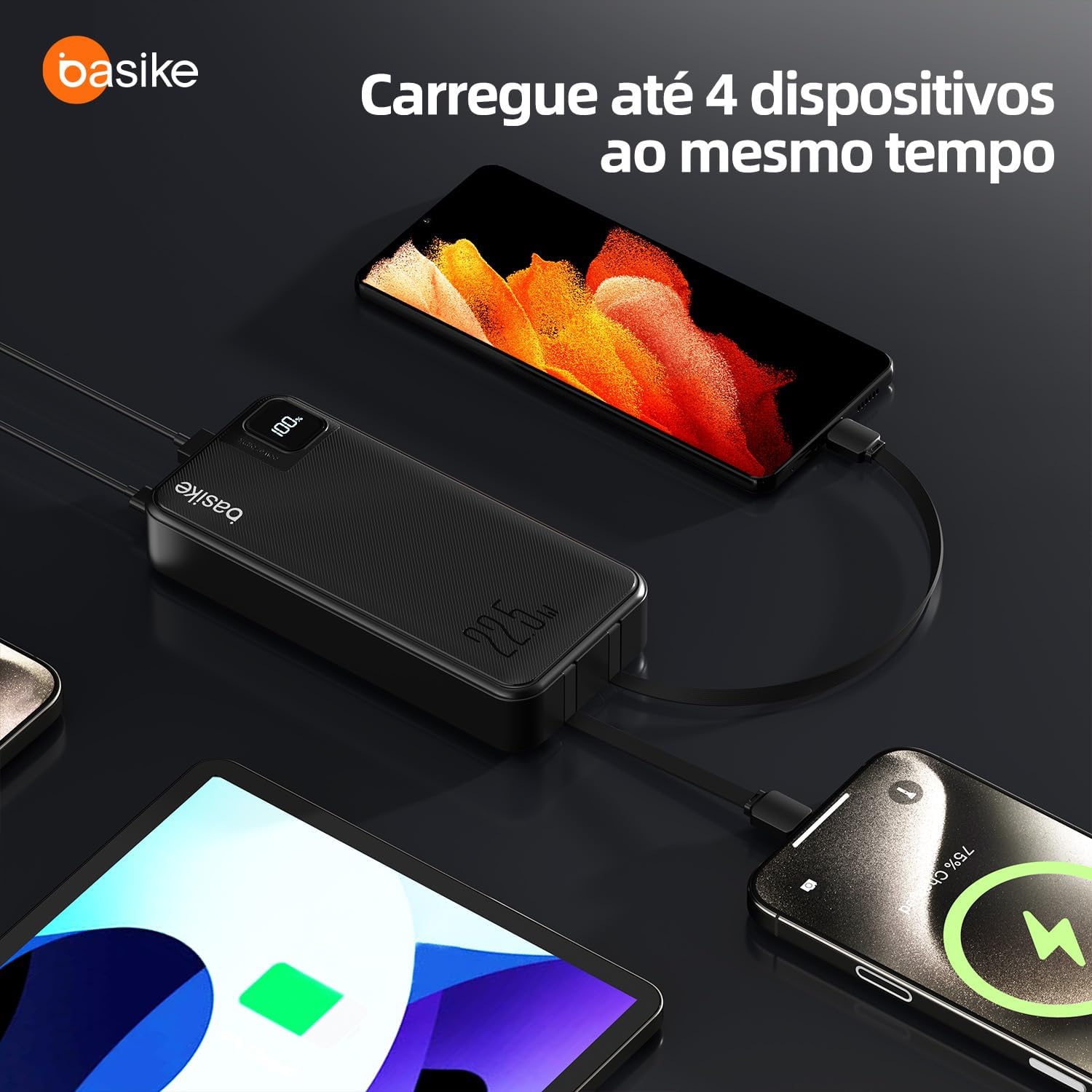
- Using Integrated Cables: Pull out the built-in USB-C or Lightning cable and connect it directly to your compatible device. The power bank will automatically begin charging.
- Using USB-A/USB-C Ports: Connect your device's charging cable to the appropriate USB-A or USB-C output port on the power bank. The power bank will detect the device and start charging.
- Monitoring Charge: The digital display will show the power bank's remaining battery level while charging your devices.

Simultaneous Charging
The Basike Power Bank allows you to charge multiple devices simultaneously using its various output options (integrated cables and ports).
Fast Charging Capability
This power bank supports fast charging protocols, delivering up to 22.5W via USB-A and up to PD20W via USB-C, significantly reducing charging times for compatible devices.

Care and Maintenance
- Cleaning: Use a soft, dry cloth to clean the power bank. Avoid liquid cleaners or abrasive materials.
- Storage: Store the power bank in a cool, dry place away from direct sunlight and extreme temperatures.
- Battery Life: To prolong battery life, fully charge and discharge the power bank at least once every three months if not in regular use.
- Avoid Impacts: Do not drop or subject the power bank to strong impacts.
Troubleshooting Guide
- Power bank is not charging:
- Ensure the charging cable is securely connected to both the power bank's USB-C input and a working power adapter. Try a different cable or adapter.
- Device is not charging from the power bank:
- Check if the power bank has sufficient charge. Ensure the cable connecting the device to the power bank is secure and functional. Try a different port or integrated cable. Verify device compatibility.
- Slow charging:
- Ensure your device supports fast charging and that you are using a compatible cable. Some devices may limit charging speed to protect their battery. Charging multiple devices simultaneously may also reduce individual charging speeds.
- Integrated cable not working:
- Inspect the integrated cable for any visible damage. Ensure it is fully inserted into your device. If one integrated cable is faulty, try using the other integrated cable or a separate USB cable with the power bank's ports.
Technical Specifications
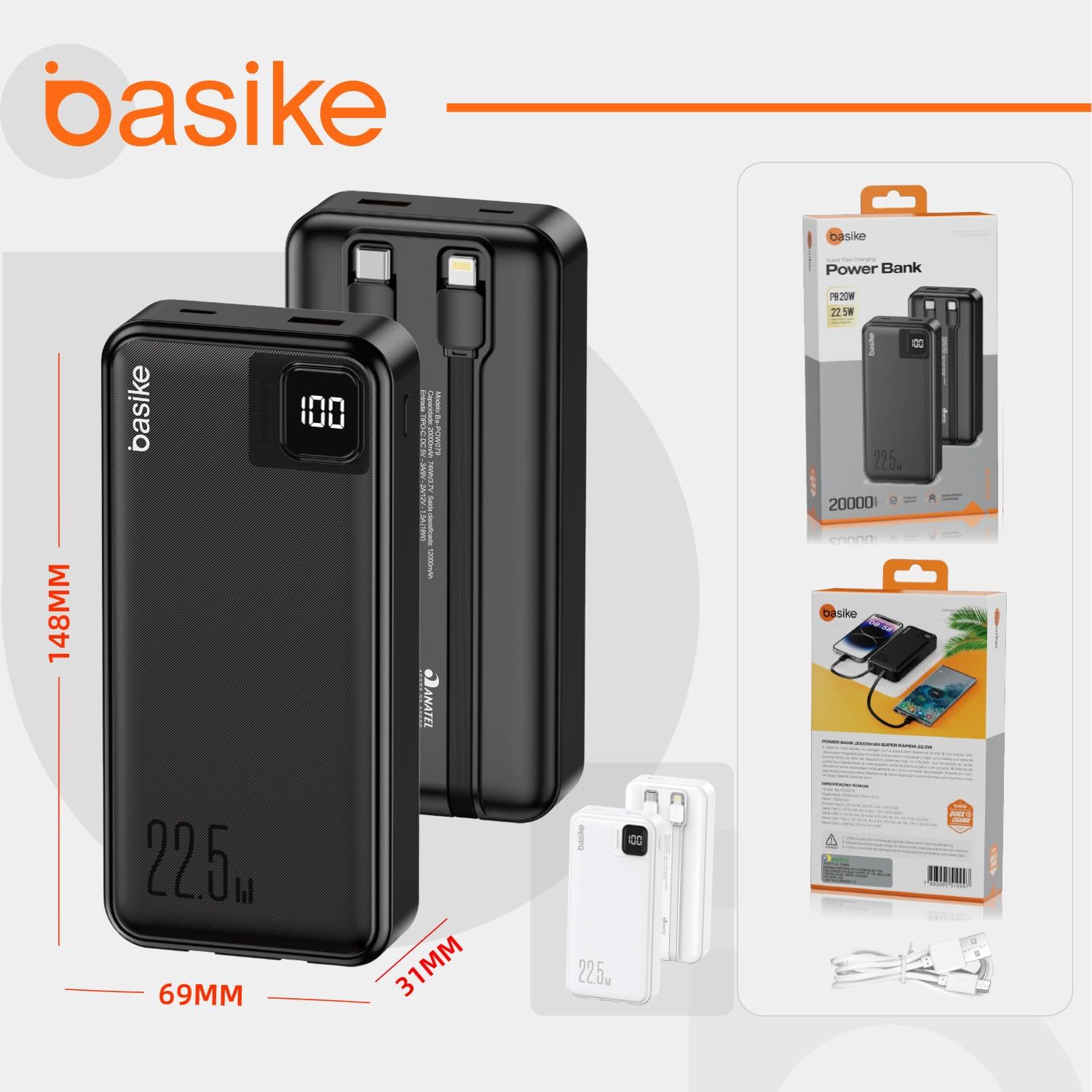
| Brand | Basike |
| Model Name | P864L |
| Capacity | 20000mAh |
| USB-A Output | Up to 22.5W |
| USB-C Output | Up to PD20W |
| USB-C Input | Up to 18W |
| Integrated Cables | USB-C, Lightning |
| Special Features | Integrated cables, Fast charging, Short-circuit protection, Overload protection, Digital display |
| Item Weight | 400 Grams |
| Dimensions (L x W x T) | 14.7 x 6.9 x 3 cm |
| External Certification | ANATEL: 15377-23-13686 |
| Compatible Devices | Smartphones, Tablets, Headphones, Smartwatches, MP3 Players, etc. |
Warranty Information
This Basike Power Bank P864L comes with a 1-year warranty from the date of purchase. The warranty covers manufacturing defects under normal use. Basike is not responsible for damages caused by improper use of the product or use with an incompatible electrical device.
Please retain your proof of purchase for warranty claims.
Customer Support
For further assistance, technical support, or warranty inquiries, please contact your retailer or visit the official Basike brand store on Amazon:
You may also refer to the Amazon customer service for product-related questions.